Email notification belongs to Action blocks. The block’s functionality is the same for Triggered and Bulk scenarios.
Email notification block allows you to track subscriber actions and receive notifications about it without logging into your account. If a subscriber submits their data or takes a specific step in the scenario, you’ll immediately receive a notification by email.
To receive email notifications, choose the scenario and the step in your scenario after which you want to receive notification. In the scenario’s builder, add the Email notification block to the workspace from the toolbar menu below or by right-clicking the workspace.
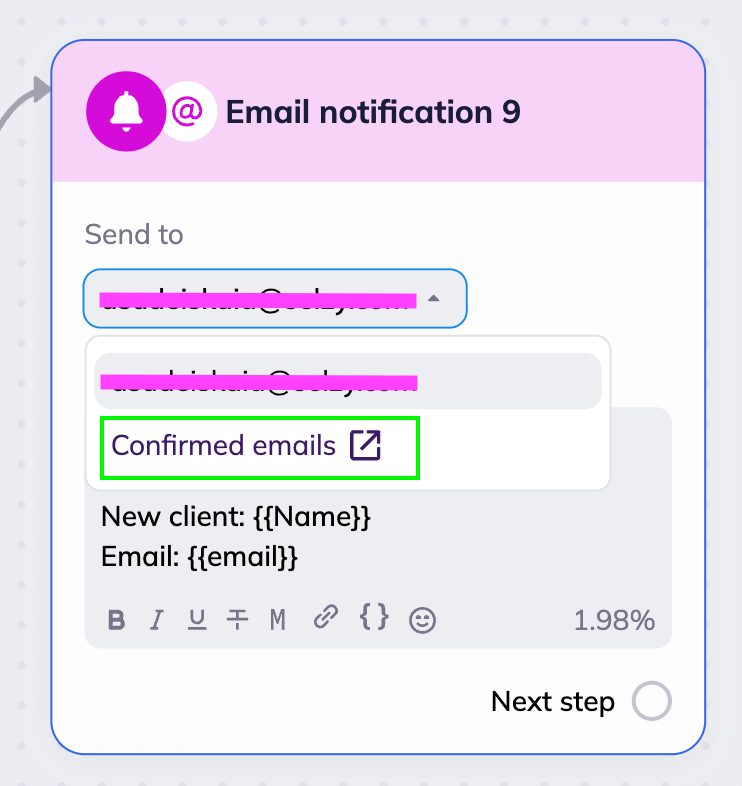
In the block settings, in the “Send to” field, select the email address to send notifications to. The list only includes addresses added to your account settings under Confirmed emails.
If the address you need isn’t there, click on the “Confirmed emails” link in the dropdown menu. You’ll be redirected to the “Confirmed emails” page in Account Setup. Add the address, verify it, then return to your scenario to set up notifications.
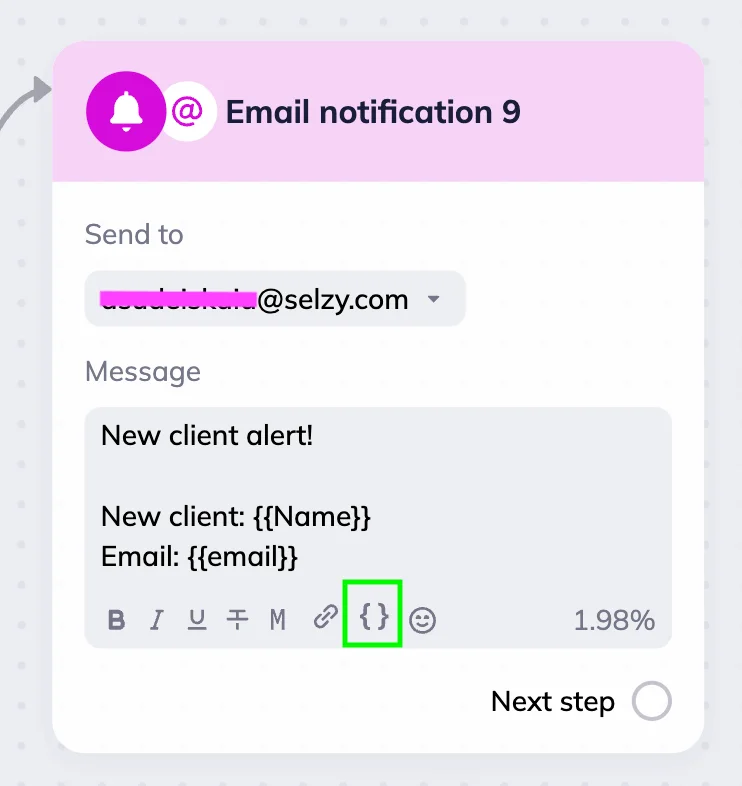
After you enter your email address, add the notification text. For example: “New subscriber in scenario” or “Webinar registration received.” You can format the text using the toolbar in the text field.
You can use merge tags in the notification text to automatically include subscriber data — for example, their name, phone number, or registration date if it’s available. To do this, click the curly brackets icon and select the desired field from the list.
Notification email example
Let’s say we want to track feedback for our sketching webinar. We create a Triggered scenario with the Contact list trigger — as soon as a subscriber is added to the “Webinar participants” list, the system automatically sends them the “We'd Love Your Feedback on Our Sketching Webinar!” email.
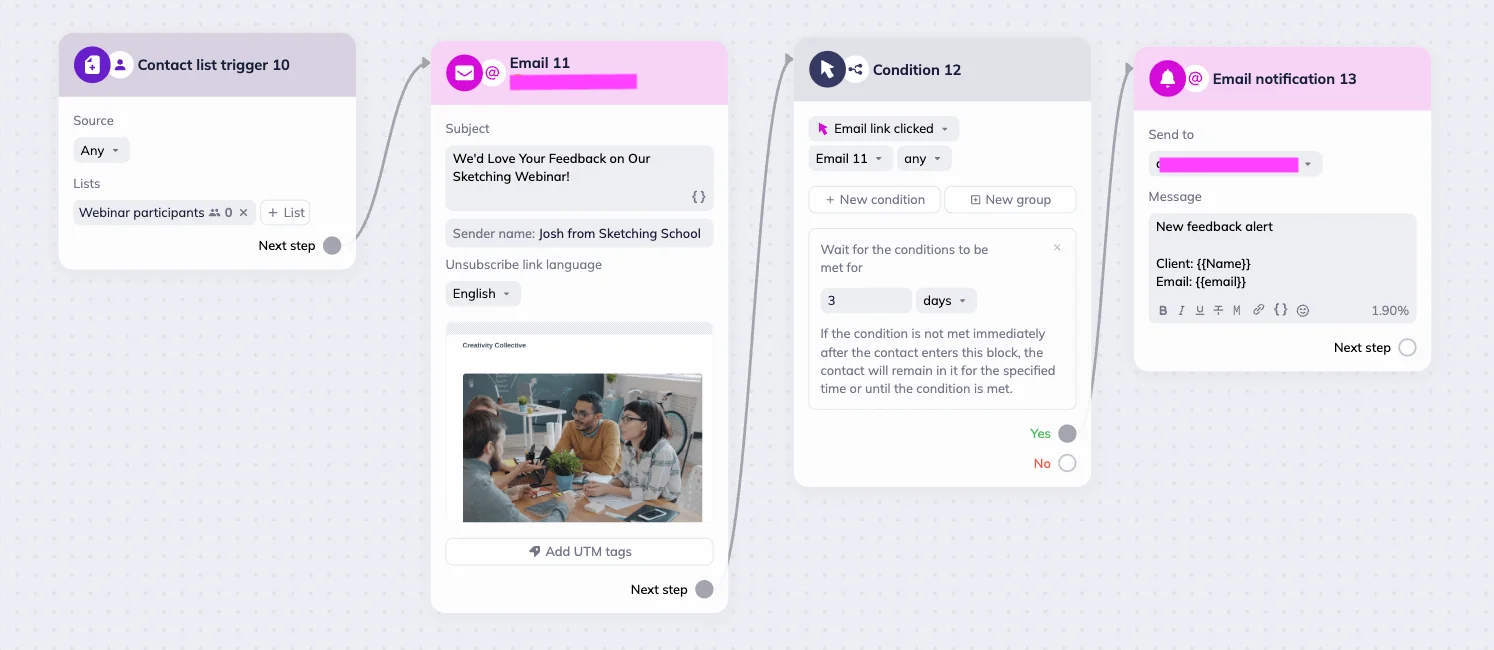
This email contains a voting poll with a link. If the subscriber clicks the link within 3 days, we receive an email notification saying “New feedback alert.” It also includes the client's name and email, so you can instantly contact them if needed.