


Key takeaways
- Email testing tools help ensure messages reach inboxes, look good on all devices, and perform as intended.
- These tools help catch issues early and improve email campaign success.
- Professionals like email marketers, B2B companies, developers, marketing agencies, and product teams can benefit from email testing tools.
- Benefits include improved deliverability, increased engagement, cross-platform rendering assurance, prevention of broken links, and enhanced ROI.
- A/B testing tools like Selzy, Mailchimp, Campaign Monitor, and Klaviyo offer features for testing different email versions.
Email testing tools help ensure your messages actually reach inboxes, look good on every device, and perform the way you want them to. Think of these tools as your safety net.
In this article, we’ll examine what email testing tools are and cover a wide range of platforms, their key features, and pros/cons. Whatever email issue you’re having, be it deliverability, experimentation, or verification, there is likely a tool below that can help you resolve it.
What are email testing tools?
Email testing tools are platforms that help preview, validate, and optimize email campaigns before sending. In short, they help you catch issues early and improve your chances of a successful send.
To narrow the list, start with the problem you need to solve first: use A/B testing tools for experiments, deliverability tools for inbox placement, preview tools for rendering, verification tools for list quality, subject line tools for opens, and SMTP testing tools for technical diagnostics.
Email testing tools make sure your emails look right on all devices, don’t land in spam folders, and work the way they should. In particular, they show how your email renders across different clients, test deliverability, scan for spam trigger words, verify links and content, and even support A/B testing to see which version performs better.
There are many tools of this kind on the internet, so we’ve compiled this guide to help you make sense of them all.
Who should use email testing tools?
There are many different professionals who could benefit from email testing tools. Let’s have a look:
- Email marketers: to preview email layouts and personalization, avoid spam filters, and run A/B tests.
- B2B companies: to ensure reliable delivery of sales, onboarding, or transactional emails.
- Developers: to validate HTML code and check for rendering issues.
- Marketing agencies: to streamline quality assurance across multiple campaigns.
- Product teams: to run tests and optimize performance based on real user behavior.
What are the key benefits of using email testing tools?
Here are some important advantages of using email testing tools for your email marketing campaigns:
- Improve deliverability. Testing tools check your email’s content and technical setup to make sure it reaches the inbox, not the spam folder.
- Boost engagement. You can ensure a better experience for your recipients by previewing how your email looks across devices. This drives more opens and clicks.
- Ensure cross-platform rendering. Tools help confirm that your design displays correctly in all major email clients, like Gmail or Outlook, and also across different devices, like phones or laptops.
- Prevent broken links. Automated checks scan for broken links, typos, or missing images before you send your email.
- Enhance ROI. According to research by Litmus, testing your emails can boost your return on investment by 34%.
Best A/B testing tools for email campaigns
A/B testing (also known as split testing) means sending two different versions of an email to two segments of your audience, then tracking which one performs better. You can test almost anything — subject lines, call-to-action buttons, send times, and even sender names. A/B testing can make a lot of difference for your campaigns, for example, improving conversions.
In theory, you can run an A/B test manually. But should you? We say stick to online platforms that do it for you, and save time. Most tools will automatically split your audience, send out both email versions, and then declare a winner based on real-time metrics like open rate or click-through rate.
Ready to start testing? Let’s have a look at some of the best A/B testing tools below.
| Tool | Free trial? | Starting price (per month, paid annually) | Focus areas | Notes |
| Selzy | Free plan and free trial (A/B testing feature isn’t available) | $5.25 for 500 contacts and unlimited emails | Simple, budget-friendly email testing | Test up to 10 variants, very beginner-friendly, no automation testing |
| Mailchimp | 14 days for $1 | $13 / 500 contacts and up to 5,000 emails | All-purpose email marketing | Up to 3 test variations, auto-send winner, multivariate on Premium |
| Campaign Monitor | 30 days | $12 / 500 contacts and up to 2,500 emails | Design-forward, flexible testing | Real-time test results, manual winner selection, no multivariate testing |
| Klaviyo | Free plan | $20 / 500 contacts and up to 5,000 emails | E-commerce, automation-heavy campaigns | Tests in automations, placed orders as a metric, AI personalization for large lists |
1. Selzy
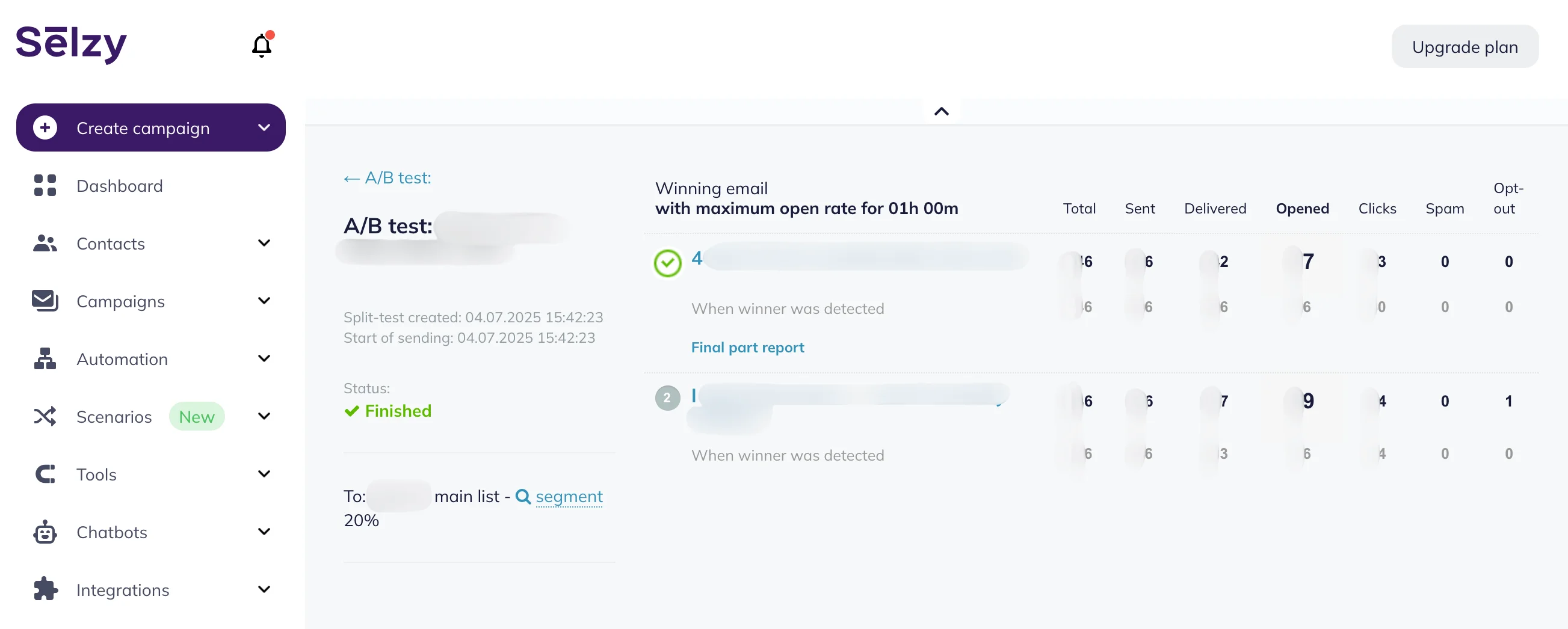
Selzy is an automation and email marketing platform with many useful features, including A/B testing. You can test subject lines, from names, preheaders, content, buttons, design elements, and send times — either across your whole list or using a test group, with the winning version sent to the rest.
Selzy supports up to 10 variations per test (which is unusually high!) and lets you define success by open rate, clicks, or manual selection. You can also test layout or CTA changes by duplicating your email and modifying just one element. Results appear in an easy-to-read report to help you analyze the A/B testing results, with full campaign analytics available.
Selzy is beginner-friendly and an excellent choice for small businesses. It also has many possible integrations, including Shopify, Zapier, Telegram, and more.
Now, onto pricing: Selzy’s pricing starts from $5.25/month, including full access to A/B testing and other features. There’s also a free plan with up to 100 contacts and 1,000 emails/month and a free trial with even bigger limits, but you won’t be able to use A/B testing.
Pros:
- Up to 10 variations per test
- Very affordable and beginner-friendly
Cons:
- No advanced analytics
- Can’t test automated email sequences

2. Mailchimp
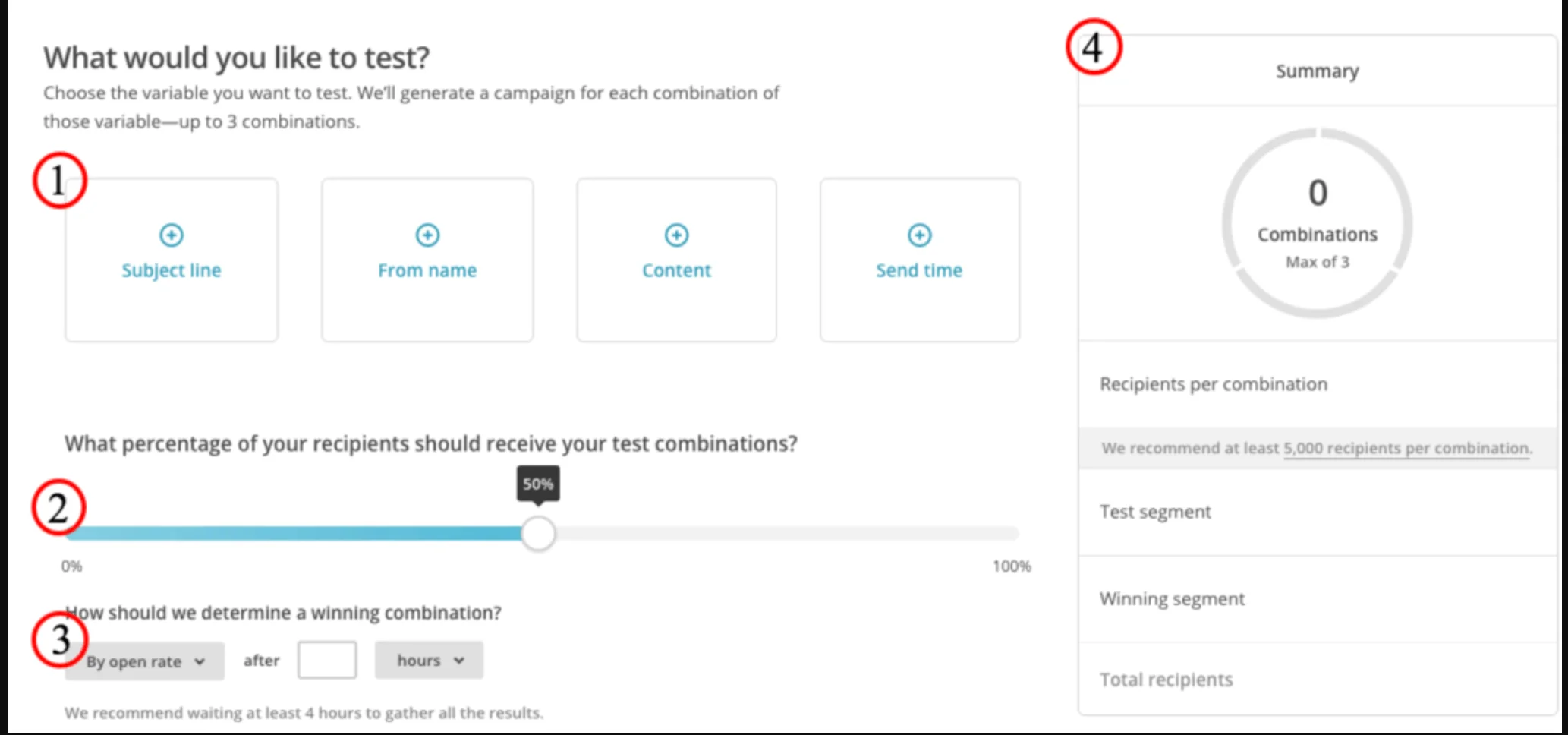
Mailchimp isn’t just an A/B testing tool — it’s one of the most popular email services and newsletter software out there. It actually takes split testing a step further by allowing you to test three variations of the same campaign, even on the standard plan.
You choose the metric that defines success (opens, clicks, or revenue), and Mailchimp will automatically send the best-performing version to the rest of your list. It also features solid analytics for test results for most use cases. Premium users can go even further with multivariate testing, running up to eight versions at once.
Mailchimp is beginner-friendly thanks to its clean interface, built-in audience segmentation, and extensive template support. It also fits really easily into most marketing stacks because it integrates with tools like Shopify, LinkedIn, Stripe, and Canva.
Mailchimp does have a free tier, but you can’t run A/B tests on that. The cheapest plan that does have this feature, Essentials, costs $13 a month for 500 contacts (the more contacts you have, the more expensive it is) and up to 5,000 emails. There’s also a 14-day (almost) free trial — it costs $1 and includes A/B testing features.
Pros:
- A/B/C and multivariable testing available
- Beginner-friendly, good UI
Cons:
- Can’t end the test early
- Doesn’t have deeper analytics
3. Campaign Monitor
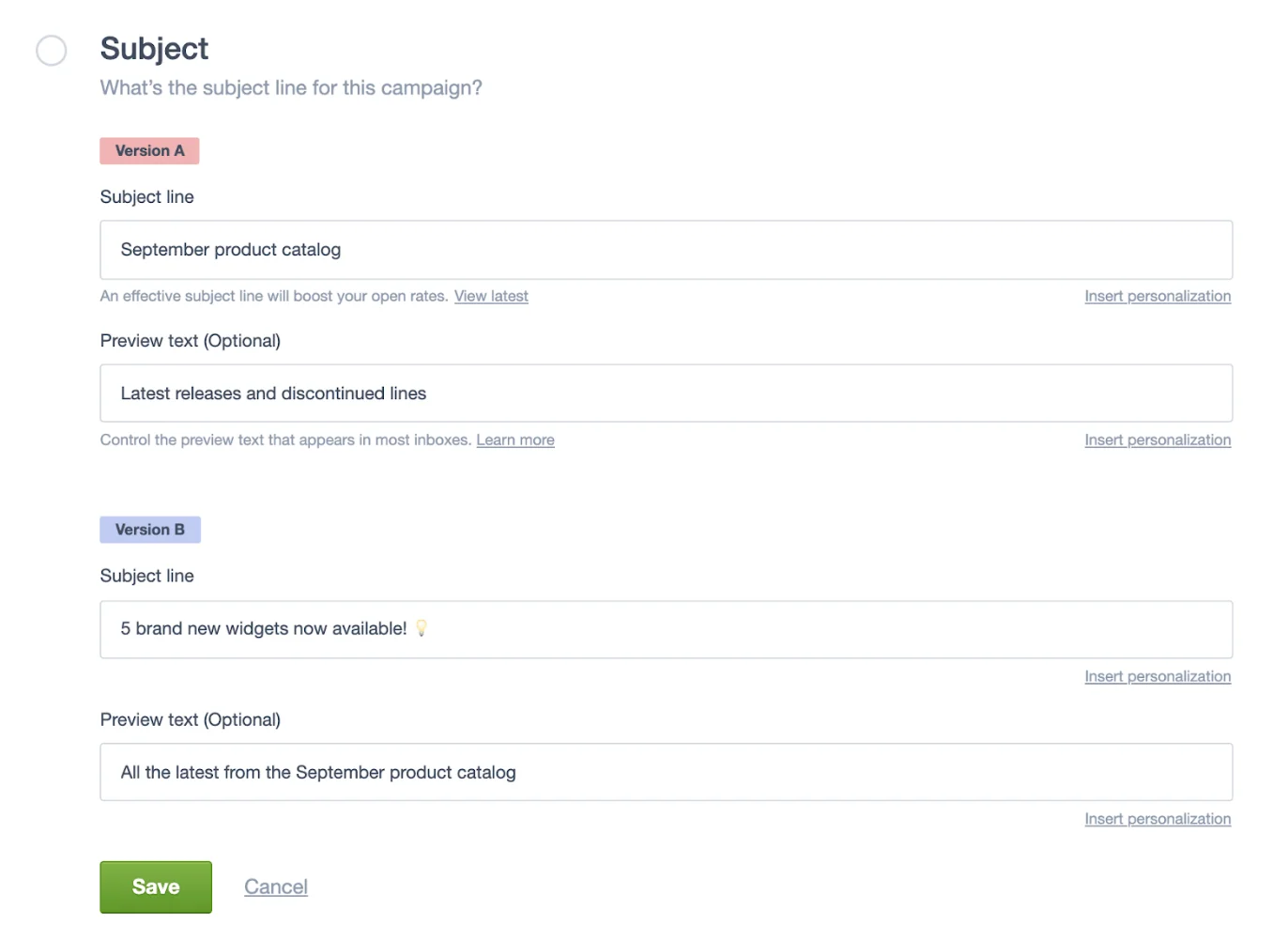
Campaign Monitor is another well-known ESP on our list, known for its strong focus on clean design and ease of use. But it’s more than that — it also offers robust A/B testing features.
You can test subject lines, sender names, or even completely different email designs. Tests are goal-based — you choose whether to optimize for opens, clicks, or clicks on a specific link. Once the test runs, you can either let the platform automatically pick a winner or choose manually.
One standout feature: real-time reporting with the option to end the test early. It’s especially useful for teams who want to compare layouts or content-heavy emails. If we’re comparing Campaign Monitor to Mailchimp, the former offers more flexibility in defining success metrics and managing test timing manually, while the latter is more automation-focused.
Campaign Monitor is beginner-friendly and offers plenty of integrations, including Facebook, Shopify, WordPress, and Canva.
Interested in trying it out? Campaign Monitor has a 30-day free trial. After that, it’s $12 a month for up to 500 contacts and up to 2,500 emails.
Pros:
- Goal-based testing
- Real-time reporting, early manual override
Cons:
- No multivariable testing
- No statistical significance analysis
4. Klaviyo
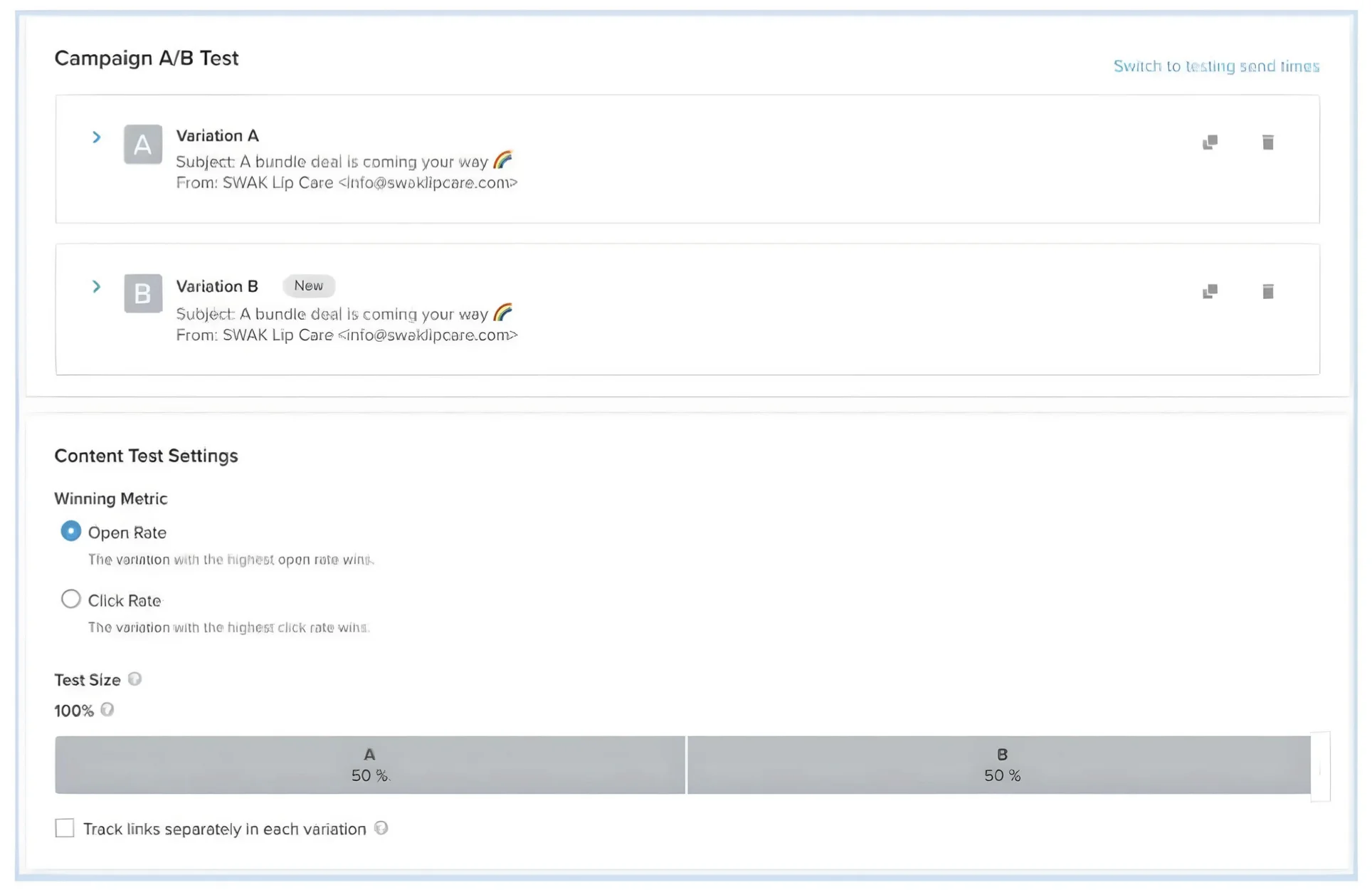
Yet another email automation software on our list, Klaviyo was built with e-commerce in mind, so many of its features are geared towards that. Beyond subject lines and send times, you can test email content, layout, CTA design, and even entire automated flows. You can run tests on one-off campaigns or inside automations.
Similarly to Campaign Monitor, Klaviyo’s tests are goal-based: choose to optimize for open rate, click rate, or placed order rate. If your account is large enough, you can go beyond the standard “winner-takes-all” model and use AI-powered personalization, where Klaviyo sends each recipient the variation they’re most likely to engage with based on behavior, location, or lifetime value.
In comparison to the other ESPs on our list, Klaviyo gives you deeper testing flexibility, e-commerce-specific metrics, and allows A/B testing in automations. While it features a clean UI, it’s not as beginner-friendly. With Klaviyo, you need to be familiar with data and e-commerce. Popular integrations include Stripe, Salesforce, Shopify, and Facebook.
Klaviyo has a free plan if you’re interested in testing it out, where you can have up to 250 active profiles (contacts you can email). After that, it’s $20/month for up to 500 contacts and 5,000 monthly email sends.
Pros:
- A/B tests available for campaigns and automations
- Very strong analytics and statistics
Cons:
- More expensive
- Not ideal for beginners or those not in e-commerce
Best email testing tools for deliverability & spam testing
Email deliverability is all about ensuring your emails actually reach your subscribers and don’t go into the spam folder. Deliverability testing helps to improve your chances of actually landing in the inbox. Good tools will scan for spam triggers, validate your sender domain, and preview how your email will be handled by different services.
Let’s compare every platform side by side:
| Tool | Free trial? | Starting price (per month, paid annually) | Focus areas | Notes |
| GlockApps | Free plan | $59 | Spam filter testing, reputation monitoring, inbox placement | Not beginner-friendly |
| SendForensics | No | $39 | Predictive deliverability scoring, reputation dashboard, content analysis | Not beginner-friendly |
| Mailtrap | Free plan (sending and testing) | $15 for sending (10,000 emails); $14 for testing (500 test emails) | Email sending, device previews, HTML Check, spam score, blacklist check | Separate plans for sending and testing; developer-focused |
| MailReach | No | $20 (email warm up + spam checker) | Email warm-up, reputation monitoring | Beginner-friendly |
| Warmy | 7 days | – | AI-powered warm-up, analytics | No clear pricing plans |
| Mailgun | 30 days | $49 | Deliverability diagnostics, inbox placement tests, email address validations | Developer-focused |
5. GlockApps
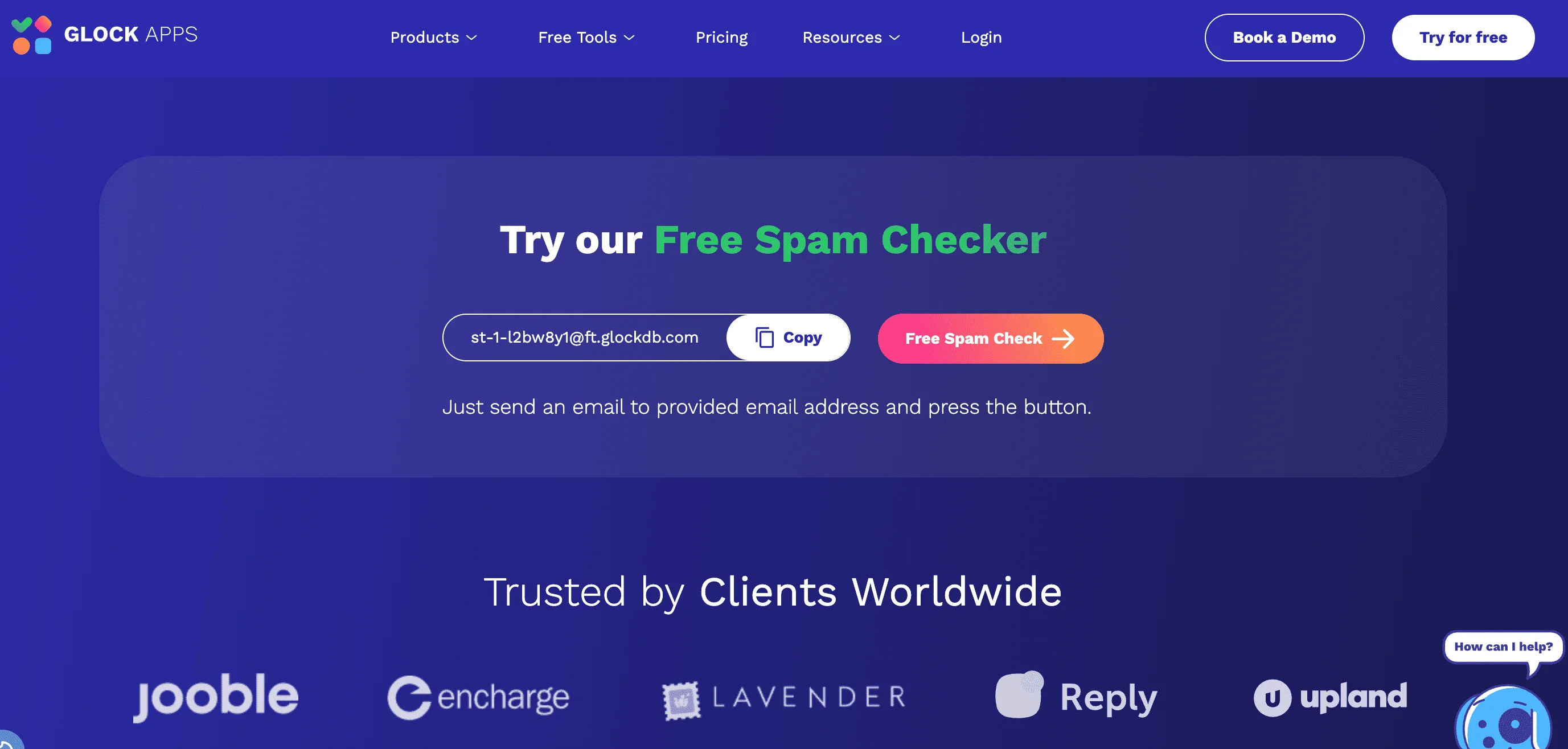
Let’s kick it off with GlockApps. This platform helps you improve email deliverability by showing where your messages land — inbox, spam, or promotions. It offers useful features like spam filter checks, sender reputation tracking, and domain monitoring, so you can spot problems early and stay out of the spam folder. GlockApps is best for those who have some background knowledge in deliverability, and isn’t suited for total beginners.
As far as pricing is concerned, GlockApps offers a rather limited free tier. The cheapest plan, Individual, will set you back $59 a month (on the annual payment plan). GlockApps doesn’t come with pre-built integrations, but it does offer an API for Enterprise users.
Pros:
- Accurate inbox placement and spam filter testing
- Includes DMARC, domain, and IP reputation monitoring
Cons:
- Free plan is limited, and pricing starts high
- Some users find the interface outdated
6. SendForensics
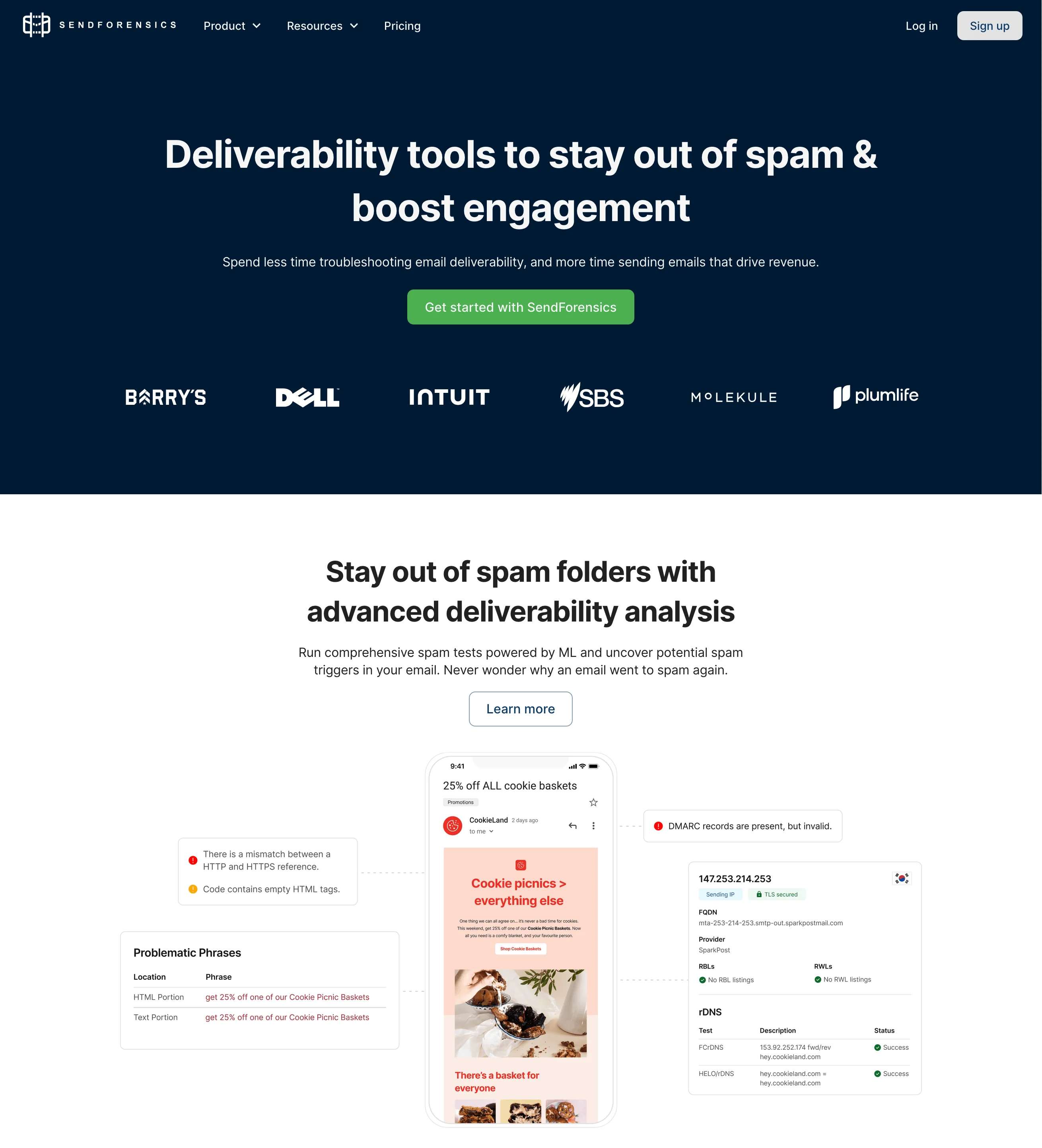
Next up on our list: SendForensics. This platform focuses heavily on email deliverability analysis and predictive scoring. It provides real-time insights into how inbox providers (like Gmail or Outlook, also known as ISPs or email clients) and spam filters might perceive your emails. It’s a very helpful tool for everyone who wants to optimize their campaigns before sending. With SendForensics, you also get content analysis, inbox placement previews, and domain reputation checks. It’s perfect for people looking for hands-on diagnostic tools. However, much like GlockApps, SendForensics is not exactly beginner-friendly.
Speaking of integrations, SendForensics can be integrated with loads of tools like Slack, Mailchimp, HubSpot, and Salesforce, among others. Now, onto pricing: the cheapest plan, Brand, costs $39 a month if you’re paying annually. There’s no free plan.
Pros:
- Strong predictive deliverability scoring
- Includes content analysis, ISP preview tools, domain and reputation checks, even on cheaper plans
Cons:
- No free plan
- Not beginner-friendly
7. Mailtrap
Mailtrap is an email delivery platform best suited for product and dev teams. It provides Email API/SMTP that handles transactional and bulk emails on separate streams, with SPF, DKIM and DMARC setup, automatic bounce suppression and webhooks. Official SDKs cover Node.js, PHP, Ruby, Python, Java, .NET, Go and Elixir.
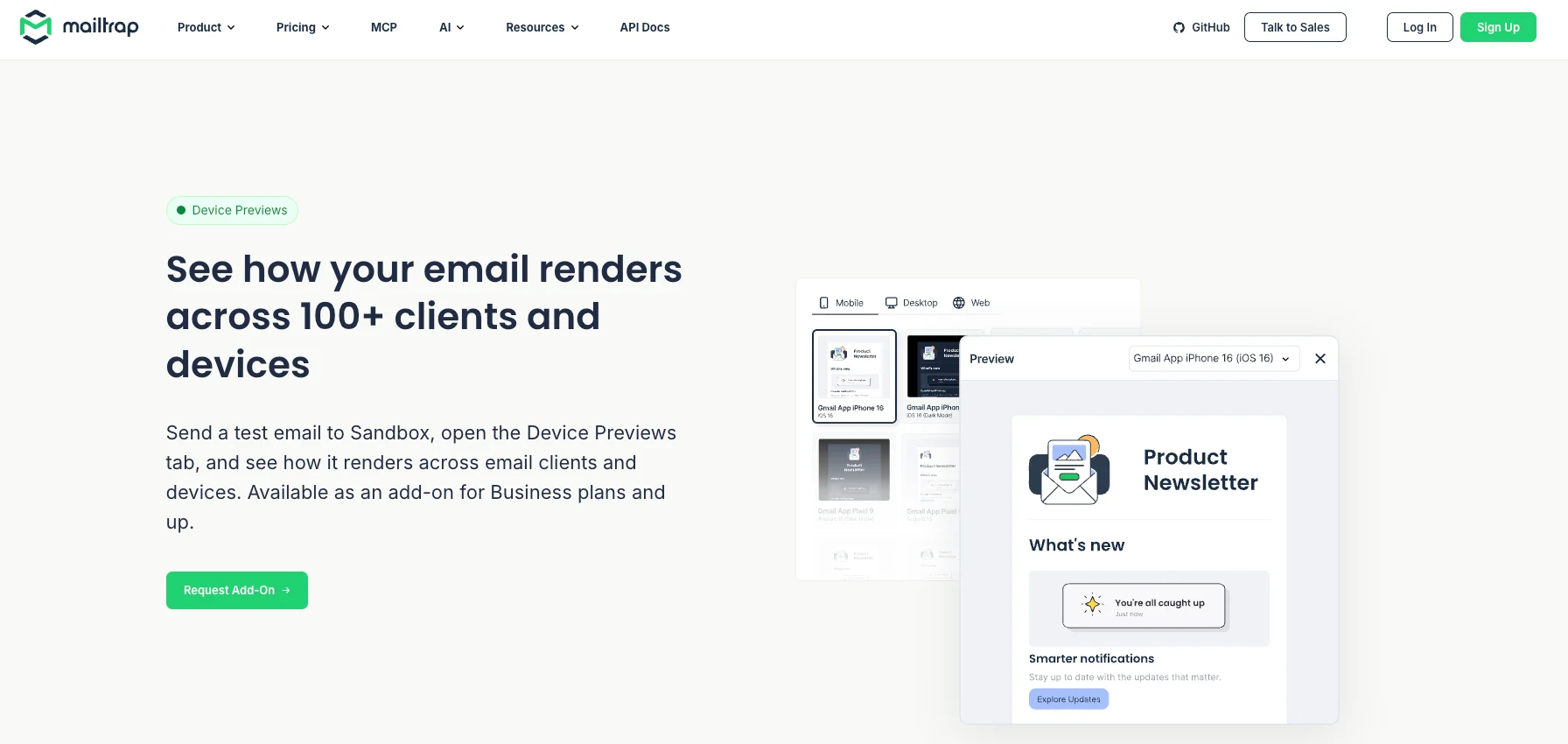
Also, there is an Email Sandbox for testing emails on staging. It offers Device Previews that show each message on mobile, tablet, and desktop screens, and HTML Check flags markup that popular email clients don’t support. You also get a spam score, a blacklist check and header analysis, and the same Sandbox is available over API for automated tests.
A typical workflow is to point your staging environment at Sandbox, review the emails, then switch the credentials to Email API/SMTP and send to real recipients. AI agents can handle the same test-and-send steps through Mailtrap’s MCP server or CLI.
Both products have free plans: Email API/SMTP includes 4,000 sending emails per month and Email Sandbox includes 50 test emails per month. Paid sending starts at $15/month, and paid Email Sandbox plans start at $14/month with annual billing.
Pros:
- Sending and testing in one account
- Agent-ready, with an official MCP server and CLI
Cons:
- Device Previews available from Business plan
- Built mainly for developers, not drag-and-drop marketers
8. MailReach
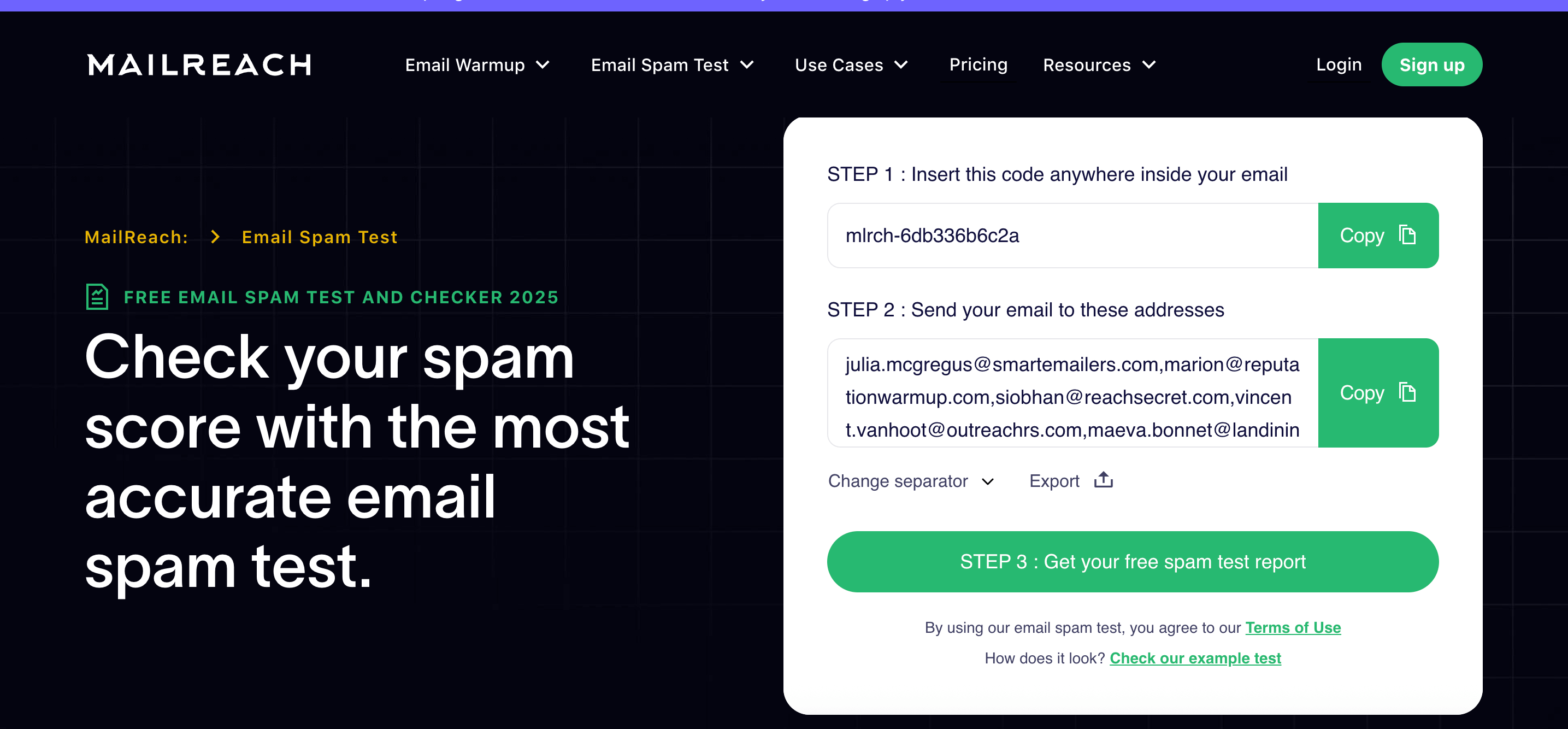
MailReach is a specialized tool for email warm-up, spam testing, and deliverability optimization. A quick explainer regarding email warm-up: it’s the process of gradually building your sender reputation by sending low volumes of emails that are opened, replied to, and removed from spam, manually or automatically.
So, that’s the primary function of MailReach: sending realistic emails from your account to a network of inboxes, improving your sender reputation over time. On top of that, it also offers deliverability monitoring, blacklist checks, and reputation tracking. MailReach works with most email service providers. It’s relatively beginner-friendly and best suited to cold email senders and outreach teams.
If you’re interested in using MailReach, their pricing depends on how many mailboxes you want to warm up and how many spam test credits you need. An all-in-one package for one mailbox costs $20 a month on the annual plan.
Pros:
- User-friendly interface
- Detailed analytics for inbox placement, spam rate, and reputation scores
Cons:
- No free plan or free trial
- Limited content analysis or inbox preview features compared to full-scale deliverability tools
9. Warmy
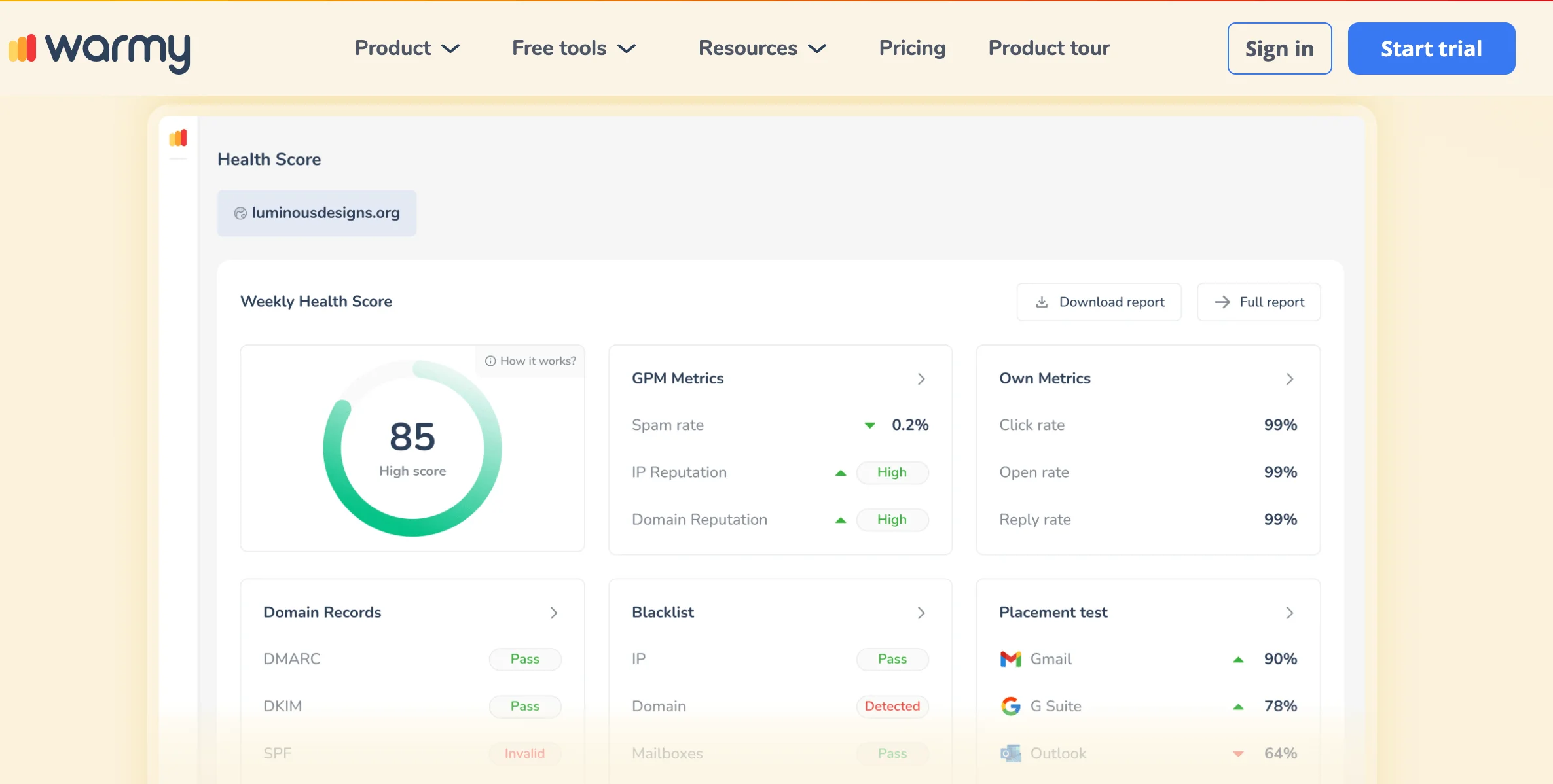
The next tool on our list is Warmy — and as you might have guessed by its name, it focuses on email warm-up. It can also monitor your inbox placement and improve sender reputation. Warmy offers detailed analytics like domain health scores, spam rates, open/reply/click tracking, and blacklist monitoring. The platform is easy to navigate, making it a good fit for beginners. As far as integrations are concerned, Warmy offers API access for integrating its tools into other platforms, plus native integration with Google Postmaster.
Warmy doesn’t list fixed pricing on its website — you’ll need to book a demo to get a personalized quote. However, a 7-day free trial is available, so you can explore the platform before committing.
Pros:
- Visual, beginner-friendly interface with detailed health and placement scores
- AI-powered warm-up engine tailors warm-up schedules, predicts optimal sending times, and flags high-risk emails to boost deliverability and avoid spam
Cons:
- No transparent pricing
- Focused mainly on warm-up; less comprehensive for broader testing
10. Mailgun
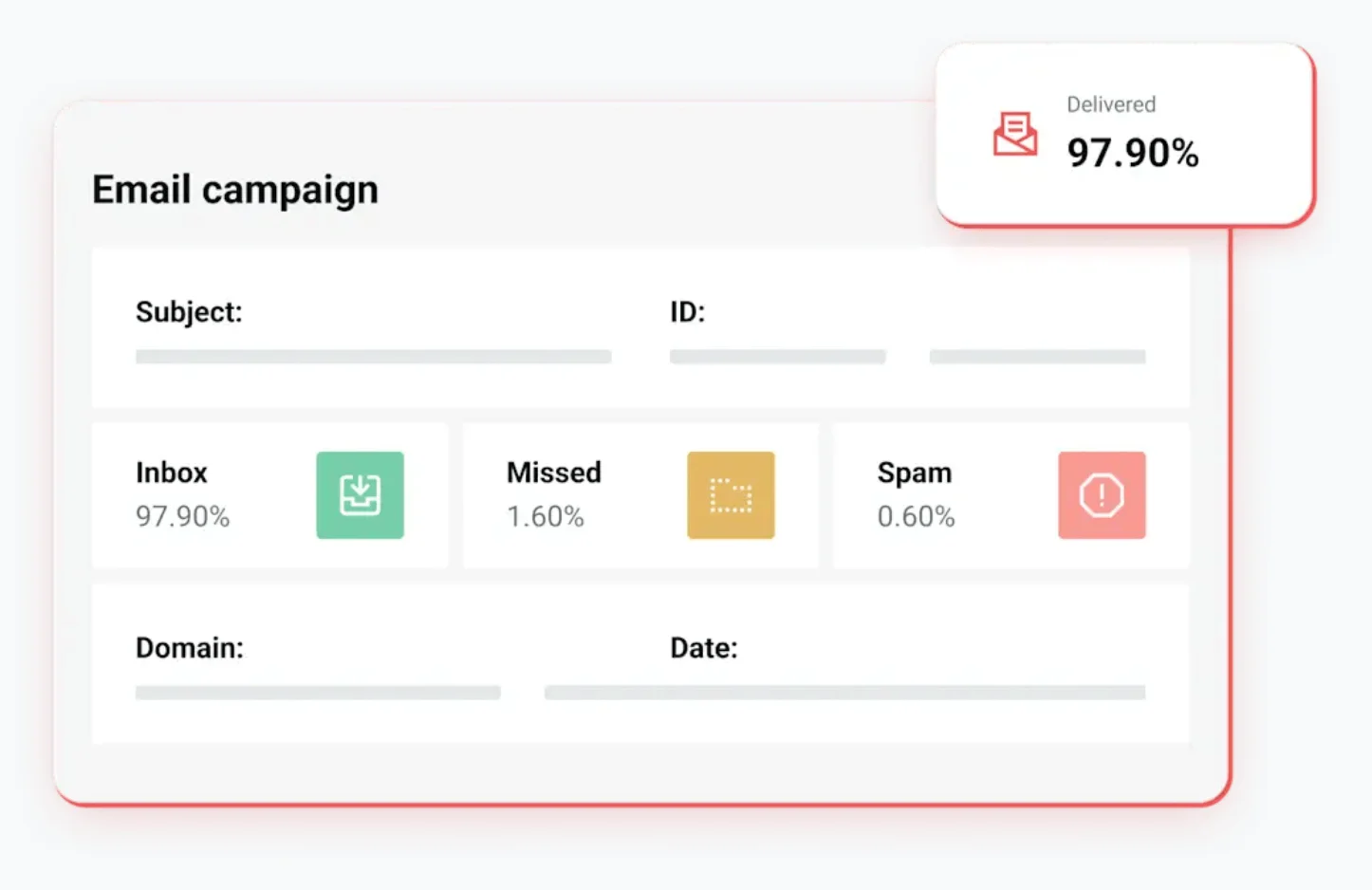
The last tool we’ll cover in this section is Mailgun. It actually has two distinct branches — Mailgun Send, which is basically infrastructure for sending emails, and Mailgun Optimize, which provides deliverability features. We’ll be focusing on the latter. It offers tools to improve inbox placement, monitor sender reputation, and scan for spam triggers. It’s built for developers and technical teams who want to bake deliverability checks into their email flows. Key features include inbox placement testing, blacklist monitoring, spam trap detection, and integrations with tools like Google Postmaster and Microsoft.
Mailgun offers a 30-day free trial. Its cheapest plan, Pilot, costs $49 a month.
Pros:
- Full suite of technical deliverability tools, including spam trap and blacklist monitoring
- Developer-friendly
Cons:
- Quite advanced, not beginner-friendly
- Pricier than competitors
Best tools for email preview and rendering
Designing an eye-catching, good-looking email is half the job — the other half is making sure it still looks this way when the recipient gets it. Email clients don’t follow a universal standard for rendering HTML, which means the same email can look perfect in Gmail and totally messed up in Outlook. The tools we’ve outlined below let you preview how your emails appear across devices, clients, and screen sizes, helping you catch layout issues before the campaigns go live.
Let’s take an overview of everything before we move on to each tool:
| Tool | Free trial? | Starting price (per month, paid annually) | Focus areas | Notes |
| Litmus | 7 days | $79 | Visual previews, basic analytics | Integrates with major ESPs; user-friendly |
| Email on Acid | 7 days | $74 | Previews, QA testing, deep analytics | No native ESP integrations; more technical |
| Email Preview Services | 7 days | $20 | Visual previews only | Beginner-friendly; no analytics |
11. Litmus
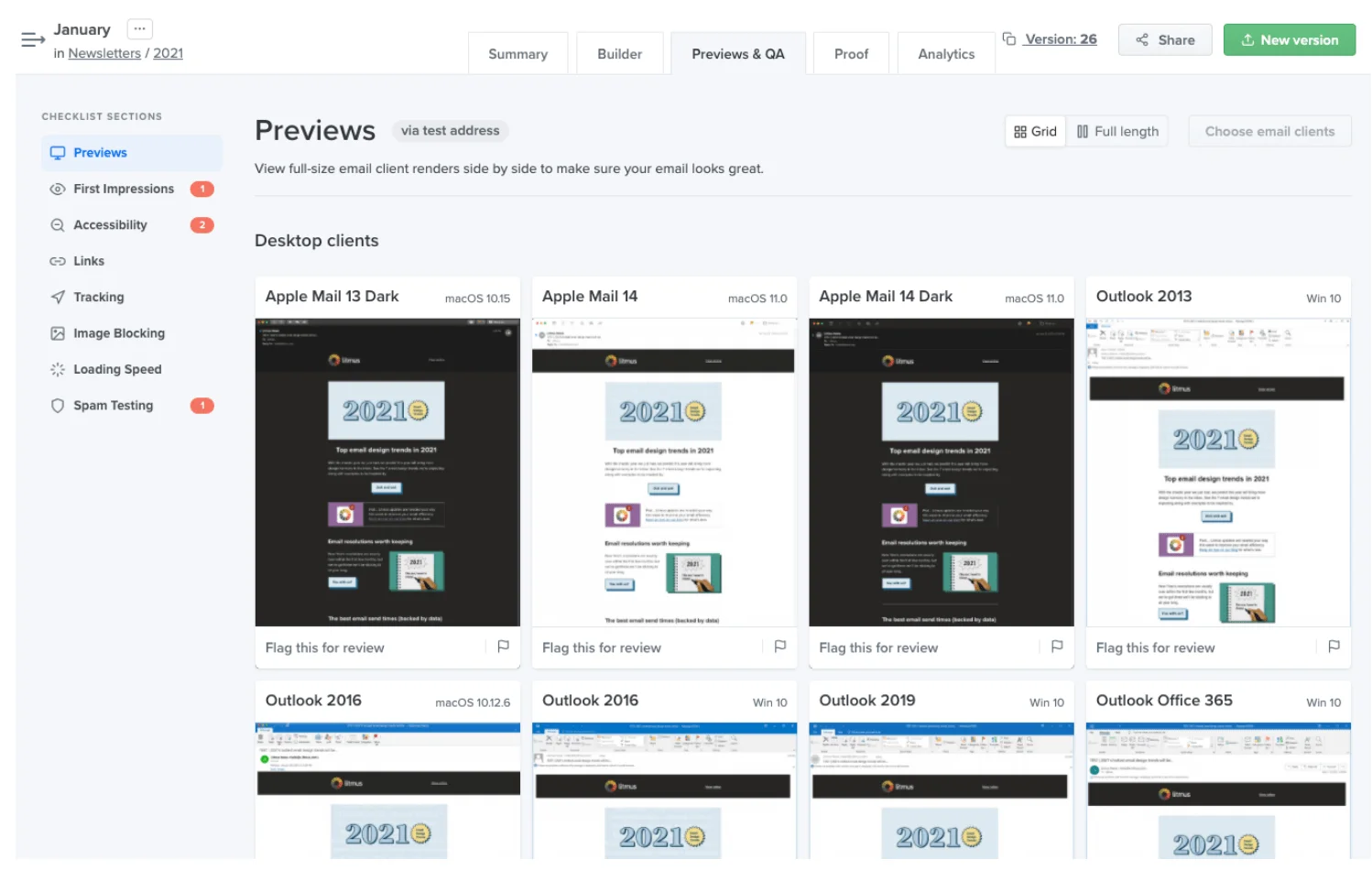
The first tool we’ll cover in this section is Litmus. It’s known for its comprehensive email preview capabilities: It lets you test how your email looks across more than 100 email clients and devices. It also offers in-depth analytics on opens, clicks, and reading environment (which is the combination of factors that describe how and where a recipient views your email). You can even get stats on loading speed, link tracking, and image blocking. Litmus can also be integrated with tools like Mailchimp, Hubspot, and Campaign Monitor, among others.
Litmus offers a 7-day free trial. After that, the Basic plan starts at $79 per month (billed annually).
Pros:
- Really extensive preview coverage
- User-friendly; good for collaboration and campaign building
Cons:
- On the pricier side
- Less detailed analytics than competitors’
12. Email on Acid
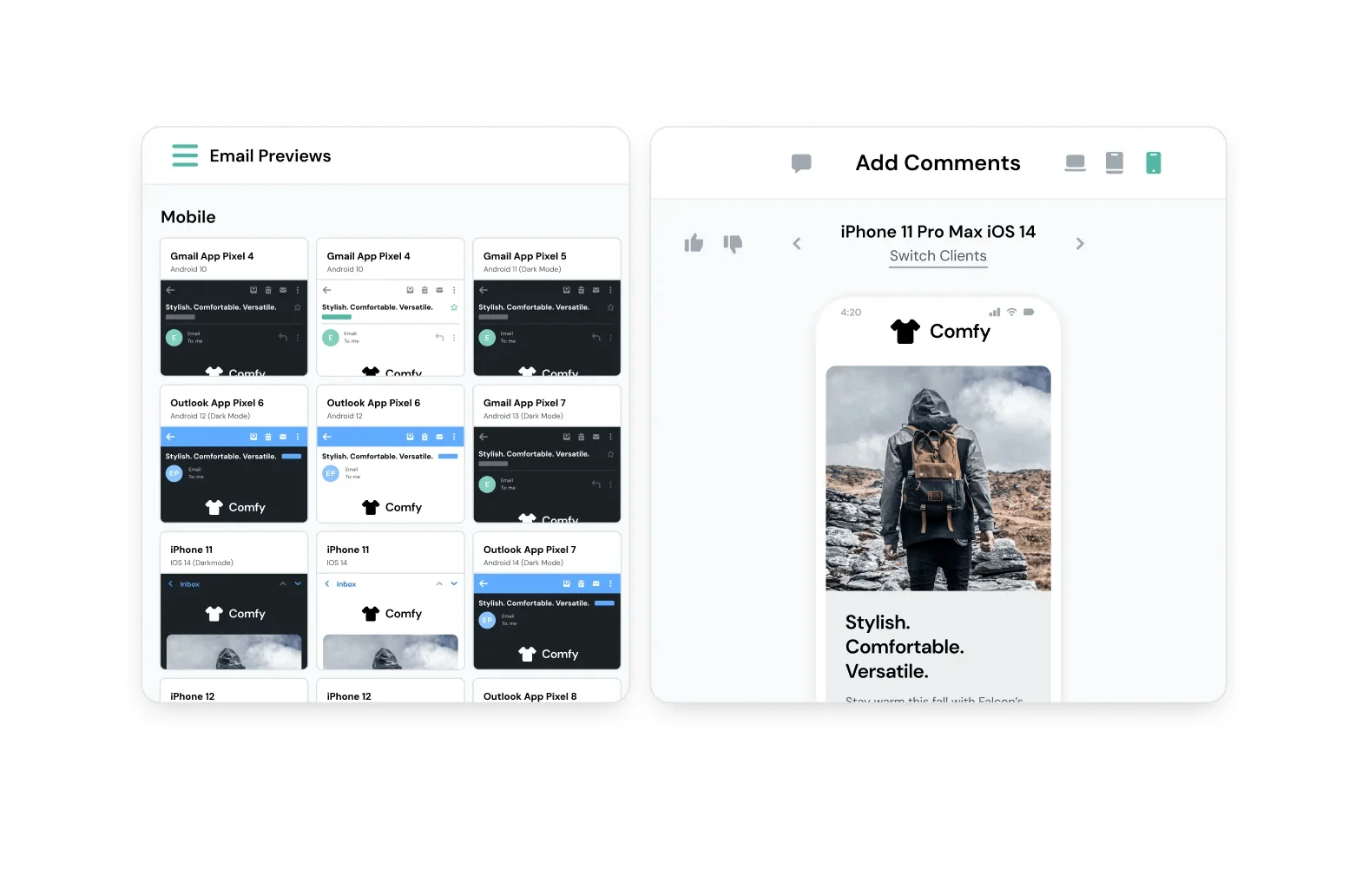
The next platform on our list is Email on Acid. It’s an all-in-one email testing platform that offers unlimited previews across 100+ email clients and devices, including previews in dark mode. Email on Acid goes beyond visuals with quality assurance tools for accessibility, broken links, spam traps, and blacklist checks. For optimization, it includes engagement heatmaps, bot filtering, and geolocation analytics. With its deeper testing and analytics, Email on Acid leans more technical and QA-heavy than Litmus.
Email on Acid’s integrations are somewhat confusing. It doesn’t offer native integrations with major ESPs, but some platforms (like Campaign Monitor and VerticalResponse) have built-in access to its testing features. So, for those who want to render their emails with Email on Acid (EoA) but don’t use Campaign Monitor, testing involves sending emails to a unique EoA test address.
The cheapest plan Email on Acid offers is $74 per month when paying yearly. It also has a 7-day free trial.
Pros:
- Robust quality assurance tools
- Very detailed analytics
Cons:
- Not well-integrated with ESPs
- Some users find its interface confusing
13. Email Preview Services
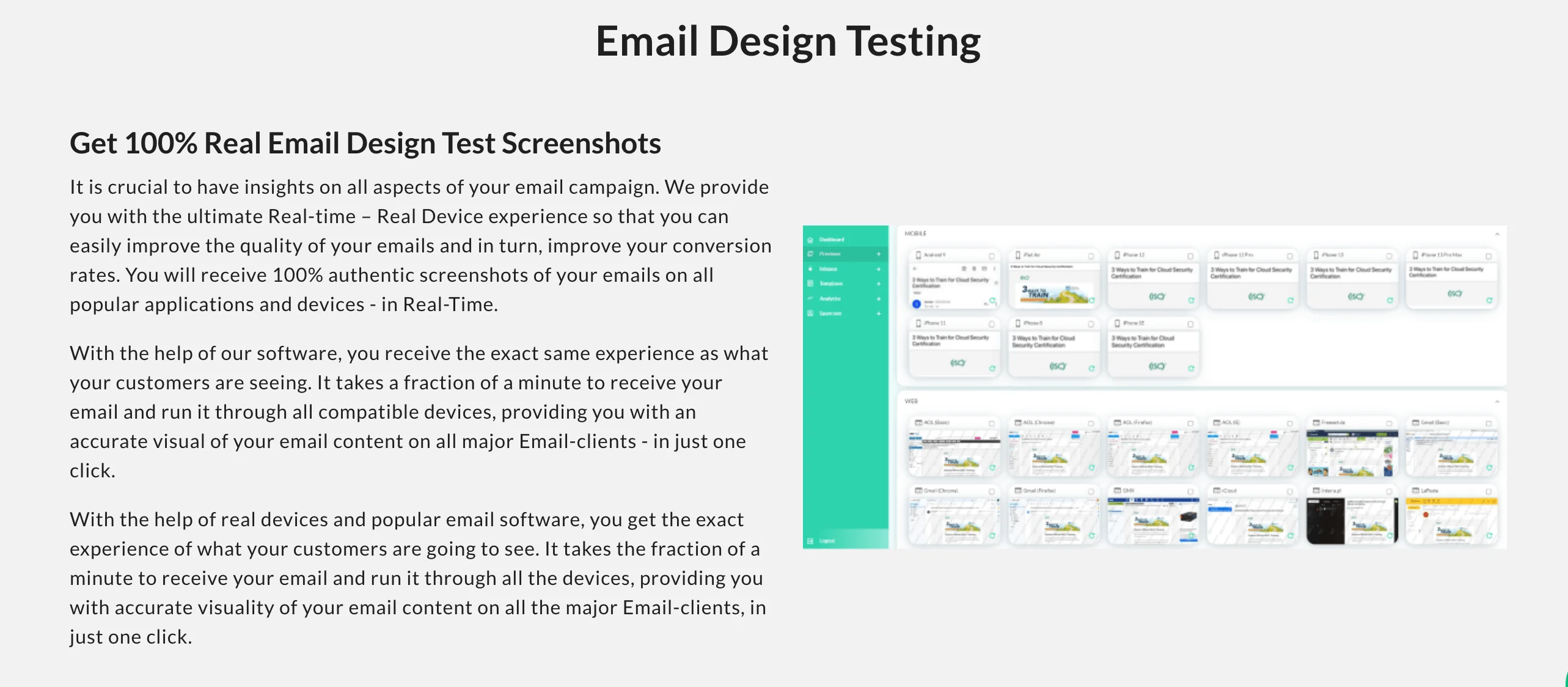
The last (but not the least) tool we’ll be checking out in this section is Email Preview Services, formerly known as PreviewMyEmail. It’s a dedicated email rendering platform offering real screenshots on 100+ clients and devices — all taken on real hardware (meaning they’re using actual devices, not emulators) in real time.
You can test your email in four ways: paste the content, upload the HTML, send directly to a test email, or integrate via API. While it doesn’t offer extra QA features like spam testing or accessibility checks, it’s pretty good at email rendering. There’s a 7-day free trial, and after that, the cheapest plan is $20 a month when you pay annually.
Pros:
- Much cheaper than competitors
- Beginner-friendly
Cons:
- No engagement metrics
- Dated interface
Best email verification tools
Before we dive into the list of best tools for email verification, let’s first define it. Email verification is the process of checking whether an email address actually exists and is safe to send to.
People often confuse the term verification with validation, but they mean different things — validation only confirms that an address is correctly formatted (like name@example.com). Verification, on the other hand, is more detailed — it’s all about identifying inactive, disposable, or risky addresses.
Verification is the first step in email list cleaning. By weeding out bad contacts, it helps protect your sender reputation, improve deliverability, and reduce bounce rates. But it’s not just about technical stuff, it also makes sense financially. Most ESPs charge based on list size, so you don’t want to pay for subscribers who never see or engage with your emails.
So, in other words, email list hygiene starts with proper verification, and this is what the tools below do.
| Tool | Free trial? | Starting price | Focus areas | Notes |
| Selzy | 300 free checks | $20 (pay-as-you-go)/ 5,000 email addresses | Built-in verification for users | ESP with integrated verification; simple, fast |
| ZeroBounce | 100 free checks | $18 (monthly) / 2,000 email addresses | Verification, security, analytics | Enterprise-friendly; strong compliance, API reliability, robust reports |
| NeverBounce | 10 free checks | $8 / 1,000 email addresses | Real-time verification, bulk cleaning | Focus on simplicity and accuracy; fewer analytics |
| Clearout | 100 free checks | $14 (annually) / 3,000 email addresses | AI features | Fast, accurate, with lots of checks; AI verdict can feel opaque |
14. Selzy
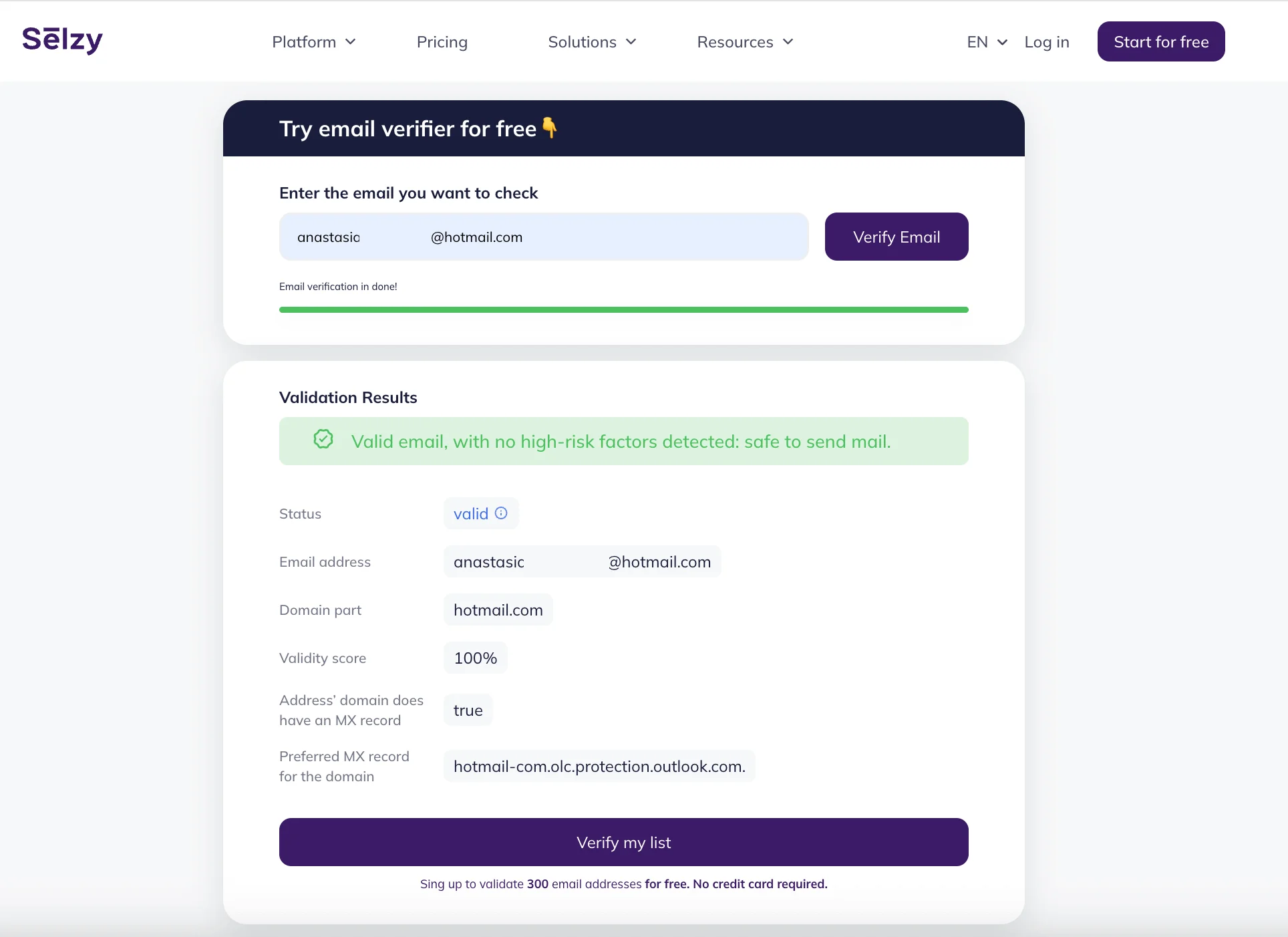
Selzy might not be a standalone verification tool — in fact, it’s an email marketing and automation software — but we would be remiss not to highlight its powerful built-in features, like the email verifier.
This tool helps you improve deliverability by flagging inactive or risky contacts and checking for spam triggers, oversized emails, and authentication issues. Duplicate addresses are filtered automatically. Since it’s an ESP, Selzy also comes with interesting features you don’t always get with verifiers, such as tips on how to land in the inbox and a subject line assistant to improve open rates.
If you’re already using Selzy for your email marketing needs, we have some good news for you: the integrated Contact Verification feature goes a step further by flagging inactive addresses based on real campaign data like bounces, spam complaints, and unsubscribes, allowing for even more precise list cleaning.
Now, as far as pricing is concerned, you get to test up to 300 emails for free. You can buy as many credits as you need, and the cheapest bulk package allows you to verify up to 5,000 emails for $20.
Pros:
- Multiple ways to verify: list, file, or pasted text
- Extra features like the subject line assistant
Cons:
- Not a dedicated tool, works best when you’re already using Selzy
- Fewer detailed analytics than standalone verifiers

15. ZeroBounce
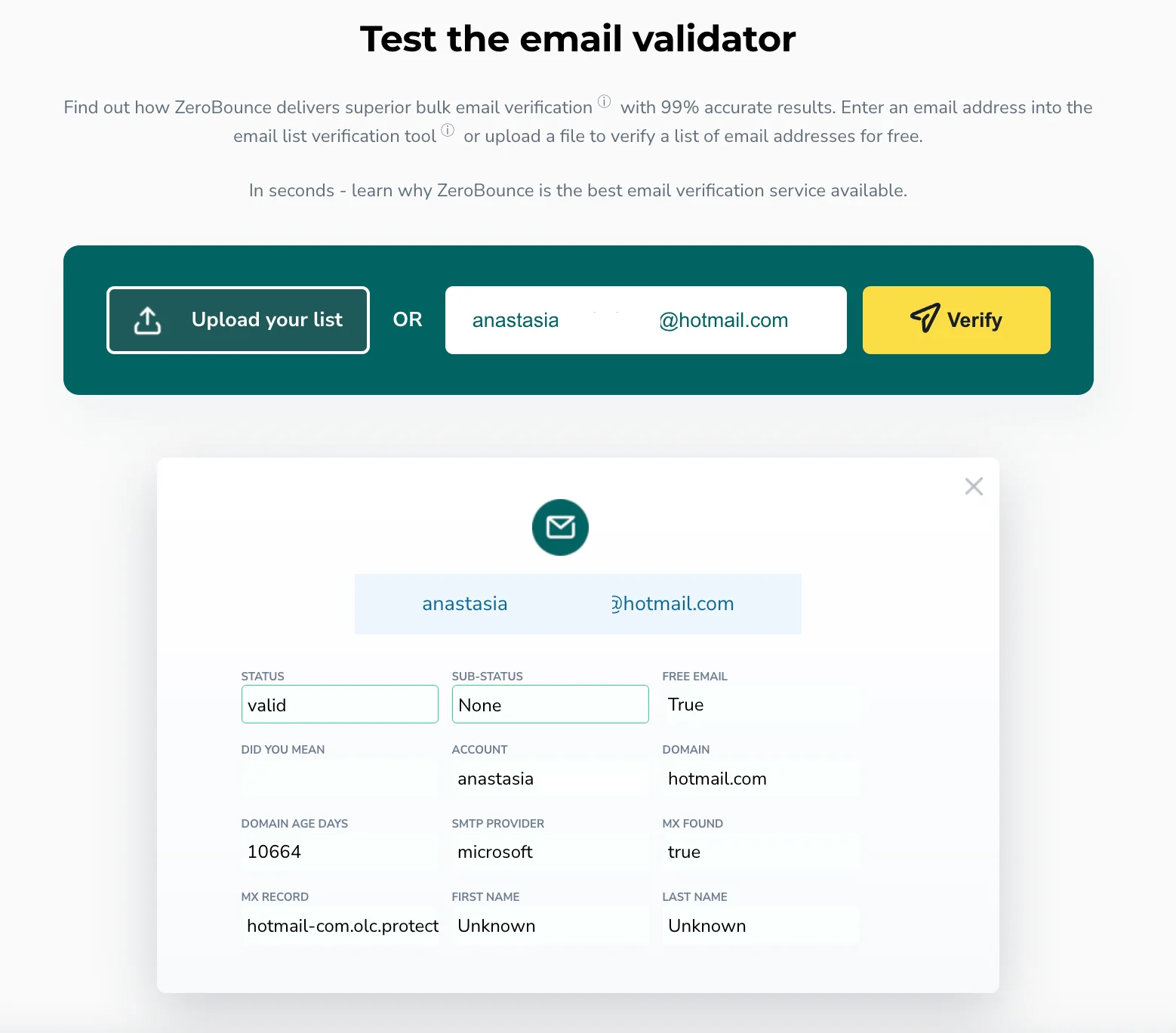
Our next entry, ZeroBounce, is one of the most well-known verification services out there, boasting a 99% accuracy guarantee. It can detect invalid emails, spam traps, disposable addresses, abuse emails, and catch-alls — as well as categorize addresses into 30+ types.
You can validate single addresses, upload bulk lists, or connect the real-time API to clean emails as they’re collected. It also integrates with 60+ popular platforms, including ESPs, CRMs, and website builders. ZeroBounce stands out for its high accuracy, reliable performance, and strong emphasis on enterprise-grade security, analytics, and integrations.
ZeroBounce offers two pricing plans: monthly (the cheapest plan is $18 for 2,000 credits) or pay-as-you-go (up to 100 free verifications, and $20 for 2,000 credits).
Pros:
- Highly accurate
- Strong compliance and security
Cons:
- There’s a bit of a learning curve for new users
- Extra features priced separately
16. NeverBounce
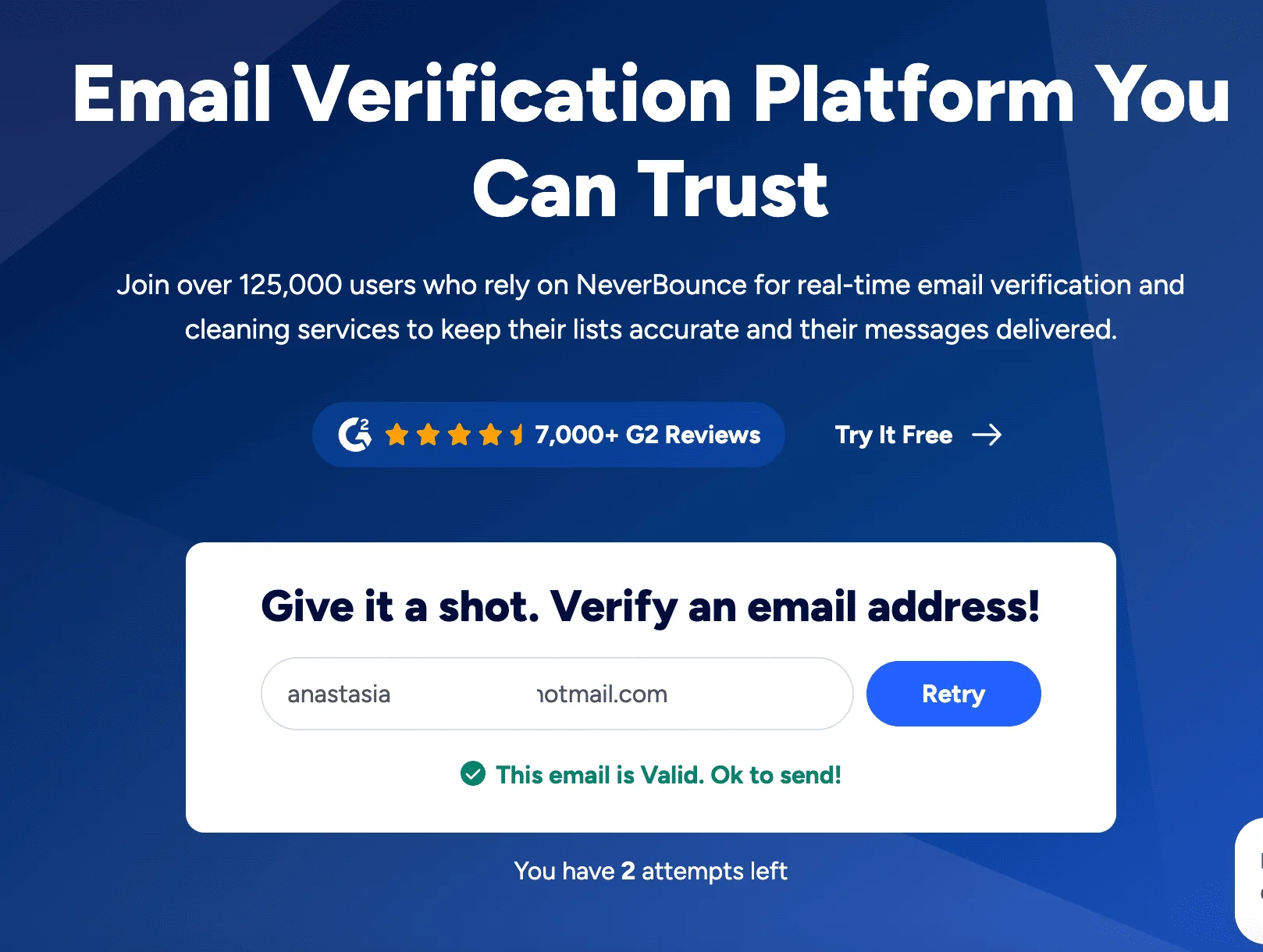
Let’s talk about NeverBounce. It’s not just a real-time email verification platform, it also features bulk cleaning and deep database hygiene. NeverBounce has a 20+ step cleaning process that checks each address up to 75 times across multiple servers, identifying invalid, disposable, catch-all, and high-risk emails with very high accuracy.
After verifying your emails, you can clean bulk lists using the dashboard. For high-uncertainty lists, real people review results to reduce false positives. It also supports over 80 integrations with platforms like HubSpot and Mailchimp. If ZeroBounce is enterprise-grade, NeverBounce is all about hands-on simplicity, which is useful for marketers who just want to clean their data.
Like the other services we mentioned, NeverBounce charges per verification. The cheapest plan is $8 for 1,000 emails. Also, upon registration, every user receives 10 credits for free.
Pros:
- Easy-to-use dashboard with actionable categories (Valid, Invalid, Unknown, Disposable, Accept-All)
- Human quality assurance
Cons:
- Very limited free trial
- Limited advanced analytics
17. Clearout
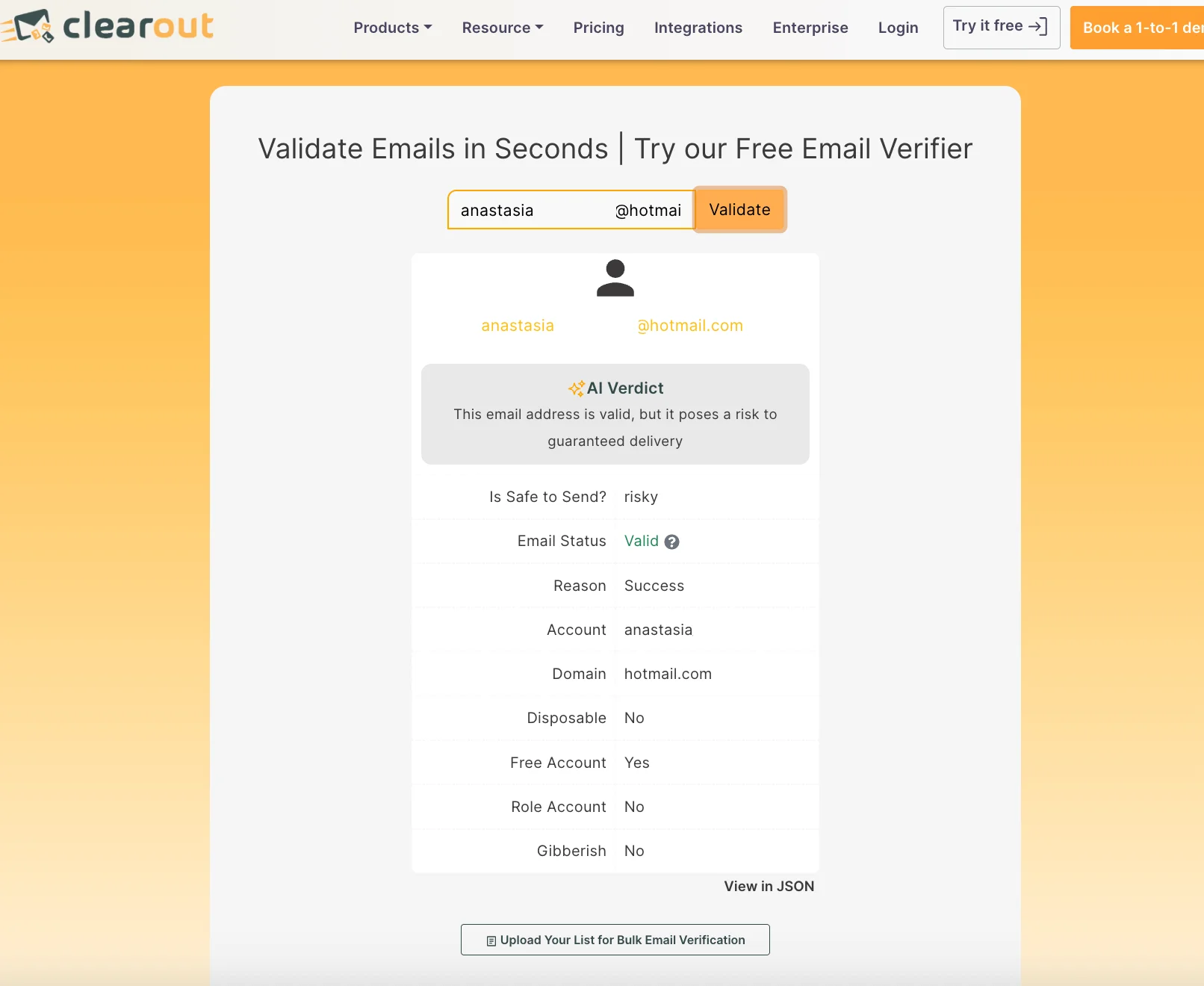
Lastly, let’s have a look at Clearout. One of its standout features is AI-powered validation — it uses machine learning along with 20+ built-in checks to spot common issues like typos, fake or disposable addresses, spam traps, and random gibberish emails. This means your list stays high-quality, and your emails are more likely to land in real inboxes. It also connects easily with tools like Mailchimp, HubSpot, and Google Sheets, making it a convenient choice for most marketers. Interestingly enough, when I ran my own email address through the email verifier, it was classified as risky for guaranteed delivery.
Again, Clearout charges per the number of email addresses you’ve verified. You get 100 free checks. The cheapest plan is $14 per 3,000 checks when you pay annually. You can also pay for checks as you go — verification of 5,000 addresses would set you back $35.
Pros:
- AI-enhanced verification
- Intuitive interface, helpful diagnostics (showing why an email was flagged)
Cons:
- Not as many analytics features
- No real-time dashboard
Best subject line testing tools
Subject lines are your email’s first — and sometimes only — impression. A strong subject line can mean the difference between an open and an ignore, which is why testing them is essential.
Should you add emojis? Make it a question? Keep it short? Go personal? Before guessing, it’s worth taking a data-driven approach.
| Tool | Starting price | Focus areas | Notes |
| CoSchedule | Free | Subject line scoring | Requires an account to access the full report and version history |
| Send Check it | Free | Deliverability, clarity, emotion | Instant, detailed feedback without a login |
| Email Subject Line Grader | Free | Basic subject line analysis | Fewer diagnostic features than others |
18. CoSchedule Subject Line Analyzer
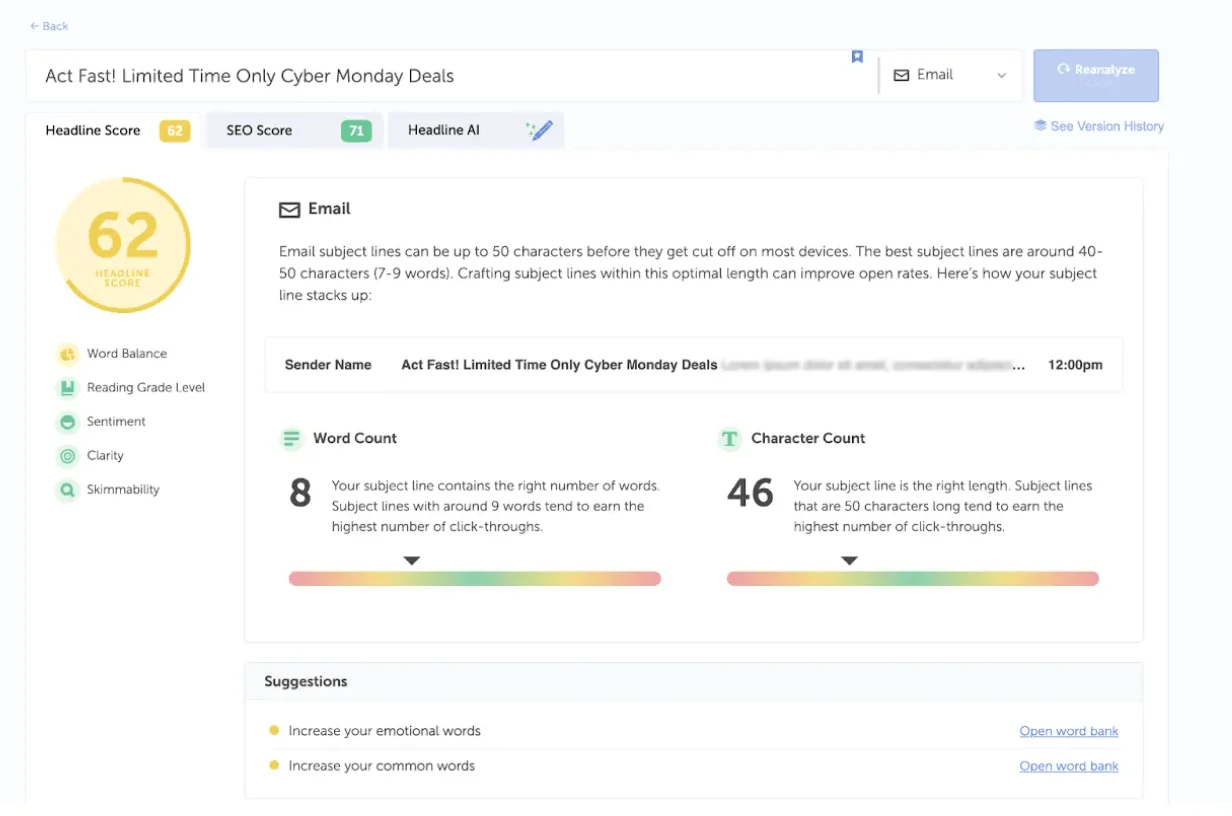
CoSchedule’s subject line tester is the first tool on our list. CoSchedule is a marketing software platform best known for its content calendar and headline optimization tools.
So, how does the subject line tester work, exactly? Just paste in a subject line, and the tool instantly scores it based on word balance, length, sentiment, clarity, and other factors tied to engagement.
What makes it useful is the breakdown: you’ll see whether your subject line has too much filler, not enough emotion, or formatting that could affect your open rates negatively. It highlights common, uncommon, emotional, and powerful words, and suggests changes to improve your score. It’s important to keep in mind that this isn’t a live A/B testing tool — you’re not sending anything to an audience — but it’s a great way to pre-test subject lines while you’re still in the strategizing stages of your campaign. Another benefit? It’s totally beginner-friendly.
CoSchedule’s subject line tester is free to use. You do, however, need to register with your work email to get access to the full report on your subject line and keep track of all subject lines you’ve tested.
Pros:
- Completely free
- Fast, beginner-friendly
Cons:
- Not a dedicated tool for email, but a headline grader, originally for blogs
- Requires an account
19. Send Check It
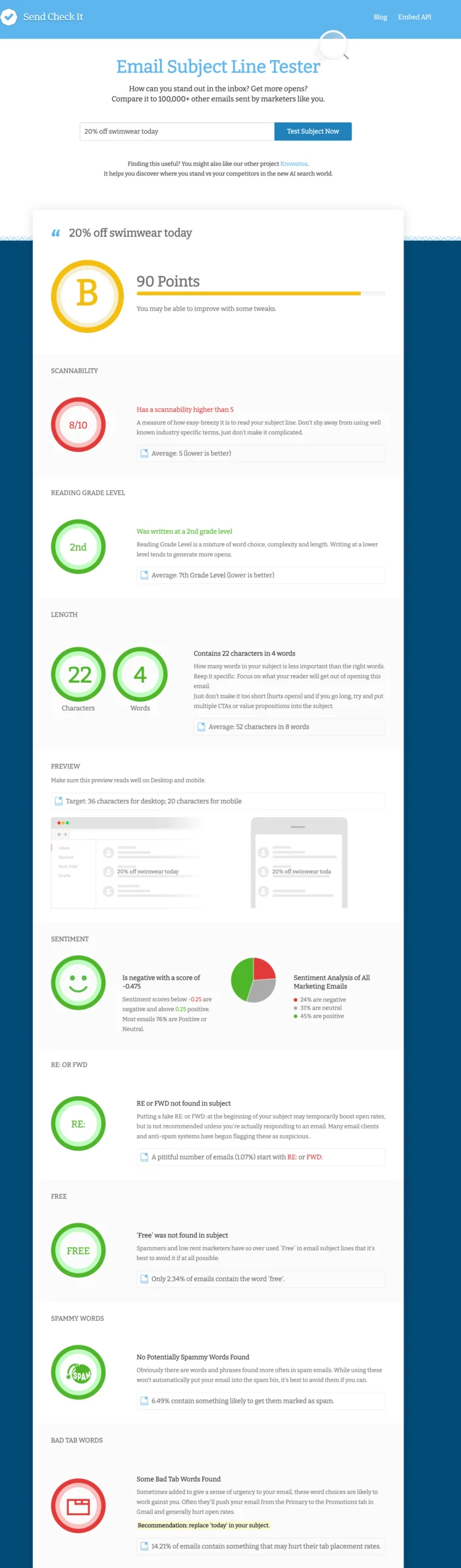
Send Check It is a free subject line tester specifically designed for email marketers. It’s a straightforward tool that gives your subject line a score along with quick feedback on word type, length, sentiment, spam risk, and scannability. Again, like CoSchedule’s subject line tester, Send Check It doesn’t actually send any emails out and is just an analysis tool. Bonus: SendCheckIt also offers an embeddable version via API.
It’s completely free to use. While you don’t need to create an account, you do have to enter your name and email before it gives you a score.
Pros:
- Instant scoring, detailed analytics
- Doesn’t try to upsell users
Cons:
- No version history or saved results
- Asks for your email address
20. Email Subject Line Grader
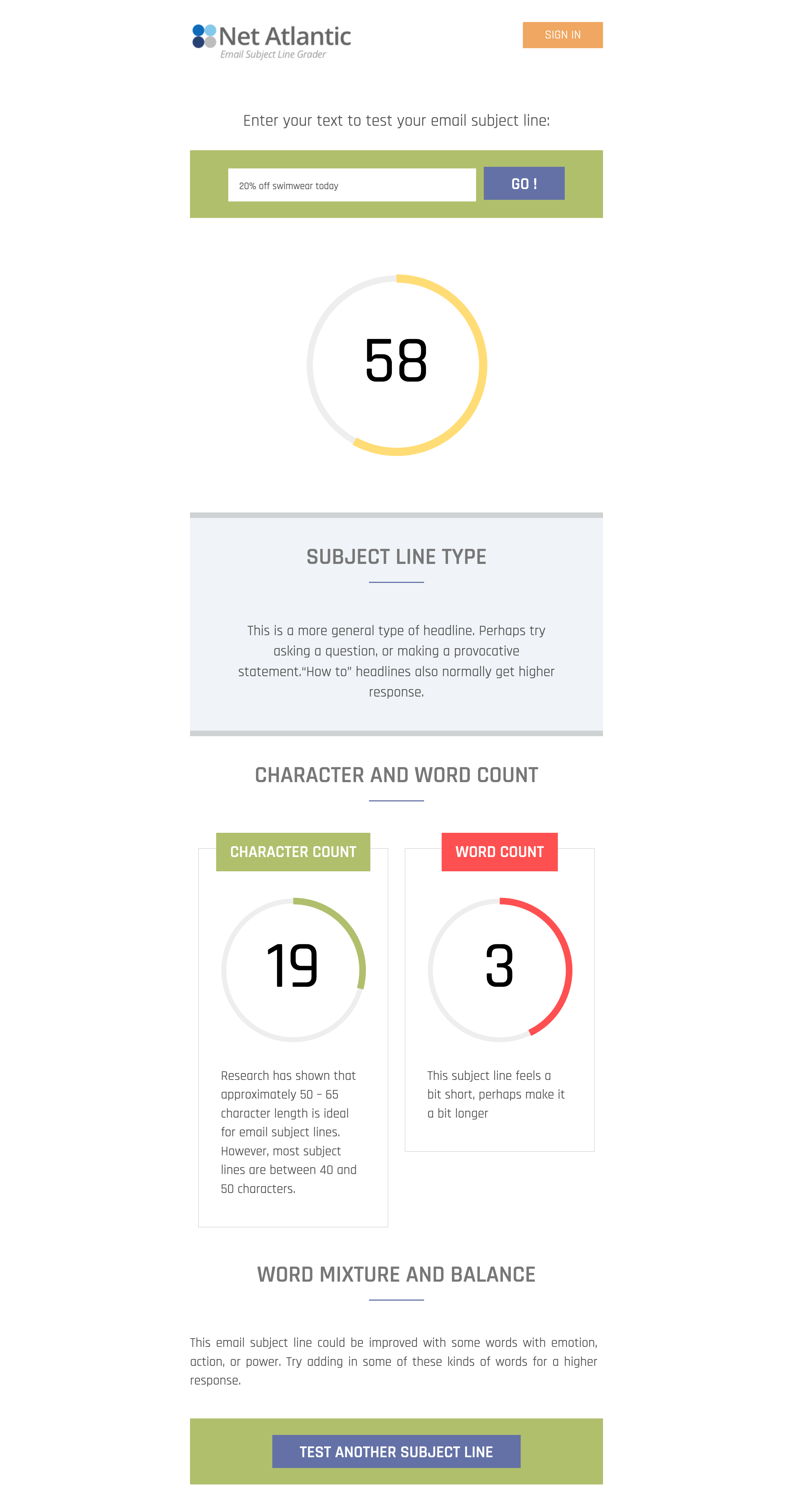
Do you want an even more no-frills tool than Send Check It? In that case, Email Subject Line Grader is for you. Developed by an ESP Net Atlantic, it doesn’t offer the visual polish or deep breakdowns of newer tools. It does, however, provide you with a quick assessment of your subject line’s effectiveness based on factors like length, word choice, and potential spam triggers. There’s no login required, and results are displayed instantly. Like its competitors, it’s free to use.
Pros:
- Developed by an ESP with email deliverability experience
- Fast, easy to use
Cons:
- Very basic, somewhat dated interface
- Limited feedback
Best SMTP testing tools
First of all, what is SMTP? SMTP stands for Simple Mail Transfer Protocol, the system that makes email delivery possible. It’s how your email gets from your outbox to the recipient’s inbox, and we mean this literally — when you hit “send,” SMTP is what moves the email across the internet to your recipient.
If you’re having delivery issues, SMTP tools can help you take care of them. Whether you’re setting up a new email service or troubleshooting bounce rates, these tools let you simulate email sends, check server configurations, and ensure your setup actually works.
| Tool | Starting price | Focus areas | Notes |
| Wormly | Free | SMTP diagnostics, server testing | Available to subscribers only |
| GMass | Free | Mass email, SMTP integration | Requires real credentials |
| Apache JMeter | Free | Load testing, server performance | Requires manual setup and technical knowledge |
21. Wormly

Wormly is best known as a server uptime and performance monitoring service, but it also offers SMTP testing. If you’re setting up a new mail server or troubleshooting delivery issues, Wormly can simulate an SMTP conversation from start to finish — including connecting, verifying recipient addresses, and even sending a test message. Wormly logs the full SMTP handshake (the step-by-step exchange between mail servers that includes sender/recipient verification and message delivery) in real time. This makes it easier to catch configuration errors or connection failures. Wormly’s SMTP test is free to use, but you have to be a subscriber.
Pros:
- Option to send a full test email or just perform a handshake
- Can test specific ports and validate recipient addresses
Cons:
- Available to subscribers only
- Not an email-specific tool
22. GMass

While GMass is primarily a Gmail-based campaign tool, it also offers an SMTP test tool that lets you check if your SMTP server is set up correctly. You can use it to test any SMTP server — including SendGrid, Mailgun, Amazon SES, or your own — without needing a GMass account. You can verify credentials, test port and security configurations, and view the full SMTP conversation in real time. The tool is publicly available and doesn’t require a GMass account, although it isn’t explicitly labeled as “free.”
Pros:
- Works with any SMTP server
- No login required, even for non-GMass users
Cons:
- Requires your real SMTP credentials (your email and password, or credentials from your provider), but claims not to store them
- No logs or test history
23. Apache JMeter

Apache JMeter is a free, open-source tool designed for performance testing. It’s mainly used to simulate heavy loads on web servers, apps, and networks to see how they hold up. Among many things, it can test SMTP servers — but it’s not a dedicated email tool and requires manual setup.
You’ll need to install it locally, configure the SMTP Sampler yourself, and understand how ports, security protocols, and authentication works. It’s powerful if you know what you’re doing — but definitely not made for casual diagnostics.
Pros:
- Completely free and open source
- Very flexible, supports advanced configurations
Cons:
- Requires local installation
- Not beginner-friendly — a lot of technical knowledge and manual configuration needed
FAQ about email testing tools
What are email testing tools?
Email testing tools are platforms that help preview, validate, and optimize email campaigns before you send them. They help catch issues early, improve deliverability, check rendering across devices and email clients, scan for spam trigger words, verify links and content, and support A/B testing.
Which type of email testing tool should I use first?
Start with the problem you need to solve first. Use A/B testing tools for experiments, deliverability tools for inbox placement, preview tools for rendering, verification tools for list quality, subject line tools for opens, and SMTP testing tools for technical diagnostics.
What is the difference between deliverability testing and email preview testing?
Deliverability testing focuses on whether your email reaches the inbox instead of the spam folder. Email preview testing focuses on how your email renders across different devices and email clients, helping you catch layout or display issues before sending.
Are free email testing tools enough?
The article does not say that free tools are always enough. It suggests choosing tools based on the specific issue you need to solve, since different platforms are better for deliverability, previews, verification, or A/B testing.
How often should I test emails?
Test emails before each send to catch problems early and improve your chances of a successful campaign. Regular testing is especially useful for checking deliverability, cross-platform rendering, broken links, and overall performance.
Conclusion
That’s it, we’ve reached the end of this article! Catch email issues before they impact your audience with email testing software. Whether it’s deliverability, subject lines, or SMTP setup, there’s a platform built for the job. In 2026 and beyond, regular testing isn’t optional — it’s how you stay competitive.
 New and noteworthy on our blog