


Key takeaways
- Adding interactive elements like games, quizzes, and star ratings to emails can boost click-to-open rates by 73%.
- Interactive emails allow users to engage without leaving their inboxes, enhancing user experience and brand recognition.
- Interactive content elements like star ratings, surveys, quizzes, and games reduce friction, gather data, and boost brand recognition.
- Statistics show that interactive content increases engagement, with 60% of recipients more likely to engage with interactive emails.
Did you know that adding interactive elements like games, quizzes, and star ratings to your emails can help you boost your click-to-open rate by 73%? If a user can perform desired actions and interact with your emails without leaving their inboxes, they have a seamless user experience, and your content becomes recognizable to them.
Whether it’s a complex game or a simple star rating, such details can enhance your interactive email campaigns and give your subscribers something to look forward to. Here, we will delve into fresh statistics, benefits, content ideas, and technical requirements regarding email interactivity to help you harness the advantages of interactive emails.
Definition of interactive emails
Mark Robbins, a leading expert in email coding and a pioneer of email interactivity, defines email interactivity as any action within an email that triggers an event without requiring the user to leave the email. According to this definition, elements like GIFs and countdown timers do not qualify as interactive features.
With interactive content elements like star ratings, embedded surveys, quizzes, games, anchor links for easier navigation, and more, you can stand out in a crowded inbox, gather audience data, and boost brand recognition. Such elements reduce friction in the user journey and allow recipients to act without being redirected to other web pages. For example, a user can book an appointment without leaving your email.
Statistics to demonstrate how interactive content boosts user engagement and ROI
Now that you see what email interactivity is all about, let’s dive into some eye-opening statistics that will show you how interactive content can engage your audience and drive ROI for different types of emails:
- 60% of recipients are more inclined to engage with interactive content in emails.
- 91% of recipients would like to get interactive emails, but less than 20% of brands offer such an experience.
- 26.5% of email marketers plan to enrich their strategies with interactive content.
- 26% of email marketers occasionally use CSS-based interactivity for their emails.
- Embedded videos in your emails can enhance your click rates by 300%.
Benefits of using interactivity
From higher ROI and easier data collection to enhanced brand awareness and better feedback, interactive email content can provide your audience with a new experience and improve overall campaign performance. Let’s explore these benefits a bit more.
1. Enhances conversion rate
When recipients can take a survey, add products to a cart, book an appointment, or complete registrations without leaving their inboxes, they save time and are more likely to take action. This way, your potential customers can become loyal ones, boosting your overall conversion rate.
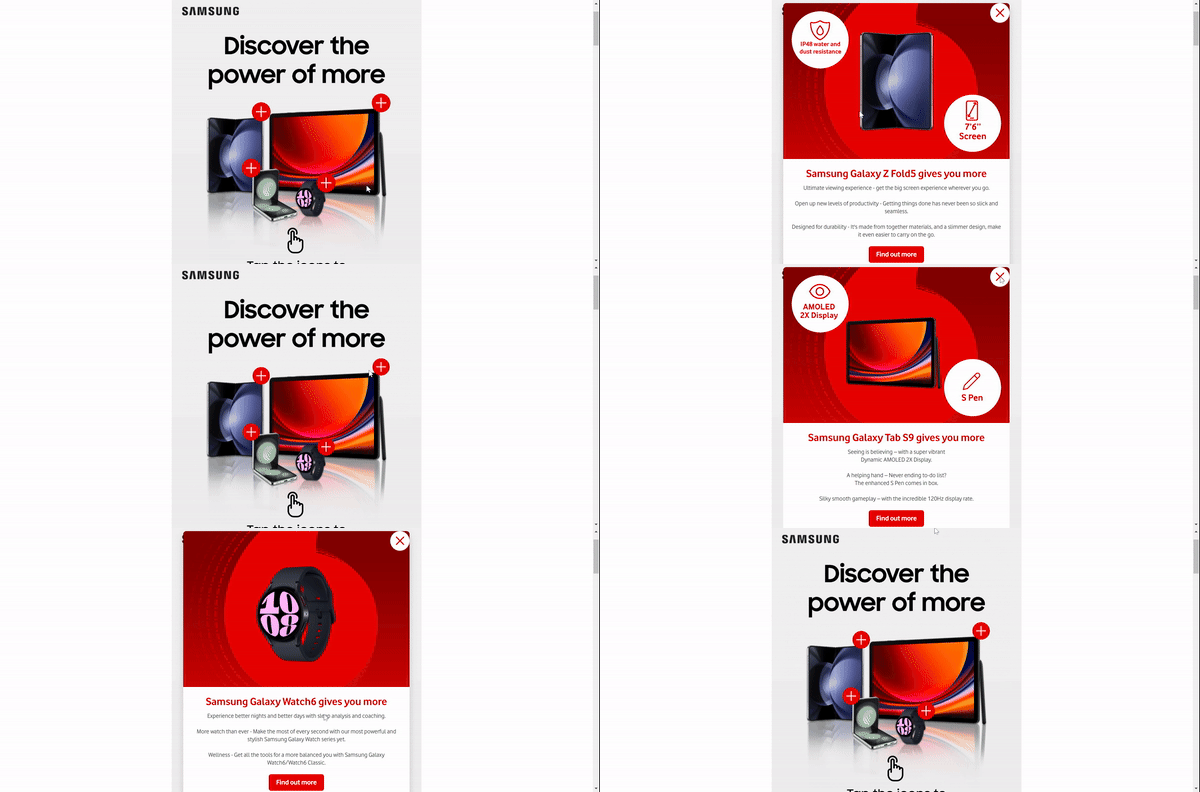
In the example below, Vodafone shows its pre-order offers on the latest releases and suggests subscribers click on the products to learn more about them and their technical characteristics without leaving the email. This is a great way to pique subscribers’ curiosity and showcase your new products, isn’t it?
2. Boosts brand awareness
With tons of emails flooding your recipients’ inboxes, it’s crucial to outpace your competitors and provide your audience with a unique email experience. This way, subscribers are more likely to recognize your emails immediately and share them with friends.
Take a look at the email from the BBC. To promote the new season of Doctor Who, the company offered subscribers to pilot the TARDIS and discover the new season’s episode titles by participating in an interactive quiz. With such attention-grabbing animation and recognizable characters, the company that sent this email is readily apparent.
3. Simplifies data collection
Gathering real-time insights from your customers is much easier when they don’t have to leave your email and go to other web pages to share their feedback. Thus, you can speed up the data collection process and effectively gather this information and use it to empower your future campaigns.
4. Improves recipient feedback
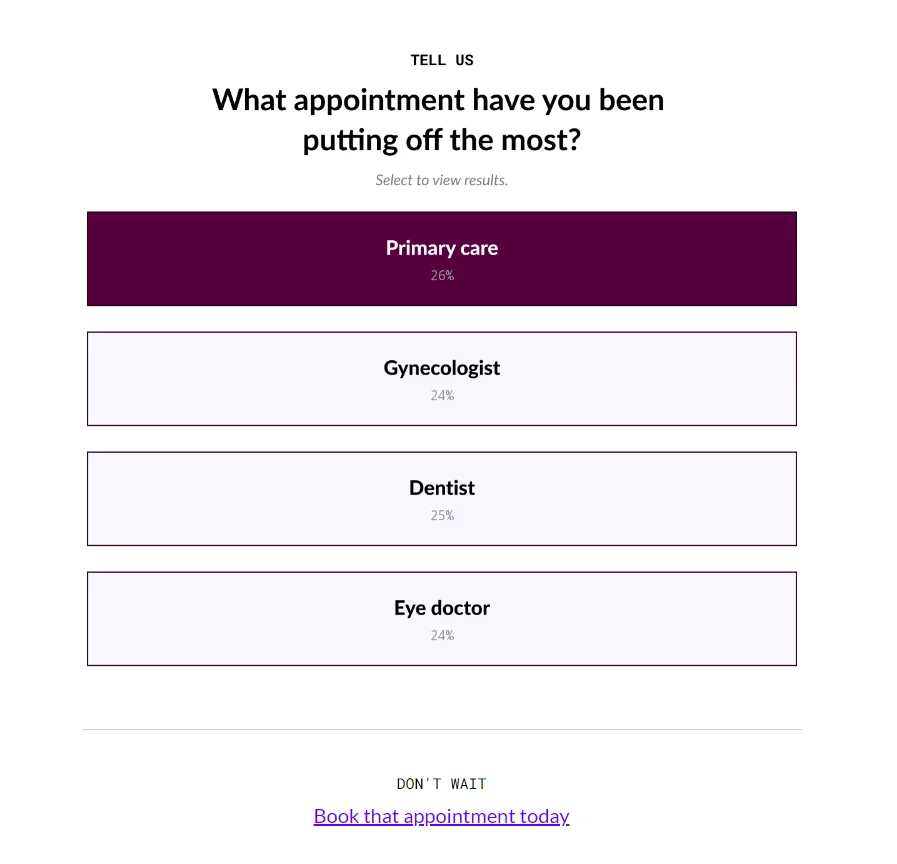
Email surveys typically yield an average response rate of about 24.8%. Interactive forms and surveys embedded in emails can simplify this process for your subscribers and motivate more people to share their feedback within the email.
Interactive content ideas and applications
If you are ready to strengthen your email campaigns with interactive content, it’s time to get inspired by ideas from real brands and learn when to implement these interactive elements to get the best results.
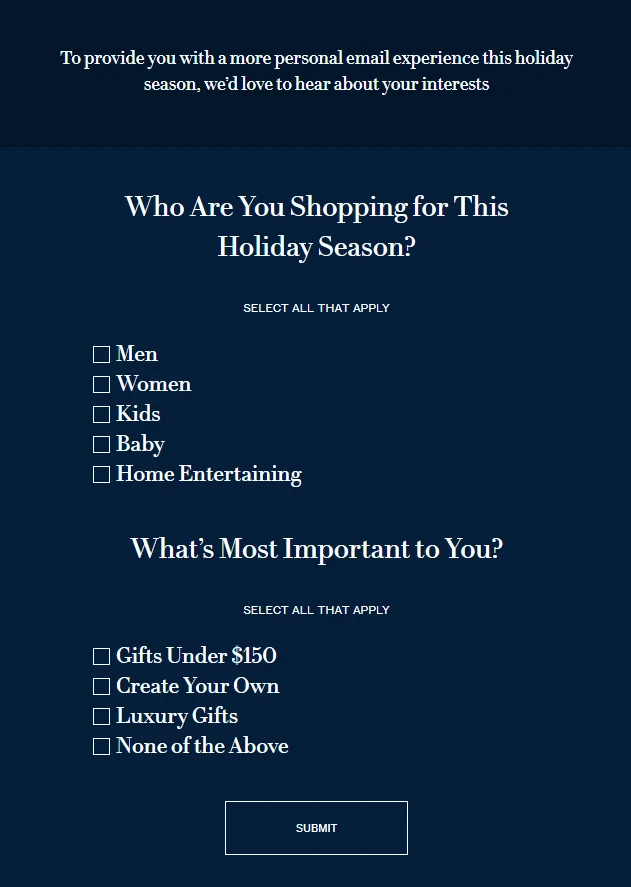
Collecting feedback from subscribers
With surveys and forms, you can check if a customer liked their latest purchase, how your onboarding process performs, or whether your target audience is happy with your products or services. However, your subscribers receive numerous emails from other brands asking them to share their feedback.
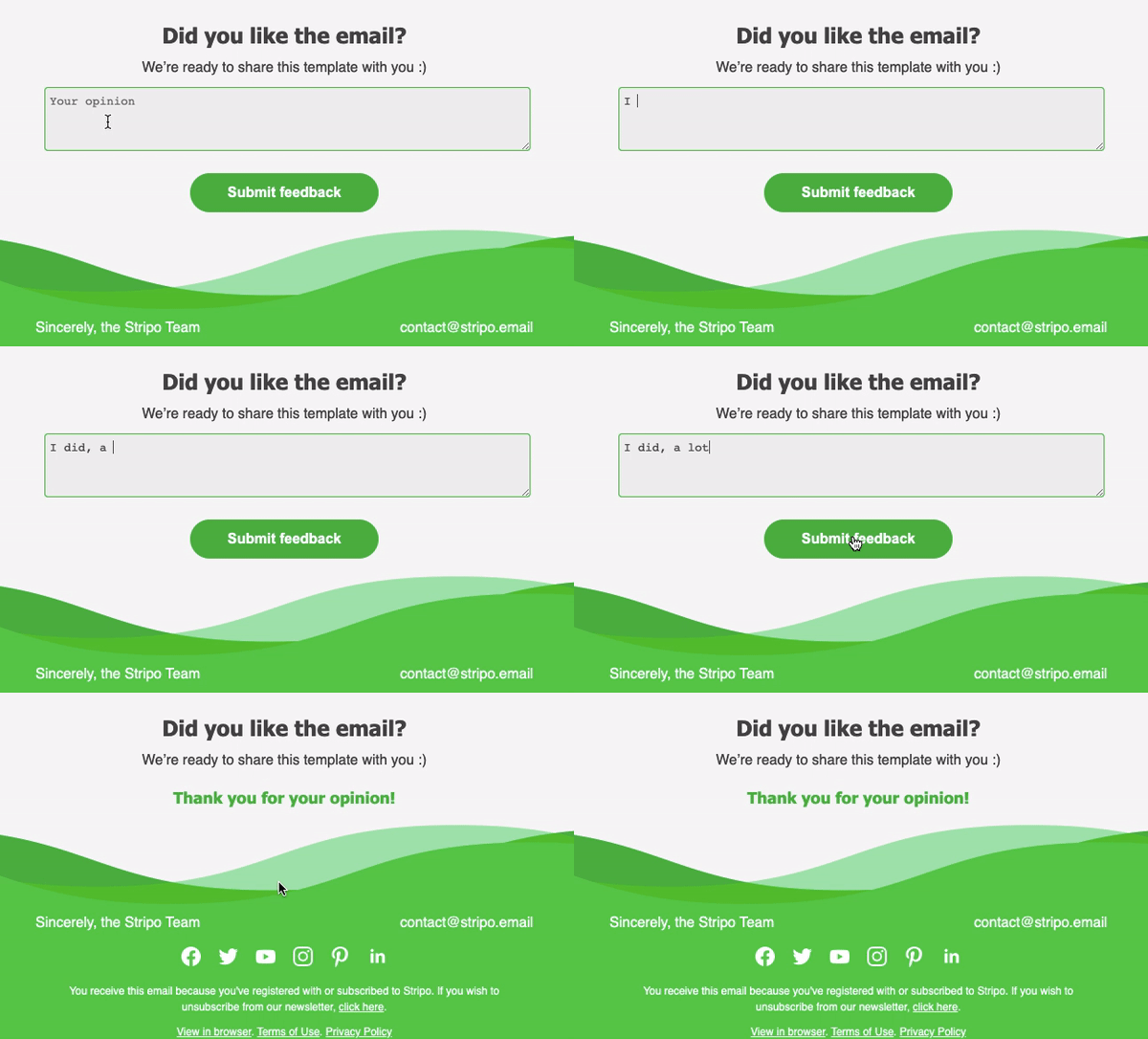
How do you stand out from the crowd and motivate recipients to notice your email and actively engage with it? Interactive surveys and forms will grab subscribers’ attention and allow them to share their opinions about your brand without leaving your email.
- Surveys. They usually include multiple-choice questions and are perfect for evaluating customer satisfaction and product or event feedback.
- Forms. Use them to ask open-ended questions and collect information such as registrations, applications, or contact information.
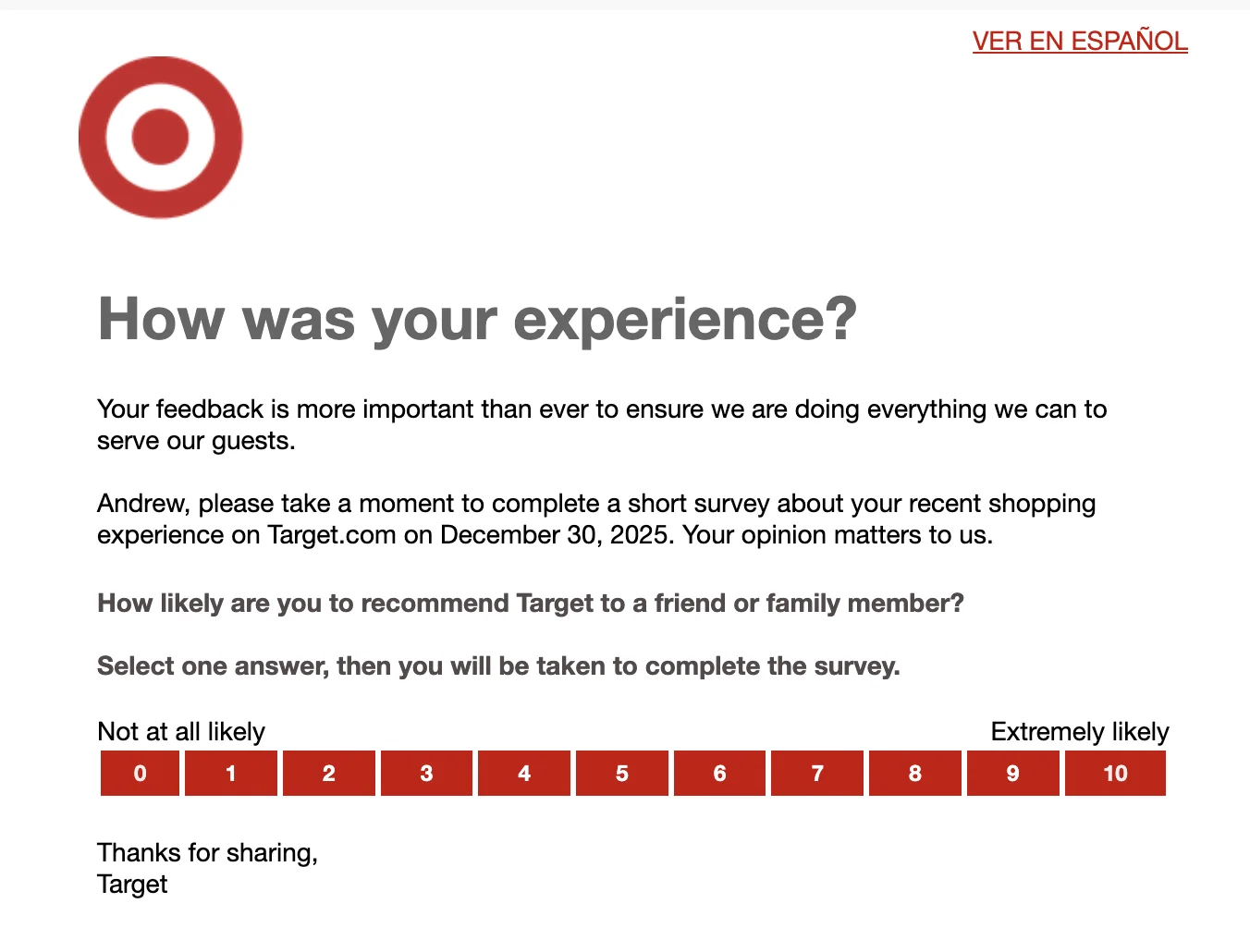
- NPS email surveys. Net Promoter Score shows your audience’s level of satisfaction and helps you assess customers’ loyalty. This survey type takes recipients less time to complete as they just have to estimate their experience on a given scale.
When to use:
- After a customer buys from you or tries your new feature.
- After the onboarding process.
- Occasionally, to check overall customer satisfaction and offer a more personalized experience tailored to your audience’s preferences.
Tips to maximize the effectiveness of interactive forms and surveys:
- Make your survey email brief: include an intro, a survey, and words of gratitude.
- Work on clear and straightforward questions to leave no room for confusion.
- Make sure you send an interactive survey so your subscribers can complete the survey without leaving the email.
- Choose the perfect send time. It depends on your industry, but on average, you can get better response rates if you send your surveys between 3 PM and 6 PM on Thursdays and Fridays.
- Respect your subscribers’ time and clarify the approximate time they will need to complete your survey.
- Offer incentives such as discounts, certificates, or free shipping to encourage participation.
- Ensure your interactive survey is responsive, as 46% of emails are opened on mobile.
Statistics to showcase the success of interactive forms and NPS:
- Emails with interactive surveys get a 78% click-through rate and a 36% higher open rate.
- Interactive forms can boost your conversion rate by up to 160%.
- Quiz-like forms can drive 3 times more conversions than standard ones.
- Interactive surveys can enhance your response rates by 257%.
Gamification
Who doesn’t love a good game? Especially when, at the end, you can win something valuable, like a generous discount, a gift card, or a top place on the leaderboard. Besides promo activities, email gamification can help you re-engage inactive users or teach customers to use your product or service to the fullest, making gamification a fantastic tool to get your emails opened and read.
What to use:
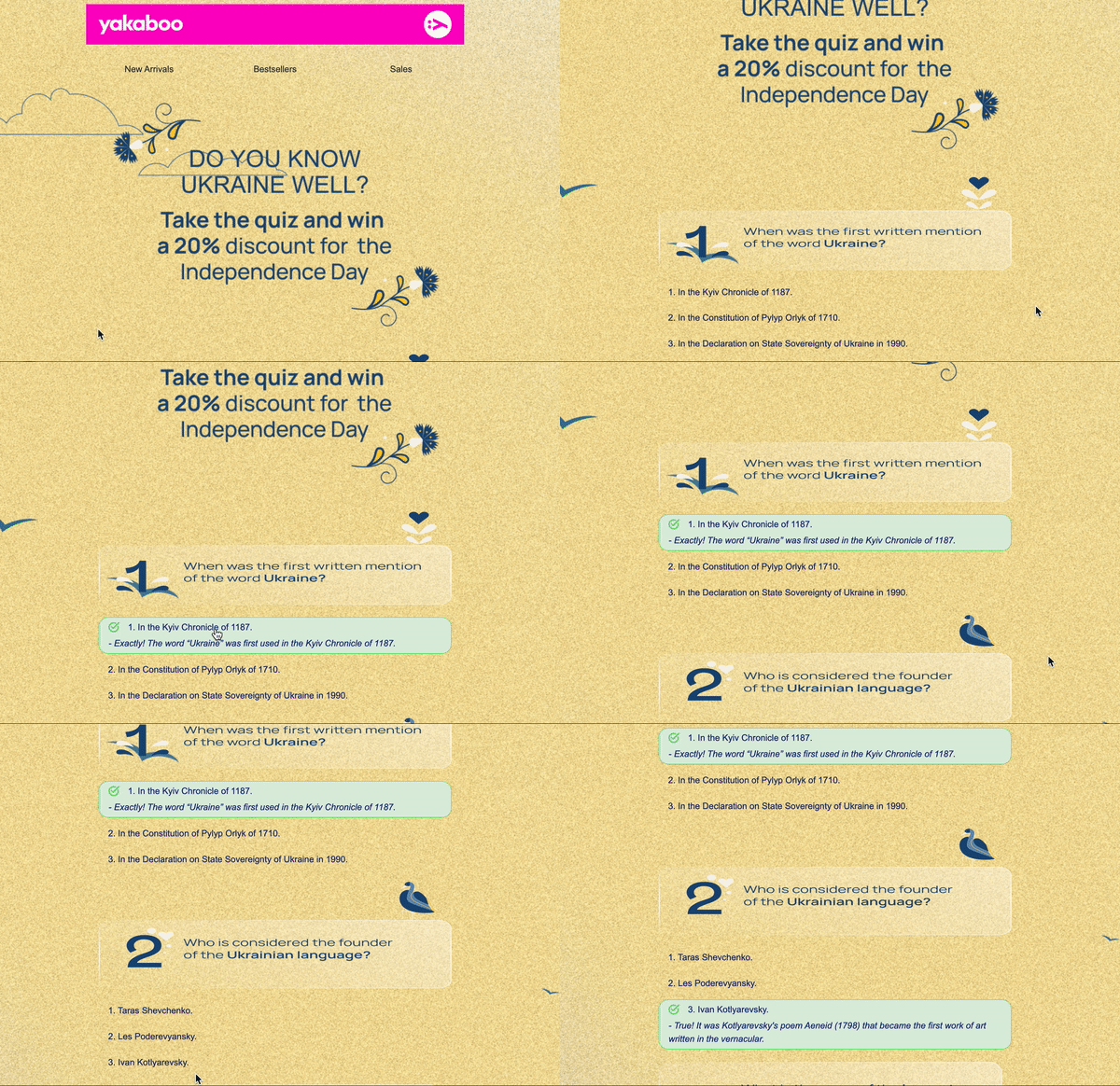
- Quizzes. Such educational games can be a great way to mix the learning process with fun. If you have a challenging-to-use product, short quizzes (2–5 minutes) will help customers remember information much faster, while a significant discount for those who answered all the questions correctly will motivate them to interact with your emails more often.
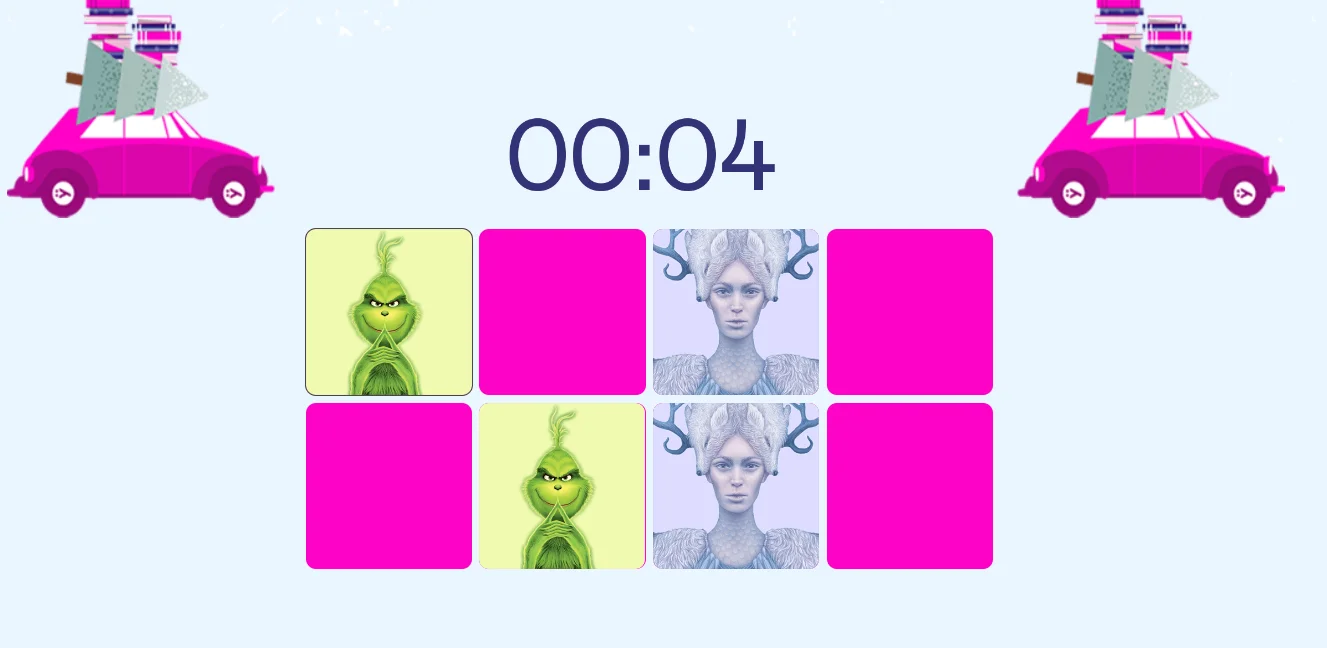
- Puzzles. While quizzes in emails usually take about 2–5 minutes to complete, puzzles can be a more challenging task that requires more effort and time (5–10 minutes). That’s why it’s important to make your puzzle fun and engaging so that your customers spend more time interacting with your email and completing the game. You can include crossword puzzles, memory games, the game “Find the difference,” and more. It’s a great chance to boost engagement and remind inactive customers about your company.
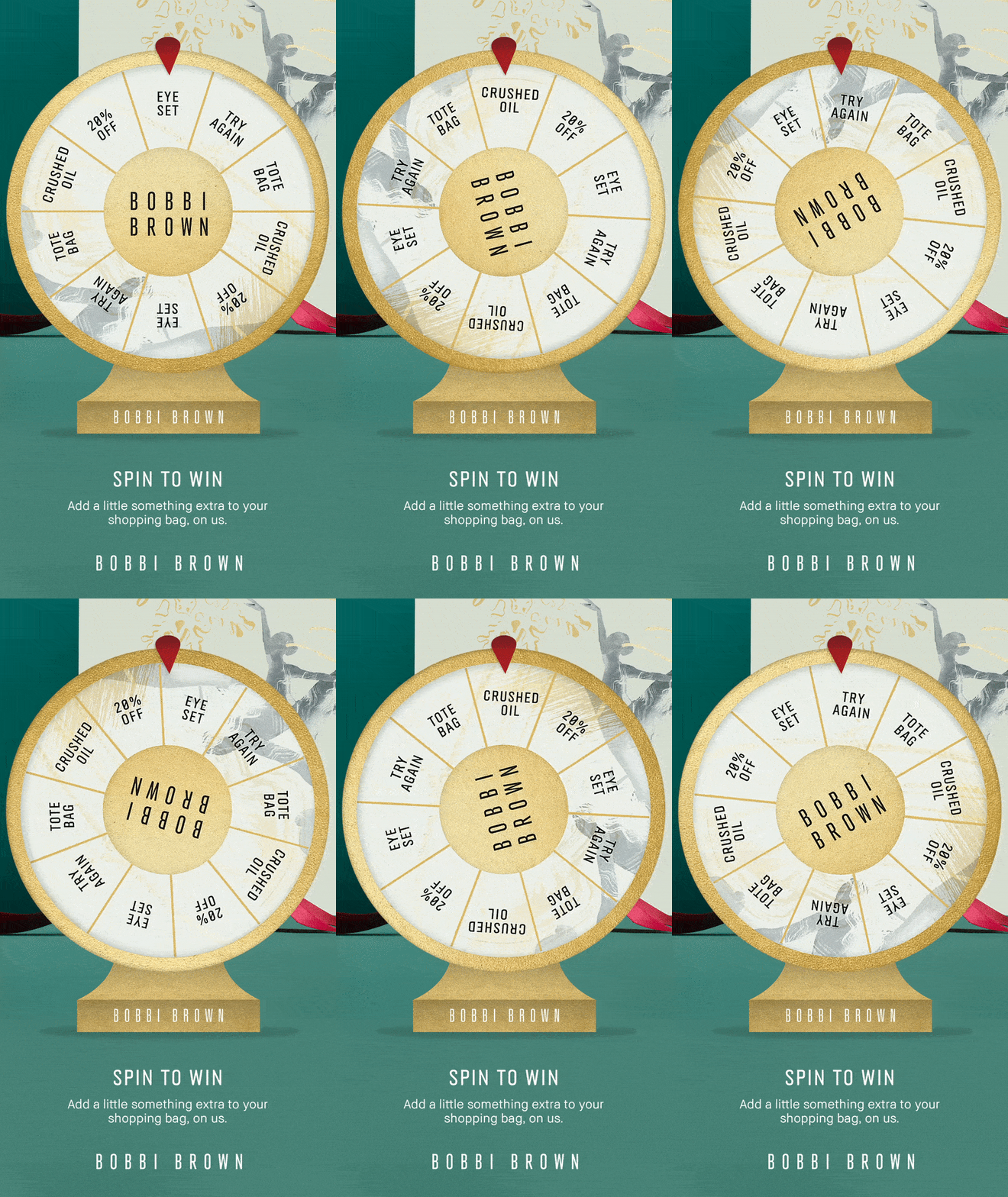
- Wheels of Fortune. Your subscribers’ inboxes are flooded with promotional emails, so it’s difficult for them to notice even the most tempting discounts. This type of game allows customers to win their prizes by spinning the wheel. It’s a good option when you can’t provide all subscribers with generous discounts, as you can equip your Wheel of Fortune with various prizes: a free sample, 10/20/50% off the next purchase, a gift card, a certificate, free shipping, etc. An instant win combined with a quick reward will make recipients wait for your emails and recognize them in crowded inboxes.
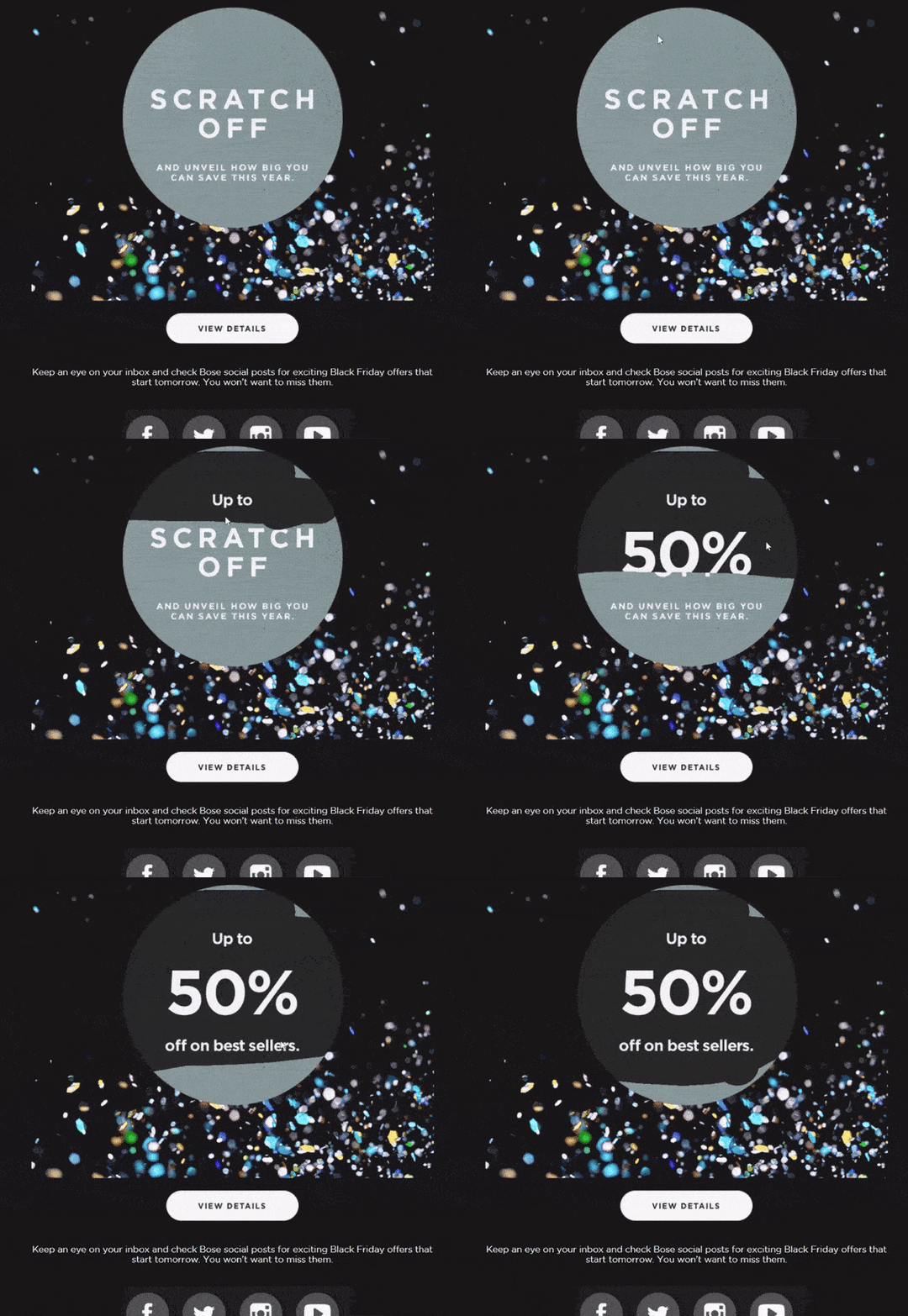
Offer reveals. What about adding some mystery to your interactive emails? Turn your promo offer into a lottery ticket for which a recipient has to “scratch” the cover from the message to reveal a discount or a promo code. It doesn’t require much effort from subscribers, but such emails will entertain them and provide discounts in a fun and unusual way.
When to use:
Now that you see which game types you can add to your emails, let’s outline when to use them:
- Quizzes: Provide educational content and show customers how to use your products or services.
- Puzzles: Enhance customer engagement, show new product features, and re-engage inactive subscribers.
- Wheels of Fortune and offer reveals: Offer discounts in an unusual way, promote your brand, boost sales, and re-engage inactive customers.
Tips to create engaging games that captivate recipients:
- Ensure that your game’s goal is clear and straightforward. Even if your game is engaging and attention-grabbing, there’s no fun in completing a task when you don’t understand the end goal.
- Keep games challenging yet achievable. You don’t want subscribers to struggle while interacting with your brand.
- Motivate recipients with rewards after they beat a game.
- Offer players badges or awards to recognize their achievements and acknowledge their progress.
- Let subscribers skip games. Yes, gamified emails are fun, but sometimes your recipients are busy or tired, so voluntary participation is a must.
Statistics to prove the effectiveness of gamified emails:
- Gamification can drive a 74.6% conversion rate, as Kop & Kande’s Christmas Calendar campaign converted nearly three-quarters of participants.
- Games can increase trial usage by 54% and buy clicks by 15%.
- Motivation based on game elements can enhance engagement by 48%.
Interactive elements to improve email usability
Besides highly interactive content like games and surveys, you should also consider elements like anchor links and hover effects. These elements may be less noticeable and fun, but they can improve your email usability and help recipients navigate through your email.
What to use:
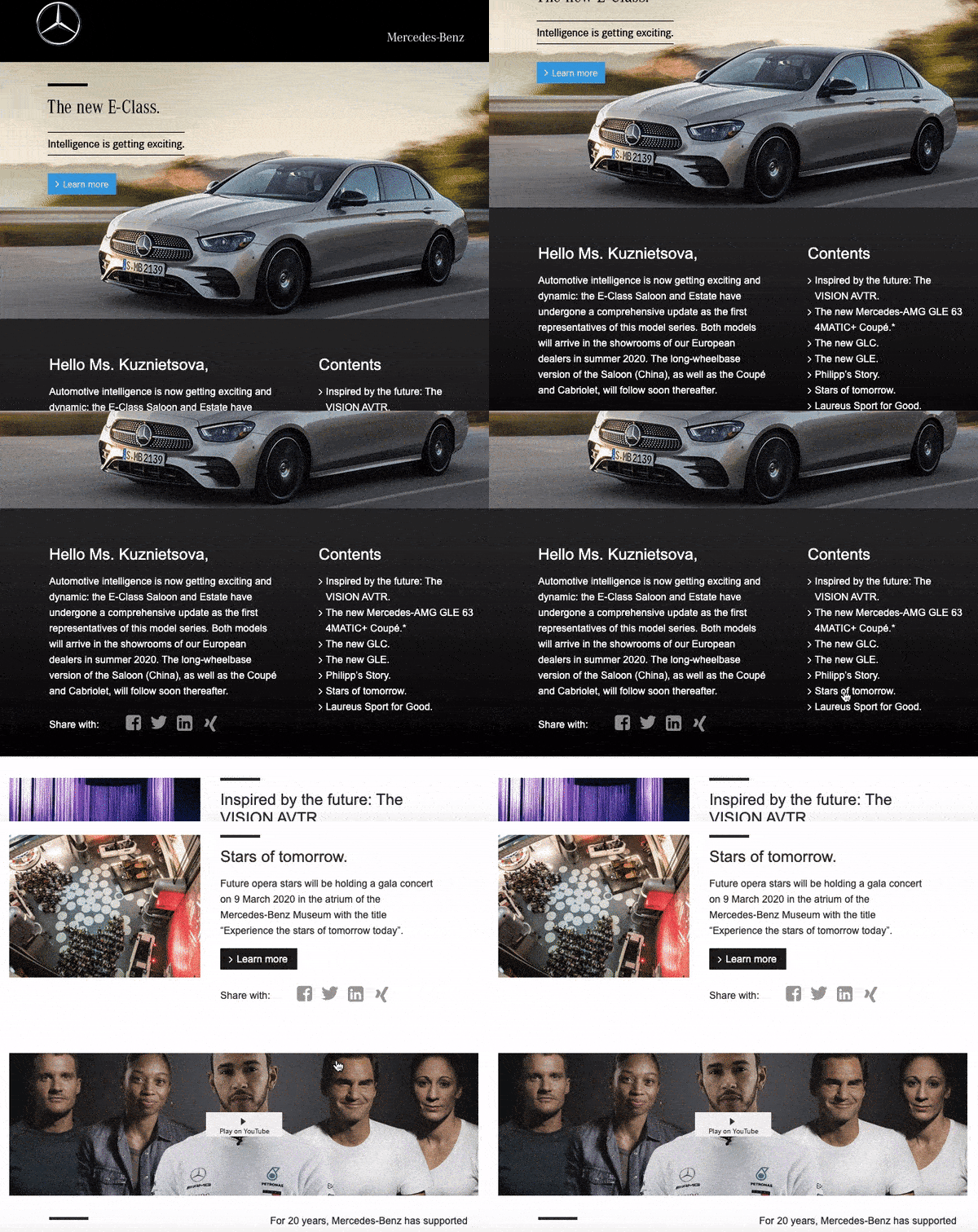
- Anchor links. If you have a product-heavy newsletter but don’t want it to look cluttered, anchor links make it much easier to jump between the email sections without scrolling too much.
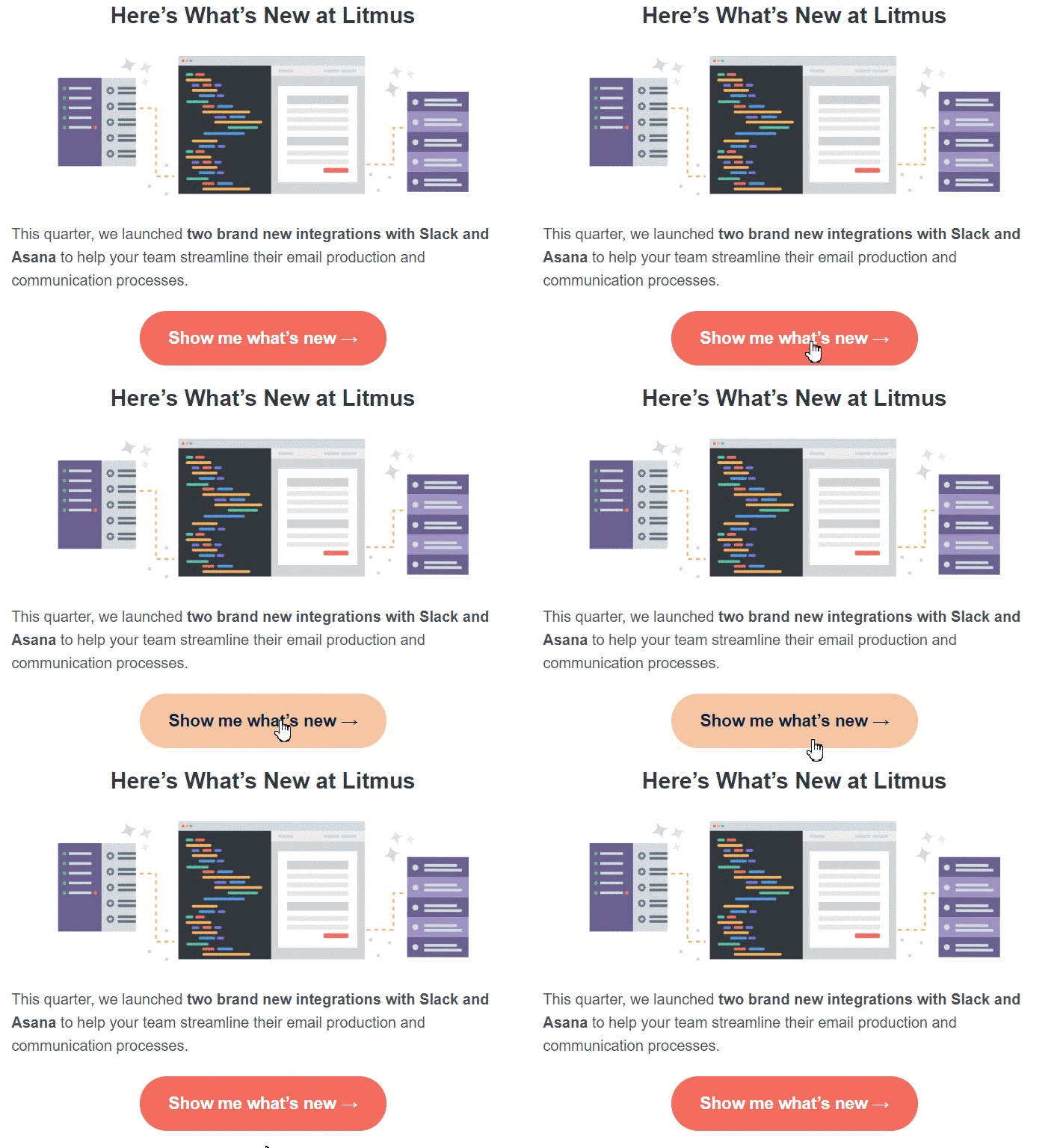
- Hover effect over buttons. This will draw recipients’ attention more than regular buttons and help you showcase your offers without making the design of your email overwhelming for recipients. Make sure the design of your buttons is brand-consistent throughout all your emails so that they stay recognizable to your subscribers.
When to use:
- To make email design less cluttered.
- To help users navigate through emails faster.
Making emails more compact
When your email is compact, it’s much easier for recipients to grasp its main point and perceive the information provided in an organized manner.
What to use:
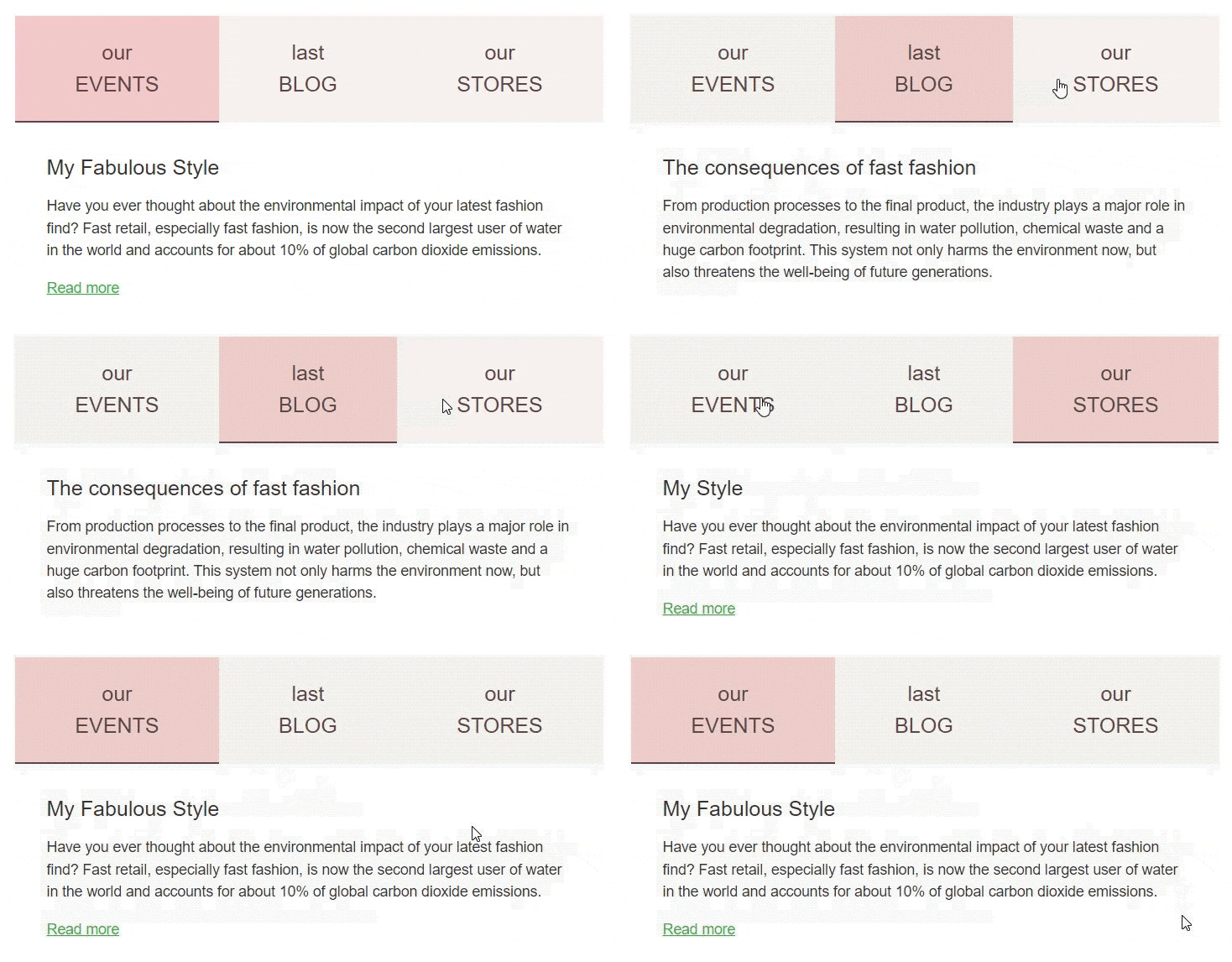
- Menu tabs. These interactive tabs allow you to add more content to your emails while keeping them compact. Recipients just have to click the tabs to jump between content sections. Add these tabs at the top of your newsletter, and don’t use more than one row to avoid complicating the user experience.
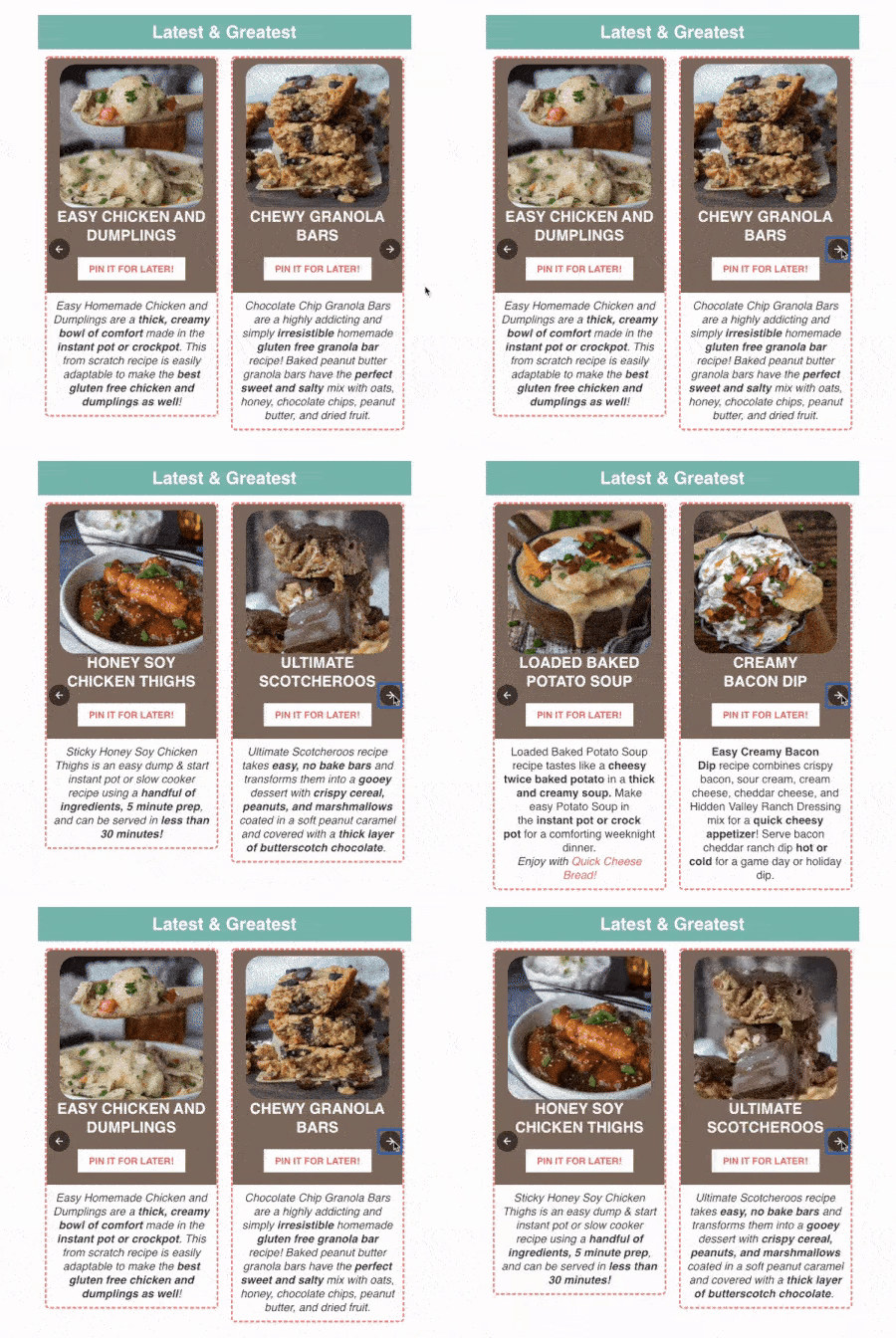
- Image carousels can help you show one product from different angles or place several items on one screen. It’s also possible to add prices and descriptions to these images. Check if the controls are large enough to be clicked or tapped on.
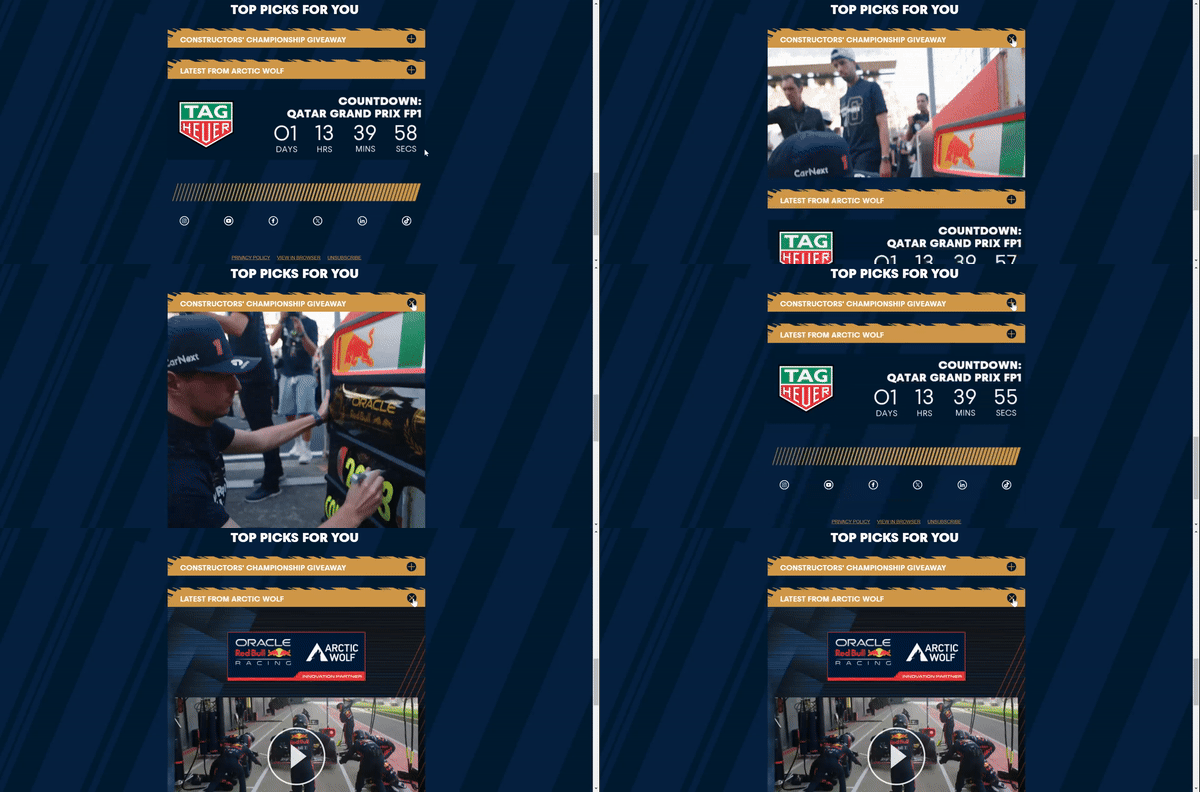
- Accordion menus can be lifesavers for mobile users. You can hide lengthy descriptions behind expandable sections. When a subscriber clicks on an expandable section, they can conveniently access more information about your offers.
When to use:
- To present information in a structured and organized manner.
- To prevent mobile users from excessive scrolling.
- To keep emails easy to navigate and allow subscribers to consume content at their own pace.
Technical requirements for email interactivity
To provide recipients with an impeccable user experience, it’s crucial to make sure interactive content like games, image carousels, accordion menus, and surveys is properly coded and performs correctly across all email clients. Let’s dive into the technical requirements for email interactivity.
Designing interactive emails
Today, you can use two HTML sublanguages to code emails with interactive content: AMP HTML and HTML5 & CSS3.
Here are the most common components of AMP HTML:
- AMP-carousel, which allows for rotating slides. Recipients can view and interact with several images without cluttering the email they’re reading.
- AMP-selector offers a list of choices so recipients can pick one or more options without leaving their inboxes.
- AMP-bind allows subscribers to submit their answers through an email.
With these components, you can craft games or surveys embedded in your emails and monitor subscribers’ responses and results.
Here are the most common components of HTML5 & CSS3:
- The :checked selector works like an on/off toggle switch that allows you to control the visibility or functionality of email content.
- The checkboxes and radio buttons trigger certain actions when activated. It’s a great option for single-choice surveys, as just one radio button in a group can be selected at once.
Email client compatibility
Interactive content in emails looks amazing. However, it has its limitations. Not all email clients support interactive content, which can lead to a poor user experience. Let’s take a look at email client compatibility for HTML5 & CSS3 and AMP for email:
AMP for email is supported by:
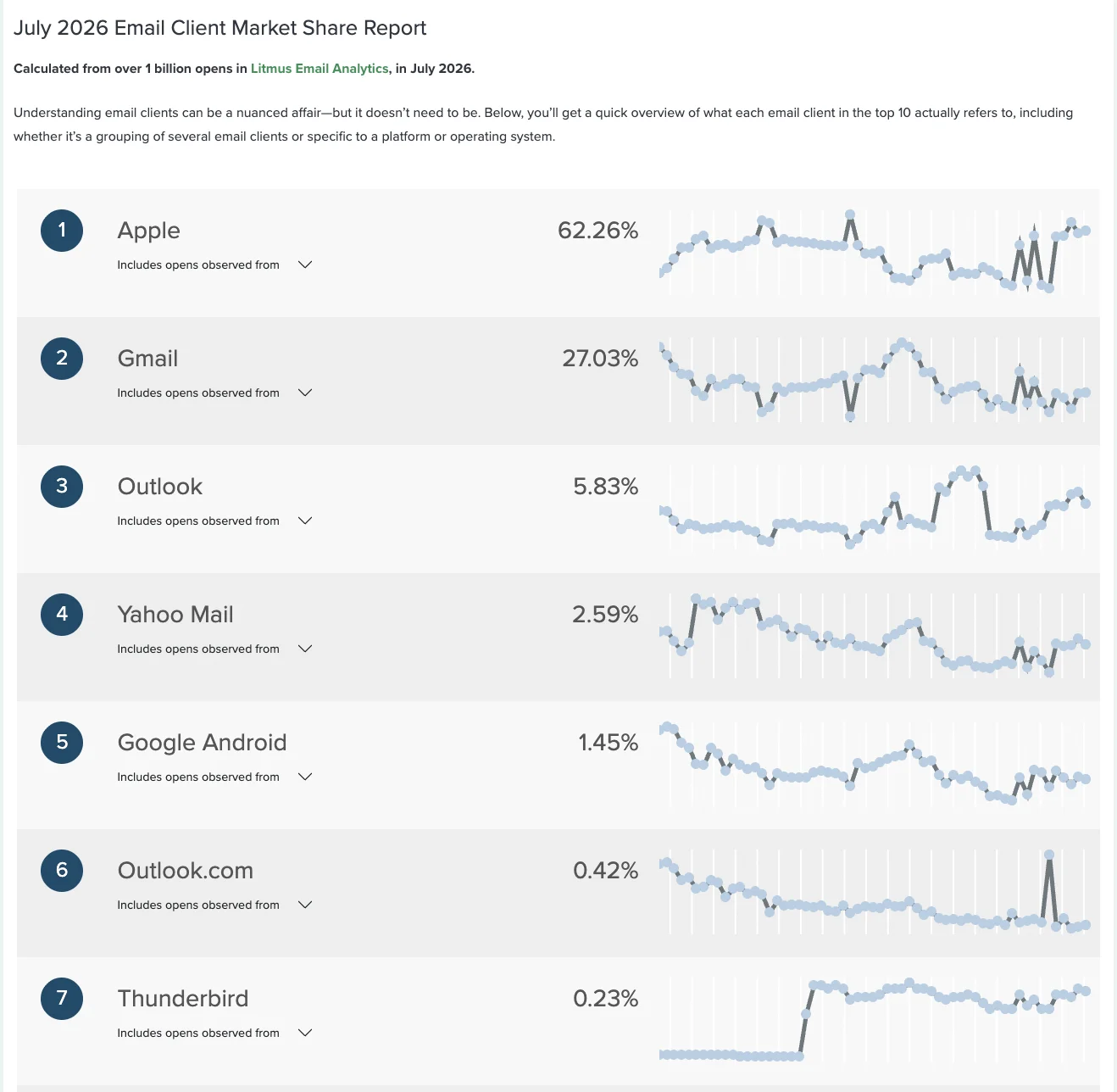
- Gmail (27.03% of the email client market share).
- Yahoo Mail (2.59% of the email client market share).
As you can see, if you rely just on AMP while creating your interactive emails, only 29.62% of the audience will be able to interact with your emails properly.
HTML5 & CSS3 are supported by:
- Apple Mail (62.26% of the email client market share).
- Samsung Mail (0.02% of the email client market share).
- Thunderbird (0.23% of the email client market share).
With this coding dialect, you cover 62.51% of the target audience, which is not enough to ensure that you consistently delight your subscribers with engaging interactive content.
So, it sounds like a good idea to combine both coding dialects to cover a wider audience. With AMP as the main version and HTML5 & CSS3 as an interactive fallback, you can reach 92.13% of your subscribers. But what about the remaining 7.87%?
Fallback strategies
To cover the gap mentioned above, it’s essential to offer a solid fallback for those using email clients that don’t support interactivity. Here are several fallback types for your interactive emails:
- Opt for a static fallback and tell your recipients that they can’t play a game/take a survey/fill out the form without leaving their inbox because of their email client’s rendering rules. You can thus still provide recipients with discounts you intended to offer after they had interacted with your content, but this option excludes all the appeal and engagement of interactivity.
- Use an interactive fallback by combining AMP for email and HTML5 & CSS3 to cover 92.13% of your subscribers.
- Show a web version of your email to the remaining 7.87% of the audience. However, recipients will have to leave the email to interact with your content on separate web pages.
- Offer a static fallback that looks like interactive content with an embedded web version. When a subscriber takes an action within an email (answers a question, fills out a form, plays a game, etc.), they get redirected to a landing page where their previous choices are saved. There, a subscriber can continue interacting with your content, just like you intended. This approach offers a smooth transition from your email to a landing page and doesn’t exclude an interactive experience.
Testing interactivity
When your interactive email is ready to delight your subscribers, remember to test it so that all interactive elements render as intended. You can send it to teammates using various devices and email clients to check if the interactivity works correctly.
One more reliable way to test your emails is by using tools with testing features (e.g., Stripo, Email on Acid, or Litmus). Such tools offer features like email client and cross-platform previews, HTML and spam checkers, testing automation, and more. However, you can only use these tools to check whether different email clients will show AMP, HTML, or a fallback. You still need to send your email to a live inbox to find out how the interactive elements perform.
Here are some things to consider when choosing a tool to test interactive emails:
- Integration with your email marketing platform.
- Prebuilt and optimized email templates to minimize testing needs.
- Automation capabilities for email marketers dealing with a large volume of newsletters.
- Responsive support, manuals, video guides, and a knowledge base.
- Cost efficiency (especially for those who need to test a lot of emails regularly).
Wrapping up
Interactive content in your newsletters can help you engage subscribers, collect valuable data, strengthen sales, and enhance brand awareness. With the right design techniques, fallback strategies, and understanding of your recipients, you can use elements such as surveys and forms, games, menu tabs, image carousels, and accordions to let readers interact with your email without leaving their inboxes.
Interactive emails are about more than just staying ahead of the competition; they are about establishing stronger customer relationships, providing memorable experiences, staying in the minds of your customers, and delivering the content they enjoy.

 New and noteworthy on our blog