


Key takeaways
- Email automation is essential for businesses to enhance customer experience and save time.
- Setting up automated emails requires more than just crafting them; it involves using email autoresponders and automation editors.
- Common automated email types include welcome emails, onboarding emails, abandoned cart emails, order confirmation emails, shipping and delivery updates, re-engagement emails, feedback and review request emails, thank you emails, cross-sell and upsell emails, birthday greetings, renewal reminder emails, and replenishment reminder emails.
Email automation is a must for any business — it can drastically improve customer experience and save hours of time.
However, it’s a bit trickier than simply crafting and sending an email, especially for beginner solopreneurs and email marketers. Which automation scenarios do you really need? How complex should they be?
To ease your life, we’re making a review of the most common automated email types your business probably needs, regardless of the niche. We’ll provide definitions and, of course, awesome automated email examples for your inspiration!
What is email automation?
Email automation is an email or a series of emails sent without a marketer’s immediate involvement. Such emails are sent as a response to subscribers’ actions, certain events like order status changes, or dates. They’re set up once and keep working for as long as you don’t disable the automation scenario… or the email marketing software doesn’t stop existing.
Just crafting an HTML email in the builder is not enough to launch an automated email campaign — you need to set up an email autoresponder. ESP tools, including Selzy, offer separate automation editors that look like decision trees with a bunch of branches and conditions.
Here’s a quick rundown:

Automated email examples and templates to save your time
Let’s check out some of the most common automated emails worth setting up for any company, big or small. We’ll explain what these are and how they can help your business, and give you examples for content and design inspiration. Note: some examples from our list are industry-specific, but most of them are truly universal and a must for everyone!

Welcome emails
Welcome emails are like a warm “Hello!” accompanied by a brief house tour for your guest.
It’s a type of triggered email campaign sent right after a person confirms their subscription to your newsletter. Welcome emails often include:
- The lead magnet you promised in the embedded forms or pop-ups. It can be a free e-book or an article, a coupon code for the first purchase, or a little present that comes with your first order.
- An introduction to the company. It can take different forms like the brief history of the company, a list of goods and services the company offers, a mission statement, or a website overview.
- A unique value proposition. Sometimes, welcome emails include a brief description of the company’s UVP — what the business offers, what makes the product different, and how it can help the customer.
Here’s the most basic welcome message example from Lingo we found on Really Good Emails. It only has a discount code and a notice that there will be more relevant content from the brand.

In some cases, a laconic welcome email like this is enough. However, you could do a lot more to reinforce the budding customer relationships.
For example, this welcome email from GIR includes several elements: the founder’s story, the company’s crowdfunded origin history, and the unique value of the ultimate spatula.

Welcome emails have the highest open rate compared to other types of email campaigns — a whopping 83.6%, according to the latest data from GetResponse. They can also help you both quickly convert new subscribers into first purchasers and keep them active and interested, too!
So, if you only have resources for one automated email right now, do the welcome one for the largest impact on your business and the quality of your contact base, not to mention establishing relationships with your customers.
Onboarding emails
Onboarding emails are sent after signing up or making the first baby steps on a mobile or web app, and their main goal is to keep the new user engaged, interested, and not confused by the app’s interface and features.
Their premise is similar to welcome emails — however, they’re a bit different. Onboarding messages usually provide users with short tutorials, introduce your brand communities on Reddit or Discord, or reinstate the product’s value.
Here’s a baseline example from Along — this email congratulates the user on finishing with their account setup, gives a hint on what to do next, and lists possible use cases:

Aren’t in-app onboarding screens and hints enough, though? 93% of people use emails every day — including the users that got confused after your in-app onboarding. So, email onboarding is a great way to gently nudge such users back on track instead of abandoning them — and them abandoning your product at the end.
Abandoned cart emails
Abandoned cart emails are one of those email types that help you earn money in an instant.
They’re sent to the users who visited your online store, added some items to their cart, but didn’t finish their purchases for whatever reason. Abandoned cart emails usually contain a short “Still like it?” copy, a bunch of dynamic content blocks with the cart items, possibly other recommendations, and a “Shop now” CTA button.
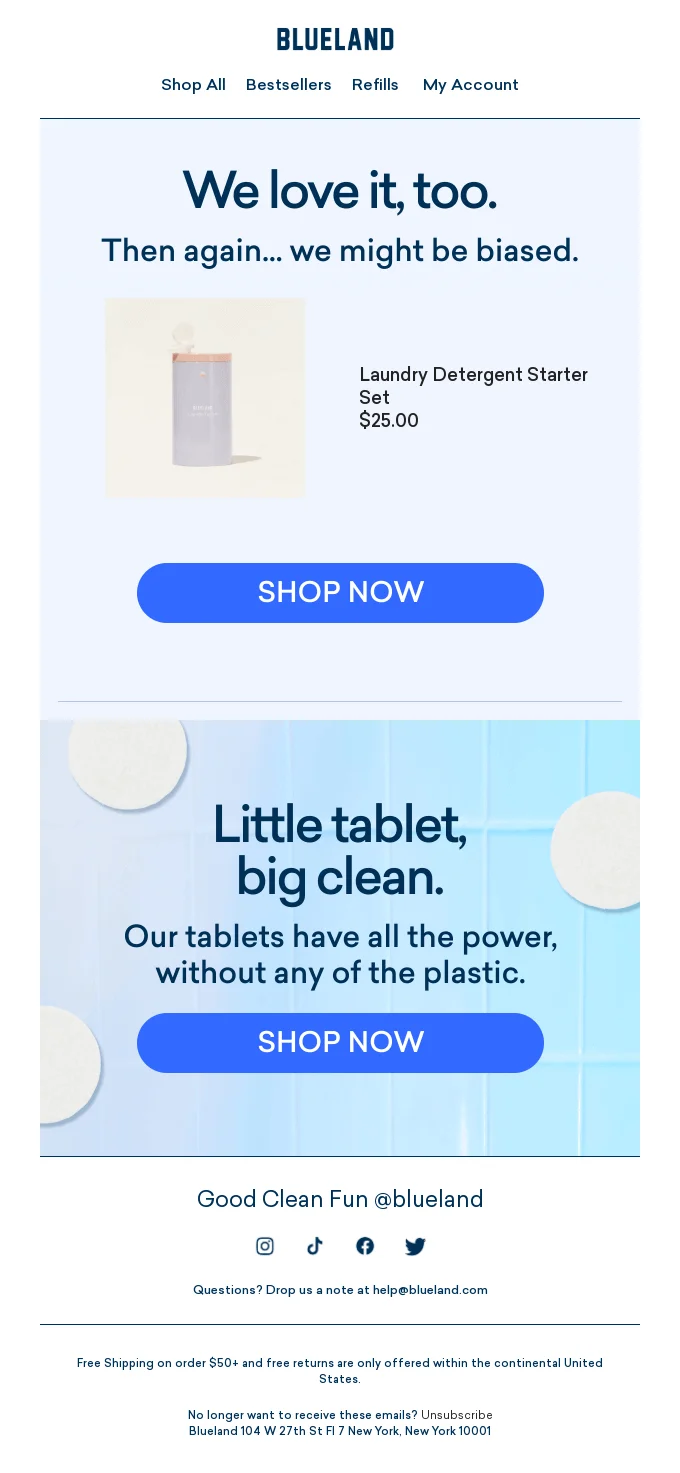
This email from Blueland also uses the opportunity to reinstate the company’s unique value of eco-friendly cleaning products.
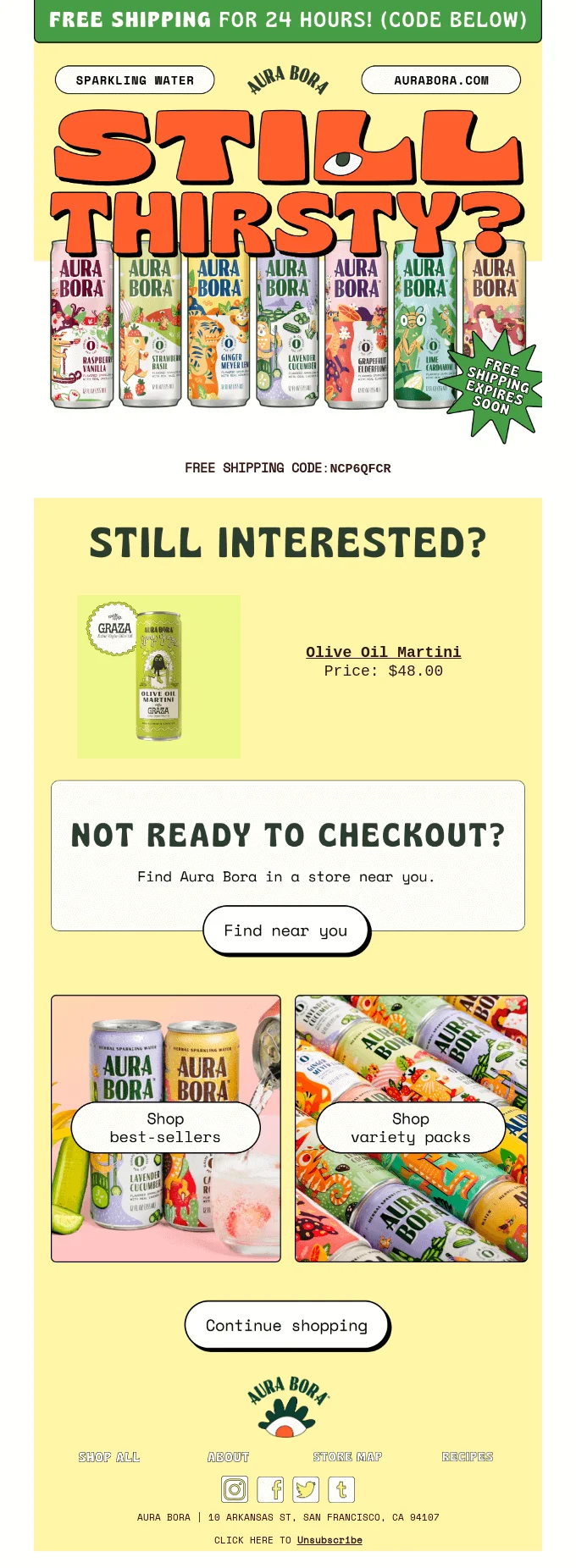
And this abandoned cart email from Aura Bora offers a little bonus for completing the purchase — a free shipping code. Interestingly, it also suggests checking out a brick-and-mortar store, which is a great tactic for particularly indecisive shoppers who need to inspect the product in great detail before buying.
Cart abandonment is more common than you might think — the latest data shows that up to 70% of online shopping carts are not purchased. There are many reasons for that phenomenon, but if you’re not implementing these personalized emails in your online store, you’re potentially losing tons of money. So what are you waiting for?

Order confirmation emails
Order confirmation emails are sent right after completing a purchase. They confirm that the order was placed and processed and explain to customers what’s going to happen next.
Order confirmation messages aren’t marketing messages. They’re transactional, which means that instead of selling, they transmit important information that customers need.
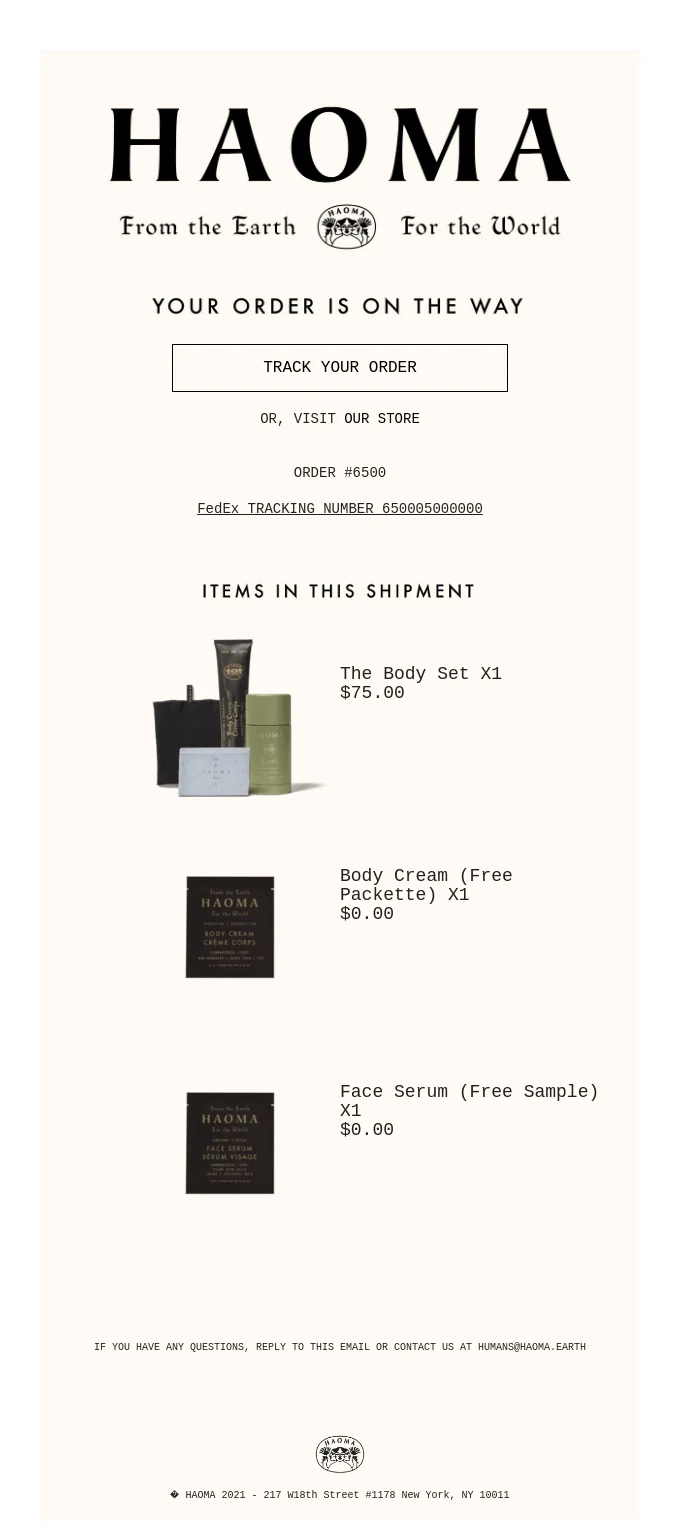
Here’s a baseline example from Haoma — this email has nothing extra, just what the customer ordered, the order’s ID in case something goes wrong and they have to talk to support agents, and the FedEx tracking number:
If your brand allows a relaxed tone of voice, you can get creative in transactional messages as well! This email from Recess, for example, is a fun one — feel free to do something similar, just keep the order info intact.
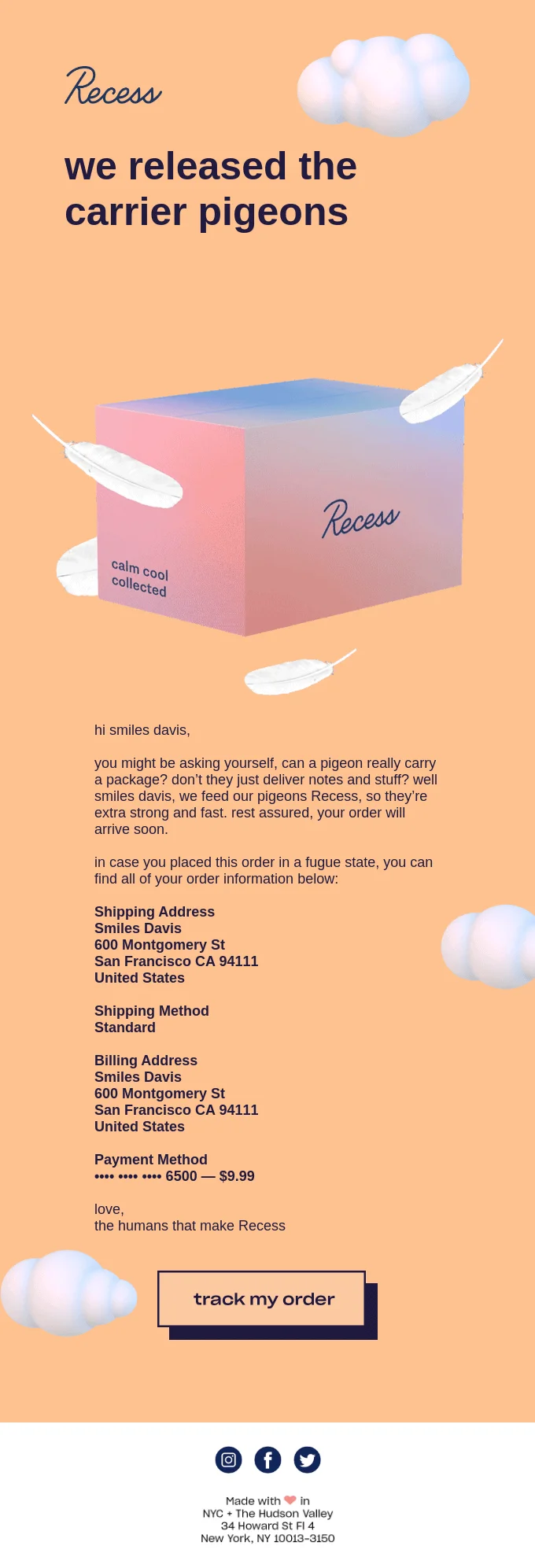
Creative or not, order confirmation emails are a must because they drastically improve the user experience. They keep all the order info in one place and accessible on all devices. If you’re in e-commerce, adding such messages to your email powerhouse is a must.
Shipping and delivery updates
Pretty self-explanatory — these messages notify your customers of order status updates. Like order confirmation emails, e-commerce shipping and delivery update emails are more about customer care than straight-up marketing.
For example, this email from Everlywell confirms that the order has been delivered.

We already mentioned that email notifications like order confirmation and status updates improve customer experience — it’s convenient to have access to all things related to your online order without opening the company’s website on your phone and authorizing on a different device. But it’s not the only reason to set up these email automations.
The thing is, by quickly notifying the subscriber about status changes, you show that your e-commerce business processes are transparent and easy to follow, which creates your brand’s reputation along the way. Even though you can’t sell anything in transactional emails (it’s forbidden by GDPR), they still can move you closer to marketing goals. In this case, you’re selling by just delivering timely, crystal clear, and well-written notifications. So, if you want more repeat purchases, it’s time to automate!
Re-engagement emails
Re-engagement or win-back emails are automatically sent to a segment of subscribers that hasn’t interacted with your business for a while. By interactions, we mean opening or clicking through your emails, using your mobile or web app, or buying on your website.
You can make the best marketing newsletter in the world, but a certain number of your subscribers will gradually lose interest and disengage or unsubscribe anyway — it happens to every email marketer. Good news: you can slow down the unsubscribe rate and bring your cold audience to life with re-engagement campaigns.
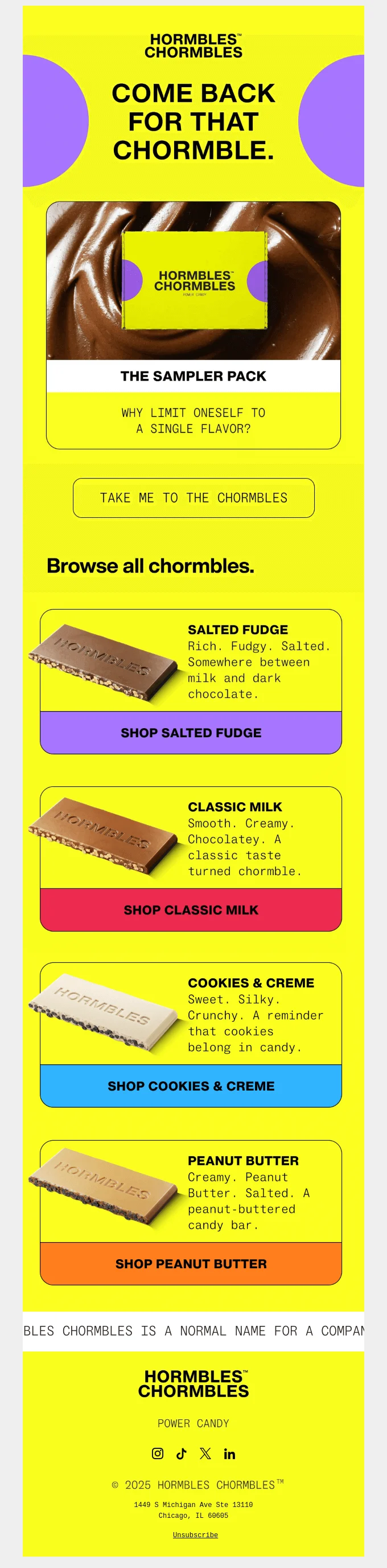
For example, this automated re-engagement email from Hormbles Chormbles assumes you didn’t make a purchase because you can’t pick a flavor — and offers you a sample box so you don’t have to make a decision.
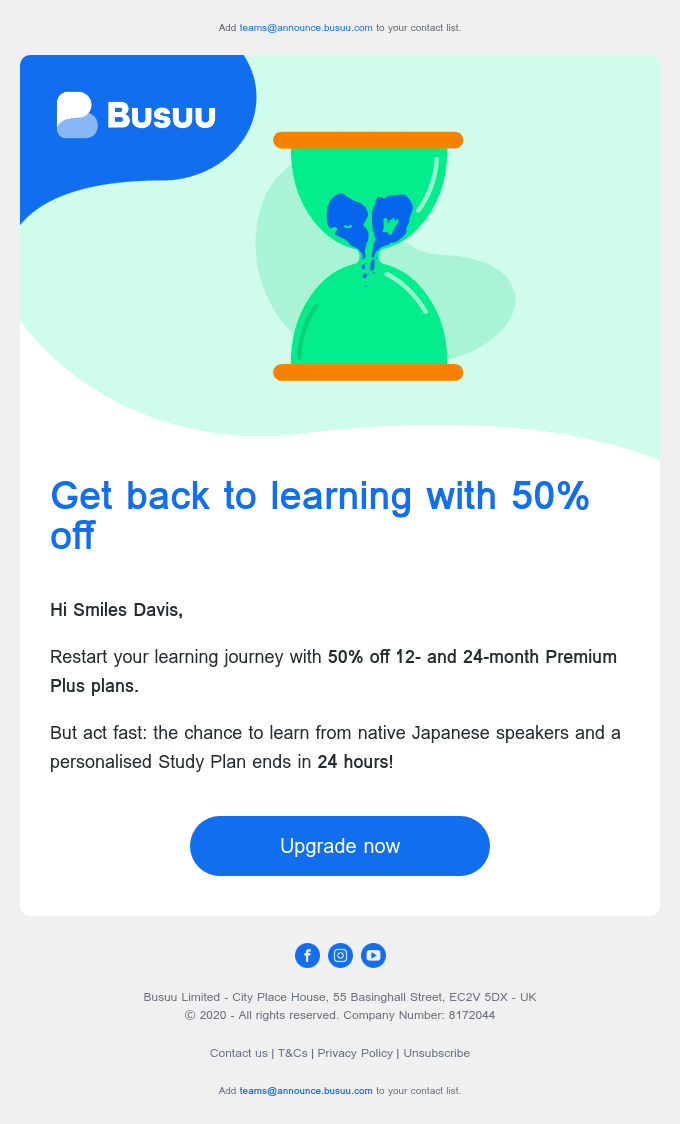
Sometimes re-engagement emails offer the subscriber a bonus for coming back — for example, Busuu blesses the customers with a solid discount on the year-long subscription plan.
Not all your subscribers will react to such messages, let alone actually buy something. However, if you abandon this part of your target audience, you might fall victim to email fatigue. In this case, you’ll end up with more and more disengaged subscribers in your contact list, which will lead to poorer email metrics and even deliverability issues.
Re-engagement emails help you warm up some of your “cold” subscribers — and those who definitely lost interest will see your message and unsubscribe, improving the quality of your contact list. So, along with other measures like email segmentation, sending re-engagement email campaigns is a must for keeping your metrics high and your subscribers (mostly) active and interested.
Feedback and review request emails
Feedback and review request emails are automatically sent some time after the purchase or right after your customer has interacted with the support agent.
Whether you need more Amazon ratings to raise your marketplace reputation, get some reviews from your customers for further social proof marketing, or gather some intel on how well your support agents work, these automated emails are a must.
No need to overthink the content — a short copy and a CTA are enough. Check out this simple but elegant example from Evergreen:
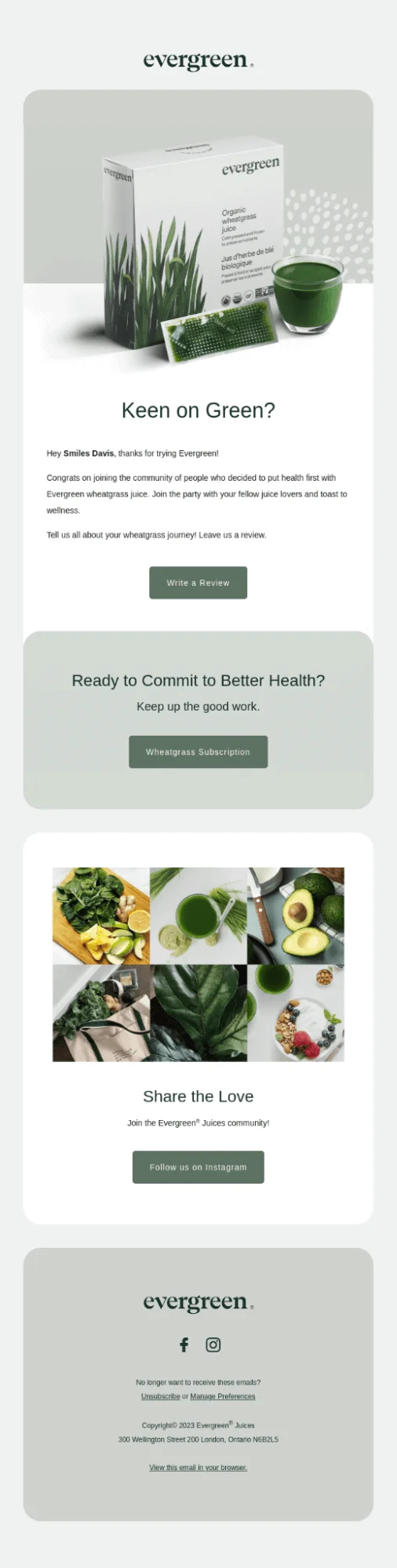
Here’s another example from Ticketarena — in this email, the company is asking its customer to complete a short satisfaction survey.
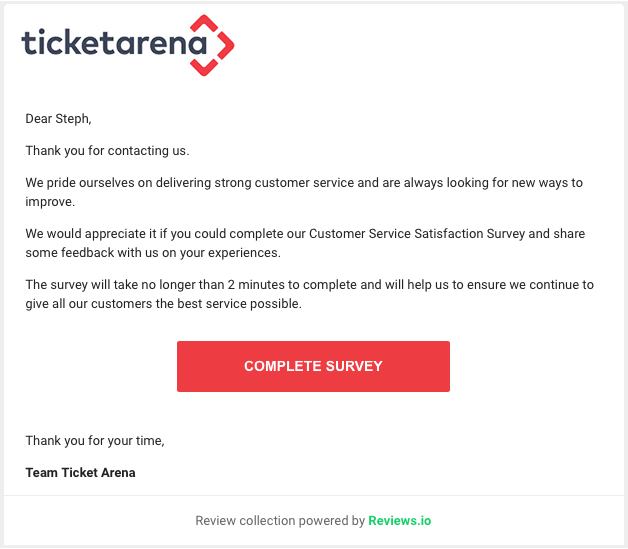
Some customers of yours will write a review without being asked, and others will ignore a thousand request emails. However, there’s always a percentage of people who just need a little nudge — or even a gratification like a discount off the next purchase or loyalty program points. Feedback request emails target this group of people — and, if done right, they can bring you more reviews right away and more purchases in the longer term.
Thank you emails
Forgetting about your customers the second after they bought something from you is like ghosting after the first date — technically, you can do it, but not if you want a long-lasting relationship. One of the ways to keep the rapport between you and your customers is to send thank-you emails right after they complete the purchase, take a survey, leave a review, etc.
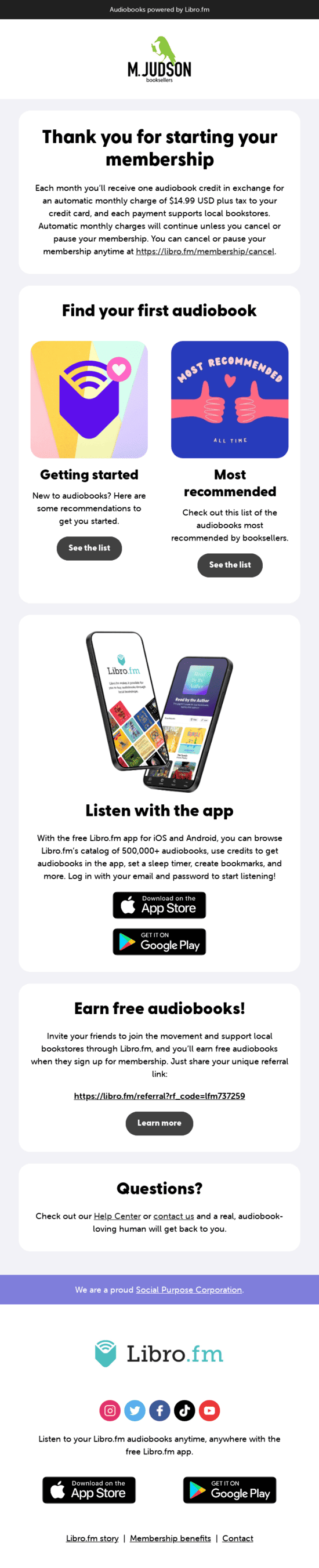
A short and sweet email copy is enough for many cases. However, you can go further and combine thank you messages with other content, marketing resources, or personalized offers. For example, this email from Libro.fm includes some onboarding elements. This is a good strategy for any digital platforms or products that want to share instructional content beyond onboarding.
And this one from Buoy doesn’t just say thank you — it offers a well-deserved reward for leaving a good review.

If you ask us about priorities, thank you emails are closer to optional automations on the spectrum. However, if you’re working on moving your first-time purchasers to second-time buyers, and then to loyal brand advocates, implementing this type of automated email is a must.
Cross-sell and upsell emails
Upsell emails offer a more expensive option of the product, cross-sell emails offer similar or complementary products, both are sent some time after a purchase or other interactions. Both are great ways to get more revenue out of one customer.
For example, this email from Linktree offers the paid version of the service to their free users. To sugarcoat the pill, the company gives the customer an option to test the waters for free first.

This email is a classic example of upselling for digital services. The message is not aggressively salesy, and the long trial will allow the user to see for themselves. In the end, the user will think of this offer as a win-win situation, not the “Bring us money now” — this is how to upsell the right way.
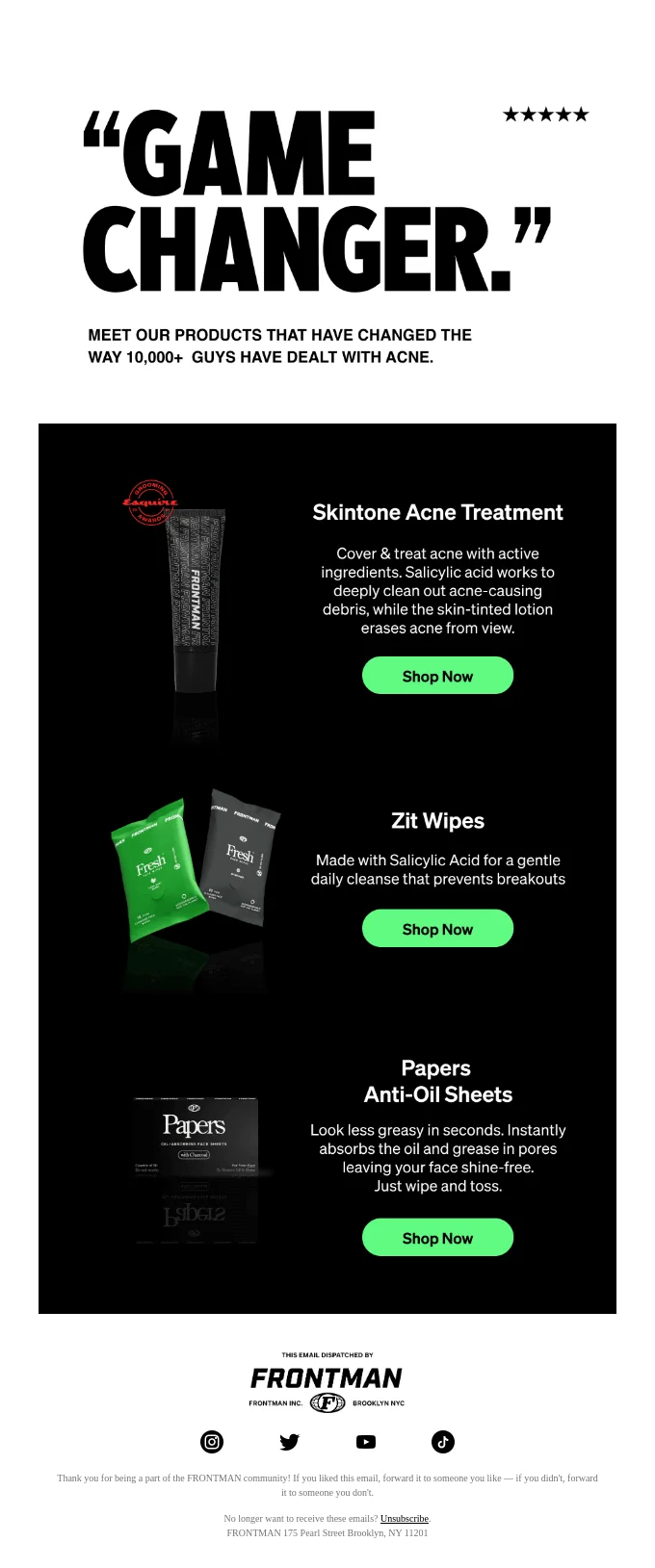
There are many ways to make upsell and cross-sell emails more effective. These include reinstating the product’s value, offering bonuses the way Linktree did, or even opting for social proof email marketing. For example, in their cross-sell email, Frontman uses quotes and puts “GQ and Esquire love them” in the subject line. Namedropping popular media outlets counts as social proof, too!
Birthday greetings
Birthday emails are automatically sent on subscribers’ respective birthdays or a couple of days before and usually include a greeting and a little bonus like a discount code.
These can work wonders for a short-term increase in sales or nudging indecisive subscribers to buy something from you as a gift to themselves — or just remember about your company and interact with it.
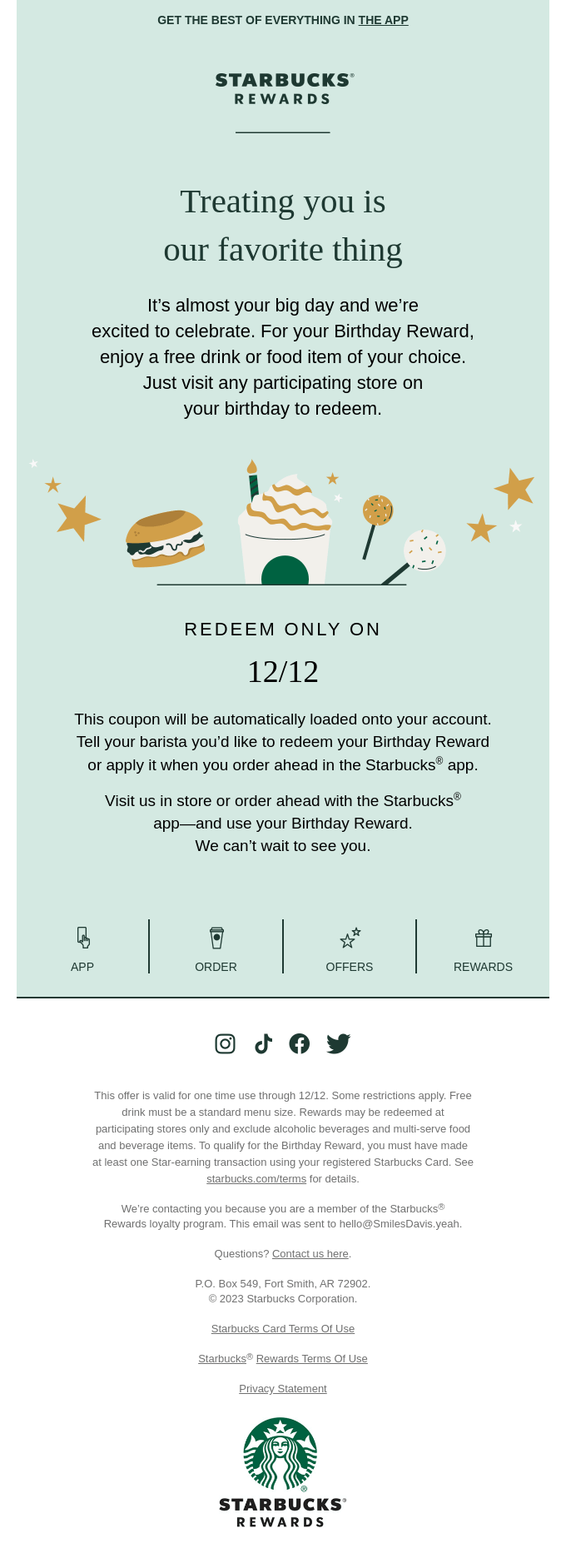
For example, Starbucks Rewards offers a free item of choice:
If you want to give a birthday gift but still need a revenue increase, check out this birthday email example from Chipotle — the restaurant chain offers a free item that comes with an order as a bonus. Birthday cake is out, birthday guac is in!
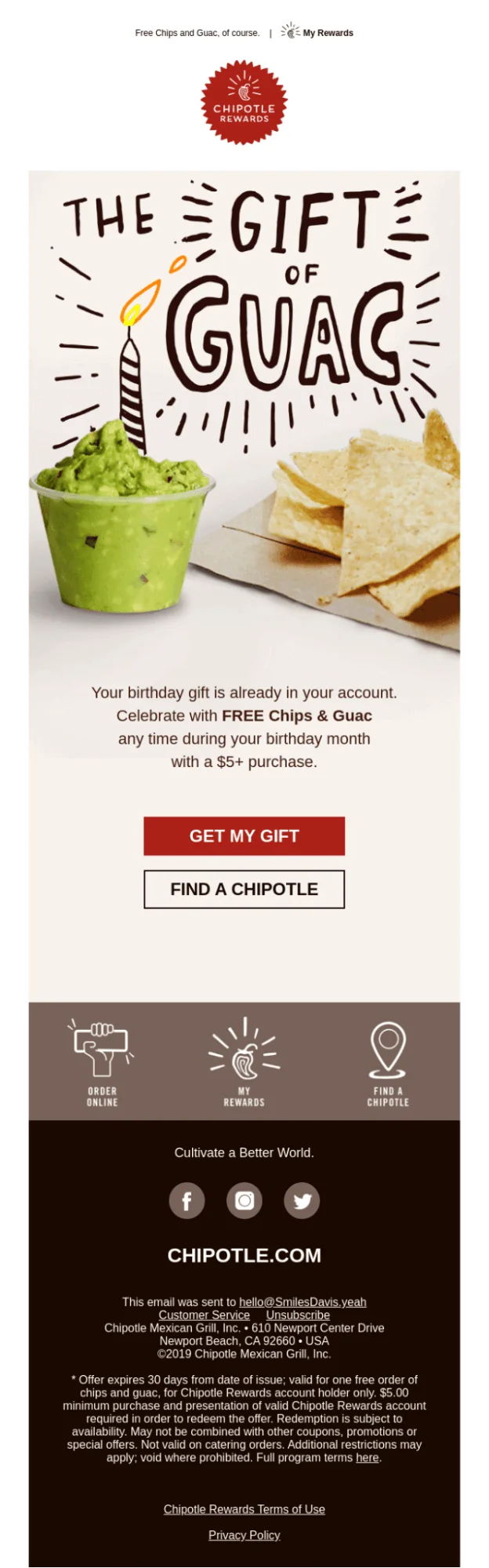
Birthday emails are good to introduce as a part of your customer retention strategy. Even if your subscribers end up not redeeming their bonuses, they will remember you for it and stay with you for longer.
Think of it as asking your long-distance friend about how their life is going. This act of communication might not be as deep as hours of philosophical conversations, but such little things go a long way in terms of maintaining the relationships.
Renewal reminder emails
Renewal reminder emails are notifications sent to the customers before they are charged for a subscription.
Speaking of retention — if you run a subscription service, renewal reminder emails are a must for two reasons. Firstly, some of your customers may forget to renew subscriptions, so reminding them will help you keep said customers in place. Secondly, automatically renewing subscriptions without reminders or notifications is a sketchy business tactic people don’t like. So, reminding your customers that you will obtain the subscription fee on a certain date can drastically improve your reputation — it shows your company’s transparency.
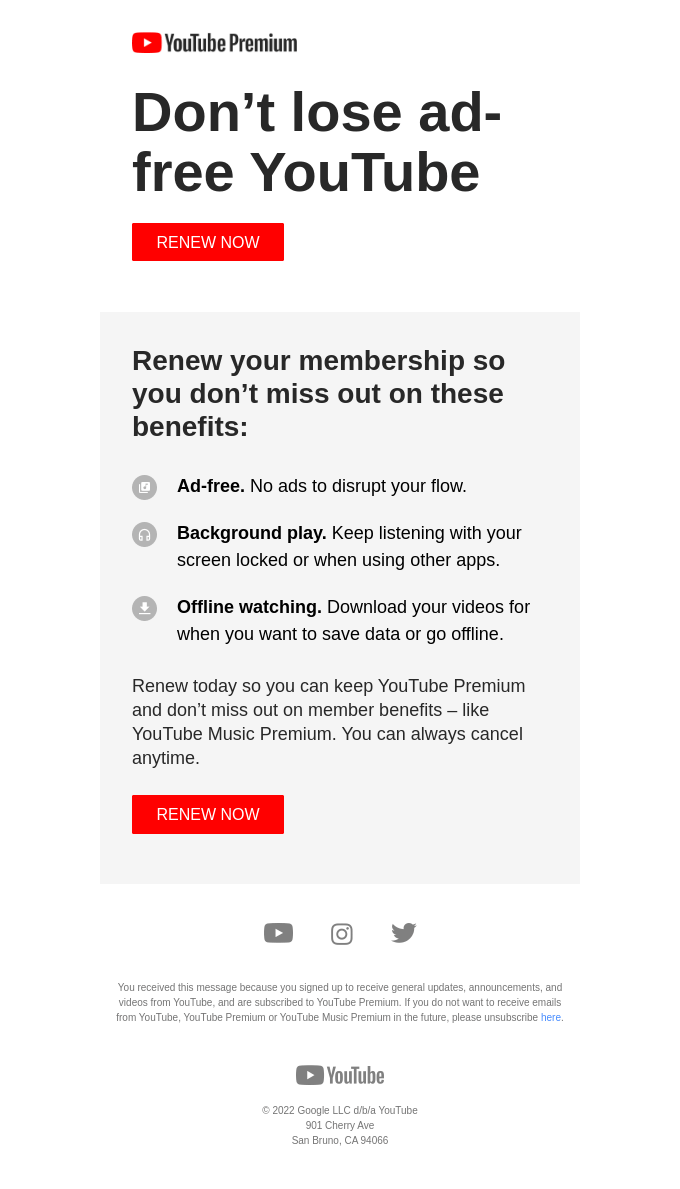
One of the things worth doing in such emails is reinstating the value of the paid version of your product. Take a look at this example from YouTube:
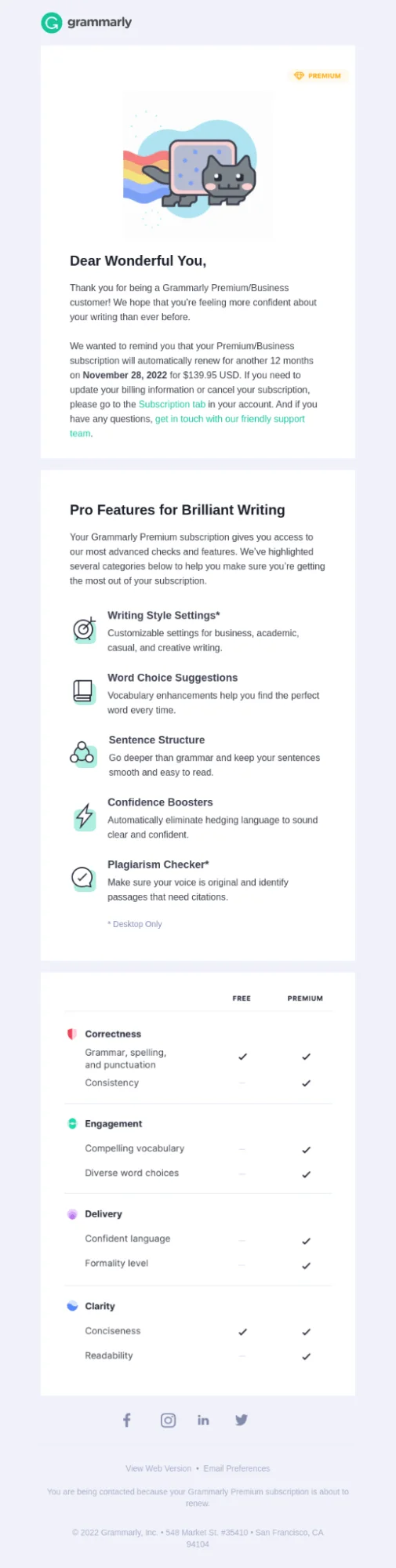
Here’s another great example from Grammarly. This email reminds the reader that their subscription will renew automatically (and they can cancel it) and gives a clear comparison of free and paid versions so the person can make a more informed decision. Now that’s what we call customer care!
Replenishment reminder emails
What if you don’t run a subscription service but sell something people need to buy regularly? Here’s an automated message for you — replenishment reminder emails.
Unlike many campaign types on our list, these are a little industry-specific. For example, the emails that remind subscribers to buy an item again have a decent use case for dispensaries, drugstores, and supplement companies.
Here’s a nice refill reminder from Fullscript:

Like we said, refill reminder emails are not a good fit for some businesses. Also, setting them up won’t be a breeze — these emails should be sent a couple of days before the current supply runs out. However, if you manage to execute this automation properly, your particularly forgetful customers will adore you!
Conclusion
Email automation is one of the channel’s biggest strengths. From the top of the funnel to the bottom of it, it can make the customer journey smoother and bring your business more sales.
 New and noteworthy on our blog
