


Key takeaways
- Onboarding emails are essential to turn new customers into loyal ones by welcoming them, providing resources, guiding them through products/services, and encouraging usage.
- Email is the primary onboarding channel for 93% of customers, offering automation and personalization opportunities crucial for effective onboarding.
- Crafting a perfect onboarding email involves attention-grabbing subject lines, reinforcing the value proposition, outlining how to get started, demonstrating immediate value, offering customer support information, and including clear call-to-action.
You have launched your brand, run a marketing campaign, and enjoyed an initial rush of customers. But then comes a problem — they don’t seem to return to make a new purchase or use your service after a while. What can be the problem? Are you forgetting something?
Most likely it’s the onboarding emails. They are the essential step in turning your fresh and green newbies into seasoned and loyal customers. In this guide, we’ll show you some onboarding email examples and talk about what people expect to see when they begin their journey with your brand.
What are onboarding emails?
Onboarding emails are a series of automated messages sent to new customers after they sign up, register, or make a purchase. With onboarding emails, brands welcome users, provide them with resources and tutorials, guide them through the product or services, and encourage them to use it.
Want to leave a good first impression and make sure that people come back to your product regularly instead of dropping it after registration? The onboarding process is the solution.
Onboarding is an important first step in creating your customer’s journey with your brand. To really work as intended, it must include certain elements that will make the reader want to take this journey in the first place. It’s not necessary to cram everything into one email, but an ideal onboarding sequence should achieve several goals:
- Make the customer feel welcome in your community by greeting them.
- Guide them to your customer support and knowledge base.
- Reinstate the value and purpose of your product.
- Outline the next steps of the customer journey.
In part, onboarding emails are very similar to welcome emails, but there are some differences:
- A welcome email is your one-time opportunity to say hi and introduce your customers to the basics of your product.
- The onboarding process can include a whole series of emails that invite the reader to dig deeper into the product and find necessary support, growing loyalty, and retention.
The distinction is pretty subtle, so welcome emails often merge with the onboarding ones. There’s no strict rule that says you can’t use welcome or even upsell emails in your onboarding sequence. In fact, it can be beneficial to include different email types and highlight interesting aspects of your product or service for your new clients to explore. Just don’t go in too hard, or your friendly intentions may quickly become annoying.
Why email is the main onboarding channel
For 93% of customers, email is the main channel through which they engage with businesses. It is also one of the main forms of our everyday communication, with about 88% of people checking their inbox every day. As a result, 25% of participants in a recent Mailmodo research named email as their best-performing marketing channel. The same professionals placed retention as their second most important goal for email marketing in 2024, just behind promotion. And retention success directly depends on a well-executed onboarding process.
To be effective, onboarding should be timely and personalized, and email has built-in features for both. Emails can be automated and sent on a schedule. Plus, emails have a lot of personalization opportunities. 54% of marketers say they use full personalization in email marketing, and 41% use at least some. Both automation and personalization come in handy when you develop a series of onboarding emails, which can be customized to reflect customers’ experience with your brand and implement multiple templates for different scenarios.
To summarize, email is a simple yet effective communication channel for creating a series of messages that will help people connect with what your brand has to offer, which is exactly what we need onboarding for.
How to craft a perfect onboarding email
What makes an onboarding email good? It gives the customer clear information about your brand and support resources, helps them discover new features of your product, and shows them how to use this knowledge.
In turn, your business gains a loyal customer interested in exploring, trying out, and maybe even purchasing new products or services. If you learn to create onboarding emails that promote this mindset to your freshly acquired customers, then your retention and adoption management, communications, and business efforts will become more effective.
Write an attention-grabbing subject line
A nicely written and personalized subject line is a key to higher open rates. Plus, you won’t be able to engage the reader if they miss your onboarding email entirely. Here are some tactics to make your emails pop and spark your recipient’s interest:
- Use their name in the subject line for immediate personalization of the email.
- Reference a recent action done by the user that triggered the email to hit their mailbox.
- Make the subject line quirky, intriguing, and/or relatable.
Here are some examples from real companies.
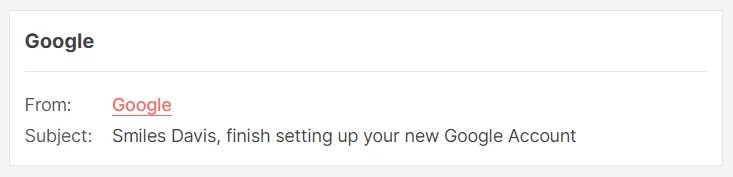
Google always addresses its users by their full name in their subject lines:
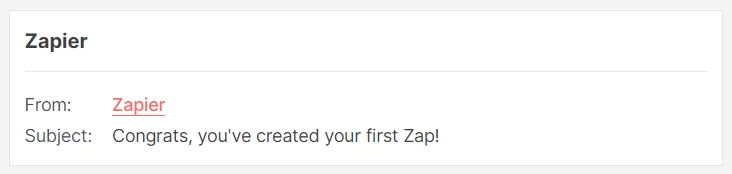
This Zapier onboarding email was triggered by a first-time action in the service, so the subject line calls back to it:
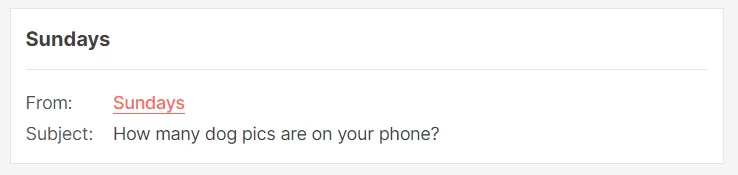
The brand Sundays comes in with a subject line that is relatable to all dog owners:
Reinforce the value proposition
Information moves before our eyes with the speed of light; sometimes, we sign up for something and forget all about it by the end of the day. Make sure that your new customers remember you when they open up the first email from your onboarding sequence. Reinstate who you are, what you do, and how your brand can be useful to this person.
This Sundays’ onboarding email puts together every important thing about their brand philosophy and the value that they offer to the customers — and their dogs.

Outline how to get started
When people go through an onboarding experience at their new workplace, someone walks them through all of the processes and little details and offers them support. It’s the same with users and products, and services. Take your customers by the hand and show them around. Share insights, provide educational content, and make sure they become pros at using your products.
If you run a software company, insert links to some important tutorials or support resources. If you sell vegetables, share a couple of quick and beginner-friendly recipes. When people can reach their immediate goals with the help of your brand, they will return for more and become your loyal clients.
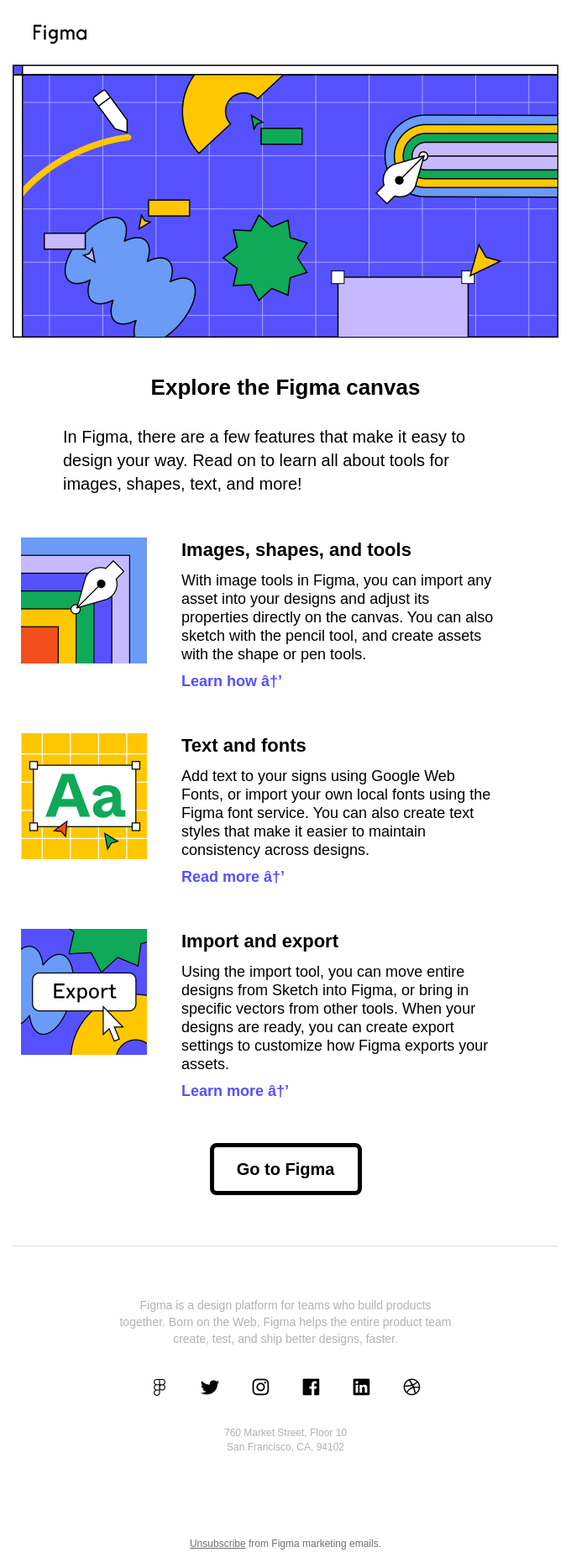
Some software or services may be too convoluted — take visual design tools like Figma, for instance. It can take hours to figure it out on your own. But it is in your best interest that your customers know what to do. In this onboarding email, the company outlines 3 important features of the canvas and offers customers resources to learn more about them:
Demonstrate immediate value
As it was said above, life moves fast — so we don’t have time to wait. Customers want results, and they want them now. Play on the instant gratification instinct and guide people to the best your product has to offer from the very first moments.
Let’s suppose you run a streaming service — you can use the onboarding email to remind the subscriber about the sheer amount of content they just got access to and throw in some movie or album recommendations to hook them right away.
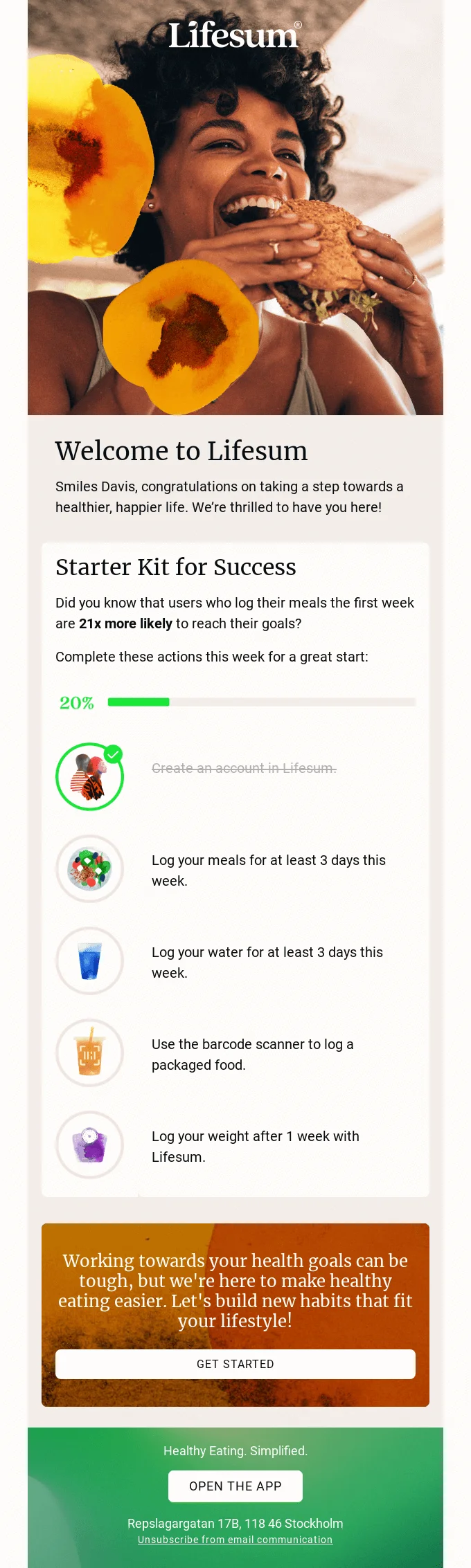
Or, here’s one of the more down-to-earth examples. Lifesum explains how using the service makes your life better. The supposed process includes a lot of steps, but the user has already completed one of them just by registering in the app. This 20% on the “progress bar” makes it easier to dive into the product and shows how users have already achieved the first task on their way to a “healthier, happier life”. As a result, this onboarding email adds value to the customer’s relationship with the brand.
Offer customer support information and additional resources
Customer support is crucial to building an effective and meaningful relationship. First of all, it helps with problem-solving and making the most out of the customer experience. Then, there is a sense of community and additional value. When a user feels cared about, it raises their loyalty to the roof.
But support can come in more ways than just a 24/7 chat with a specialist. Create a knowledge base on your website, make YouTube content, or start a Discord server where people can share their stories and insights, help each other out, and fool around. Make it all a part of the onboarding experience to create a sense of community, taking things beyond the basic dynamics of a brand and a customer.
(On)boarding the Sea of Thieves’ ship is made easy by an extensive amount of tutorials, official content, and social channels provided by the developers:

Include a clear call-to-action
Simple and appealing language makes your email content more engaging. It works especially well with your call-to-action, or CTA. It may seem like a little button at the end of an email, but it is the central part of anything you do in marketing. You build up the interest in your product and then guide the reader toward an action you want them to take.
This is why all of the elements of your onboarding emails must work together, be easy to read and understand, and build a mental pipeline to the final CTA. You basically say, “Do you like our brand so far? Let’s take it to the next level,” and give the customer a link to perform an in-app action or make a purchase — don’t forget the discount code to make the buying decision easier.
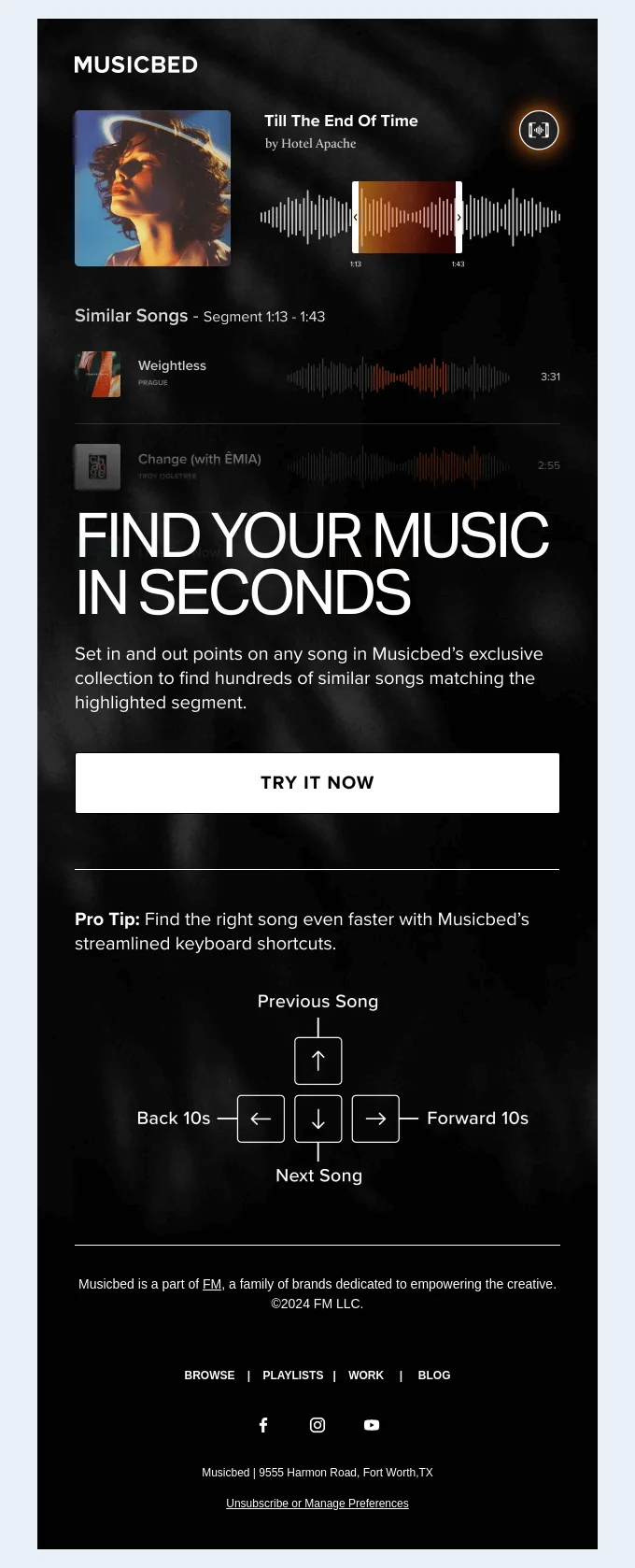
Here’s one of the clearest — and hugest — CTAs we’ve managed to find in the whole of the Really Good Emails database:
Develop multiple onboarding templates
Initially, a simple onboarding email sequence will do. But as your business grows, you may roll out more products or offer varying subscription tiers. It means that you may also have different pipelines through which people get to know you, and need to develop an onboarding process that reflects these variables.
Use automation to determine the channel through which the user comes. Depending on this information, introduce several templates that will fire away. If they register on your website, mention the app and its convenience to use on the go. If the customer chooses a basic subscription, as you welcome them in, share more about the benefits and improved experience of other plans. You can fine-tune your templates and schedule even more campaigns to include different types of messages, like a re-engagement email.
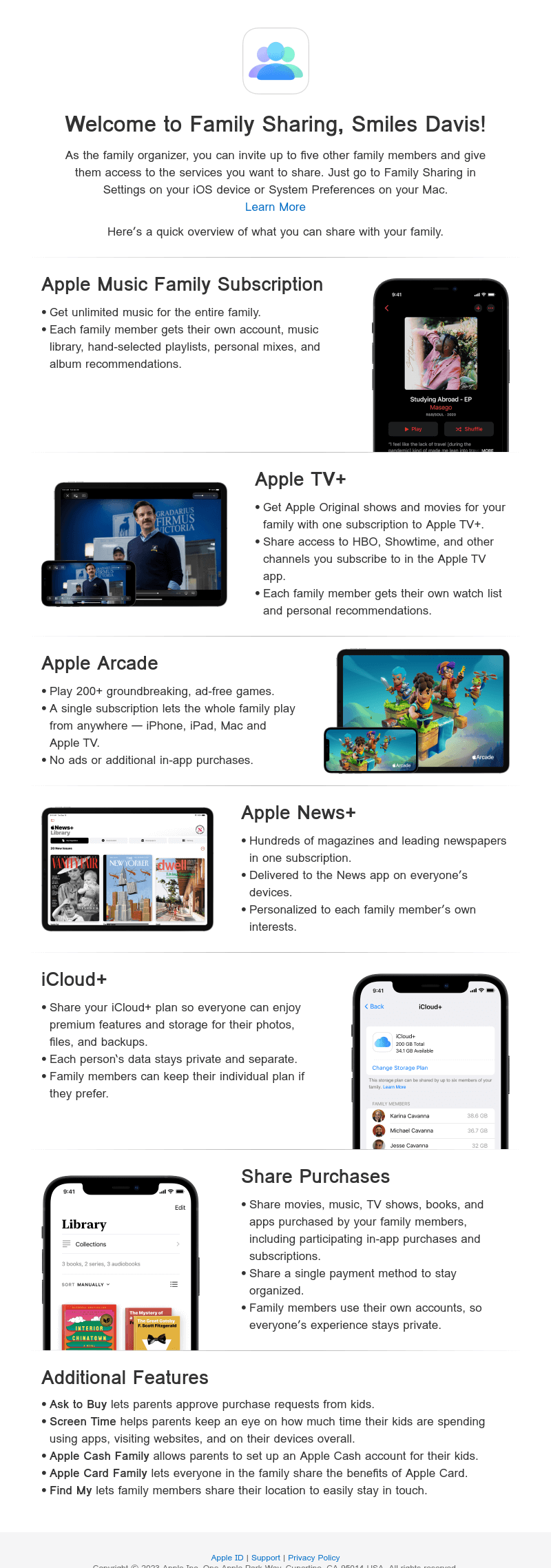
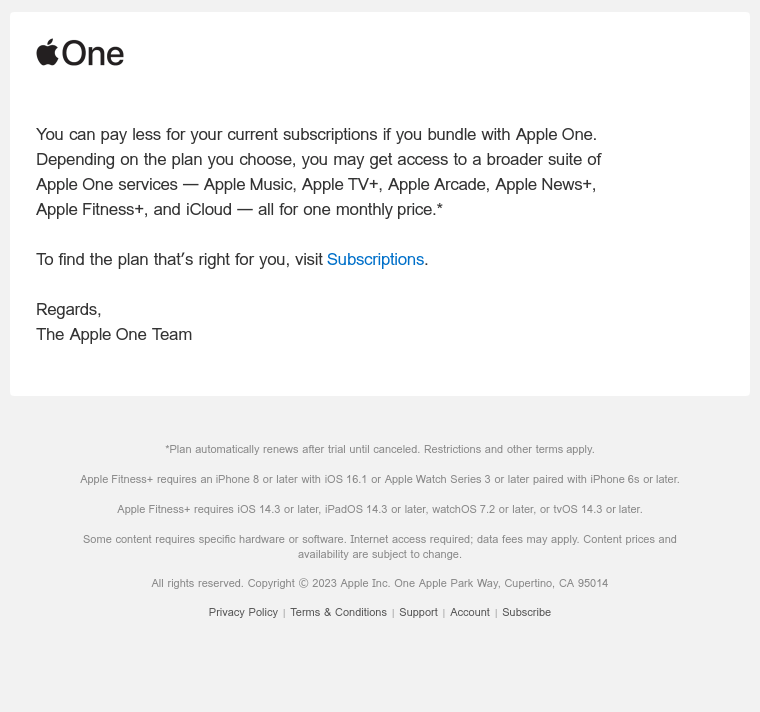
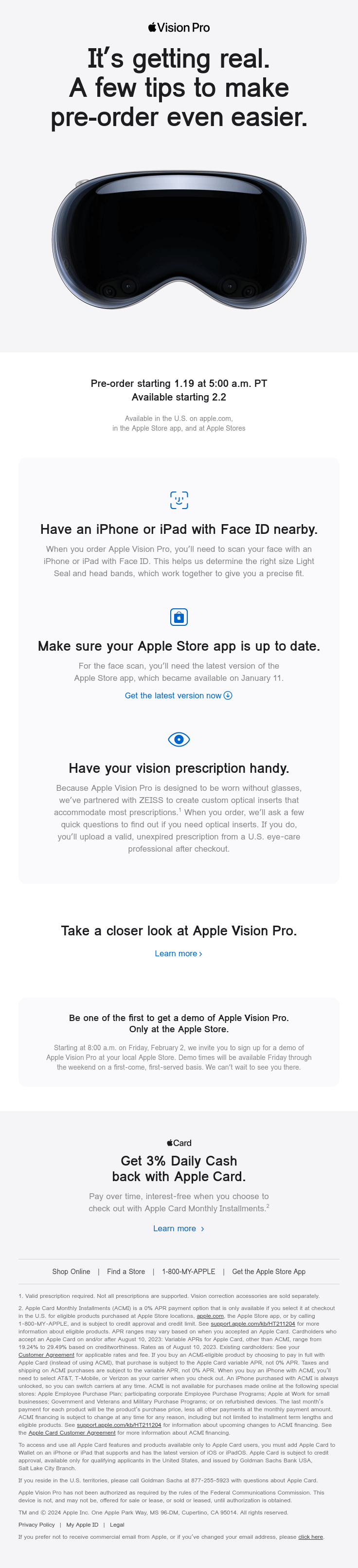
When looking for examples, take note of how Apple has different effective onboarding emails for their media services users and the customers who register to pre-order their tech.
Here, Apple welcomes you into one of its subscription plans:
In another email, Apple offers a more beneficial subscription management plan than what is currently used:
And here, Apple presents a somewhat dystopian guide on how to prepare for the Vision Pro pre-order:
When and how often to send onboarding emails
With onboarding emails, timing is everything — your customer should receive them relatively frequently but not get overwhelmed. Usually, onboarding includes around 5-8 emails in a course of two weeks. Here is a timing idea to test:
Length of sequence: 5-8 emails
Duration: 10-14 days after signup (shorter period if your product is simple, longer if it’s more complex)
Frequency: every 1-3 days (more frequent at the start, less frequent toward the end of the onboarding)
For example, you can send:
- Day 0 (immediately after signup): Welcome email + account setup guide
- Day 1-2: “How to get started” tutorial
- Day 3-4: Key feature highlight
- Day 5-6: Social proof (testimonials, case studies, success stories)
- Day 7-10: Encouragement to complete setup or use the product (maybe a gentle nudge with a CTA)
- Day 10-14: Special offer, bonus resources, or invitation to engage further (community, demo, webinar)
Understandably, no one has time to send them manually. This is when the ESP automation comes in handy. You set up the email sequence, its frequency, and the trigger event in advance. The trigger event can be internal (new subscription to your email list) or external (a purchase on your website). As soon as your customer subscribes to your services — the emails will keep coming without your input.
To make all of this work, you need an email service provider that can handle automation, personalization, and analytics. Selzy is built exactly for that. With Selzy, you can:
- Build quickly. Create beautiful emails fast with an easy drag-and-drop builder.
- Personalize. Use 70+ segmentation criteria and merge tags to personalize your emails, so your customers feel valued and their experience is tailored.
- Automate. Set up automation onboarding sequences, timing, and triggers once and let them run in the background.
- Optimize performance: Run A/B tests, monitor analytics, and adjust frequency/timing so your emails reach your subscribers at the right moment and keep them engaged.
Selzy makes it simple to build automated win-back campaigns that feel personal, timely, and relevant. Plus, you can try it for free.
FAQ
What is the difference between onboarding and welcome emails?
A welcome email is usually a single message to greet new customers. Onboarding emails, on the other hand, are a series of emails that help users explore your products and services, guide them through features, resources, and keep them engaged with your brand.
How many onboarding emails should you send?
Start with 5-8 emails over a period of 10-14 days. The exact number depends on the complexity of your product. For example, complex SaaS platforms might require longer sequences, but simpler services don’t need two weeks of onboarding.
How often should you send onboarding emails, and when to start?
Start immediately and send them every few days.
Do you need special software for onboarding emails?
Yes. With an ESP, like Selzy, you can set up automated sequences, personalize content, and test different approaches to your onboarding process — all without extra manual effort.
What mistakes should you avoid when sending onboarding emails?
Here are a few common mistakes that might affect your onboarding emails’ performance:
- Overwhelming subscribers with too many emails in a short time
- Keeping your emails too generic instead of personalized
- Focusing only on selling products — and not on guiding through services
- Not measuring performance and adjusting the sequence
In conclusion
Having a clear and engaging customer onboarding process plays a huge role in retaining your customers and making them stick with your brand. Let’s reiterate how you can create a great onboarding experience:
- Hit the customers with a catchy and personalized subject line.
- Introduce your product in full detail and restate its value.
- Talk about getting started and becoming a confident user.
- Offer insights, support, and a sense of community.
- Sprinkle CTAs and direct your customers towards instant value.
- Use automation to develop different onboarding scenarios for specific products or channels.
Use these tips to make your communications with new customers more meaningful and build a mutually beneficial relationship. Remember, don’t act like a cash-grabbing merchant — be a guide and help newcomers feel welcome to master the services or products that you offer. This will make them confident and loyal users who fall in love with your business.

 New and noteworthy on our blog
