


Key takeaways
- Mailchimp is an email and marketing automation platform for growing businesses, offering features like collecting contacts, sending email campaigns, building signup forms, creating automated customer journeys, and tracking campaign performance.
- Mailchimp is used for sending various types of emails, contact management, automation, and publishing landing pages.
Mailchimp is one of the best-known names in email marketing. But if you are new to email marketing for small businesses, the name alone does not explain much. Is it just a newsletter tool? Is it a CRM? Does it handle automation? And is it still a good choice once your contact list starts growing?
Use this guide to check what Mailchimp does, where its main features help, how pricing works, and when another email marketing tool may fit better.
What is Mailchimp?
Mailchimp is an email and marketing automation platform for growing businesses. It helps you collect contacts, send email campaigns, build signup forms and landing pages, create automated customer journeys, and track campaign performance. Mailchimp also offers tools for SMS, social media, advertising, reporting, and AI-assisted recommendations, depending on the plan and market.
Mailchimp started as an email marketing service and is now positioned as a broader email and marketing automation platform. For a small business, that means Mailchimp can handle more than newsletters: forms, automations, landing pages, reports, and customer data can all live in the same account.
Quick answer: Mailchimp started with email marketing and now covers more of the campaign workflow. You can use it to build and send newsletters, manage subscribers, segment contacts, set up automated email or SMS journeys, publish landing pages, connect ecommerce tools, and review campaign reports.
What is Mailchimp used for?
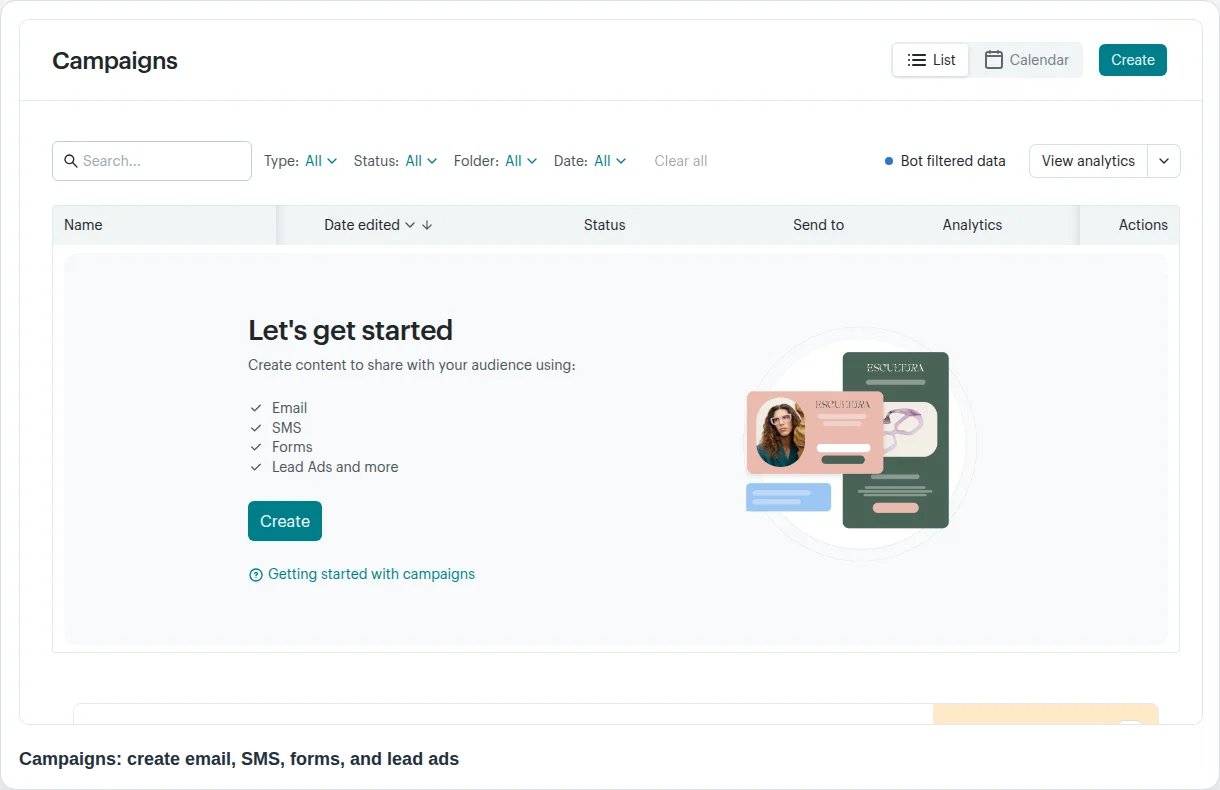
You might start with a monthly newsletter, a product update, an event announcement, a welcome email, a discount campaign, or an ecommerce follow-up. Mailchimp’s email tools include templates, testing and scheduling features on paid plans, and analytics for checking how campaigns perform.
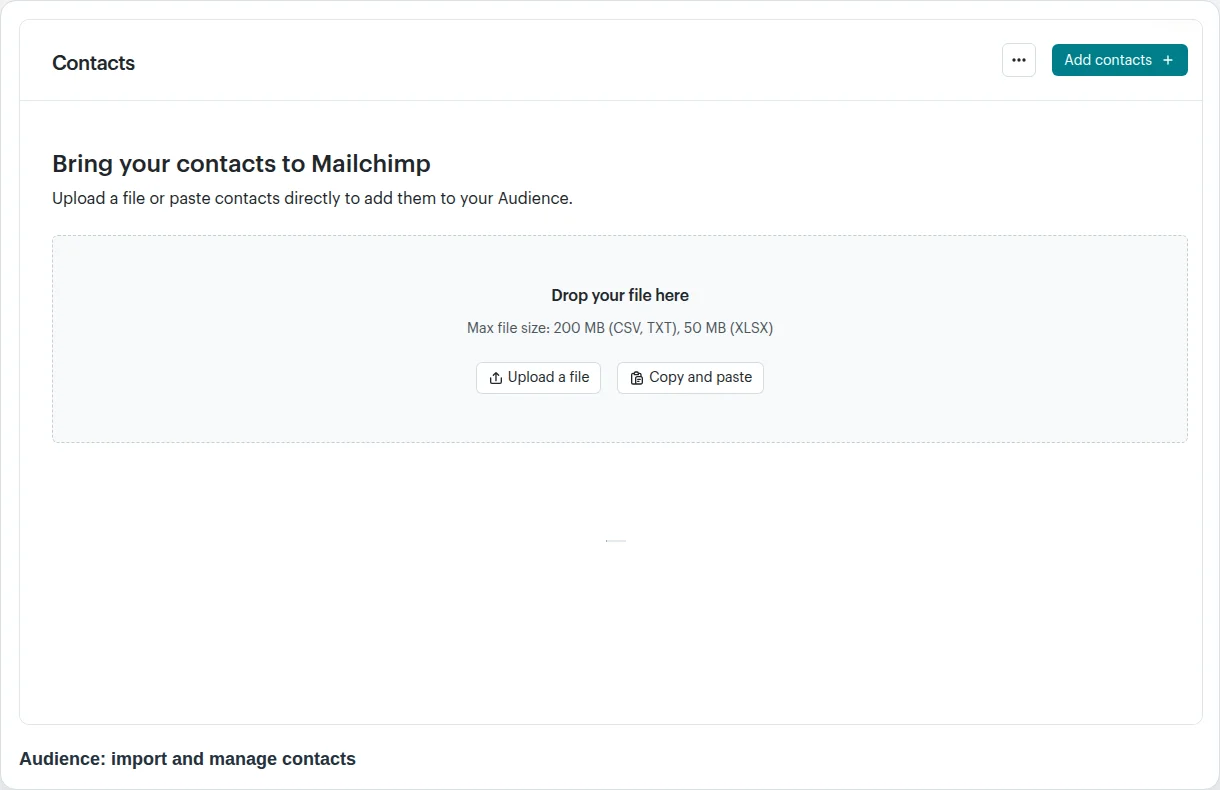
Mailchimp is also used for contact management. In Mailchimp, an audience is the place where contacts live. Mailchimp’s help docs describe subscribed, unsubscribed, and non-subscribed contacts, and recommend keeping one primary audience while using tags, groups, or segments to organize people inside it.
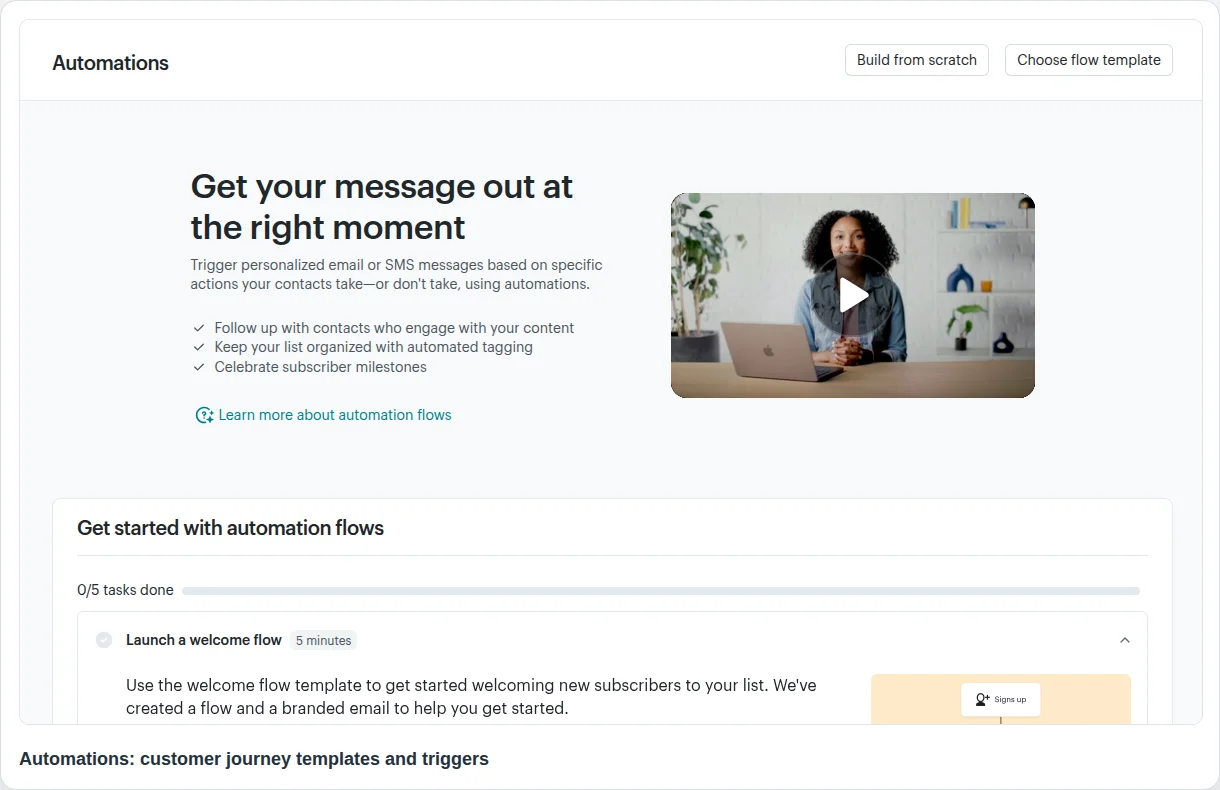
A second common use is automation. Mailchimp offers automation flows, also called customer journeys, where a contact can enter a workflow because they signed up, bought something, received a tag, abandoned a cart, or met another trigger. If you want a deeper overview of this category, see our guide to autoresponder software.
Mailchimp can also publish landing pages. These standalone pages can promote an offer, host a signup form, and connect new contacts to an audience or tag. That makes them useful when you need a quick campaign page but do not want to build a full website page.
How Mailchimp works
A basic Mailchimp setup usually follows a simple path:
- Create an account and choose a plan.
- Set up an audience.
- Add or import contacts.
- Build signup forms or landing pages.
- Create an email campaign.
- Segment or tag contacts.
- Add automations when you need triggered messages.
- Read reports and improve the next campaign.
The first campaign is usually straightforward. The harder decisions come later: how to structure contacts, which plan limits apply, and which automations or reports you actually need. That is why it is worth planning your audience and tags before importing a large list.
Main Mailchimp features
Email campaigns
Mailchimp’s core feature is still email marketing. You can create a campaign, choose a template, add content, select recipients, test the email, schedule it, and review performance afterward. For a beginner, the campaign builder is usually the easiest place to start: choose recipients, write the subject line, pick a template, preview, test, and send.
If you have a list and want to send a newsletter, the product gives you the familiar campaign flow: audience, subject line, sender, design, preview, test, and send. The advanced work comes later, when you want to customize emails, personalize content, or run tests. For design basics, see our guide to email customization.
Audience and contact management
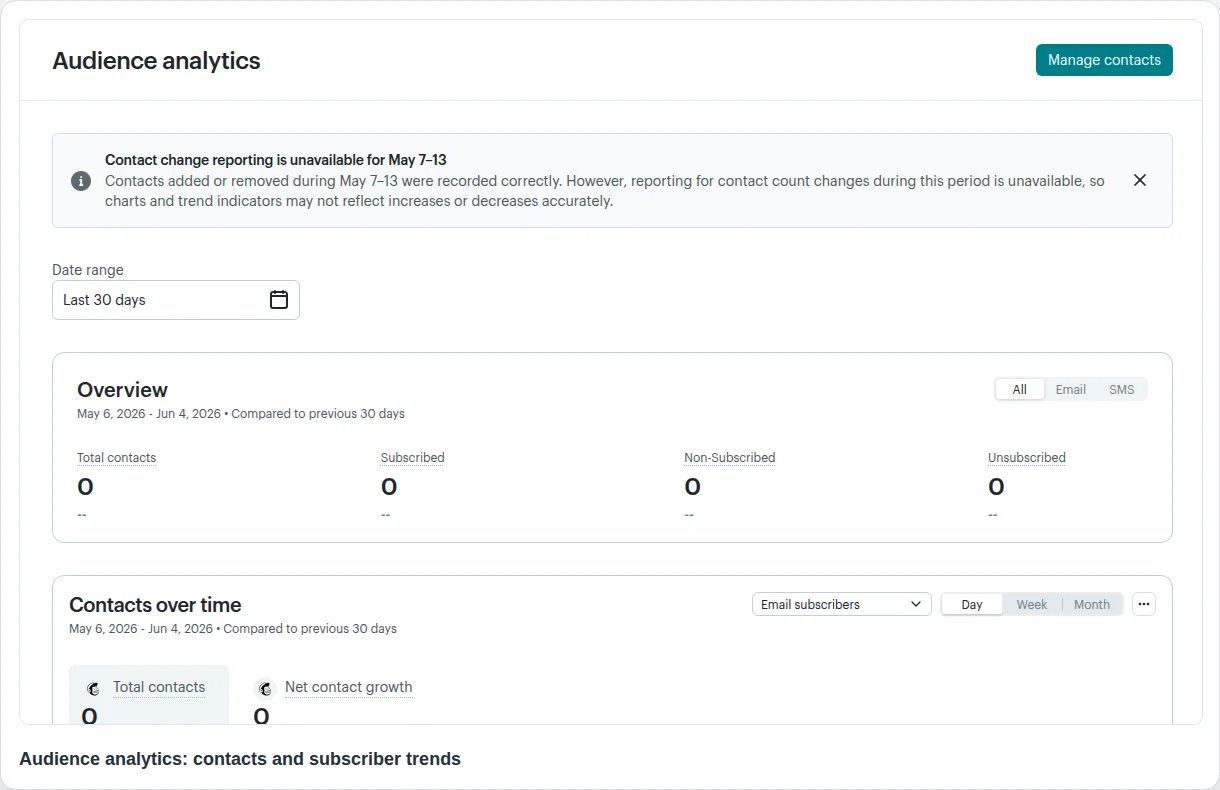
Mailchimp uses the word audience for your contact database. Contacts can be subscribed, unsubscribed, or non-subscribed. Mailchimp recommends one primary audience and then using tags, groups, or segments to organize contacts inside it.
Audience structure affects targeting, reports, and contact count, so it is worth planning before you import a large list. Mailchimp notes that contacts in multiple audiences can increase total contact count, so beginners should avoid creating several audiences for the same business without a clear reason.
Segmentation, tags, and groups
Tags are internal labels you create to organize contacts. After you add tags, you can send emails to tagged contacts, build segments, or trigger an automation when a tag is added.
Automations and customer journeys
Mailchimp’s automation tools let you build workflows for contacts instead of sending every message manually. An automation can send emails, wait, split into paths, update contact data, add or remove tags, unsubscribe a contact, or send SMS where available.
Automations are useful when timing matters. Common examples include a welcome series, a birthday email, a post-purchase follow-up, an abandoned cart reminder, a re-engagement email, or a VIP customer journey. For a simpler definition of triggered email sequences, see our article on what an email autoresponder is.
Landing pages and forms
Mailchimp landing pages are standalone pages that can promote a limited-time offer, collect subscribers, or support a campaign. They can connect to an audience and tags, which helps you keep leads from each campaign organized.
Reports and analytics
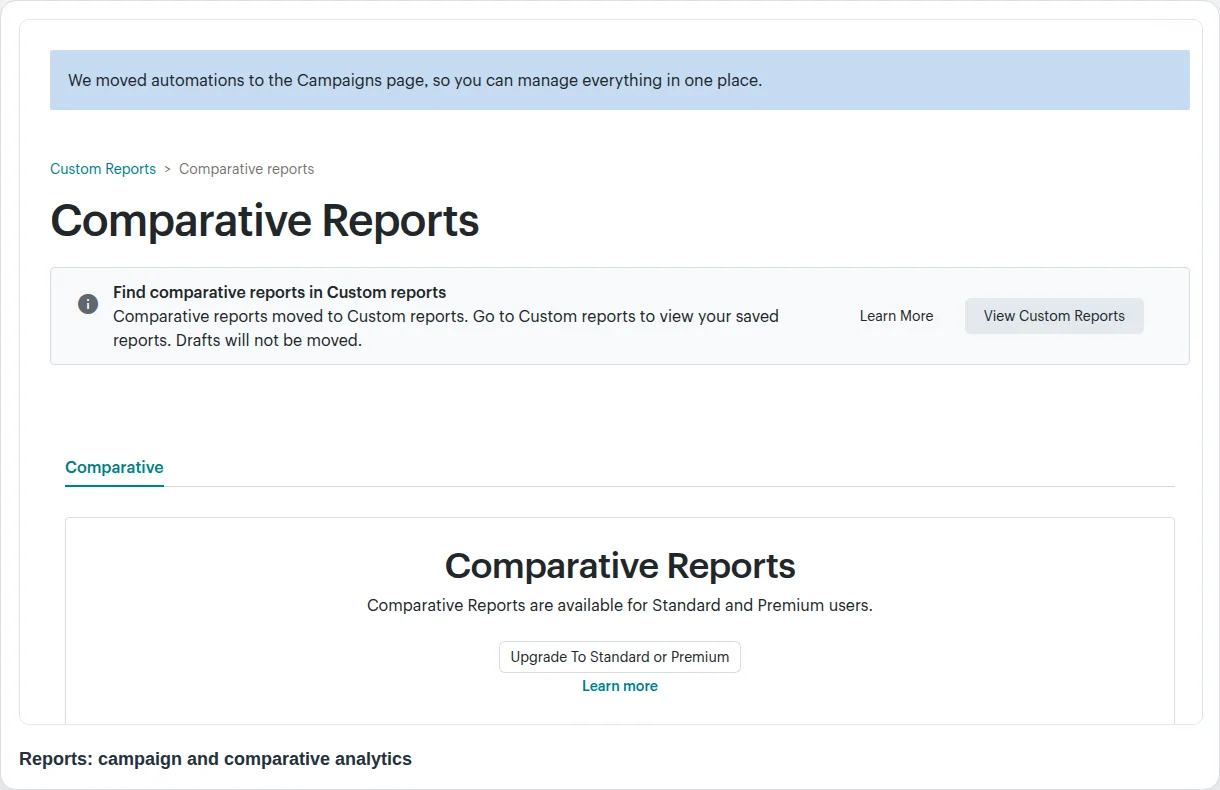
Mailchimp reports combine data about campaigns, websites, audiences, ecommerce activity, and integrations. Reports can show more than open rate: campaign revenue, landing page conversions, and segment growth can all sit in one place.
Integrations
Mailchimp lists more than 300 integrations, with popular examples such as Shopify, WooCommerce, Canva, Zapier, Square, Wix, Squarespace, Stripe, Salesforce, LinkedIn, WordPress, and Facebook. Integrations matter because email marketing depends on data from your ecommerce, CRM, booking tool, forms app, or website builder.
Mailchimp pricing and plans
Mailchimp has four Marketing plans: Free, Essentials, Standard, and Premium. Paid-plan pricing has two parts: the feature plan you choose and the contact tier you select. The advertised starting price covers only the entry contact tier, so the monthly cost rises as your stored audience grows.
| Plan | Starting price | Contacts and sends | What you get |
| Free | $0/month | Up to 250 contacts; 500 sends per month; 250 sends per day | 1 audience, 1 user seat, limited templates, a one-click welcome email, and basic reporting |
| Essentials | From $13/month for the entry tier | Starts at 500 contacts; up to 50,000 contacts; monthly sends equal 10× the selected contact limit | All email templates, scheduling, A/B testing, up to 4 automation-flow steps, 3 audiences, 3 seats, and email/chat support |
| Standard | From $20/month for the entry tier | Starts at 500 contacts; up to 100,000 contacts; monthly sends equal 12× the selected contact limit | Expanded automation, advanced segmentation, custom-coded templates, multivariate testing, custom reports, 5 audiences, and 5 seats |
| Premium | From $350/month | Starts at 10,000 contacts; up to 200,000 contacts before custom pricing; monthly sends equal 15× the selected contact limit | Unlimited audiences and seats, advanced segmentation and testing, extended onboarding, and priority support |
These are public USD starting prices, not quotes for every account. Promotions, taxes, currency, region, contact tier, and optional add-ons can change the checkout amount. Check Mailchimp’s official pricing calculator with your expected audience size before purchasing.
Which contacts affect the bill?
Mailchimp counts subscribed, unsubscribed, and non-subscribed contacts stored across your audiences toward the monthly contact total. Archived, cleaned, and deleted contacts do not count. This matters because a list of 5,000 stored contacts may include people who cannot receive marketing emails but still push the account into a higher pricing tier.
Mailchimp also bills according to the peak contact total reached during the billing period. Deleting or archiving contacts after the audience briefly exceeds a tier may not reduce the current bill immediately; the lower total generally needs to remain in place for a full billing cycle.
What happens if you exceed a limit?
On a paid monthly plan, Mailchimp normally keeps the service running and adds charges when you exceed the selected contact tier or monthly send allowance. The extra charge comes in add-on contact blocks, and multiple blocks may be charged if the overage is large. On the Free plan, exceeding the contact or send allowance pauses live and test sending until you reduce the total or upgrade.
A practical pricing example
Suppose you select a Standard tier for 5,000 contacts. The plan’s 12× send multiplier gives you up to 60,000 email sends per month. One newsletter sent to all 5,000 contacts uses 5,000 sends, so the allowance covers roughly 12 full-list sends before tests, automations, abandoned-cart messages, and resends are included. If your stored contact total rises above 5,000—even because unsubscribed or non-subscribed records remain in the audience—you may also trigger an additional contact block.
In practice, Essentials is usually enough for scheduled campaigns and basic testing, while Standard becomes more relevant when you need multi-step automation, advanced segmentation, custom templates, or deeper reporting. Premium is a major price jump and usually makes sense only for larger databases or teams that will actively use its advanced access, testing, and support features.
Is Mailchimp easy to use?
Mailchimp is easy enough for a beginner to create a basic newsletter, especially because the campaign flow is guided and the product includes templates.
The first email is usually the easy part. Contact setup, plan choice, automation access, and list growth are where Mailchimp needs more planning. Mailchimp’s own audience docs recommend one primary audience with tags, groups, or segments, which is useful advice but also a sign that contact structure requires thought.
Mailchimp feels beginner-friendly for simple campaigns. Once you add segmentation, automation, ecommerce data, SMS, landing pages, and reporting, it behaves more like a full marketing system.
Who should use Mailchimp?
Mailchimp is a good fit for small businesses, creators, ecommerce stores, nonprofits, and service businesses that want one platform for email campaigns, contact management, automations, landing pages, reports, and integrations. It is especially useful if you want templates and guided setup instead of building everything from scratch.
For example, an ecommerce store might use Mailchimp for a welcome series, abandoned cart reminders, landing pages, and revenue reports in one account.
Mailchimp can feel too broad if you only need email sending, predictable costs for a growing list, or a cleaner interface with fewer marketing tools on screen. It may also be less ideal if the automation you need sits behind a plan you do not want to pay for.
Mailchimp pros and cons
Pros
- One account can cover email campaigns, contacts, automations, landing pages, reports, integrations, and SMS where available.
- Familiar campaign workflow for beginners who want to send newsletters and basic campaigns.
- Audience tools such as tags, groups, and segments for more targeted campaigns.
- Automation flows for welcome emails, abandoned cart reminders, tagged-customer journeys, post-sale promotions, and other triggered workflows.
- Reporting for campaigns, websites, audience analytics, ecommerce data, and integrations.
Cons
- Pricing needs careful checking because it depends on contacts, plans, send limits, add-ons, currency, and current offers.
- Contact structure can confuse beginners if they create multiple audiences instead of using tags, groups, or segments inside one primary audience.
- Some automation and testing features are plan-dependent, so a workflow that sounds simple may require a higher tier.
- Because Mailchimp covers several marketing tasks, the interface can feel heavier than a focused email tool.
Mailchimp vs email marketing platforms like Selzy
Mailchimp is a broad marketing platform. Selzy is more focused on email marketing, with pricing models based either on the number of emails or the number of contacts.
Choose Mailchimp to test a wider marketing suite: landing pages, ecommerce data, automations, ads, SMS in supported markets, and many integrations. If your main need is email marketing with a more focused toolset, compare Mailchimp with Selzy and other Mailchimp alternatives before committing your contact list.
How to decide if Mailchimp is right for you
Use this quick checklist before you sign up or migrate:
- List size: How many contacts do you have now, and how fast will the list grow?
- Send volume: How many emails do you need to send each month?
- Main channel: Do you need email only, or email plus SMS, landing pages, ads, and ecommerce data?
- Automation depth: Do you need a simple welcome email or multi-step customer journeys with splits and triggers?
- Contact structure: Can you organize your list with one primary audience, tags, groups, and segments?
- Budget: What happens to the monthly cost when your contact list doubles?
Test Mailchimp if you need a broad marketing system. If you mainly need predictable email sending, compare a few focused email tools before moving your list.
FAQ
What is Mailchimp in simple terms?
Mailchimp is a tool for sending marketing emails, managing contacts, building automations, creating landing pages, and tracking campaign results.
Is Mailchimp only for email marketing?
No. Email is still the core use case, but Mailchimp also offers audience tools, automations, landing pages, SMS in supported contexts, reporting, integrations, social media and advertising-related tools, and AI-assisted recommendations.
Is Mailchimp free?
Mailchimp has a Free plan. As of June 5, 2026, the official public pricing page showed the Free plan at $0/month with a 250-contact limit and said sending pauses if the contact or email send limit is exceeded. Always check the official pricing page because limits and offers can change.
How does Mailchimp pricing work?
Mailchimp pricing depends on the plan, contact tier, send limits, features, and sometimes country, currency, add-ons, and promotions.
Can Mailchimp send automated emails?
Yes. Mailchimp’s automation tools can create workflows that send targeted emails and perform actions such as adding tags, updating contacts, using delays, applying splits, sending SMS where available, and more.
What are Mailchimp alternatives?
Mailchimp alternatives include focused email marketing tools and broader marketing platforms. Selzy is one option to compare if you mainly need email marketing, automation, analytics, forms, templates, and support with email-focused pricing options.
 New and noteworthy on our blog
