


Key takeaways
- Transactional emails are automated messages triggered by user actions and are more than just receipts; they can enhance customer experience, engagement, and sales.
- Tips for effective transactional emails include personalizing content, keeping messages concise and clear, creating visually appealing designs, sending emails promptly, and optimizing for various platforms.
- Transactional emails differ from marketing emails in purpose, content, audience, frequency, and opt-in/opt-out requirements.
Transactional emails are often overlooked by both marketing and the business as a whole. They are more than just receipts, though; transactional email can strengthen a customer experience, engagement, and even boost sales.
Learn how to get the most out of your transactional emails — with tips, best practices, and examples in this article.
TL;DR
Transactional emails are automated messages triggered by user actions (like order confirmations, receipts, password resets, and shipping updates). They build trust, improve customer experience, and have much higher open rates than marketing emails.
To create effective transactional emails:
- Personalize your emails with a friendly tone and tailored content.
- Keep the messaging concise and clear.
- Create visually appealing designs for maximum impact.
- Send emails promptly after any customer action.
- Make sure your email is optimized for various platforms and devices.
What is a transactional email?
A transactional email is an automated message about the status of product delivery, purchase receipts, or messages from technical support that is sent in response to user actions on the site or in the app. Order confirmation emails, subscriptions or booking confirmations, and order status messages — all these are examples of transactional emails.
This is an example of a transactional email from Postable with the information on every step in the delivery process:
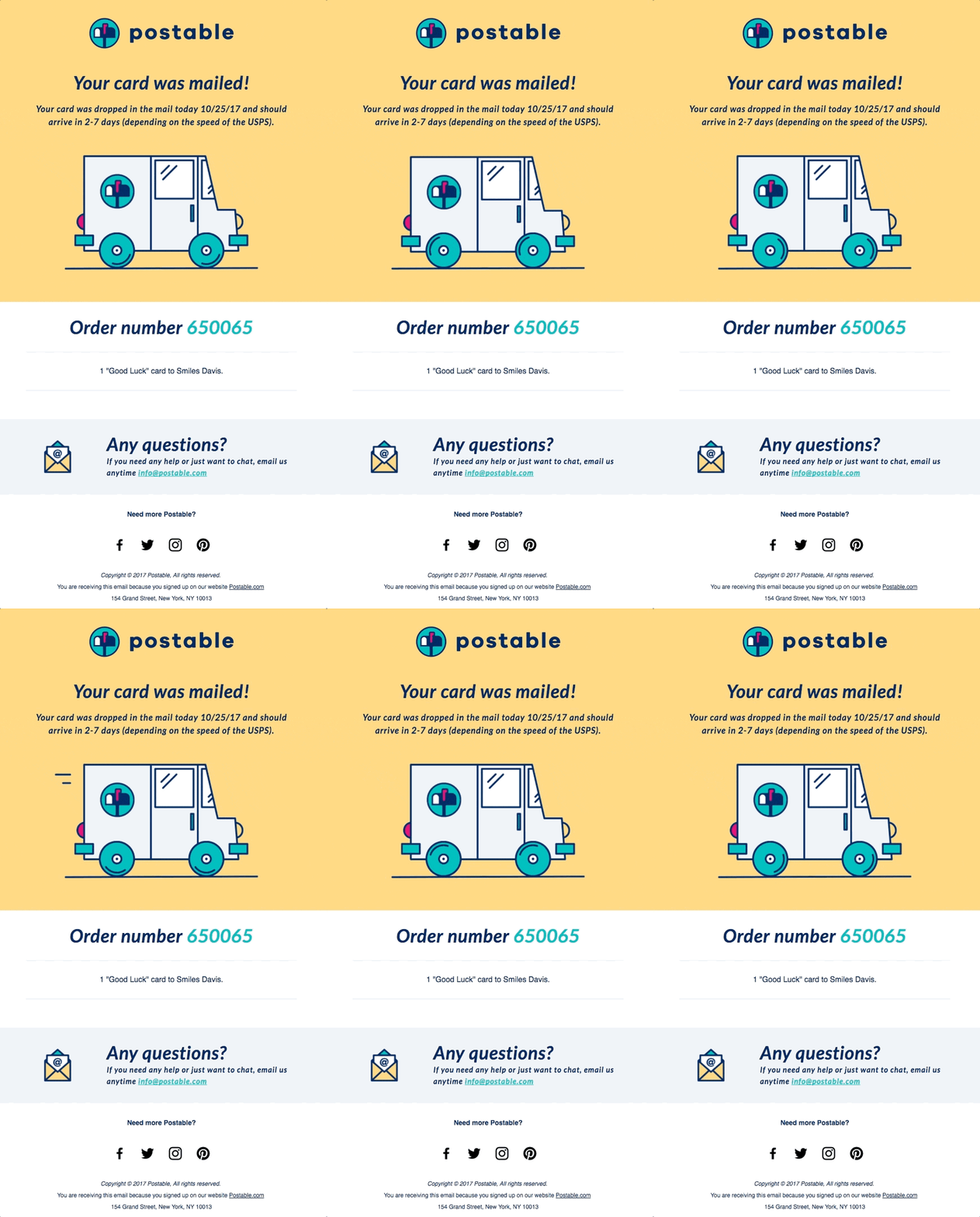
Sending transactional emails demonstrates brand credibility to customers and increases trust. They also help provide better customer service. For example, an order confirmation email notifies the customer that the company has received their request. In turn, it eliminates any distress or doubt surrounding payment and delivery of their purchase.
Marketing vs transactional emails
Are transactional emails the same as marketing emails? In short, not quiet.
Marketing emails are messages that strictly promote products and services, and inform customers about the benefits of using a certain business. Their main purpose of this content is to increase sales and conversion rates.
Transactional emails are used to deliver the essential information customers need — order number, receipts, guides about the delivery process, etc. Not everyone needs advertising emails, while all clients are interested in transactional ones – the open rate of such messages is eight times higher.
In the table below, we break down the difference between marketing and transactional emails.
| Transactional Emails | Marketing Emails | |
| Purpose | To provide information about a specific transaction or action for commercial purposes | To promote a product, service, or brand |
| Content | Information about a specific transaction, such as order confirmation, shipping updates, password reset, etc. | Promotional messages, such as product features, discounts, sales, etc. |
| Audience | Sent to individual users who have performed a specific action, such as making a purchase, subscribing to a service, etc. | Sent to a broader audience, including subscribers, leads, or customers who may have shown interest in the product or service |
| Frequency | Sent in response to a user action, such as a purchase or account creation, and are usually infrequent | Sent regularly to keep customers engaged and informed about the brand or products |
| Opt-in/opt-out | Not required | To obtain consent, opt-in is required by law (e.g., CAN-SPAM in the USA). An opt-out option should also be provided |
Why are transactional emails important?
Let’s go over the benefits of creating great transactional emails and using them correctly.
Improved customer experience and retention
Customers expect an email notification about order confirmation and updates on shipping activity after the purchase. In 2025, that is relevant not just for online shopping, but for the offline as well. They help maintain trust and transparency with customers, and in the end, boost loyalty to the brand.
Plus, well-designed transactional email can include information about additional products, promotions, or services that are related to a previous or current purchase.
Brand recognition
One purchase may not be enough to ensure that customers remember your logo. Yet incorporating a signature logo into each order confirmation, shipping update, etc., can make sure it stays in their minds. By doing this, you’ll guarantee that they become more and more aware of your brand with every interaction.
Create convenience
Speed and convenience are deemed by 80% of customers as two of the most important qualities in customer service. Transactional emails make life easier for both customers and businesses, providing a simple way to take care of many tasks at once. They provide customers with an easy way to track their purchases, receive updates on their status, and easily access further information about a product or service.
Timing is key when it comes to transactional emails informing customers about the start or finish of a certain process. To guarantee timely and accurate delivery, marketing automation is an absolute must-have.
Boost engagement
By including tailored content in transactional messages, like a follow-up survey, you can increase the odds that clients will engage with your brand beyond just the initial purchase. Use email personalization techniques to customize your clients’ experience. Plus, you can include social media links and motivate customers to either follow or join up with your company on those platforms — this helps build an online community while also strengthening interaction between them and your brand.

Types and examples of transactional emails
Let’s review different types of transactional emails to provide a better understanding of the situations in which you might need them.
Order status and details
These transactional emails provide information about an order that the customer has placed. They usually include content as purchase confirmation and number, shipping details, a list of items purchased, and the expected delivery date.
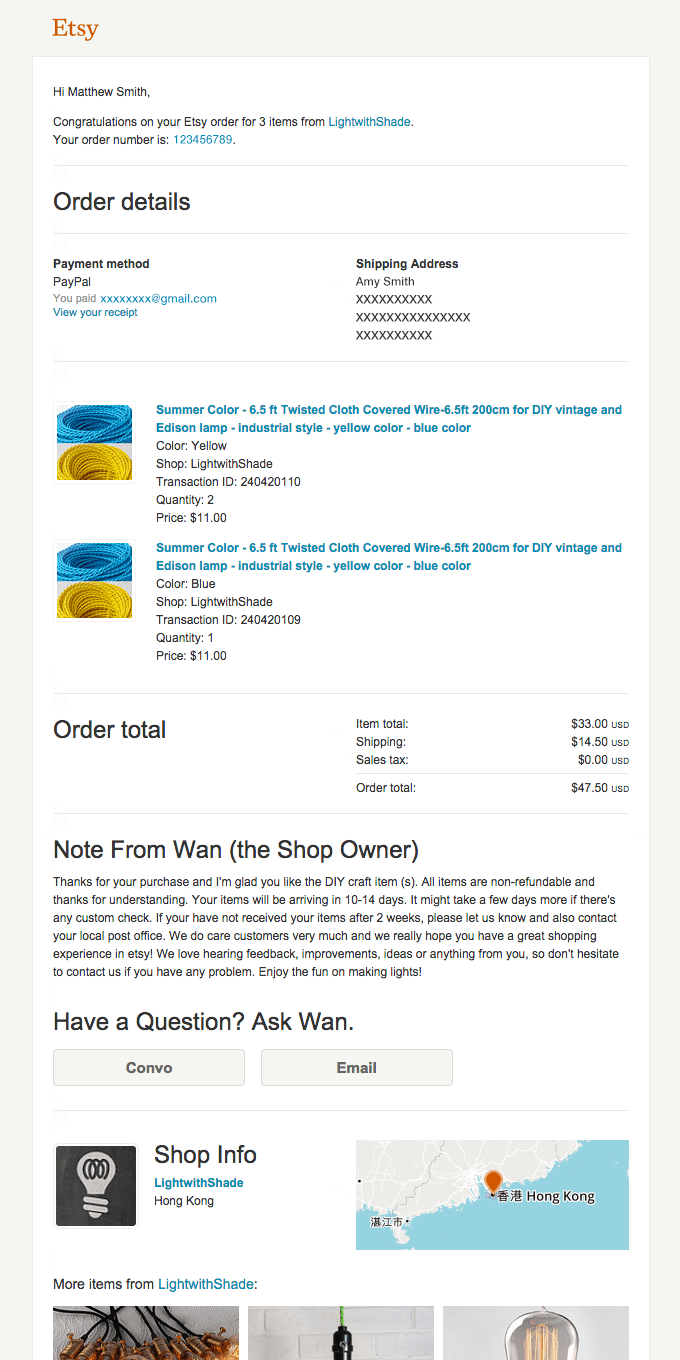
Take a look at the confirmation email from Etsy below. The contents include purchase details, shipping and manufacturer information, as well as product recommendations that customers may be interested in.
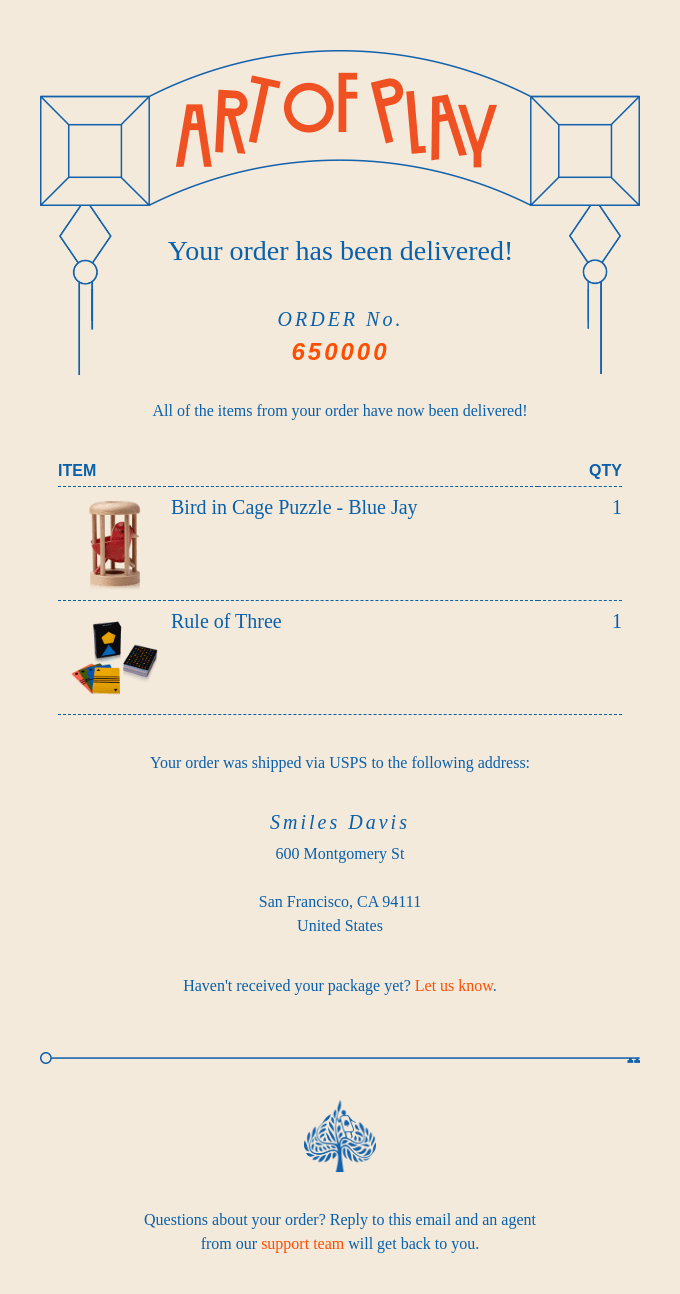
Here’s another example, from Everlywell. It’s much simpler and keeps customer informed about their order and delivery.
Payments and receipts
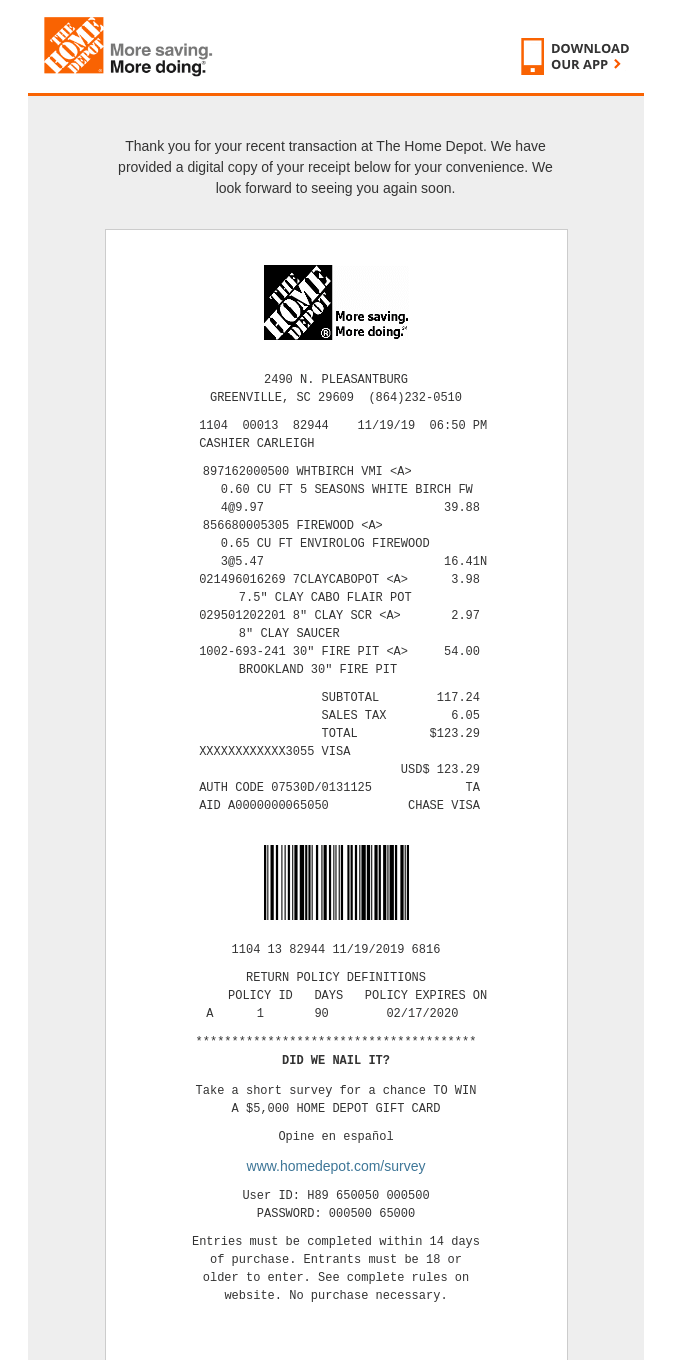
This type of transactional email includes electronic receipts and payment updates, which, while not promotional, still carry important commercial information. These emails are important for customers as they provide a record of their payment and help to prevent confusion or disputes.
This is how The Home Depot sends a copy of the electronic receipt to its customers:
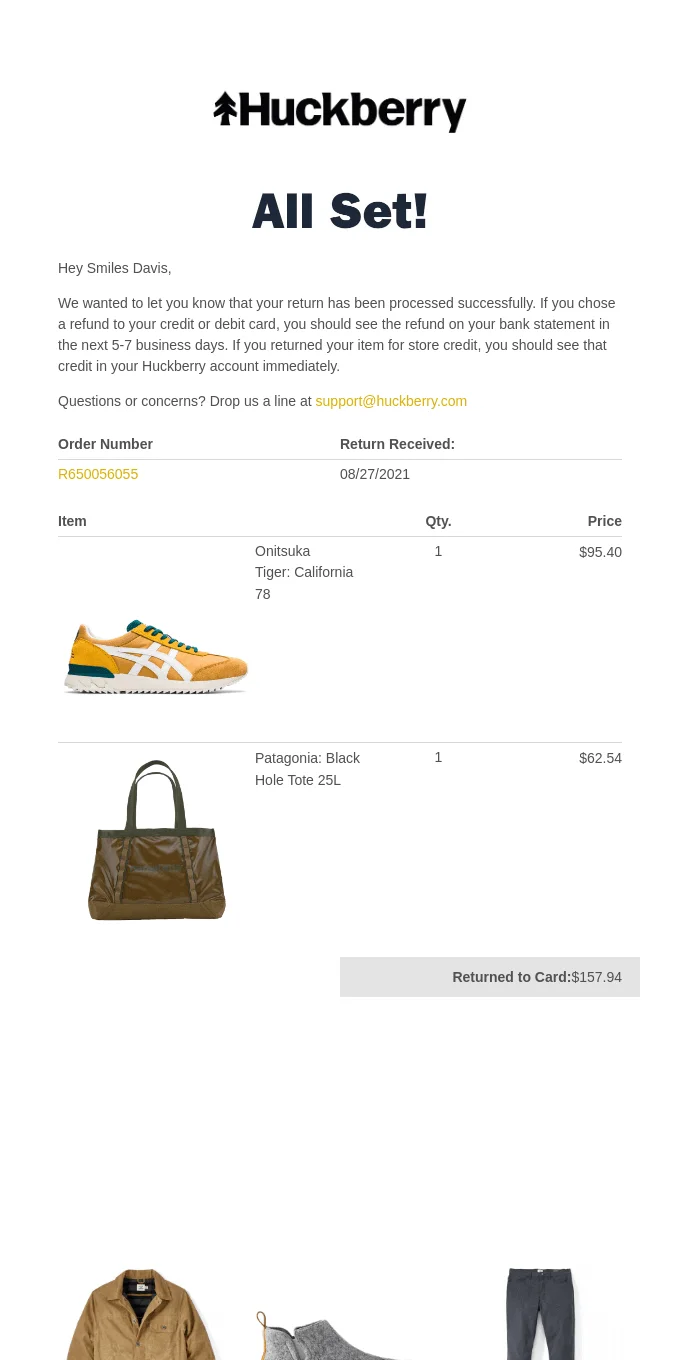
And this is an example of how an online store can illustrate a successful return of the goods:
Registrations and subscription confirmation
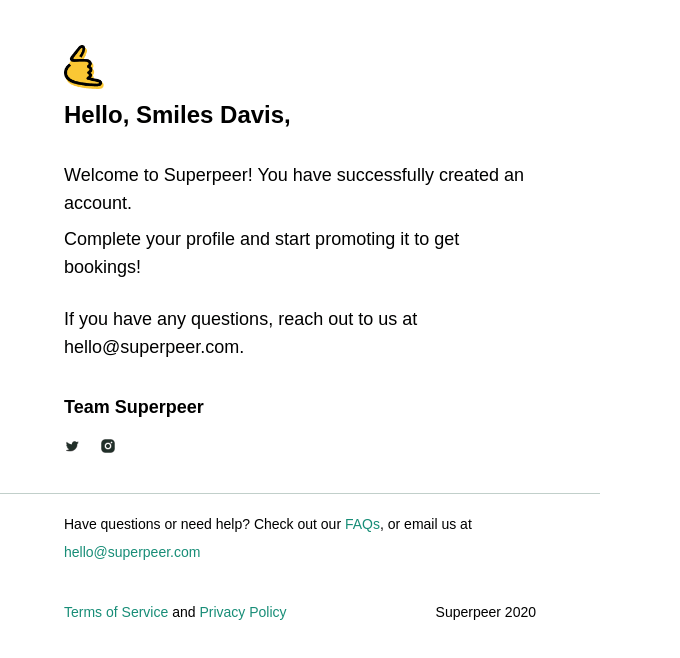
Registration emails are sent when you sign up for a website, online service, subscription, or when you delete your account. Here’s an example of one such email sent by Superpeer when a user creates an account:
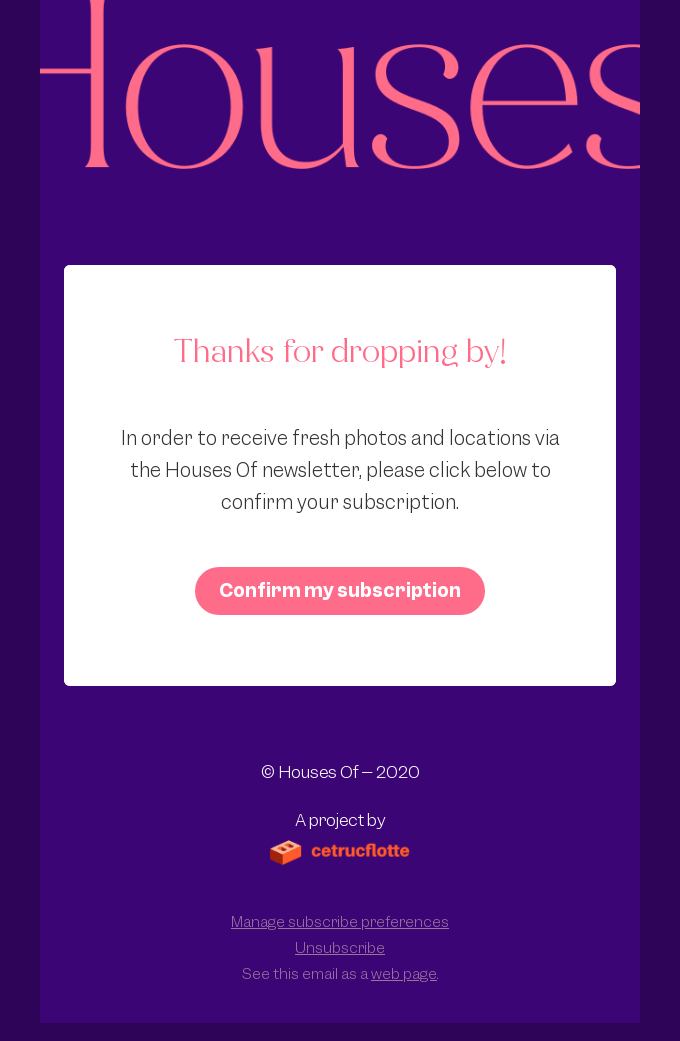
Subscription confirmation emails do precisely what they suggest: they verify a subscriber’s email address after they have registered in an email newsletter subscription form. Email confirmation is an important part of the double opt-in process — they are meant to ensure that your message reaches real subscribers.
Confirmation emails should be concise and contain a single, clear call-to-action. The confirmation email from Houses below is an ideal example of this concept. The glaring pink button stands out against everything else in the message and prompts readers to confirm their subscription without any other distractions. If a subscriber decides that they no longer want to receive emails, the unsubscribe link at the bottom of the email makes it easy for them to opt out.
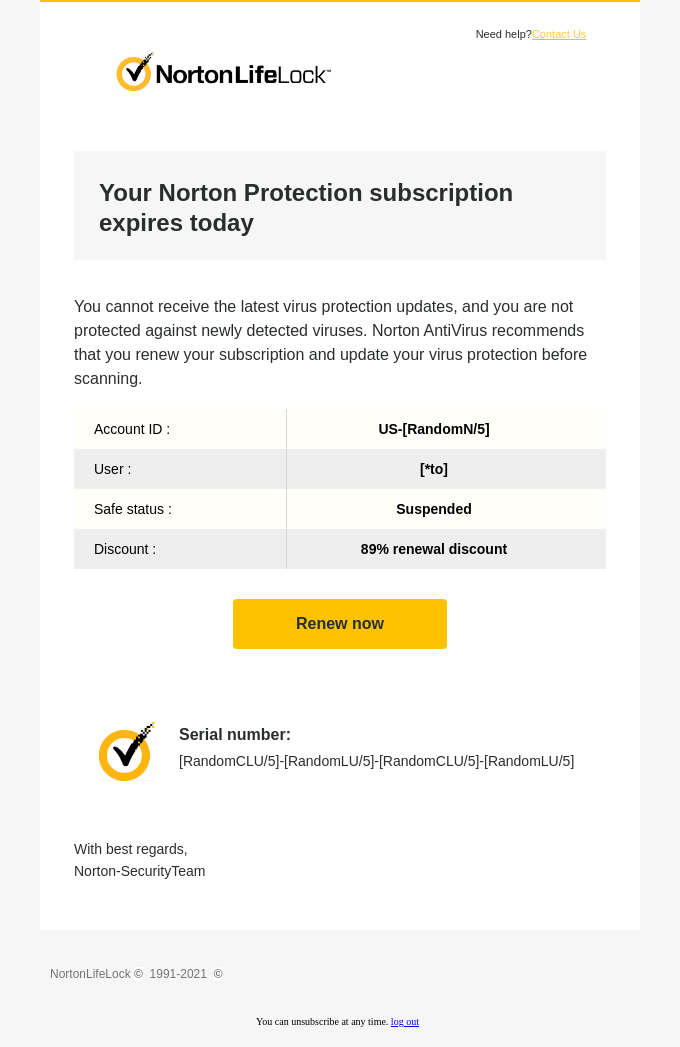
Norton sends out reminders to its customers when their subscription is nearing expiration, giving them ample time and opportunity to renew:
Alerts and notifications
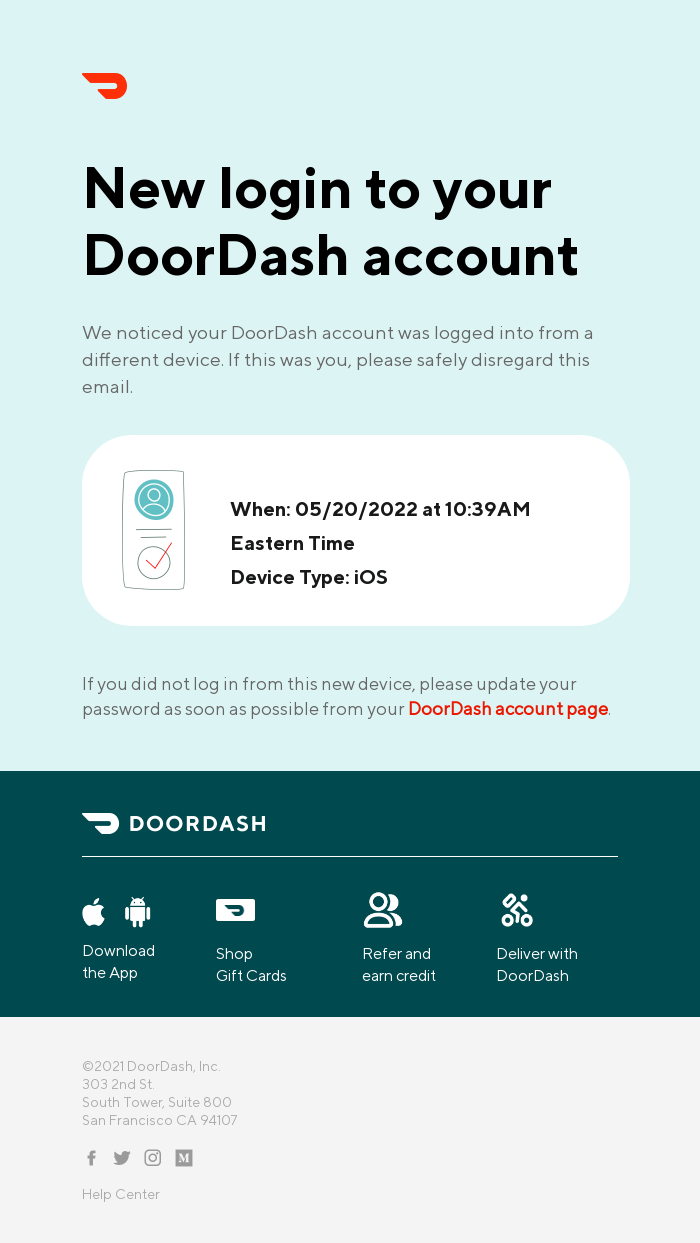
Alerts and notifications typically concern a user’s account. They come in different forms – from warnings of suspicious logins on other devices and requests for password reset, to notifications about interactions with social media pages or accounts connected with yours.
Sending a transactional email every time there is a new login or access from an unknown device not only helps protect customers’ information but also serves as a gesture of courtesy that will make them feel more secure and valued. Quickly responding to any suspicious activity will ensure your customers know all measures are being taken to secure their accounts.
The content of a security check alert should include detailed information about the suspicious login (date, location, type of device), as well as any steps that the user needs to take if they find something that requires an update.
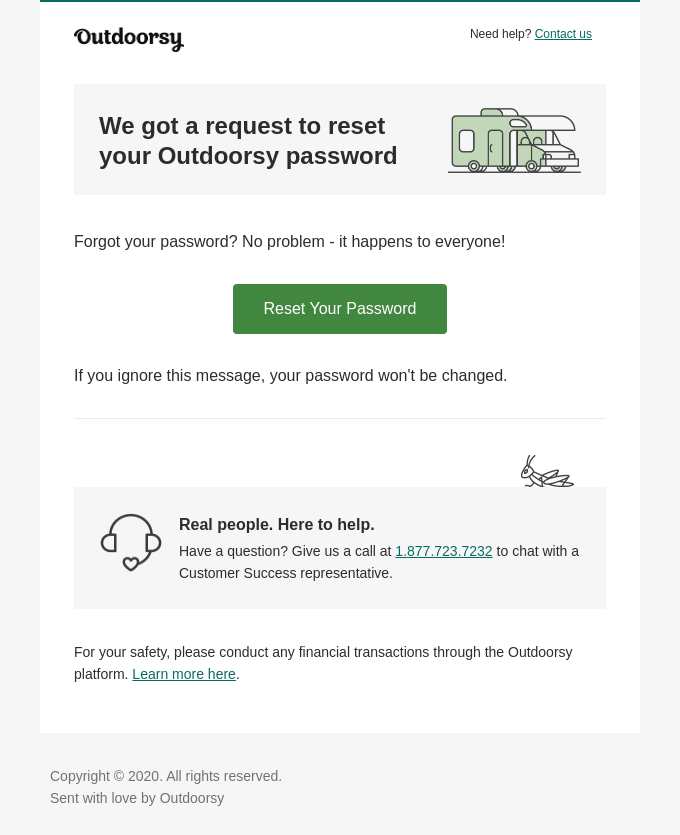
Passwords and access credentials contain sensitive information that you need to protect. Therefore, these emails should remain free of distractions and clutter, with just the necessary details so your customers can reset their passwords quickly and safely. Also, be sure to include contact options in case any issues arise.
Outdoorsy did a good job at creating a transactional password reset email:
You probably got notifications on your phone or in your email when someone comments, messages you, etc., on various platforms. Those alerts keep us connected with our social media/service accounts and are also referred to as notification emails. They simply remind us that it’s time to log back into the platform.
To encourage engagement from less active users, certain websites, like Womp, for instance, send transactional emails upon activity or interactions with a user’s profile. These messages can range in content, but are generally sent when someone has either sent the user a message or commented on their wall. Such proactive communication helps to keep people invested and interested in the platform.

Product or service feedback
After a customer has made a purchase or a user has registered an account, some companies ask for feedback – these are also transactional emails.
Researchers have discovered that customers trust other people more than businesses, so it is essential to collect as many positive reviews as possible. Studies show 46% of consumers rely on online reviews just like personal recommendations. Collecting reviews is an essential task for businesses. And email campaigns can be especially effective in this regard.
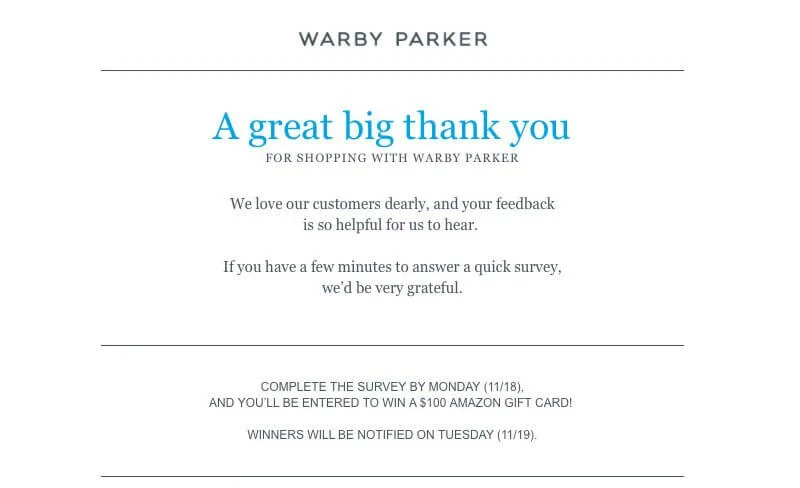
Warby Parker provides a great example of how to encourage customer feedback. Their process is straightforward and begins with an expression of appreciation for the user’s purchase, letting them know they are valued: “We love our customers dearly”. This not only instills enthusiasm in readers but also grants access to competing for a $100 Amazon gift card. This will undoubtedly motivate users even further.
Do transactional emails require an unsubscribe link?
As transactional emails do not contain commerce, they do not come within the purview of CAN-SPAM. Consequently, you are under no obligation to attach an opt-out link or instructions regarding unsubscribing in your messages.
Yet, it is crucial to bear in mind that the CAN-SPAM law only applies within the United States. Other countries may adhere to different regulations.
Transactional emails best practices
Although transactional emails are often seen as merely “technical” in nature, they are still no less worthy of your attention than marketing messages.
Here are a few tips and best practices to craft an attractive and useful piece of communication:
Personalization
Personalizing transactional emails builds trust, especially when selling expensive products. Harnessing an in-depth comprehension of your customers, emails can be more personalized and beneficial for recipients.
There are several ways to take advantage of email customization and personalize the messages. One is to use the customer’s name. For example, you can say “Thank you, John” instead of the usual “Thank you”.
To take your personalization to the next level, consider Warby Parker’s example and customize messages based on a recipient’s geographic location.
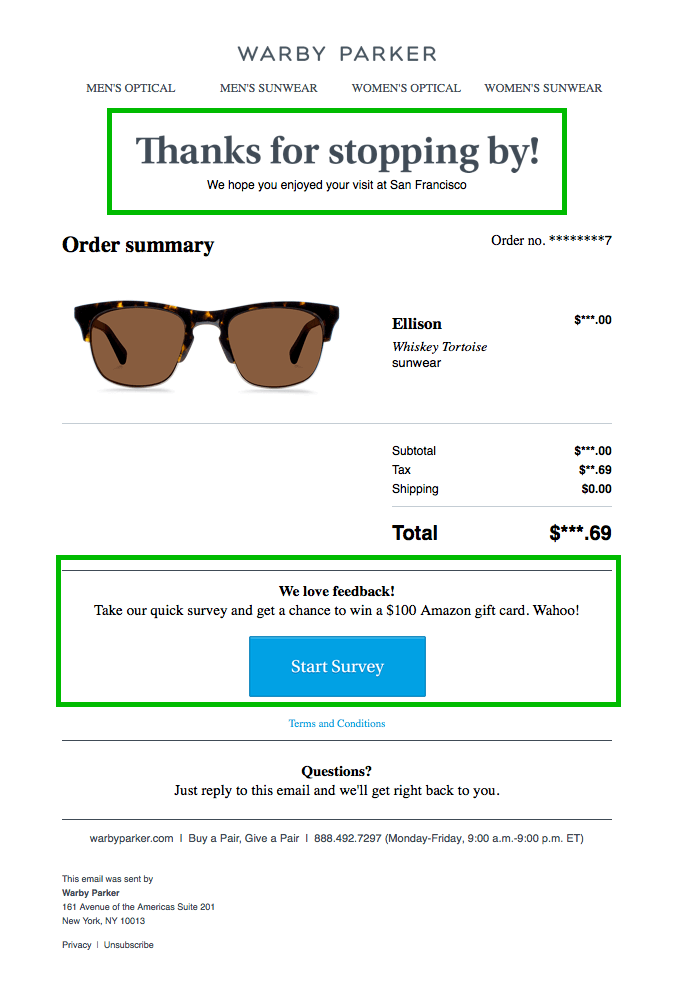
In this email, the company thanked its customers who bought products from a specific store and asked for feedback. In return, Warby Parker offers participants a chance to enter into a drawing for Amazon gift cards.
Brevity and being to the point
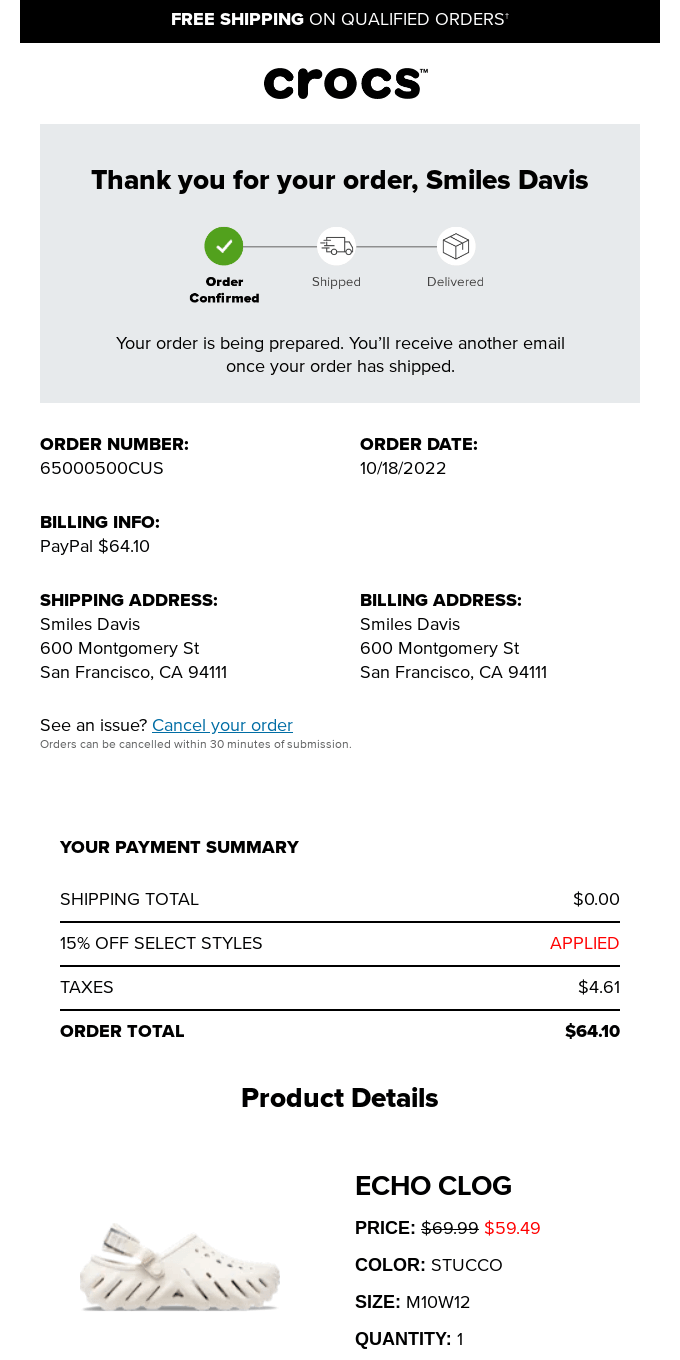
Keeping transactional emails brief and straightforward is essential. Provide only key details that are clear and easily understood. If further information is necessary, attach a separate document or link to a website rather than including it in the email itself.
Crocs has done an excellent job with a detailed transactional message:
Brand voice in design
Even though transactional emails don’t allow for much room to be imaginative, it’s paramount that you remain consistent with your brand tone when communicating. Add a brand or company logo, use email design elements from your website, and use corporate colors. This will not only make your message attractive but also help convey a cohesive image of your company.
Responsive design
Don’t forget about the adaptive layout of the email. People read nearly half of all emails (49.1%) from mobile devices, so it’s important to make sure your transactional messages and other notifications display correctly on all kinds of screens.
Focus on timing
Transactional emails are essential as people expect to receive them right away after taking a certain action. Automate these notifications so they can be sent out within minutes of user activity. Timely transactional messages guarantee customer satisfaction and create an overall positive experience for your recipients.
The right ESP for transactional emails
Transactional emails are usually not a manual task, but an automated process. So it is important to select a platform that is reliable, speedy, and easy to use.
Selzy’s AI-powered builder offers all of these and more:
- Easy drag-and-drop builder so you can create emails fast and stress-free — or adjust one of 1000+ templates, including transactional emails.
- Personalization and segmentations for tailored messages.
- High-speed delivery with a 99.8% success rate.
- Integrations with other services, including CRMs, Shopify, etc.
- Visual workflow builder to design and automate emails in minutes — no coding required.
- API triggers for instant messages like order confirmations, password resets, and billing updates.
- 24/7 real human support, ready to help you anytime.
- Data protection and authentication tools to safeguard customer information and strengthen your sender reputation.
With Selzy, you can handle both transactional and marketing emails on one platform. Ready to start? Try Selzy for free. Already a Selzy user but don’t see all the perks in the main builder? No worries, just contact our support team — and you are all set.
FAQ
What are transactional emails?
Transactional emails are automated messages sent after a user takes an action, such as signing up, making a purchase, or requesting a password reset.
How are transactional emails different from marketing emails?
Marketing emails are bulk messages that promote products or services through different types of content. Transactional emails are action-based, informative, and personalized to recipients.
Can you use transactional emails for promotion and marketing purposes?
Yes, you can use transactional emails as a marketing tool, but keep it secondary. Remember that the main goal of transactional emails is to inform or update your customers.
Do transactional emails require an unsubscribe link?
Usually, they don’t since they are not promotional. However, it’s always best to check your local regulations — and start with the email compliance guide.
Final thoughts
Transactional emails are a necessity for any business. However, they don’t have to be boring receipts. Personalize them, add visuals, and relevant promotional content to make them more appealing, ensuring they quickly find your customers — and enjoy the loyalty and trust from your customers.
 New and noteworthy on our blog
