
Triggered emails for audience engagement
Launch automated welcome emails, cart abandonment reminders, post-purchase feedback requests — boost customer LTV and your ROI.
Automated email marketing with dynamic content
Triggered emails from Selzy let you respond to customer actions on your website or in the app, and changes in your CRM. Whether it’s a new signup, an order confirmation, or a cart left behind, your emails go out automatically at the perfect moment — powered by triggers that connect your systems with Selzy.
It’s a win-win for everybody
- Your customers get relevant messages right when they need them — confirmations, reminders, or personal offers. You stay connected without lifting a finger, build stronger relationships, and boost conversions at every stage of the customer journey.

Automate communication at every stage of customer journey

Onboarding, reminders, recommendations
Make a great first impression. Welcome users after signups or app installs. Recommend products based on what customers added to their cart or viewed on your website. Launch omnichannel automations based on real-time events from any system. For a quick start use triggers by lists, tags and segments — no API needed.
Use API trigger to make communications faster

Re-engagement and transactional messages
Send personalized abandoned cart reminders, birthday offers, and order confirmations. Personalize communications based on your audience‘s data with custom fields and tags. Use dynamic content in emails, like names — pulled directly from incoming data.

Post-purchase service, feedback requests
Send trigger emails after purchases, subscription updates, or form submissions. Pull order details, customer information, or subscription status from your websites, CRMs, e-commerce platforms — to request feedback, share download links, and send delivery details. Increase retention with upsell and cross-sell emails — re-engage customers based on their purchase history and behavior.
Fast and easy from the start
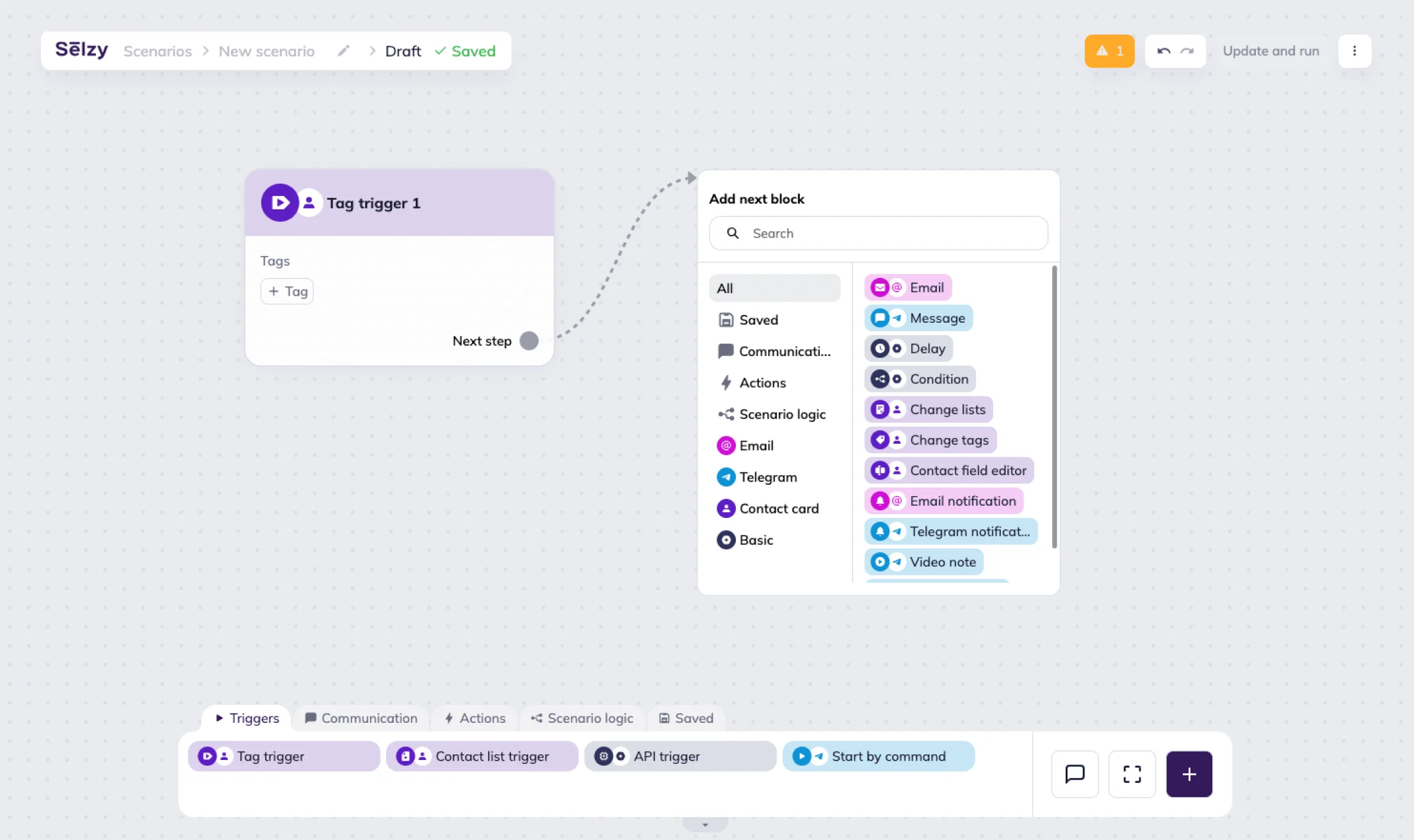
Automation builder
Selzy’s drag-and-drop automation builder will smoothly guide you through your first triggered campaign. Use blocks — delays, conditions, triggers, notifications and communications — to build scenarios with branched logic. Send different messages depending on your subscribers’ actions.
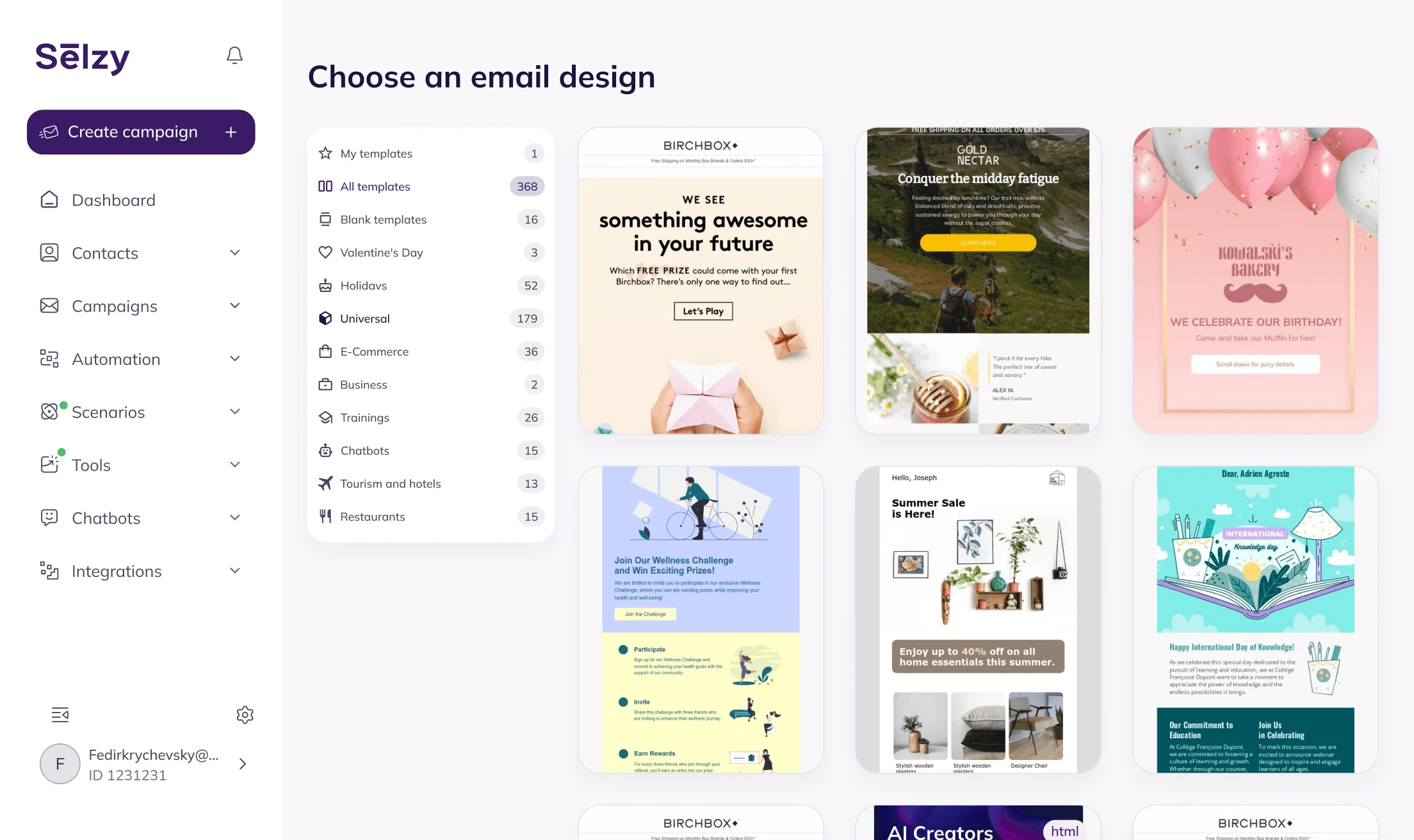
Pre-designed email templates
No idea where to start? Use pre-built email templates. Customize them as you like, plug into your logic, and go live in under an hour.
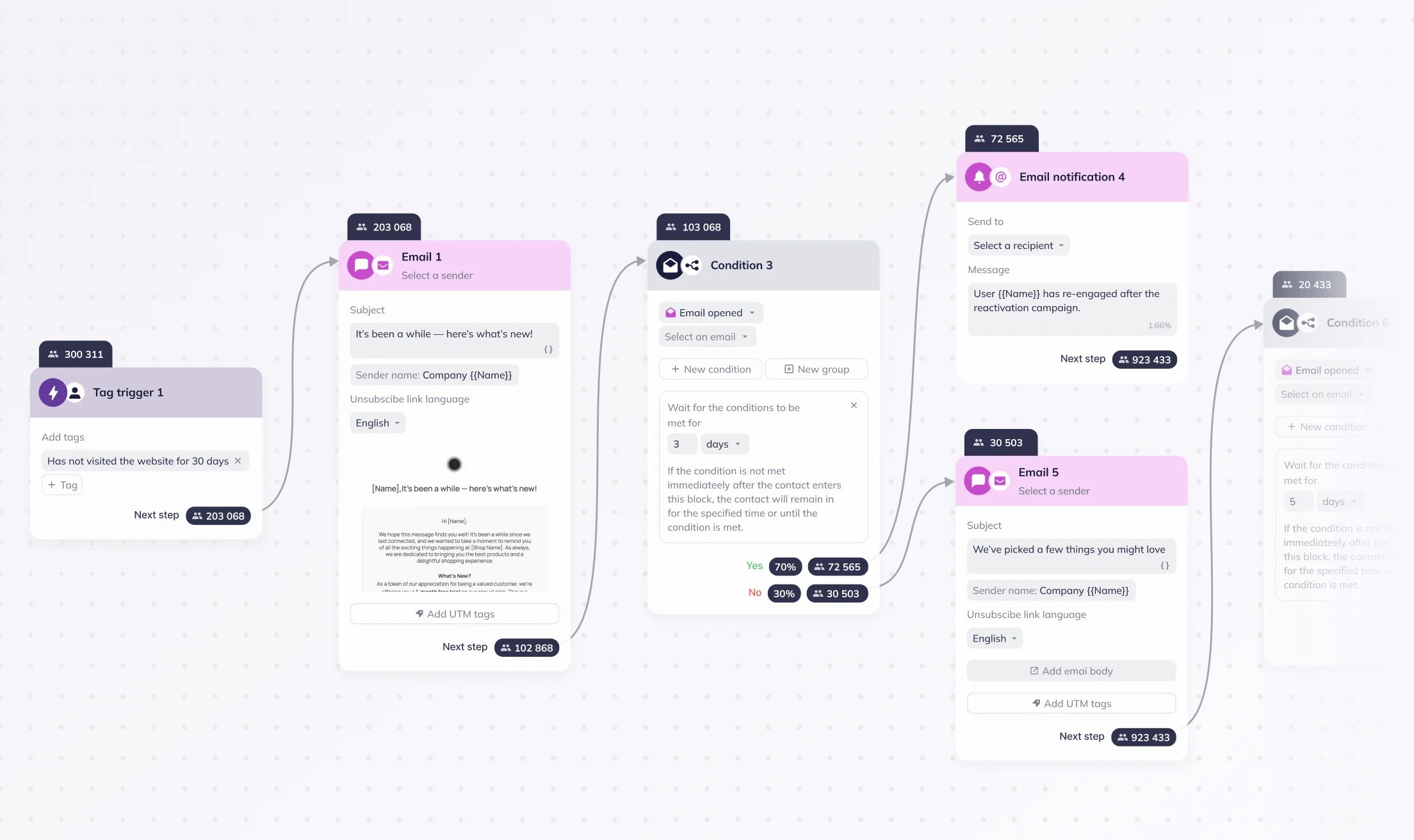
Built-in analytics
Monitor the performance of every scenario right in the automation builder. See how many contacts enter your flow, which messages convert best, where you can optimize. Understand what moves the needle — and double down on it.
Built-in integrations and custom triggers
Use ready-made e-commerce integrations to react to customers’ actions. Need more flexibility? Set up custom API triggers to connect Selzy to your own website, app, or any third-party service.
Data security
All information is hosted on servers in certified data centers in the EU.
24/7 technical support
Regardless of time and day, we are here to help with solving technical issues. Feel free to call, message, or email — it’s free and unlimited on all plans.
Ready to send your first campaigns?
Get started for free. Scale up when you’re ready.
Try Selzy for free
 Free
Free
Free
Lite
Standard
Best deal
Enterprise
dedicated manager, performance boost and more
50,000+ customers can't be wrong...
Selzy is the easiest way to start selling with email — but don’t just take our word for it.
Read our customers’ success stories and see what they have to say 👉


“A true gem we discovered in a huge pile of email marketing software. Way more affordable than those big known brands, and it outperforms them! All we need for full blown email marketing campaigns.”

“The overview dashboard is something I really love, because of how easy it is to understand and the summary statistics of my overall opens, clicks and unsubscribe. The support desk is really great and quick to respond.”


“I sent the first (test) campaign in less than 5 minutes. How did Selzy get me? Pleasant dashboard, clear statistics, including the deliverability of emails from the campaign, send an email to contacts who haven't opened the message (with one click), simple import of contacts”

“Great buy! The builder covers everything, I was looking at the large array of design templates. The UX/UI is just smooth. Selzy makes Mailchimp look pale in comparison.”


“The best thing about Selzy is its ability to manage marketing emails with fantastic templates, simplifying the process.”

“Not kidding. Selzy is really good. their support is beyond excellent. Response time is less than 5 minutes. They staff is skilled. The ux/ui is amazing. I highly recommend everyone to use it. This company really knows what they are doing! In fact, this is one of the best LTD's I've bought in a while.”

“Selzy is cost effective to the max and it makes it clear how my list health is going. Also top of the line support. We are talking minutes no matter what time I pinged the chat.”


“I have been extremely satisfied with Selzy and would highly recommend it to anyone looking for a reliable and user-friendly email campaign management tool. The analytics and reporting tools are top-notch, providing detailed insights into the performance of my campaigns.”

“Great UI, super easy to use and navigate around. I really love the ease of use and the amazing and attractive templates it has that makes it so simple.”

“Create email campaigns super fast, and having my email list on different categories is awesome. Been using Selzy a lot, no complaints at all.”

“Instead of opting for larger platforms like Mailchimp or Constant Contact, which offer an abundance of unnecessary features and complex interfaces, I desired a more straightforward solution focused on email sending. After comparing various email marketing platforms like Sender, Sendpulse, and Mailerlite, I ultimately chose Selzy.”

“I can run a campaign easily. It’s an alternative solution to the CRM+Email marketing tool I use on a daily basis.”






Get round-the-clock support via chat, email, and phone
FAQ
What is a triggered email?
It is an automated message that follows certain types of user behavior: placing an order, abandoning a cart, signing up for a newsletter, viewing a product, clicking a link, updating a subscription, or requesting support. It can also be triggered by special events such as birthdays or holidays.
Are triggered emails effective?
Absolutely, below are the key capabilities of triggered campaigns:
- Real-time automation: instantly react to user behavior with marketing follow-ups or transactional information.
- Omnichannel communication: connect with your existing systems and engage leads with automated emails and Telegram messages.
- Personalized messaging: use Liquid to process data from your website, app, Shopify store, or CRM, and dynamically insert content — such as names, product details, and prices — into your emails.
- Flexible setup: send data you need, and we’ll turn it into triggers for your automation scenarios — largely with no limits on our side.
What are common use cases for triggered emails?
Triggered campaigns are especially powerful for e-commerce stores, online schools, and any business looking to boost conversions at every stage of the customer journey — from first interaction to repeat purchases.
Selzy provides you with a flexible scenario builder to automate all common use cases:
- Welcome emails after signup
- Order confirmations and delivery updates
- Cart abandonment reminders with promo codes
- Feedback requests post-purchase
- Automated onboarding process or product tours
- Personalized offers for specific audience designed to boost retention, loyalty, NPS, and CSI
How much do triggered emails cost?
The free plan gives you 1,000 emails a month — covering all types of emails, including triggered ones — and up to 100 recipients. If a free plan feels too small and you want to test on a bigger audience, we’ve got a 14-day trial with the higher limit of 10,000 free emails to 2,000 contacts.
You can choose to pay for more subscribers or more emails — calculate your subscription.
How do I start sending triggered messages with Selzy?
- Go to the Scenarios → Triggered tab from the main menu in your Selzy account.
- Click New scenario or select a pre-designed automation template.
- Drag the API Trigger block from the Triggers category onto the editor workspace and set it up to connect with your system and transfer data.
- Add steps to your campaign and attach corresponding emails.
- Save and launch the campaign — done!
For more details, check out our dedicated guide: How to use API triggers to automate emails with dynamic content?
What’s the difference between transactional and triggered emails?
Transactional emails inform clients about an event or confirm an action, therefore improving your quality of service. Trigger emails get customers to act: for example, to make a purchase.
Can I personalize messages with customer data?
Absolutely! Use Liquid tags and filters to insert names, products, order totals, delivery dates — anything you pass through the API. Personalize subject lines and body content using real-time data from your platform.

Connect with your customers today
Send triggered emails with Selzy
Start sending