


Key takeaways
- HubSpot is a powerful all-in-one platform for marketing, sales, and customer service.
- HubSpot's pricing can quickly become expensive, starting at $15 per user per month.
- HubSpot offers a free plan but sells its features separately in different hubs.
- Pros of HubSpot include being an all-in-one platform, scalable, extensive integrations, robust knowledge base, and powerful reporting tools.
- Cons of HubSpot include pricing escalation, complicated bundles, feature overload, free plan branding, and marketing limits.
HubSpot is one of the biggest names in marketing and CRM software. But for many small businesses, startups, and solo founders, it can feel overwhelming — too expensive, too complex, or simply overkill for your needs. That’s why they may want to explore alternatives to HubSpot.
In this article, we’ll quickly go over HubSpot’s features, pricing, and limitations — based on how these tools are actually used by small teams and marketers in practice. We’ll also examine 9 of the best HubSpot alternatives that could be a better fit for you, depending on your needs. We’ve compared these platforms based on usability, pricing, and real-world marketing workflows — not just feature lists.
A quick overview of HubSpot
HubSpot is a powerful all-in-one platform that brings together marketing, sales, and customer service tools in one place. It’s especially well-known for helping teams manage the entire customer journey — from attracting leads to closing deals and beyond.
For marketers, HubSpot offers everything from email campaigns and automation to landing pages, social media tools, analytics, and a built-in CRM. It’s designed to support inbound marketing: attract the right audience, engage them with personalized content, and convert them into loyal customers.
Pricing and features
HubSpot’s pricing starts with a free plan, but it can get really expensive, really quickly. For example, the starter plan for the Marketing Hub is $15 per user per month (billed monthly). The next tier in terms of price, the Professional plan, jumps to $890 per month.
Another aspect to know: HubSpot sells everything separately. It’s organized into “Hubs” — Marketing, Sales, Content, and Service — and each hub is sold on its own or as part of a bundle. Every hub includes free features from the other hubs.
You can’t pick and choose features either. Let’s say you’re on a Sales plan but want A/B testing for your emails — a Marketing Hub feature. You’ll need to upgrade to the Marketing Hub just to get it.
Each HubSpot hub offers a 14-day free trial.
Pros and cons
Let’s have a look at some advantages and disadvantages of using HubSpot.
Pros:
- All-in-one platform. HubSpot offers CRM, email marketing, automation, landing pages, forms, and analytics all under one roof.
- Scalable solution. It works just as well for a solo freelancer as it does for large, complex sales teams.
- Extensive integrations. HubSpot connects with almost every major business app out there, from Shopify to Salesforce.
- Robust knowledge base. HubSpot offers many courses, tutorials, and certified partners.
- Powerful reporting tools. You can track email performance, website activity, and sales pipeline data in great detail.
- Generous free plan. The free plan includes a CRM, email templates, forms, landing pages, and contact management.
Cons:
- Pricing escalation. The jump from the $9/month Starter plan to the $800/month Professional plan is massive — and there’s nothing in between. You can’t add features a la carte, so you’re either getting the basics or paying enterprise prices.
- Complicated bundles. Its hubs are sold separately, and understanding what’s included can be confusing.
- Feature overload. If you only need a simple CRM and email marketing, HubSpot can feel bloated with too many extras you won’t use.
- Free plan branding. The free tools add HubSpot logos and branding to your emails and forms, which can look unprofessional.
- Marketing limits. Automation and some of the most important marketing features are locked behind the highest-tier plan, which puts them out of reach for smaller teams.
Why look for HubSpot alternatives
HubSpot is a powerful platform, but it’s not the right fit for everyone. While it starts free, costs can escalate fast. You can’t just pay for one feature either; you have to upgrade entire hubs.
It’s a great solution for large organizations with in-house ops teams, but often overkill for freelancers, solopreneurs, or lean startups. HubSpot often ends up feeling unnecessarily expensive and complex for teams that only need email marketing and basic CRM.
Marketing tools, in particular, are heavily gated. Automation, A/B testing, and other key features only unlock on the highest-tier Marketing Hub plan. If you’re a small business or solo marketer, that means paying hundreds a month just to access basic functionality.
Customer support is also tiered. Unless you’re on a more expensive plan, expect limited help.
9 Best HubSpot alternatives to consider
Thankfully, HubSpot isn’t the only tool with marketing features out there. We’ve compiled a list of the 9 best alternatives to HubSpot based on feature depth, pricing transparency, and how easy each tool is to actually use day-to-day and compiled them in a table for your convenience.
Not sure which alternative to choose? Here’s a quick shortcut:
- If you want a simple, affordable email-first tool → go with Selzy or MailerLite.
- If automation is your top priority → consider ActiveCampaign.
- If you need an all-in-one platform on a budget → try EngageBay or Brevo.
- If your focus is sales CRM → Pipedrive is a strong choice.
- If you’re already using Zoho tools → Zoho Campaigns will fit best.
| Tool | Best for | Free options | Starting price (per month, billed monthly) | G2 rating | Notes |
| Selzy | Small teams that want strong email marketing without the cost or complexity | Free plan | $7.5 for 500 subscribers and unlimited emails | 4.7 | Simple UI, omnichannel automation, fast setup, AI assistant |
| ActiveCampaign | Automation-heavy B2B and scaling teams | 14-day free trial | $15 for 1,000 subscribers and up to 10,000 emails | 4.5 | Advanced marketing automation and segmentation, steep learning curve |
| MailerLite | Creators and small brands that want simple, stylish email marketing | Free plan | $10 for 500 subscribers and unlimited emails | 4.6 | Clean design, easy drag-and-drop editor, good for newsletters |
| Mailchimp | Small teams and brands that need solid email marketing and automation | Free plan | $13 for 500 subscribers and up to 5,000 emails | 4.4 | Well-known, decent features, but limited support and automation on the free plan |
| Brevo | Businesses that want an affordable, modular HubSpot alternative with flexible tools for growth | Free plan | $9 for up to 100,000 subscribers and 5,000 emails | 4.5 | Strong transactional email and SMS features, a built-in CRM |
| Zoho Campaigns | Teams already using Zoho’s ecosystem | Free plan | $4 for 500 subscribers and unlimited emails | 4.3 | Good all-rounder |
| GetResponse | E-commerce businesses and content creators who need an all-in-one tool for funnels and webinars | Free plan | $19 for 1,000 subscribers and unlimited emails | 4.3 | Email-first platform with standout features like webinars and AI tools |
| Pipedrive | Sales-focused teams that want simple, built-in email marketing | 14-day free trial | Paid add-on, from $13.33 | 4.3 | CRM-first tool with basic email add-on, great for sales-driven teams |
| EngageBay | Small teams that want a HubSpot-style tool without the price tag | Free plan | $14.99 for 500 subscribers and 3,000 emails | 4.6 | CRM, marketing automation, helpdesk, live chat, and more |
Now that we’ve compared the top tools side by side, let’s take a closer look at each one.
Below, you’ll find a detailed breakdown of the best HubSpot alternatives, including their key features, pricing, pros and cons, and who they’re best suited for. Whether you’re after powerful automation, an intuitive interface, or just a more affordable option, there’s something here for every team.
Selzy
Where it beats HubSpot: Much simpler setup, significantly lower cost, and core email features available without upgrading.
Where it falls short: No built-in CRM or full all-in-one ecosystem.
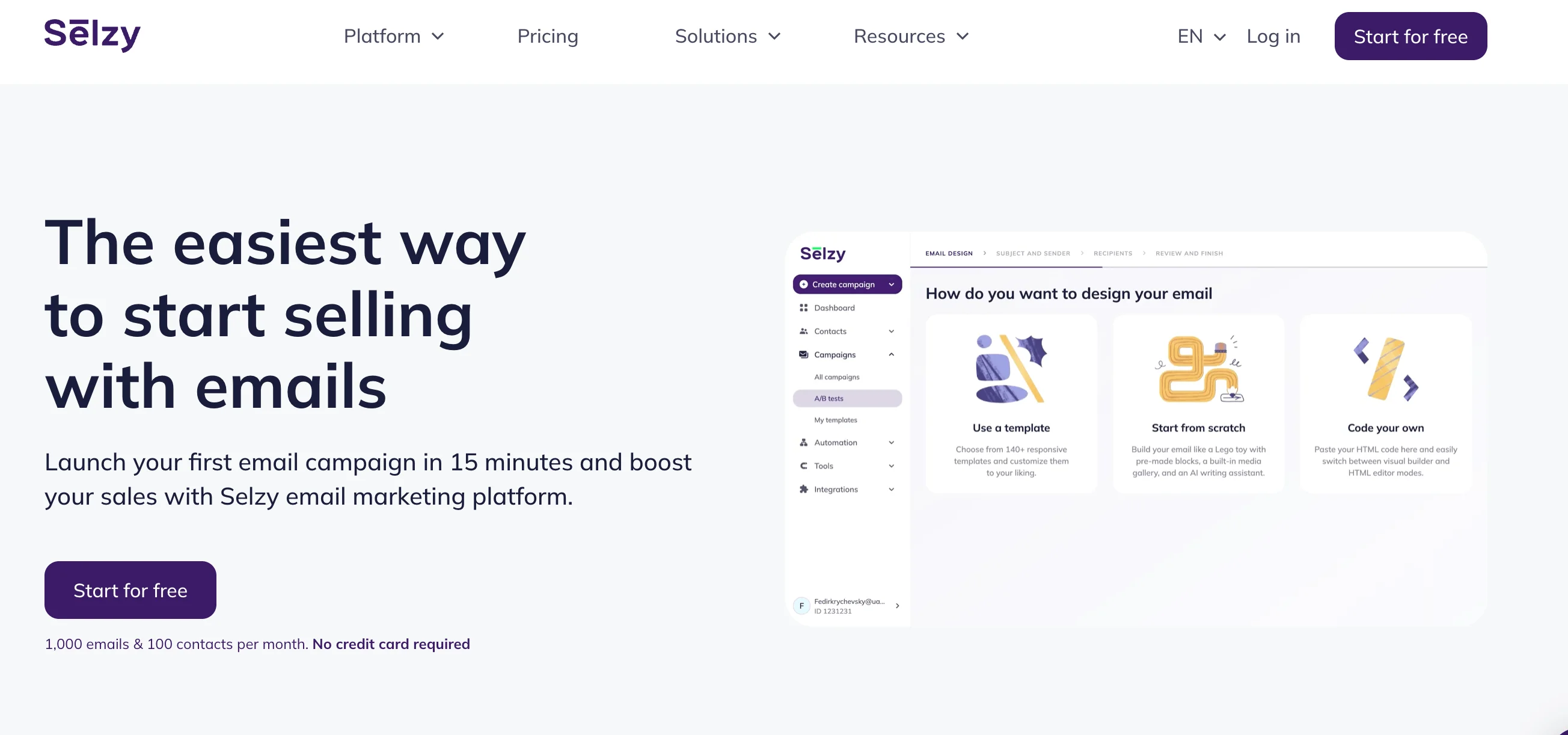
Best for: small businesses, startups, and solopreneurs who want powerful email marketing and automation without the complexity or high price of platforms like HubSpot.
G2 rating: 4.7/5
Originally built for email marketing, Selzy has grown into one of the most well-rounded platforms out there. All the marketing essentials are solid — segmentation, personalization, A/B testing, campaign analytics, all wrapped in a beginner-friendly, no-code interface. You get a drag-and-drop editor with ready-made templates, plus an HTML option if you want more control. In our experience, tools like Selzy are often a better fit for small teams that want to launch campaigns quickly without a steep learning curve.
Selzy is now branching out beyond email. There’s a chatbot builder for Telegram (with WhatsApp on the way) and API access for transactional and triggered messaging. Automation is a big focus of the service, with support for drip campaigns, behavior-based workflows, and omnichannel flows.
The platform works well for most small and growing teams, without making you choose between affordability and functionality. And if you want to move fast, Selzy has your back: there’s even a beta AI email builder that can generate subject lines, email body copy, visuals, and layouts.
Unlike HubSpot, Selzy doesn’t have its own CRM, but it integrates easily with many existing customer management systems and other platforms. It’s also much, much more affordable. Another major difference between the two platforms is their approach to customer support. HubSpot gates it by plan, whereas Selzy’s always has your back, regardless of the plan you’re on, with a human support team available 7 days a week, 24 hours a day.
Pros:
- Beginner-friendly. Selzy is easy to navigate, even if you’re brand new to email marketing.
- Affordable. Selzy keeps the prices low, without hidden costs or paywalled essentials.
- 24/7 support on every plan. You get real human help via phone, email, or chat, even on the free and lowest-tier plans, which is rare.
Cons:
- Limited integrations. Selzy doesn’t yet offer the vast native integration ecosystem you’d find with larger platforms like HubSpot or Mailchimp (but it features integrations with many CRM systems).
- Not a full marketing suite. It’s great for email and automation, but lacks the likes of blogging tools, content management, or full CRM depth that all-in-one platforms provide.
Now, onto pricing. We’ve already established that Selzy is cheaper than HubSpot. Let’s dive into the specifics. Like with most email service providers, Selzy’s pricing changes depending on how many contacts you have.
Free: send up to 1,000 emails to a subscriber base of 100 people. Includes automation, analytics, AI tools, and 24/7 support.
Lite: from $7.5/month (billed monthly) for 500 subscribers. Unlimited emails, plus A/B testing, segmentation, no Selzy branding, and shareable email URLs.
Standard: from $15/month (billed monthly) for 500 subscribers. Unlimited emails, adds deliverability tools, an email marketing course, and chatbot integration.
Enterprise: custom pricing for a subscriber base of 500,000+ people, with all features and tailored support.
Some features, like email verification or extra integrations, are available as paid add-ons, either per transaction or in bundles.

ActiveCampaign
Where it beats HubSpot: More flexible and advanced automation at a lower price point.
Where it falls short: Less intuitive and lacks HubSpot’s all-in-one depth.
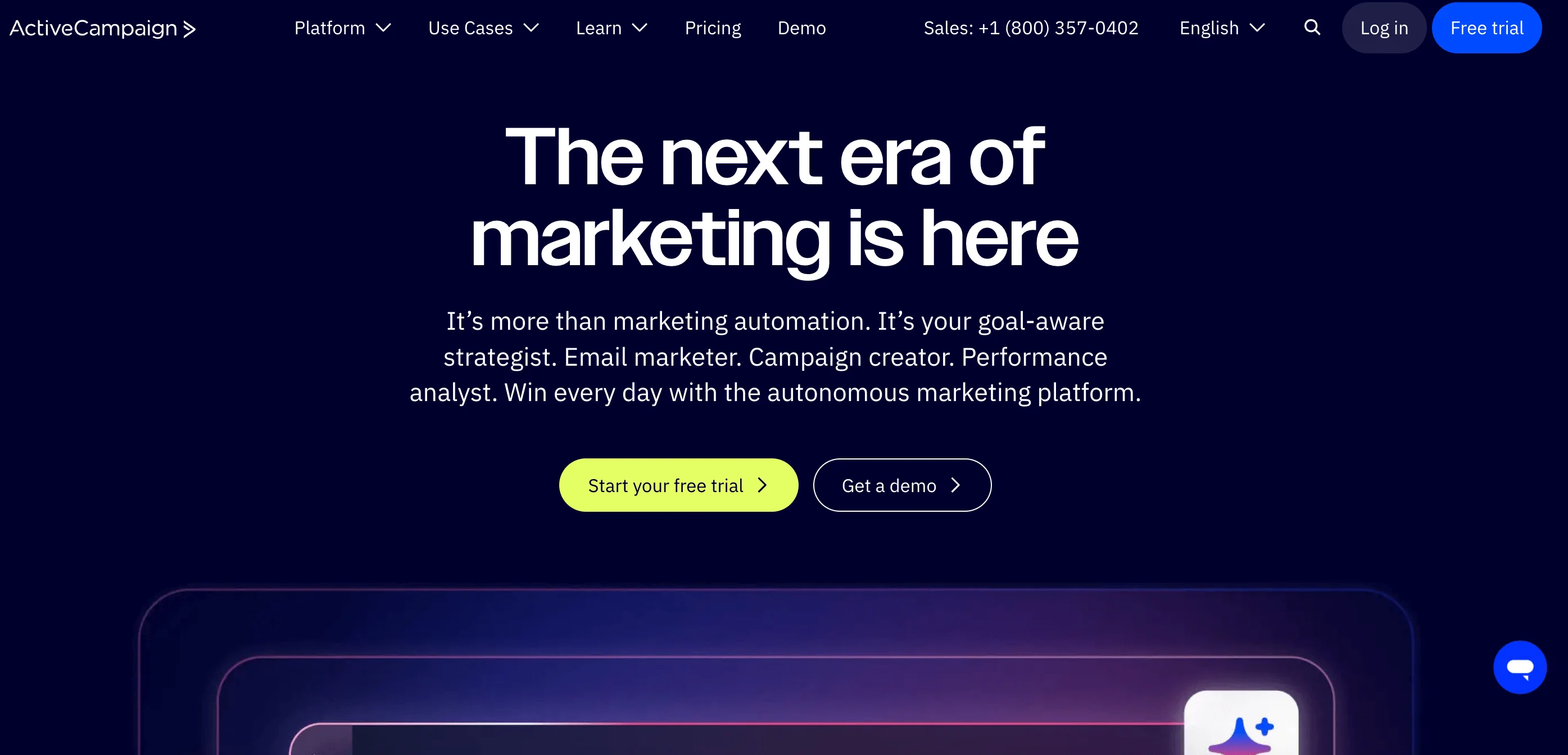
Best for: teams that want powerful automation and control. Great for B2B, scaling startups, and marketers focused on customer journeys and personalization.
G2 rating: 4.5/5
ActiveCampaign is built with automation at its core. It offers powerful tools for email marketing, customer journeys, segmentation, and behavior-based triggers. You also get features like site tracking, SMS and chat messaging, social media integrations, landing pages, and a built-in CRM with sales automation. It connects with a huge number of apps and scales well for growing teams.
From what we’ve seen, ActiveCampaign stands out when automation depth matters more than ease of use. It’s a great choice for marketers who want control and flexibility. However, it’s not exactly beginner-friendly. ActiveCampaign is best geared towards experienced marketers or bigger teams.
ActiveCampaign is more affordable than HubSpot and offers deeper automation options, especially for behavior-based targeting. But it doesn’t come with as many built-in tools as HubSpot; there’s no content management and customer service hubs. HubSpot’s CRM is more developed and better for big sales teams, while ActiveCampaign focuses more on marketing and automation.
Pros:
- Advanced automation features. Great for behavior-based targeting, multi-step workflows, and customer journey mapping.
- Built-in CRM and many integrations. Comes with sales automation and connects easily to hundreds of tools.
Cons:
- Not beginner-friendly. The interface and features can be overwhelming or even daunting for new users.
- No free plan. Unlike many competitors, ActiveCampaign doesn’t offer a free tier, which can be a barrier for small teams or new users trying to determine if the platform is right for them.
Let’s discuss ActiveCampaign’s pricing. Like we’ve established already, there’s no free plan.
For 1,000 subscribers:
Starter: $15/month and up to 10,000 emails. Includes basic email campaigns, limited segmentation, web forms, and 5-step automation. A/B testing for emails only.
Plus: $49/month and up to 10,000 emails. Adds multi-step automation and a full landing page builder. Includes predictive sending, standard segmentation, and CRM access.
Pro: $79/month and up to 12,000 emails. Adds advanced segmentation, A/B testing for emails and automations, and advanced reporting. Also includes conditional content and more integrations.
Enterprise: $145/month and up to 15,000 emails. Includes premium CRM features, custom objects, and a dedicated account team. Unlocks everything from reporting to site tracking and AI-powered tools.
MailerLite
Where it beats HubSpot: Easier to use and more affordable for basic email marketing and landing pages.
Where it falls short: Limited CRM functionality and fewer advanced features.
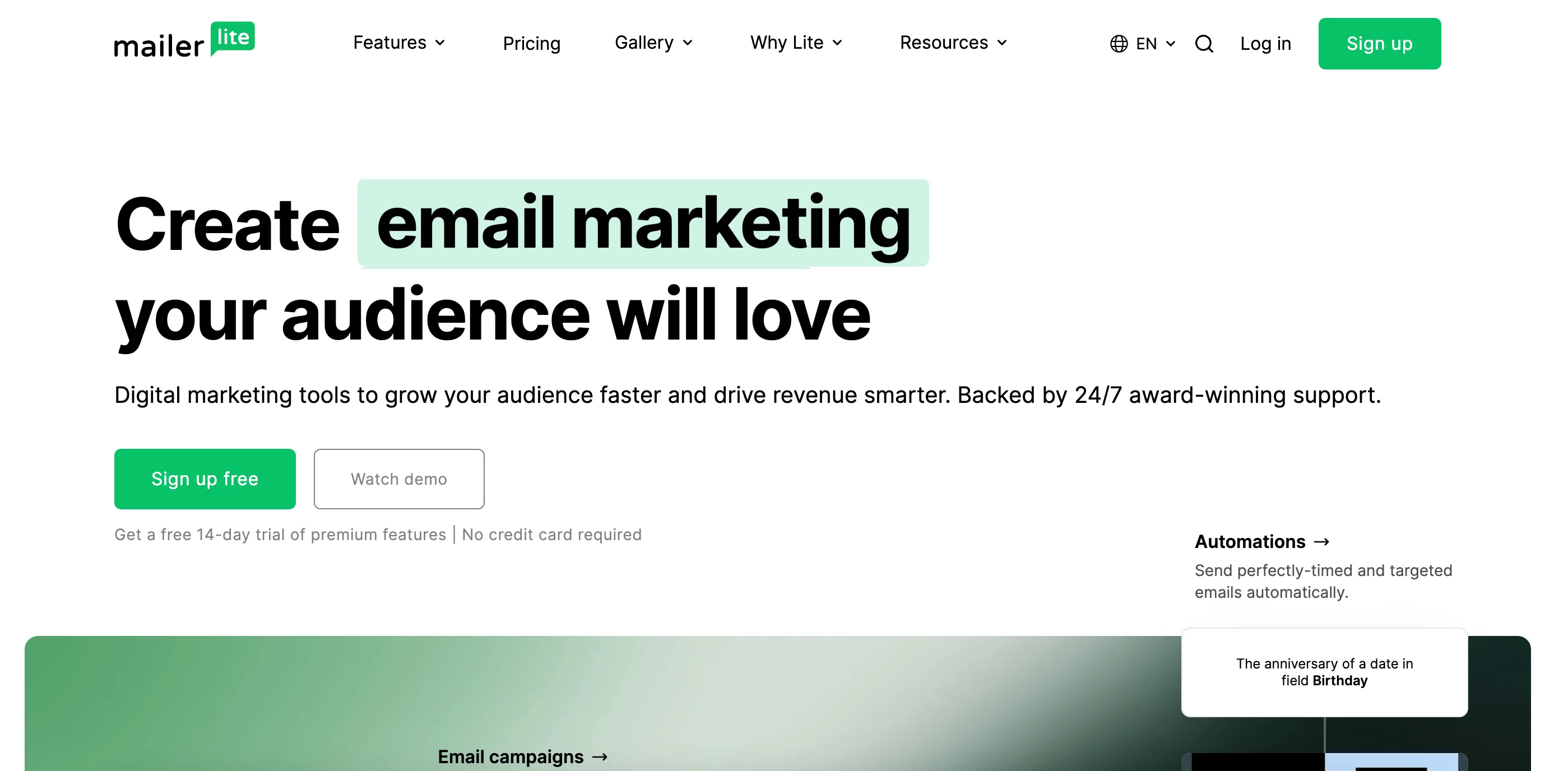
Best for: creators, bloggers, small brands, and nonprofits that want a clean, intuitive platform for email marketing, landing pages, and digital product sales.
G2 rating: 4.6/5
MailerLite is a simple yet powerful email marketing platform that’s great for beginners and small teams. It includes an intuitive drag-and-drop editor, automation builder, and tools for landing pages and forms. In practice, MailerLite is one of the easiest platforms to get started with, especially for non-technical users.
You get dynamic segmentation, A/B testing, basic e-commerce features, analytics, and an AI writing assistant. Higher plans add transactional emails and multichannel tools for selling digital products or paid newsletters.
It lacks advanced features like a full CRM or spam testing, and new accounts need to be approved, which can slow you down but helps with deliverability. Overall, it’s a strong choice if you want something clean, capable, and affordable.
Compared to HubSpot, MailerLite’s CRM is much simpler. But it does include a real website builder with blogging and e-commerce functionality — something HubSpot lacks on its free plan (you’re limited to 30 branded pages and no full e-commerce tools). If you upgrade to HubSpot’s Content Hub, its builder becomes more powerful but also more expensive.
Pros:
- Intuitive interface. Easy to use even for beginners, with a clean layout and helpful onboarding.
- Good value for money. Offers solid features like automation, A/B testing, and e-commerce tools at affordable prices.
Cons:
- Limited advanced features. Missing a full CRM, spam testing, and deeper analytics.
- Slower setup. All new accounts must be approved before sending, which can delay your first campaign.
Now, onto MailerLite’s pricing.
Free: $0/month for up to 1,000 subscribers. Includes 12,000 monthly emails, 1 user, drag-and-drop editor, automation builder, website builder, 10 landing pages, and 24/7 email & chat support for 14 days.
Growing Business: from $10/month (billed monthly) for up to 500 subscribers. Unlimited emails, 3 users, 24/7 email support, plus digital product sales, unlimited templates, dynamic emails, auto-resend, multivariate testing, and website/blog tools.
Advanced: from $20/month (billed monthly) for up to 500 subscribers. Everything in Growing Business, plus smart sending, Facebook integration, custom HTML editor, enhanced automations, AI writing assistant, and partner discounts.
Enterprise: custom pricing for 100,000+ subscribers. Includes unlimited users, a success manager, onboarding training, deliverability consults, and more.
Mailchimp
Where it beats HubSpot: Faster to get started and more beginner-friendly for small teams.
Where it falls short: Less powerful automation and weaker CRM capabilities.

Best for: Small businesses, e-commerce brands, and creators who want reliable email marketing, automation, and integrations.
G2 rating: 4.4/5
Mailchimp is one of the most popular email marketing platforms, especially among small businesses, startups, and creators. It’s known for the ease of use and wide range of features, from drag-and-drop emails and basic CRM tools to multichannel campaigns (email, SMS, social), e-commerce automations, and a built-in landing page and website builder.
You’ll also get AI tools for writing content and subject lines, advanced segmentation, and over 250 integrations. Mailchimp is a solid all-rounder: easy to get started with but powerful enough to grow with you. That said, the interface can feel cluttered once you start using more advanced tools, and automations aren’t as flexible as what you’ll find on other platforms. We’ve found that Mailchimp works well early on, but becomes more limiting as automation needs grow.
Mailchimp is more email-first and creator-friendly, while HubSpot leans heavily into sales pipelines and enterprise workflows. Mailchimp has simpler automation, less detailed analytics, and a much more basic CRM. It does offer website tools, but they’re not as robust as HubSpot’s Content Hub. Mailchimp’s interface is cleaner and more beginner-friendly.
Pros:
- Well-rounded feature set. Includes drag-and-drop email editor, multichannel campaigns, AI writing tools, and over 250 integrations.
- Popular and beginner-friendly. Clean interface and wide name recognition make it a go-to for small businesses and creators.
Cons:
- Strict contact billing. Mailchimp counts all contacts, not just active subscribers. Even unsubscribed or inactive ones eat into your contact limit.
- Limited support. Free and Essentials users only get email support, and it’s not 24/7.
These are Mailchimp’s pricing plans, based on 500 contacts:
Free: $0/month. 1 audience, 1 user seat, limited features, and up to 1,000 sends per month (or 500/day).
Essentials: $13/month. 3 audiences, 3 user seats, basic support, up to 4 automation steps, and 10x contacts monthly send limit.
Standard: $20/month. 5 audiences, 5 user seats, full support, advanced automations, A/B testing, and 12x contacts send limit.
Premium: $350/month (for 10,000 contacts). Unlimited audiences and seats, advanced segmentation, custom templates, priority support, and a 15x contacts send limit.
Brevo
Where it beats HubSpot: More generous free plan and built-in transactional email support.
Where it falls short: Simpler CRM and less advanced reporting.
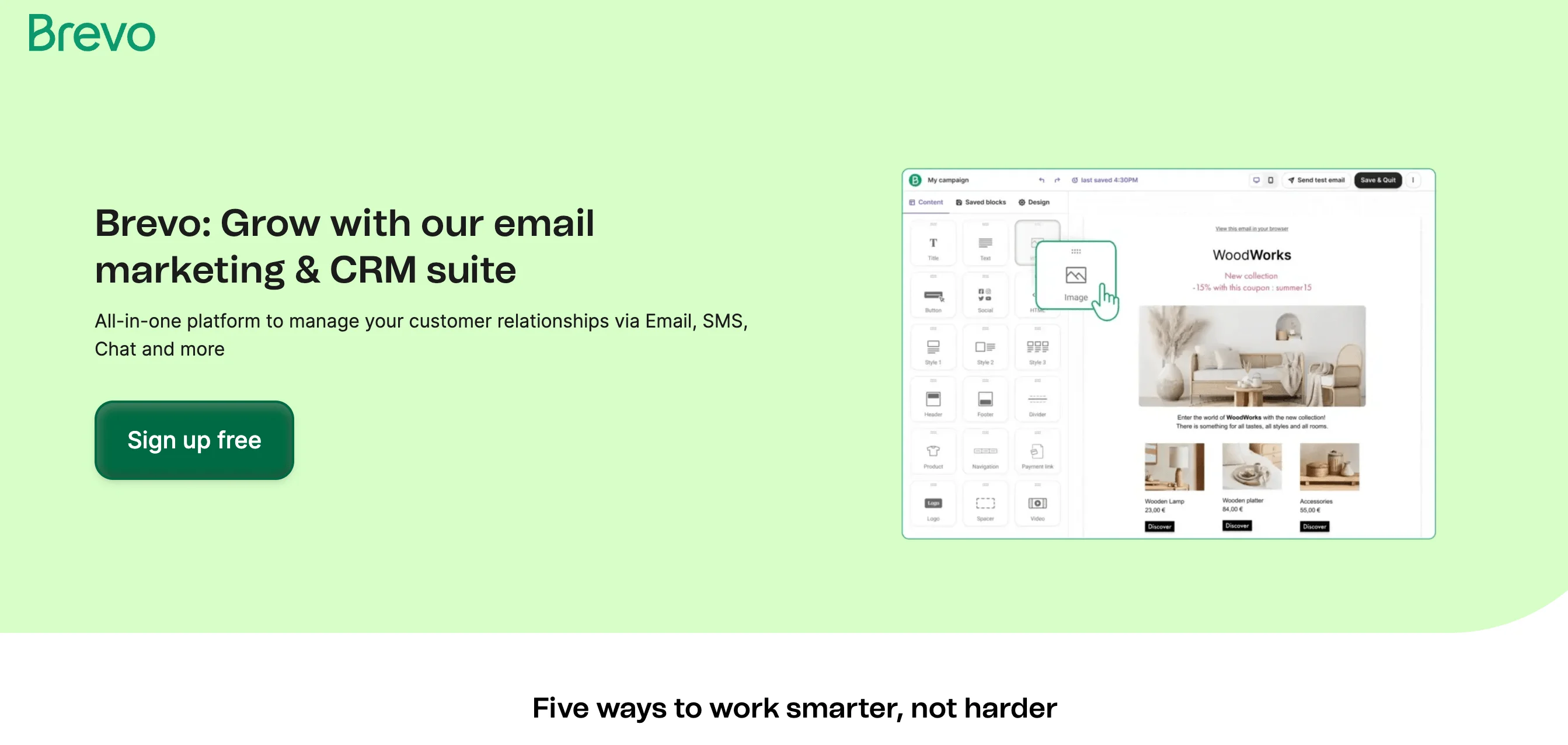
Best for: businesses that want an affordable, modular alternative to HubSpot with email, automation, CRM, and chat features split into hubs.
G2 rating: 4.5/5
Brevo (formerly Sendinblue) is a flexible multichannel marketing platform with email at its core. It features a drag-and-drop editor with more than 50 templates, real-time analytics (opens, clicks, bounces), send-time optimization, and an AI writing assistant. Even on the free plan, you can send up to 9,000 emails per month (300 emails per day) with up to 100,000 contacts, making it one of the most generous free plans available. Based on testing, Brevo offers one of the most generous free plans, especially for transactional and multichannel use cases.
Automation is available on all plans and supports workflows across email, SMS, WhatsApp (available as an add-on), and more. You also get deliverability tools like bounce handling and sender reputation tracking.
Beyond email, Brevo offers optional tools for sales, live chat, push notifications, loyalty programs, and a unified customer data platform. While transactional emails are reliable and easy to set up, mastering the full suite, especially automation, can take some time. Still, it’s a great choice for growing businesses that want solid email capabilities and multichannel options.
Let’s compare Brevo and HubSpot. Brevo is more affordable, with simpler pricing and no onboarding fees. Its free plan is more generous, and transactional emails are included by default. The CRM is lighter — suitable for small B2C teams but not ideal for complex sales workflows.
Pros:
- Generous free plan. Send up to 9,000 emails/month (300 emails/day) to up to 100,000 contacts, with access to core tools like automation and segmentation.
- Free built-in CRM. Brevo includes a basic CRM at no extra cost, making it easy for small teams to manage contacts and sales without additional tools.
Cons:
- Limited reporting on lower plans. Features like geography tracking, heat maps, and advanced click stats are only available on higher-tier plans.
- Multichannel features cost extra. WhatsApp marketing is a paid add-on, while push notifications and pop-ups are only available on the most expensive plans.
Here’s some info on Brevo’s pricing plans.
Free: $0/month. Send up to 300 emails/day with up to 100,000 contacts. Includes customizable templates, drag-and-drop editor, transactional emails (SMTP, API, webhooks), and SMS/WhatsApp campaigns (as paid add-ons).
Starter: from $9/month (billed monthly). Up to 5,000 emails/month and up to 500,000 contacts. Removes daily sending limits and branding (with add-on), adds basic reporting, analytics, and 24/7 email support.
Business: from $18/month (billed monthly). Up to 2 million contacts, everything in Starter, plus unlimited marketing automation, predictive sending (AI), A/B testing, advanced statistics, landing pages, phone support, and optional multi-user access.
Enterprise: custom pricing. Includes unlimited contacts, sub-account management, advanced integrations, personalized onboarding and support, exclusive features, and enterprise-grade security.
Zoho Campaigns
Where it beats HubSpot: More affordable and integrates seamlessly within the Zoho ecosystem.
Where it falls short: Less intuitive interface and more limited automation depth.

Best for: teams already using Zoho’s ecosystem (like Zoho CRM, Books, or Projects) that want tight native integrations without the hassle.
G2 rating: 4.3/5
Zoho Campaigns is part of the larger Zoho ecosystem — a suite of cloud-based tools for small and mid-sized businesses. Campaigns focuses specifically on email and SMS marketing. In our experience, Zoho Campaigns makes the most sense for teams already using Zoho’s ecosystem and wanting native integrations without adding unnecessary complexity.
The platform includes a drag-and-drop email editor, pre-designed templates, and HTML support. You can personalize emails with segmentation and dynamic content and set up trigger-based automations for onboarding, engagement, and e-commerce messaging. Contact management is made easier with CRM syncing, signup forms, and data organization tools. Real-time analytics show key performance metrics, and you can create and track campaigns on the go with the mobile app.
If you’re already using other Zoho tools, Campaigns integrates seamlessly. For teams managing multiple channels, Zoho also offers Marketing Plus, which is a unified platform that combines Campaigns with tools for social media, webinars, surveys, and more.
Zoho Campaigns is much more affordable than HubSpot and covers all the core email features. HubSpot is more powerful overall — especially when it comes to automation and analytics — but you’ll pay for it. Zoho’s automation is simpler but reliable, and its reporting sticks to the essentials.
Pros:
- Multi-user access, even on the free plan. Five users are included for free; up to 20 on higher tiers.
- Strong integration with Zoho. Zoho Campaigns works well with other Zoho tools like CRM, Books, Projects, and so on.
Cons:
- Steep learning curve. If you’re unfamiliar with the Zoho ecosystem, the interface and many of the features might feel unintuitive.
- Dated templates. Some users report that Zoho’s email templates look a bit outdated or generic, especially compared to newer platforms.
Let’s discuss Zoho Campaigns’ pricing plans.
Forever Free: $0/month for up to 2,000 contacts. Includes 6,000 monthly emails, 5 users, signup forms, limited email templates, and a compliance check.
Standard: from $4/month (billed monthly) for 500 contacts. Unlimited emails, 10 users, full template access, basic segmentation, basic workflows. SMS marketing and dedicated IP are available as add-ons.
Professional: from $5/month (billed monthly) for 500 contacts. Everything in Standard, plus advanced segmentation, contact scoring, advanced workflows, e-commerce automation, pop-up forms, dynamic content, polls, batch sending, recipient time zone, and smart send features. SMS and dedicated IP are still add-ons.
GetResponse
Where it beats HubSpot: Built-in funnels, webinars, and creator-focused tools at a lower cost.
Where it falls short: Weaker CRM and fewer enterprise-level features.

Best for: e-commerce brands, course creators, and content creators who want an all-in-one tool for building sales funnels, hosting webinars, and automating customer journeys, not just sending emails.
G2 rating: 4.3/5
GetResponse is an all-in-one marketing platform best known for its email tools, but it also offers automation, landing pages, e-commerce features, and even webinars. It’s especially popular with creators, online businesses, and small teams looking for an affordable, flexible solution.
In our experience, GetResponse is a strong choice for creators and e-commerce teams that rely on funnels and webinars. You get AI-powered email campaigns, marketing automation workflows, and landing pages — plus standout extras like lead funnels, live webinars, and a full course builder. Multichannel tools include SMS, web push, and live chat. There’s also a drag-and-drop website builder and e-commerce features like abandoned cart recovery and product promos.
GetResponse is more beginner-friendly and email-focused than HubSpot, with standout features for creators and e-commerce, like AI tools and funnels. HubSpot has stronger CRM capabilities and more powerful enterprise automation.
Pros:
- E-commerce-friendly. Shopify integration, abandoned cart emails, and promo tools to help drive sales for online stores.
- Longer free trial. Most platforms on this list offer a 14-day free trial, while GetResponse gives you a whole month.
Cons:
- More expensive than others. Pricing is higher compared to similar platforms on this list.
- Limited automation on lower plans. Only one custom workflow is included with the basic plan.
Now, onto pricing.
GetResponse Free: 2,500 emails a month, 1 landing page, signup and contact forms, analytics for key metrics.
All the plans below include monthly billing, unlimited emails, and 1,000 contacts:
Starter: $19/month. One custom automation workflow, AI-powered content tools, a landing page builder, forms & pop-ups, a welcome series, and a free custom domain with a yearly plan.
Marketer: $59/month. Unlimited workflows, advanced segmentation, abandoned cart recovery, sales funnels, web push notifications, promo codes, and revenue reports.
Creator: $69/month. All Marketer features + webinars, website builder (up to 5 sites), course creator, student management (up to 500), and premium newsletter tools.
Enterprise: Custom pricing. All features, plus transactional emails, SMS marketing, priority support, unlimited users, and single sign-on.
Pipedrive
Where it beats HubSpot: Simpler, more focused CRM for sales teams with lower pricing.
Where it falls short: Email marketing features are basic and require add-ons.
Best for: teams that are sales-driven first and need a clean, easy-to-use CRM, and those who want basic email marketing baked into their CRM without complex automations.
G2 rating: 4.3/5
Pipedrive is first and foremost a sales-focused CRM that has added email marketing as a growing add-on. We’ve seen Pipedrive work best for sales-driven teams that don’t need advanced marketing automation.
The Campaigns by Pipedrive extension lets you create and send emails directly from within the platform using a drag-and-drop builder, branded templates, basic segmentation, and real-time analytics (opens, clicks, bounces). You can also trigger emails based on pipeline activity, thanks to built-in automation. Since everything runs on top of Pipedrive’s CRM, your campaigns can tie directly into deal stages, contact actions, and sales progress.
Let’s compare it to HubSpot. Pipedrive is a CRM tool built for sales teams, so everything revolves around pipelines and deals. Its email marketing features are newer and more basic, but they do the job, and the pricing is much more budget-friendly. HubSpot, on the other hand, has stronger built-in marketing tools, more integrations, and more advanced automation.
Pros:
- Simple and user-friendly. The interface is clean and intuitive, making it easy to get started.
- Built for sales teams. Since Pipedrive is a CRM first, it’s great for teams that want email tools tied directly to pipeline stages and deal activity.
Cons:
- Limited email tools. Pipedrive isn’t as advanced as dedicated marketing platforms.
- Email is not included by default. You’ll need to pay extra for email marketing features — they’re not part of the base CRM plan.
Let’s discuss pricing.
Email marketing is a paid add-on that starts from $13.33, but you have to have a regular Pipedrive subscription first.
Lite: $24/month (billed monthly). Basic CRM tools like lead, calendar, and pipeline management.
Growth: $49/month (billed monthly). Adds email sync, automations, and nurturing sequences.
Premium: $79/month (billed monthly). Adds lead generation, scoring, contracts, e-signatures, and team customization tools.
Ultimate: $99/month (billed monthly). Adds advanced security, data enrichment, usage limits, and sandbox testing.
EngageBay
Where it beats HubSpot: Similar all-in-one functionality at a much lower price.
Where it falls short: Less polished interface and fewer integrations.
Best for: small businesses, startups, solopreneurs, and anyone who wants HubSpot but can’t afford it.
G2 rating: 4.6/5
EngageBay is an all-in-one platform built for small businesses. Like HubSpot, it splits its tools into Marketing, Sales, Service, and CRM hubs, or you can choose the All-in-One plan that bundles everything together. It’s not as powerful or polished as HubSpot, but it covers most of the same ground for a much lower price. For teams trying to replicate HubSpot on a budget, EngageBay is one of the closest alternatives we’ve seen.
You get a ton of tools: email campaigns and sequences, marketing automation, landing pages, forms, social scheduling, push/SMS, and reporting. On the sales and support side, there’s deal tracking, calling, proposals, calendars, helpdesk, and live chat — all tied into a simple CRM.
EngageBay has fewer features, fewer integrations, and a clunkier interface. But it does the job for most use cases — email marketing, CRM, automations, and customer support — without HubSpot’s big learning curve or price tag.
Pros:
- All-in-one toolkit. Combines marketing, sales, service, and CRM tools under one roof — no need to juggle multiple platforms.
- Generous free plan. Includes email marketing, landing pages, CRM, helpdesk, and even live chat.
Cons:
- Steeper jump between plans. Advanced features like A/B testing and automation are locked behind pricier plans.
- Long-term commitment. To get the best prices possible, you have to pay for two years upfront.
Now, onto prices for the All-in-one hub. Interestingly enough, EngageBay’s cheapest plans are available on a biennial billing cycle (which is rare — most tools give their best deal annually).
Free: $0/month. 250 contacts, 1,000 emails, basic email tools, CRM, helpdesk, and live chat.
Basic: $14.99/month (billed monthly). 500 contacts, 3,000 emails, SMS marketing, landing pages, pop-ups, and integrations.
Growth: $64.99/month (billed monthly). 5,000 contacts, 25,000 emails, automation, A/B testing, push notifications, custom domains, and proposals.
Pro: $119.99/month (billed monthly). 50,000 contacts, 50,000 emails, advanced reporting, goals, phone support, and a dedicated account manager.
What is the best HubSpot alternative for you?
Let’s be honest, there’s no universal answer here. It depends on what you’re after.
If you need a solid email marketing tool without the headache, something like Selzy or Mailchimp may be the right choice. Need deeper automation, or e-commerce extras? Check out ActiveCampaign or GetResponse. If you’re mainly focused on sales and only need basic email marketing, Pipedrive could be right for you. Budget-conscious? Selzy and Brevo come with generous free plans.
No single tool beats HubSpot at everything. But if you know your priorities, there’s always a more affordable option that fits you better. If you’re looking for a no-fuss, affordable, and effective marketing platform, Selzy is a smart place to start!
 New and noteworthy on our blog