


Key takeaways
- Email signup forms are crucial as they can convert visitors into loyal subscribers and paying customers.
- Effective email signup forms can significantly impact your marketing funnel and help build a strong email list.
- Defining goals and audience is essential for better targeting and shaping the form.
- Keeping signup forms simple by asking for only necessary information can improve conversion rates.
- Crafting compelling call-to-action (CTA) messages can encourage more sign-ups.
- Using lead magnets like discounts or free resources can boost conversions.
Email signup forms are often the first real interaction someone has with your brand. Done right, they can turn casual visitors into loyal subscribers — and eventually, into paying customers.
In this article, we’ll examine why email signup forms matter, check out ten best practices to make your forms drive as many conversions as possible, and also have a look at some signup form examples and common mistakes.
Why do effective email signup forms matter for your marketing?
An email signup form might be a simple concept — just a few fields and a button. But in practice, it’s a hugely important part of your marketing funnel. A good signup form can turn passersby into fans and help you build your email list. A bad one can damage your growth.
Whether it’s an embedded form on your homepage, a gamified quiz, or a pop-up triggered by exit intent, how you ask for an email address affects who signs up and how many do. The better your form, the more leads you collect, the stronger your list, and the more effective your email marketing becomes.
If you’re just getting started with email newsletter forms, making sure your form looks the best it can may feel overwhelming. If you’re not an IT wizz, don’t worry — you don’t need coding skills to build signup forms people will want to fill out. Many email newsletter software platforms, including Selzy, feature built-in tools to help you create effective forms, test different versions, and track performance over time.
Top 10 best practices to optimize your email signup forms
Now that we know why email subscription forms matter, let’s look at how to actually make them work. From placement and design to copy and consent, every detail plays a role. Here are 10 tried-and-true tips to make your forms stand out.

1. Define your goal and audience for better targeting
Before you build your first form, take a moment and think about what you actually want to achieve. Are you building a general mailing list, promoting a specific product, or offering a lead magnet like a discount or downloadable resource? Defining this goal will allow you to shape what your form looks like, what information you collect, and where you place it.
Next, think about those you’re trying to reach. Do you know your audience’s needs, preferences, and behavior? Creating simple customer personas can help here. You don’t need to go into a lot of detail, just think who your typical users are, what they need, and how they act.
If your ideal customer values simplicity and speed, your form should be short and easy to fill out. If you’re targeting professionals or people in a specific niche, you might want to collect a bit more information to help segment your list later.
Once you’ve got your audience and your goals down, you can choose what type of form will suit your needs best. Pop-up forms are a good fit when you want to grow your list quickly — they’re perfect for grabbing attention and offering limited-time deals.
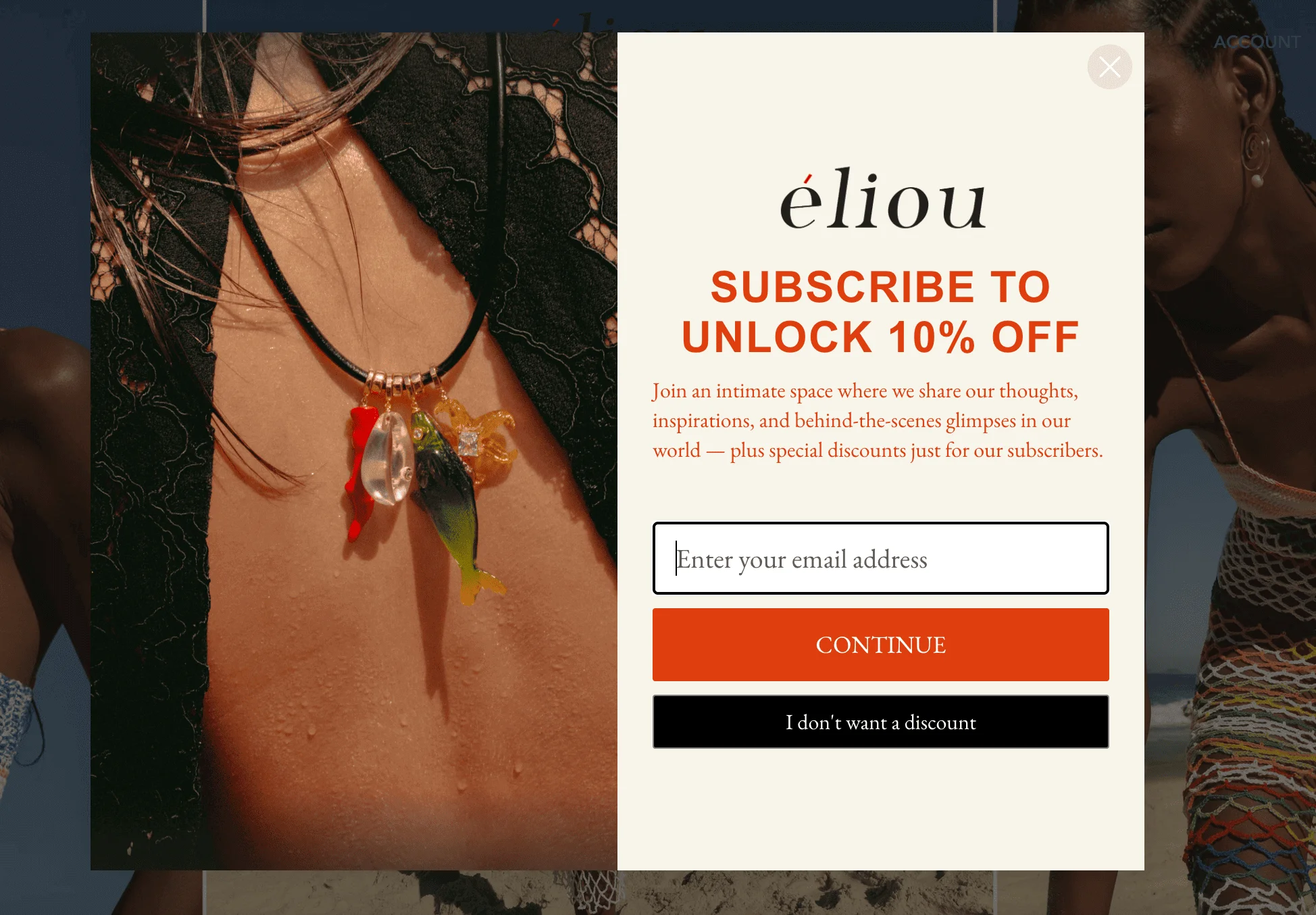
If your brand is more high-end or targets a more serious and reserved audience, an embedded form that quietly lives in your footer may be a better choice.
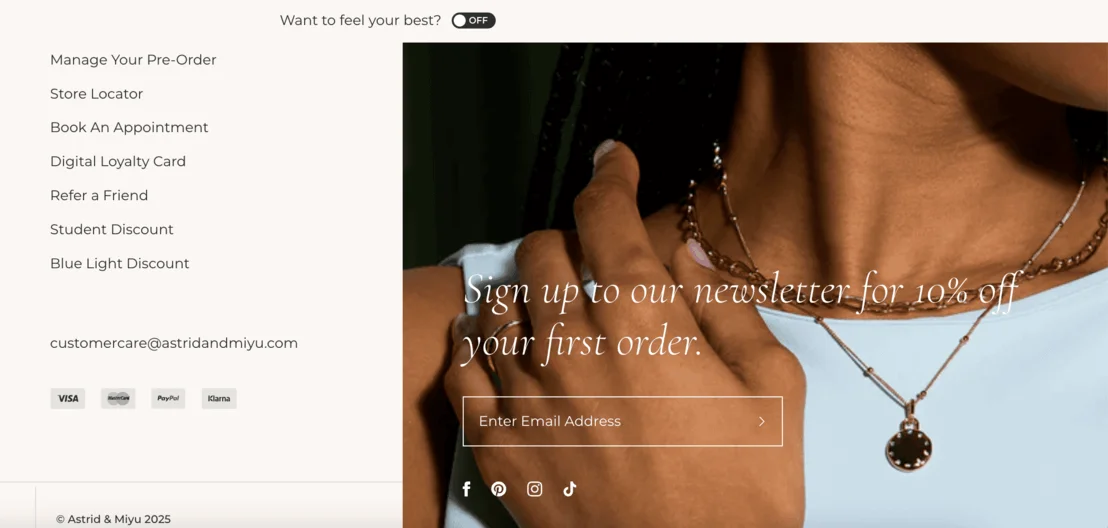
Not sure which one is right for you? embedded vs pop-up forms. Gamified forms (like spin-the-wheel discounts) can also work well for younger audiences or e-commerce stores looking to drive fast engagement.
So, to sum it all up, your form shouldn’t just be functional. It should also match the tone, pace, and expectations of the people you want to reach.
2. Keep it simple: Less is more
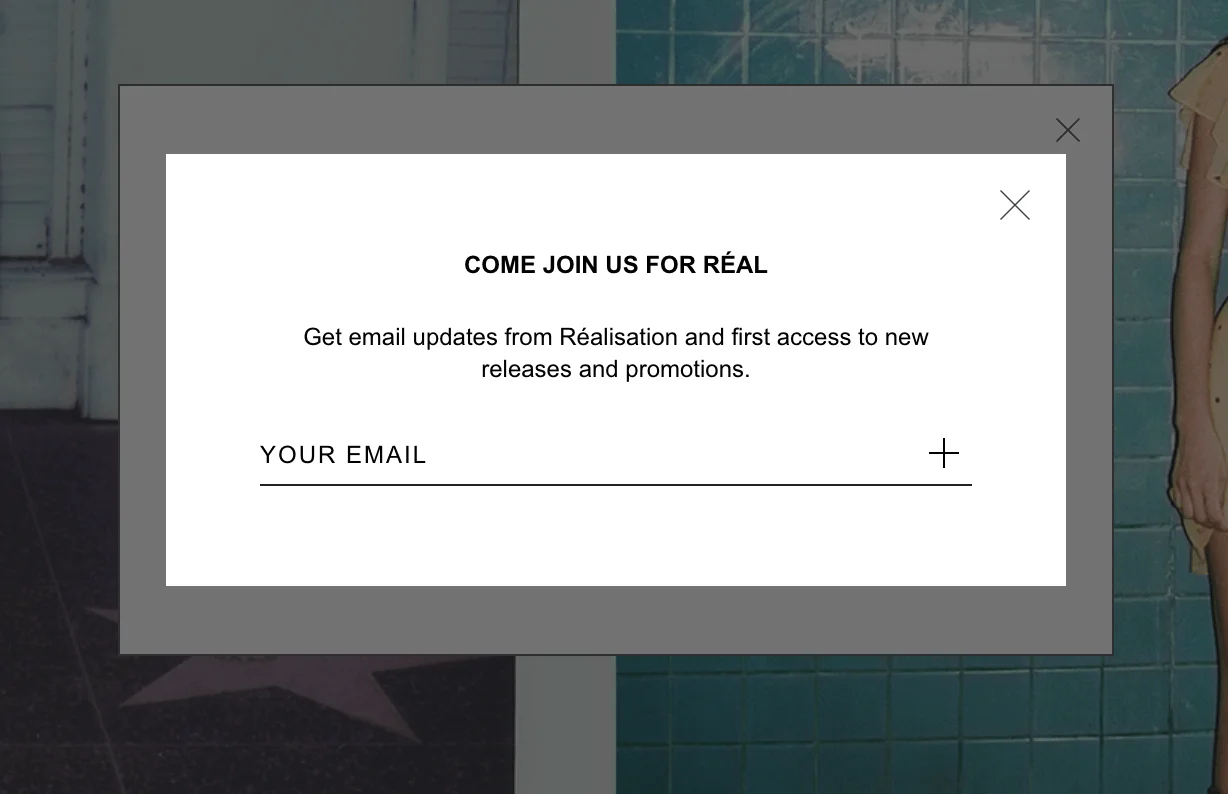
Imagine yourself in the shoes of someone visiting your website. Would you want to fill out dozens of fields in a signup form? Didn’t think so. The golden rule is: only ask for what you really need. For most businesses, a first name and email address are enough to get started.
The fewer fields you include, the quicker the process for the potential subscriber. If you do need more details (like company name or job title), consider asking for them later, or making these fields optional to fill in. A clean, uncluttered design also helps — don’t overdo it with buttons, fonts, and colors.
Here’s an example of a very simple form:
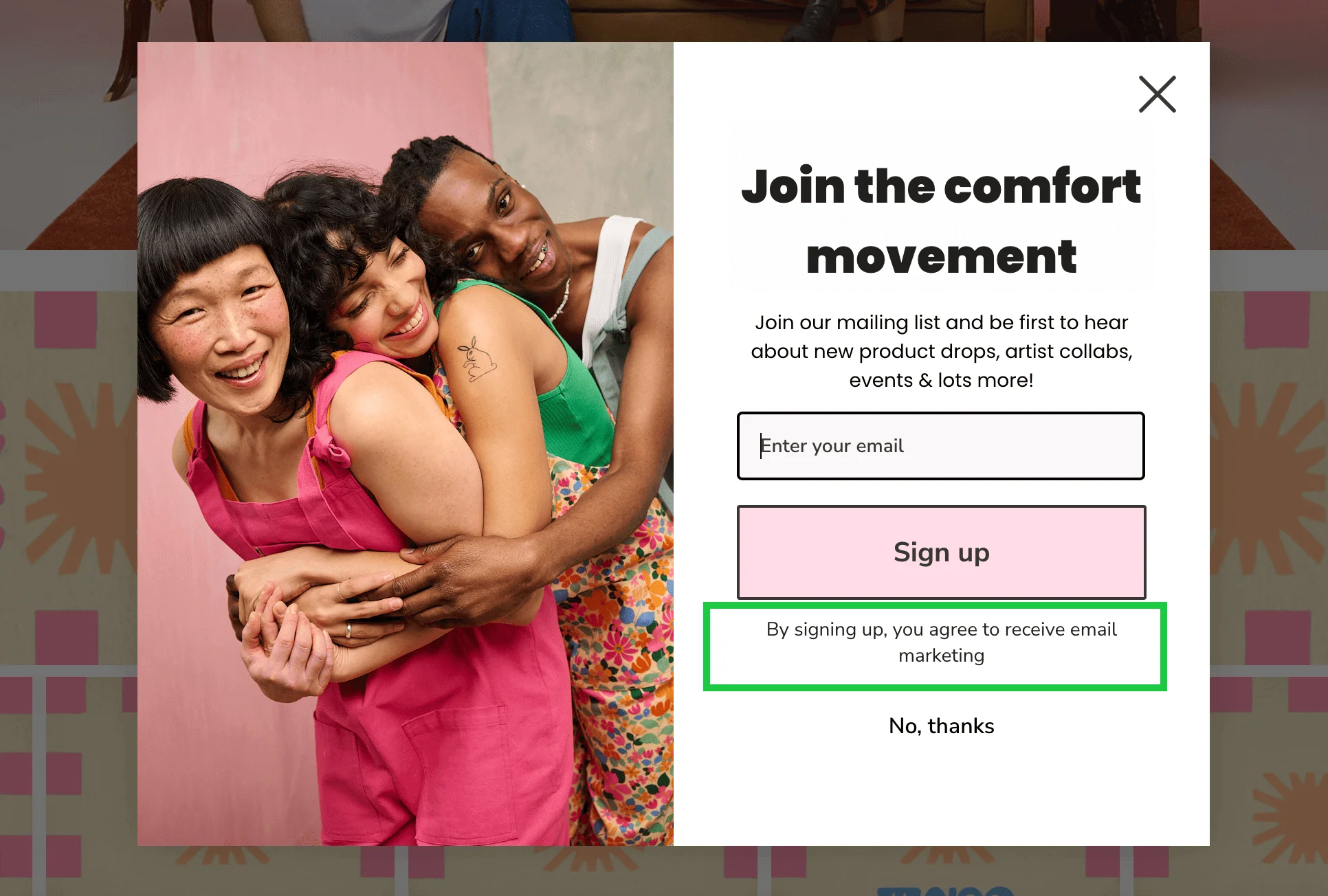
Don’t forget: email collection is data collection, so your form will have to be compliant with local data protection laws such as GDPR or CAN-SPAM Act. That doesn’t mean you need to paste your whole privacy policy into the form, though. A simple, clearly worded checkbox saying users agree to receive marketing emails is enough. Here’s another way you could phrase it:
3. Craft a compelling call-to-action (CTA)
As marketers, we know how important a call-to-action can be. After all, it’s what turns a casual visitor into a subscriber. A strong CTA tells people exactly what they’ll get and makes it sound worthwhile.
There’s nothing really wrong with generic phrases like “Sign up” or “Subscribe,” but we think you can do better by being more specific and benefit-focused. Here are a few examples:
- “Get weekly marketing tips.”
- “Join the waitlist for early access.”
- “Claim your 10% discount.”
Take a look at this form of the fashion publication Who What Wear:
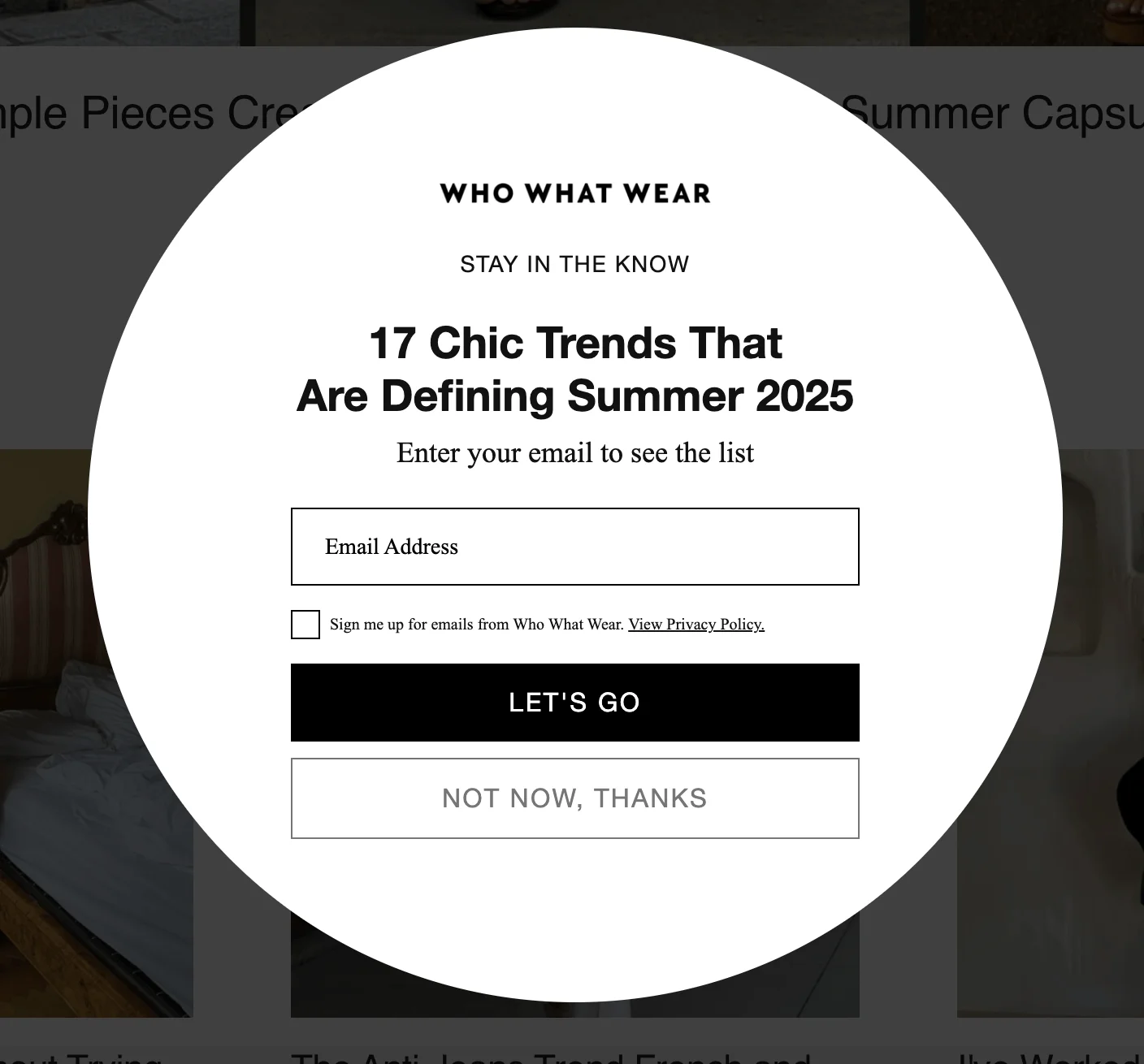
The CTA button, reading “Let’s go,” is compelling and action-oriented. The copy above the field tells the visitor exactly what they’ll get — “17 Chic Trends That Are Defining Summer 2025.”
4. Use lead magnets to boost conversions
So, we’ve just seen a simple example of what we’re about to discuss here. “Enter your email to see the list” is a clear value exchange — you give your email, and you get access to a curated trend list. A lead magnet is a free offer in exchange for someone’s email, and the image above is a textbook example of that. It can be an e-book, an early access, a free trial, a checklist, a quiz, etc.
The best lead magnets are relevant to your audience, quick to fill in, and immediately useful. This is particularly relevant in e-commerce: according to research from WisePops, pop-up signup forms that offer discounts to first-time shoppers and subscribers convert the most visitors, in comparison to other kinds of pop-up forms.
Here’s an example of an embedded subscription form from design studio ROBERTS | WOOD, offering all kinds of incentives:
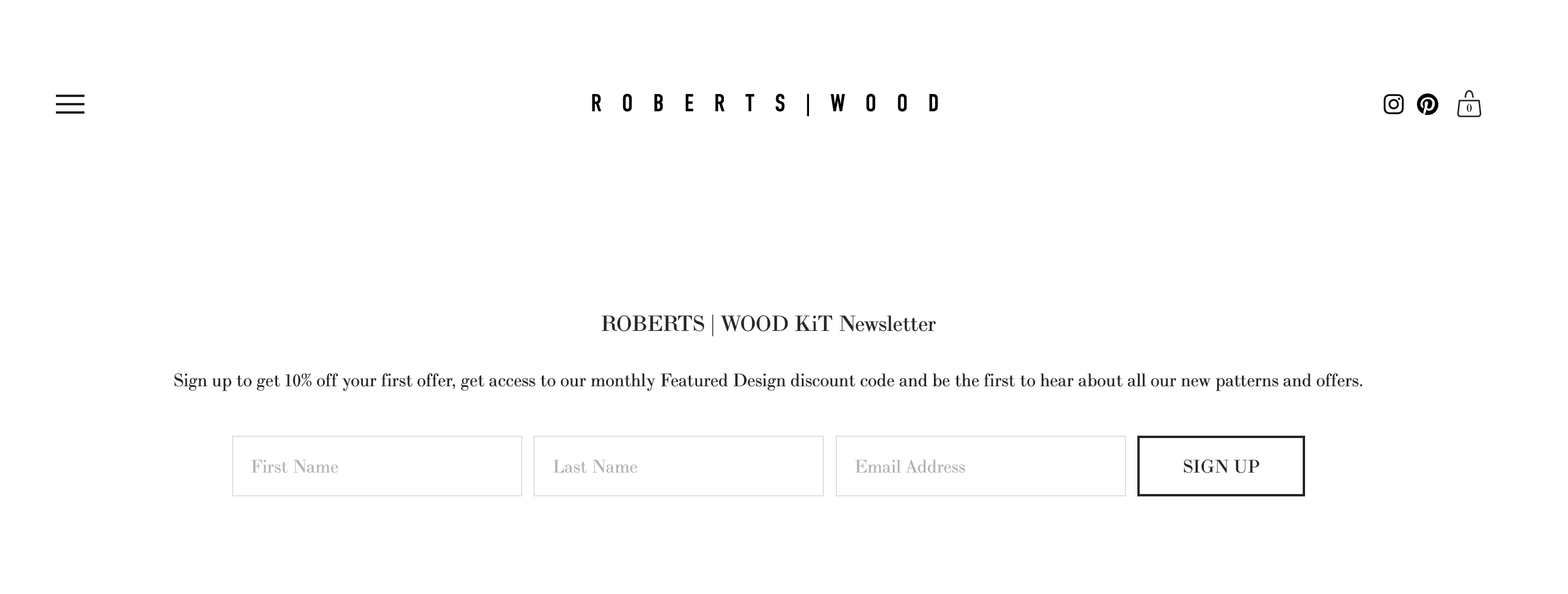
If you’re building a dedicated signup page instead of just embedding a form, make sure it delivers a strong value proposition right away. Need inspiration? Check out our favorite newsletter landing page examples for ideas that convert.
5. Make your signup form visually appealing
A clean, well-designed form doesn’t just look good — it builds trust and makes people more likely to engage, as well as reinforces your brand identity through design choices.
Stick to simple layouts, readable fonts, and colors that align with your brand. Use spacing and contrast to guide the eye — your CTA button, for example, should stand out clearly on the page. If you’re using a background image or illustration, make sure it doesn’t compete for attention with the form fields or text.
Try to match the general aesthetic of your website. Whether you’re going for minimalism, luxury, or bold and playful, your signup form should feel like a natural part of your brand universe.
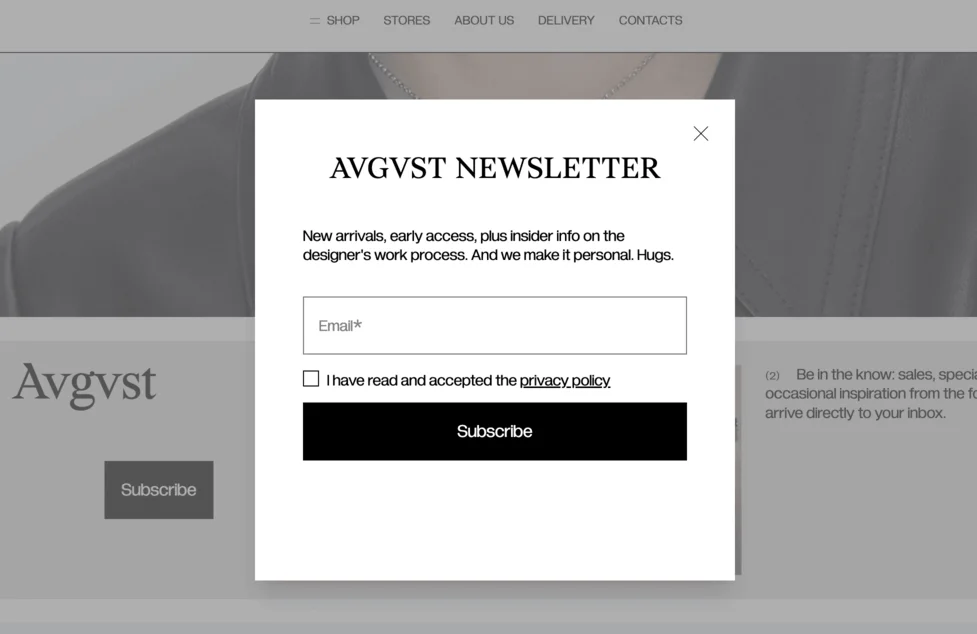
This form from the jewelry brand Avgvst is a great example of visual consistency. The monochrome palette, complementary fonts, and spacious layout match the overall clean aesthetic of the website. It feels like an extension of the brand, rather than an afterthought — it’s minimalist yet personable and warm (like the inclusion of the word “Hugs”).
Let’s have a look at another example of this, from email marketing platform AWeber’s blog.
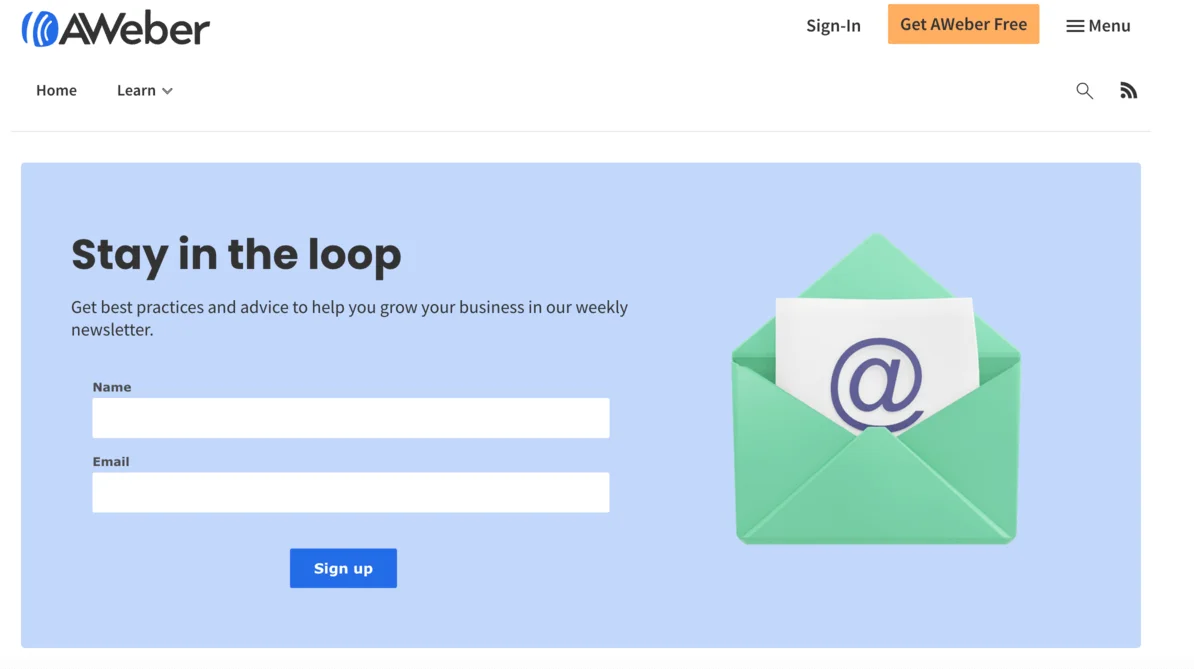
The layout is clean and easy to scan, with plenty of white space and a calming background color. The CTA button uses the same bold blue as other elements on the site, creating visual cohesion. The form includes only two fields (name and email), and the friendly illustration adds personality without overwhelming the design.
6. Test and optimize for mobile users
These days, many people spend more time on their phones than on their computers, and that includes reading emails and browsing websites. If your signup form looks awkward or breaks on a small screen, you risk losing potential subscribers before they even read your offer, so mobile optimization is absolutely essential.
Once your form looks great on a computer screen, test it on different devices — iPhones, iPads, Android phones, as well as in different browsers. Your form should load quickly for mobile users, fit the screen without a scroll, use large, readable fonts, and have buttons that are big enough to tap easily.
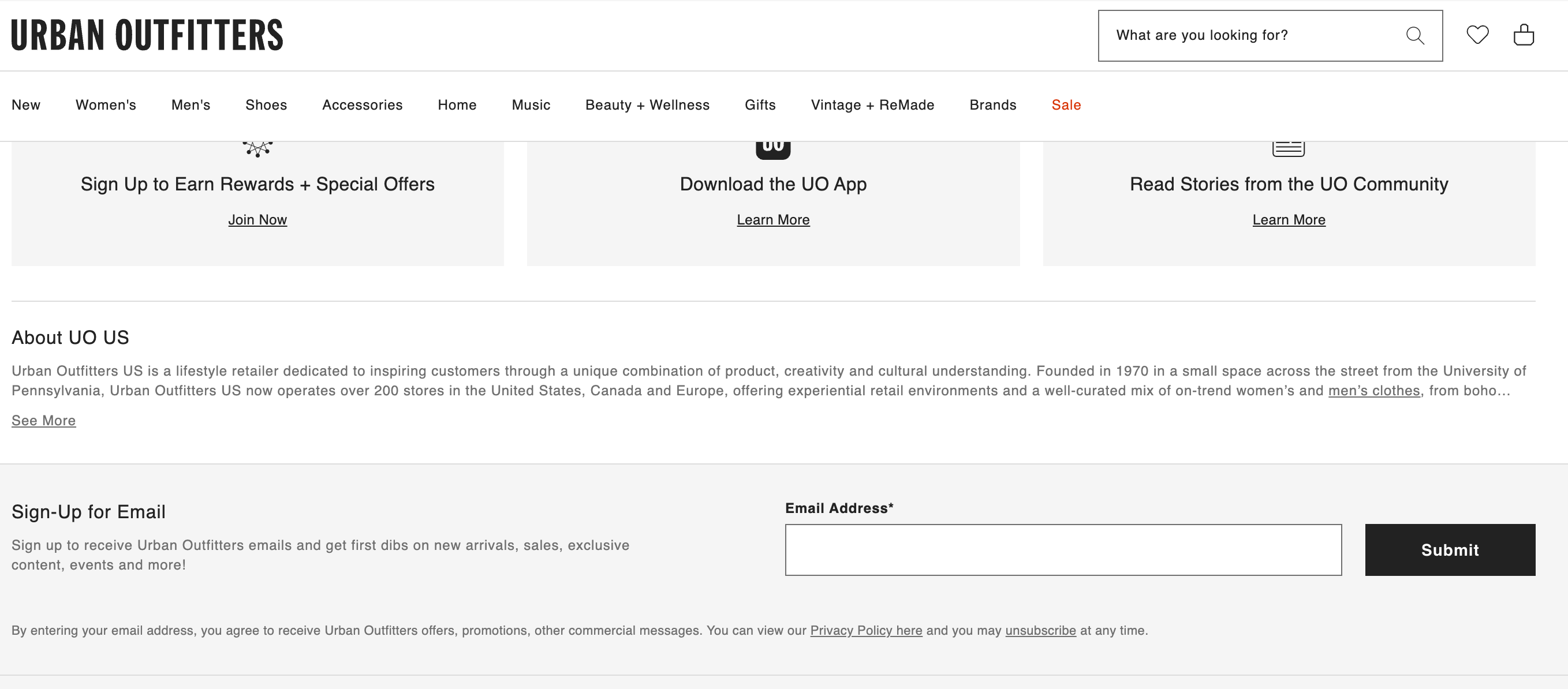
For example, here’s a subscription form on the Urban Outfitters US website, located in the footer:
And here’s the same form, viewed on mobile:
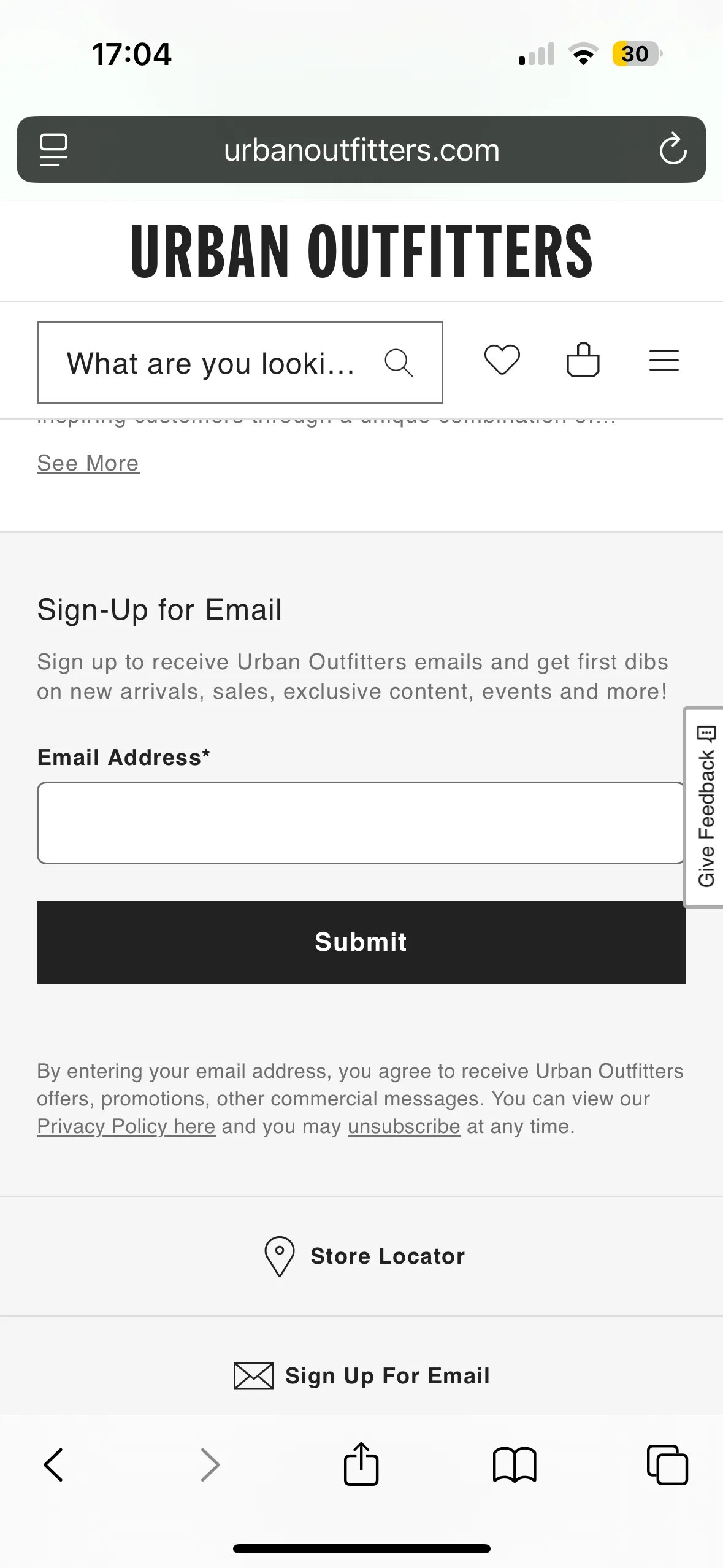
The reason this form is a good example of mobile optimization is that it’s clean, easy to tap, and everything fits perfectly on a small screen. The copy is short and clear, and the form is placed at the very bottom of the mobile site, where users can spot it easily.
A bonus: even if the main form doesn’t load properly due to a glitch or slow internet connection, visitors can still subscribe by clicking on the “Sign Up For Email” button located right under the form.
7. Segment your audience for personalization
Segmentation and personalization are the bread and butter of email marketers. Why? Because blasting the same message to your entire list just doesn’t cut it. People expect to see content that’s tailored to their preferences, and these strategies help you make it happen.
In general, segmentation means dividing your audience into smaller groups based on shared traits like location, interests, behavior, or how they signed up.
One way to start segmenting from the get-go is by tweaking your signup forms. You can add a simple multiple-choice question asking users what they’re interested in, or include a dropdown menu where they can pick a category (such as “Men’s” vs “Women’s” if you’re running a clothing store).
You can also serve different forms to different users. For example, returning customers might see a referral offer (“Invite a friend, get 10% off”) or a special subscriber-only deal.
8. Use social proof to build trust
Sometimes, when a potential subscriber lands on your page, they’ll ask themselves: Is subscribing worth it? This is where social proof comes in. If you show visitors to your website that others have already subscribed (and are benefiting), you can reduce hesitation and build credibility.
It doesn’t need to be flashy — it can look something like “Join 20,000+ readers,” testimonials from happy subscribers, star ratings, or even well-known logos of brands that use your product.
Let’s look at a real-life example:
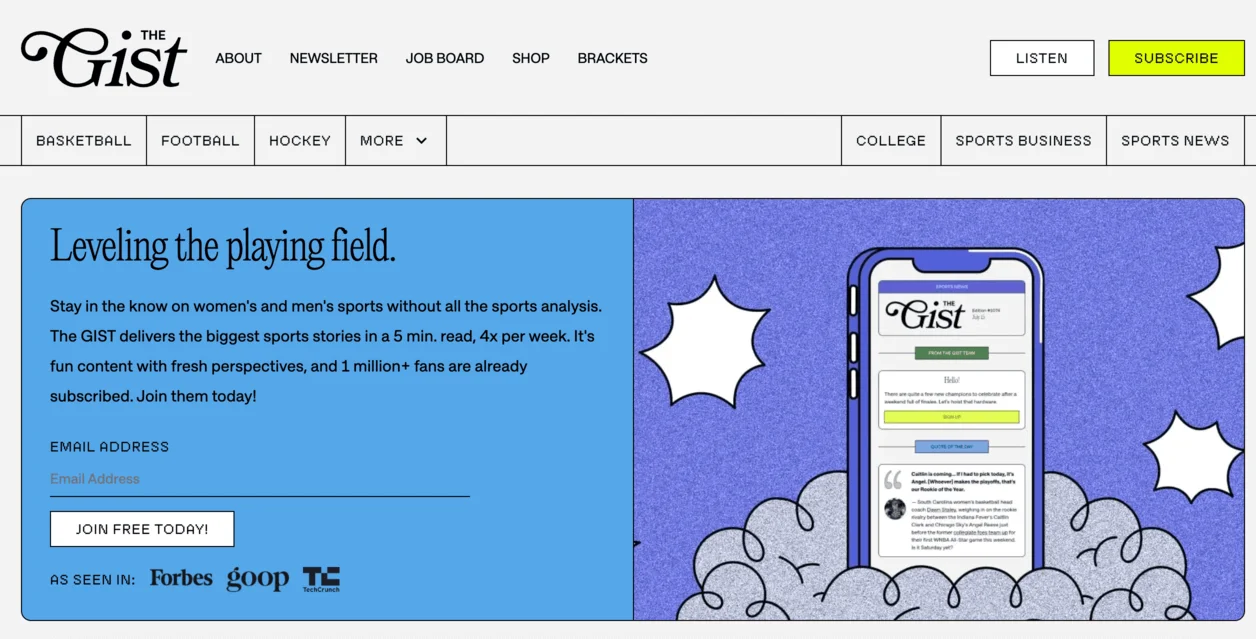
Newsletter website The Gist entices you to subscribe by announcing “1 million+ fans are already subscribed” and showcasing media mentions from Forbes, Goop, and TechCrunch.
9. Experiment with pop-ups, but don’t overdo it
The other day, I found myself browsing the infamous clothing website Shein. Within ten minutes, I was hit with no less than five pop-up forms, each one arriving the moment I closed the last. As a potential customer, I was totally overwhelmed and driven away.
This cautionary tale notwithstanding, it’s not always a bad idea to use more pop-ups than one, just don’t be as aggressive about it as Shein.
There are lots of different kinds of pop-ups you can experiment with. For example, you could have a timed pop-up for first-time visitors that would appear after 30 seconds of them browsing, and an exit-intent pop-up that appears when the user moves their cursor toward closing the tab. This way, you’re offering the customer value at different stages of their journey without bombarding them.
10. Test your forms and make data-driven decisions
Even the most beautiful, thoughtfully designed form won’t perform well if it doesn’t resonate with the visitors to your website. The only way to know what lands and what doesn’t is to test your forms. A/B testing, where you compare two different versions of the same form sent to two different segments of your audience, can help you find out what works best, whether it’s the headline, button copy, color, placement, or form type.
The good news is that many form-building tools let you set up and run A/B tests without much effort, and many provide built-in analytics dashboards so you can track key metrics.
Common mistakes to avoid when designing email signup forms
Even the most seasoned marketers slip up sometimes. To make sure your signup form works as hard as it should, watch out for these common mistakes.
Overloading forms with too many fields
Asking too much, too soon is a sure way to tank your sign-up rates. A cluttered form with half a dozen fields feels more like paperwork than an invitation. If your form takes too long to fill out, many people simply won’t bother.
In other words, try to keep your form short and focused. Ask only for what you need to start the relationship — usually, that’s just a name and an email. If you’re curious about details like job title, budget, or buying intent, that can come later.
If you really need to gain extra information about your subscribers, consider running a survey instead. It’s a far better experience for the customer, and tools like Google Forms make it really easy. create a Google Forms survey for more information.
Ignoring the user experience (UX)
You may think you’ve designed a really beautiful form, but if the font is hard to read, the layout is confusing, or the buttons are unresponsive, it won’t be good for your conversion rates.
Good design isn’t just about how things look; it’s also about making the user experience smooth and effortless. That means clear labels, enough contrast, mobile responsiveness, and fast loading times. It should be obvious where to type, what to click, and what the user is getting in return.
Failing to show clear value or incentives
We’ve said it before, but it bears repeating: people won’t sign up without a reason. If your form doesn’t highlight what subscribers are getting in return, you’re leaving conversions on the table. Your incentive doesn’t have to be huge. Even small perks work, as long as they’re relevant and appealing to your audience.
Not testing and iterating your forms
Your first form doesn’t have to be your last. As your business and audience grow and evolve, your forms should follow suit. Keep testing, tweaking, and improving, because even small changes can lead to better results.
Final thoughts
While there’s no magic trick or perfect formula for an email signup form, there are patterns that work. The most effective forms are simple, mobile-friendly, and visually aligned with your brand. They offer a clear reason to subscribe, speak directly to the right audience, and adapt over time through testing and smart segmentation.
Whichever type of form you choose, follow the advice set out in this article and turn signups into conversions!

 New and noteworthy on our blog