



Key takeaways
- To improve outreach results without high costs, contact individuals directly using their personal email addresses.
- Ways to find email addresses for free include checking company websites, LinkedIn profiles, social media, and using Google search operators.
- Utilize professional networking platforms like LinkedIn to find email addresses or request contact details through messages.
- Consider exporting LinkedIn connections to save time and organize your network effectively.
Looking to improve your outreach results without breaking the bank? Whether you’re applying for a job, looking to network and collaborate, or sending a general cold email, it’s more effective to contact someone directly, using their personal email address. But how do you find it?
We’ve got you covered. In this article, we’ll explore how to find an email address for free for your email outreach, different ways to do so, online resources that can help you with your search, and some tips and best practices.
How to find an email address for free manually
The fastest free way to find someone’s email address is to start with public sources: check the company website, LinkedIn contact info, author pages, and social profiles. If that does not work, use Google operators, identify the company’s email format, test likely address patterns, and verify the address before sending. For business outreach, use only publicly available data and follow privacy and anti-spam rules.
Let’s first consider why you may want to find someone’s email address for free. The reasons include reaching out to a potential client, connecting with industry professionals, or growing your network without spending money.
Whether you’re trying to promote your products, grow your audience, or start partnerships, having access to the right email addresses is crucial for your marketing efforts. Using the methods we list below will allow you to keep costs low while establishing the connections you need to boost your email marketing outreach.
So, how do you find an email address for free?
Searching a company website
The simplest way to look up email addresses for free is to search publicly available information. Start with pages where companies usually publish people or department contacts: About, Contact, Team, Press, Media, Careers, author bio pages, and personal blogs linked from employee profiles. If the site has downloadable PDFs, event pages, or webinar materials, check those too because they often include speaker or media contact details.
You can also search across websites and online directories, such as Hunter, ZoomInfo, or Yellow Pages. There are also industry-specific online directories like Crunchbase for startups or Manta for small businesses. To search within one company domain, try a query like site:company.com “Name” “email” OR “contact”.
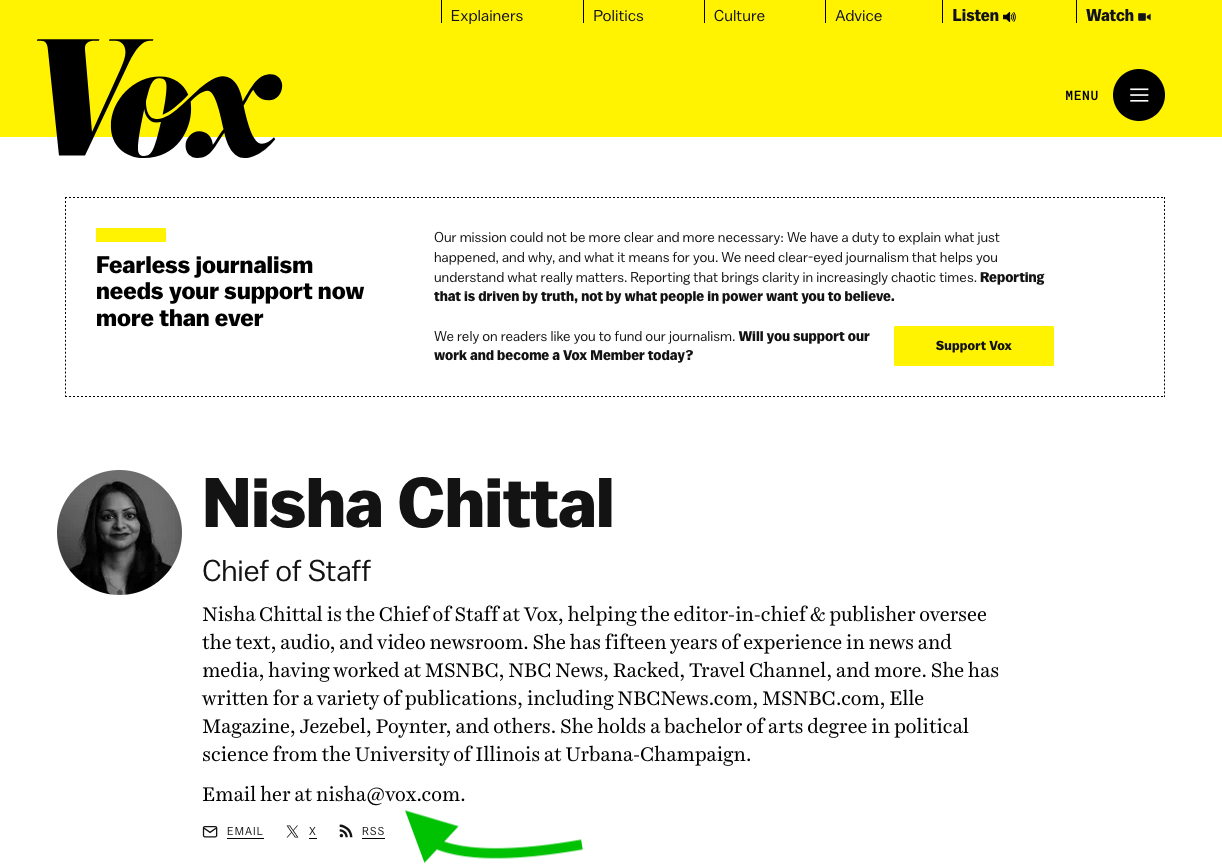
Here’s an example of a staff member page with email on Vox:
Utilizing LinkedIn and other professional networking platforms
Professional networking platforms like LinkedIn can also be useful for finding email addresses. Many individuals include their email in their LinkedIn bio or elsewhere on their profiles.
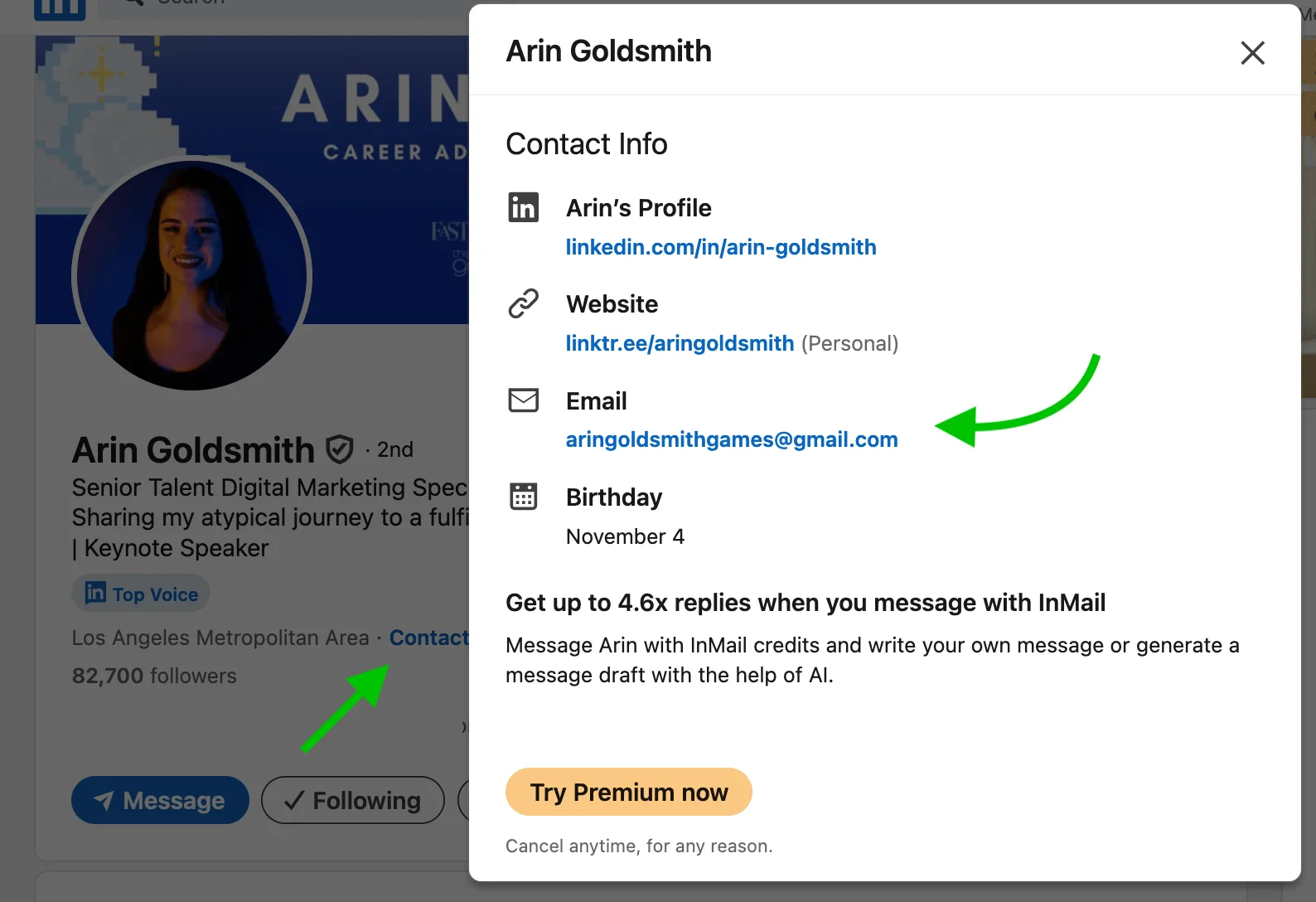
Even if the person you want to reach doesn’t list their email address on LinkedIn, you can message them to request contact details. Here’s another helpful tip — many corporate email addresses follow a similar format, so search for clues in the person’s job title or company information.
If you end up finding multiple email addresses of interest, consider exporting your connections to save time. To do this, request a data archive from LinkedIn — a file with the names and email addresses of your connections. This feature is a great way to organize your network and would also come in handy if you lose access to your LinkedIn account.
Here’s a quick guide to exporting your connections data from LinkedIn:
- In the Me menu in the top right-hand corner of the page, select Settings & Privacy.
- Click on Privacy followed by Get a copy of your data.
- Tick the Connections box, and click on the Request archive button.
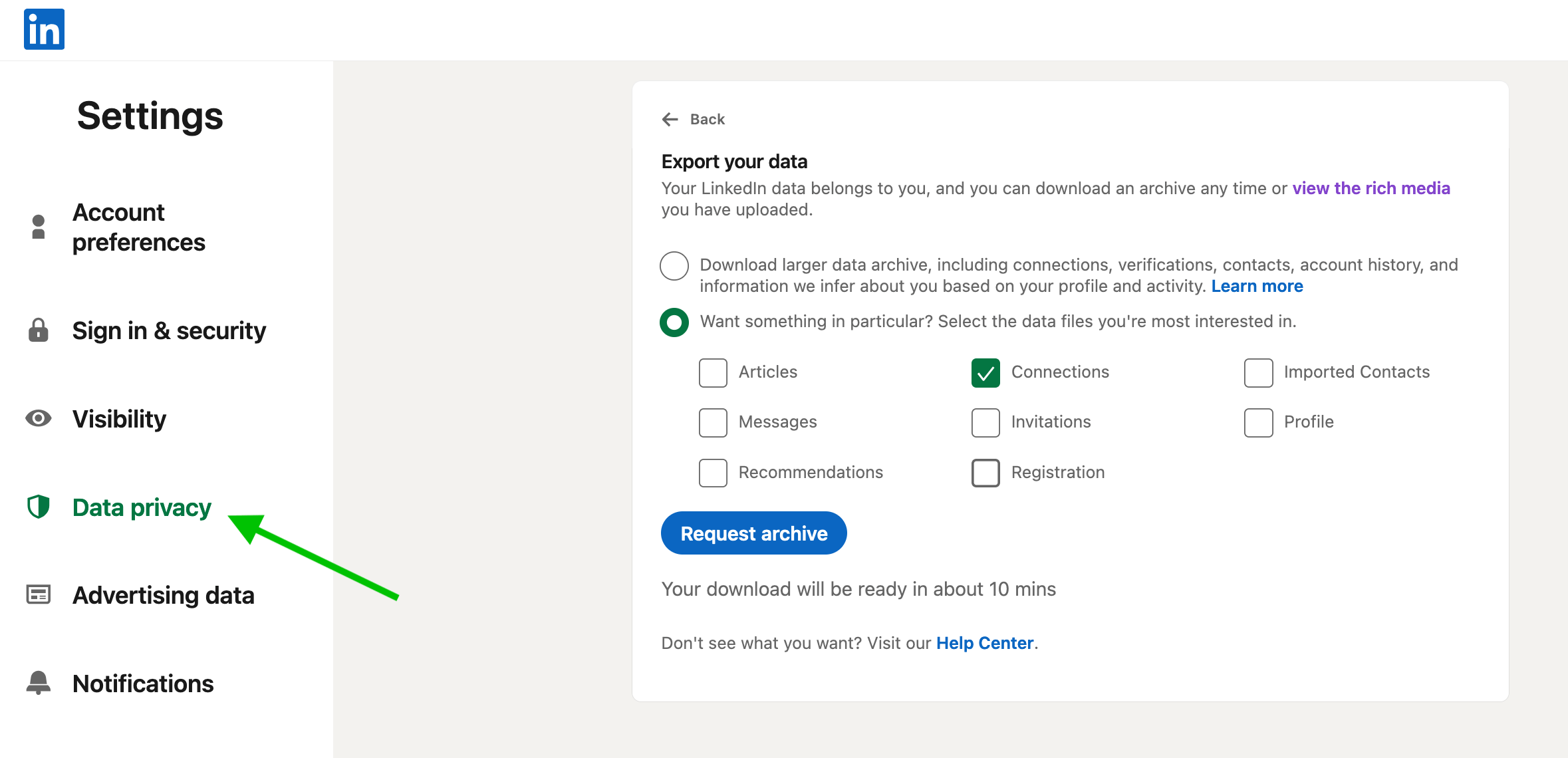
Check your email in around 10 minutes — you’ll receive a notification with a link to a CSV file from LinkedIn containing all of your connections’ info.
Leveraging social media
Aside from LinkedIn, other social media sites like Twitter, Instagram, or Facebook can be valuable for finding email addresses. Even though they aren’t professional networking platforms, many use them for business purposes. So, it’s worth checking people’s bios for contact info or doing an advanced search on the whole platform!
You can also engage with users by commenting or sending direct messages to request their contact details.
Ask through another channel
If you cannot find a public personal address, use a permission-based route instead. Send a short note to a generic address such as info@ or contact@ and ask who handles your topic, use the website contact form, ask support chat for the right department, request a LinkedIn introduction through a mutual connection, or reply to a newsletter if the person sends one from a real address.
Tools and techniques to find email addresses for free
The techniques above are simple to use, but they can be time-consuming and often involve a bit of social interaction. Let’s consider a few other methods of finding email addresses for free.
Google search operators
Google search operators are a set of commands that help you narrow down your search results. Knowing how to use them is helpful in everyday life, and using them to search for email addresses for free is no exception.
For example, using quotes around someone’s name followed by their company or domain (like “John Doe” @company.com) can bring up relevant results. Not sure where they work? Consider adding relevant words like “email” or “contact” (“John Doe” contact).
Other helpful operators include the asterisk and the OR operator. For example, “email * company.com” searches the pages containing the word “email” followed by any string and the company’s domain. It’s useful for finding email formats on company websites. You can also use a query like site:example.com “email” OR “contact” to limit your search to a specific domain while targeting pages that mention “email” or “contact”.

Guess the email pattern and verify it
If you know the person’s name and company domain, look for one confirmed employee address first and use it to identify the format. Common patterns include firstname@domain.com, first.last@domain.com, firstinitiallastname@domain.com, and first@domain.com.
Do not send to every possible variation. Pick the most likely address and run it through an email verifier before outreach so you avoid bounces and protect your sender reputation.
Email finder tools
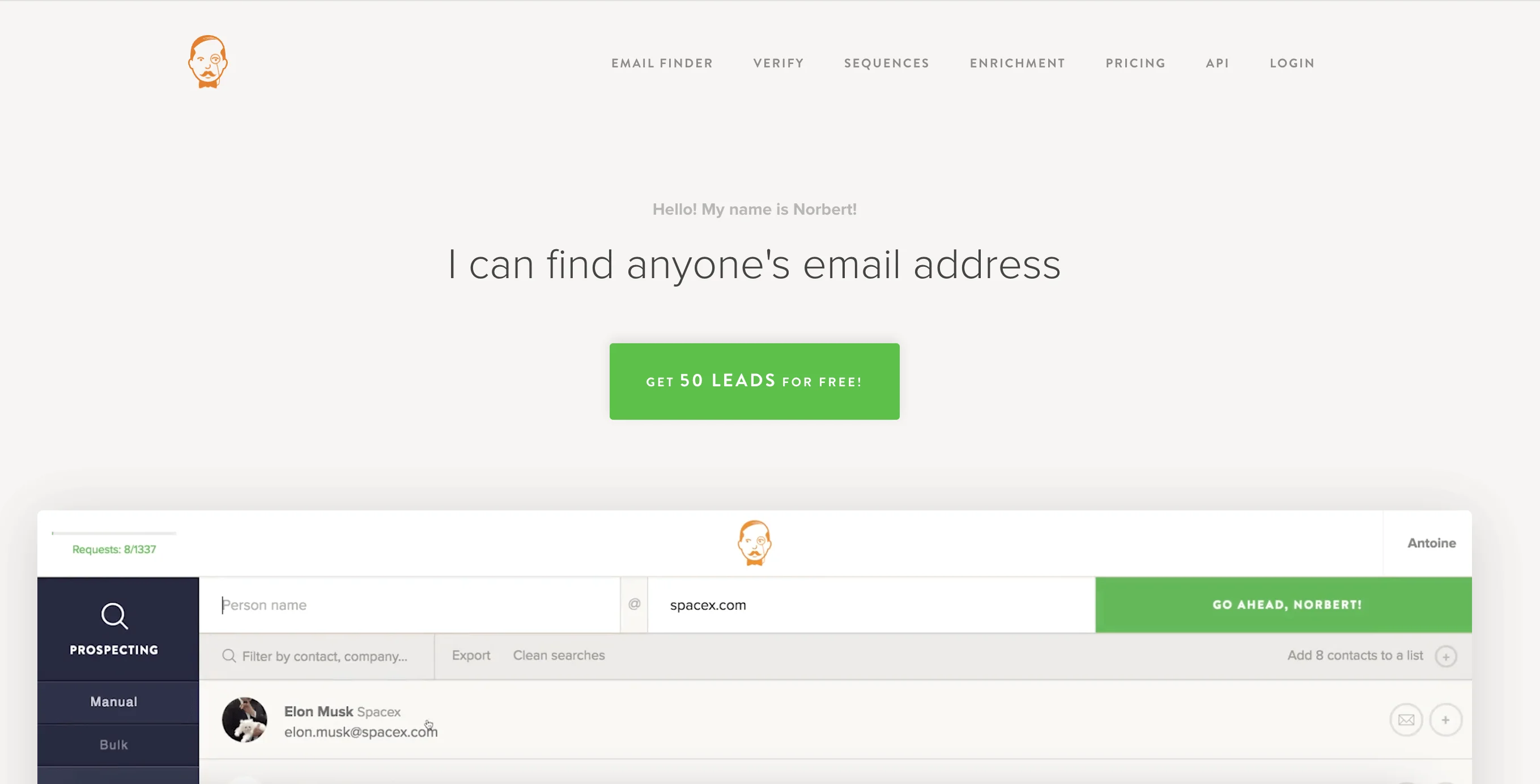
An email finder tool is an internet resource that helps to locate email addresses quickly and efficiently. Just enter the name and the company of the person whose email address you need, and the tool will search its database to find a likely email address.
Some of the prominent email finder tools are Hunter, VoilaNorbert, and Snov.io. They are usually freemium rather than fully free: many let you run a limited number of searches or verifications at no cost, but limits change often. Before relying on a tool, check whether it shows sources, confidence scores, verification status, and current free-credit limits.
While such resources give a quick and simple solution to the issue, make sure you use them responsibly and comply with regional data protection laws — more on that later.
Reverse email lookup
Reverse email lookup will not help much if you only know a person’s name. It is more useful when you already have an address and want to confirm context, such as the owner, company, or public profiles connected to it.
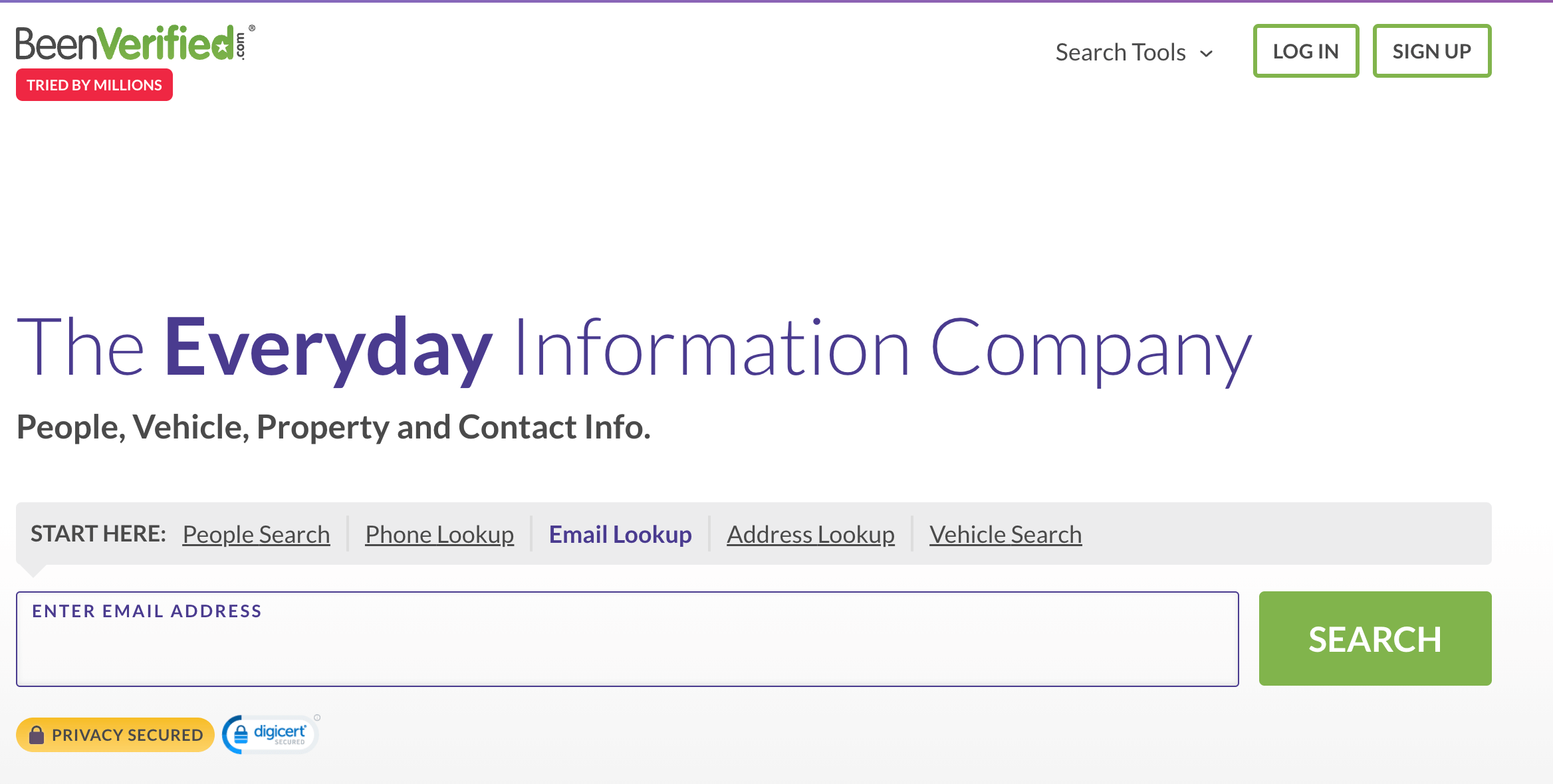
Reverse email lookup is the technique to find information about someone based on their email address. There are several tools and websites that can help you with this, including Pipl, BeenVerified, and Spokeo. Treat reverse lookup results carefully because the data can be incomplete, outdated, or sensitive. Do not use it as the only basis for bulk outreach decisions.
Browser extensions
If all the previous options sound too time-consuming or labor-intensive, consider using browser extensions. For example, if you’re using Chrome, there are extensions for the following tasks:
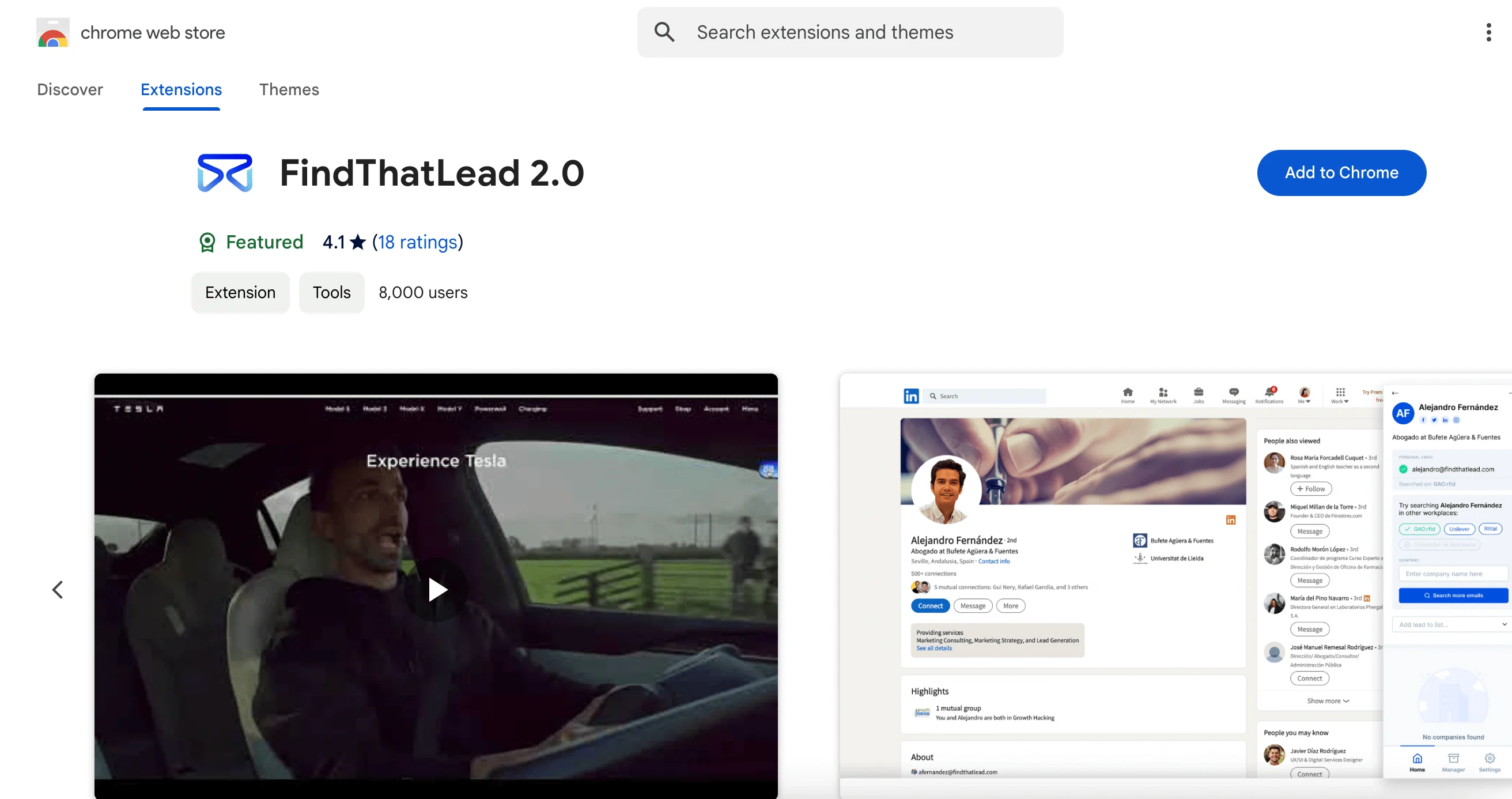
- Webpage scanning. There are extensions that can detect and pull email addresses from a webpage as you browse. These include Email Extractor, Hunter, and FindThatLead.
- LinkedIn integration. These are similar in nature to the ones we’ve just discussed. Once activated on LinkedIn, the extension searches profiles for available email addresses using the person’s name and company to find or predict contact information based on typical email formats. You can also save email addresses directly to your contact list or CRM. Check out extensions like Hunter, RocketReach, and Lusha.
- Reverse lookup. These extensions focus on reverse email lookup similar to reverse lookup tools — the only difference is that you don’t need to switch to a separate website. Once you activate a Chrome extension like Clearbit Connect, ContactOut, or FindThatLead, and enter an email address, the extension searches for associated details, such as the person’s name, job title, company, and sometimes even social media profiles.
Best practices for a successful search
Now you know how to search for email addresses for free — let’s discuss some of the ways you can improve your accuracy and efficiency. By using reliable methods and respecting privacy guidelines, you’ll find quality contacts while staying compliant with data protection standards.
Understanding the target audience
As a marketer, you know that understanding your target audience is crucial to any email marketing strategy — and looking for email addresses is no exception. Consider your ideal contact — what is their industry, job role, or interests? This will help you focus your efforts on finding emails that are more likely to lead to meaningful connections.
For B2B cold emails, focus on decision-makers or people working in relevant departments. If you write to anyone and everyone from the company, you are likely to be ignored or even blocked.
Verifying email address accuracy
Once you’ve found the email address you were looking for, you’ll want to make sure it’s accurate — after all, you don’t want to contact the wrong person by accident or send an email to an inactive email address!
Making sure that the email address you’re trying to contact is valid and active ensures your messages reach the right people and helps to maintain a good sender reputation and improve your overall deliverability.
The good news is that there are internet resources that can verify the validity of an email address for you. These check various factors associated with the email, such as whether the domain exists, whether the email is formatted properly, and whether the server can accept emails without bouncing back. Popular email verification tools include Selzy’s email verifier, VerifiedEmail, ZeroBounce, and Hunter.

Respecting privacy and data protection
Earlier in this article, we touched on the importance of respecting your recipients’ privacy and staying compliant with data protection laws — but what does that actually mean?
Different regions of the world have different data protection laws that govern personal data processing and online user activity. These laws include GDPR in the European Union and CCPA in California. Even if looking for email addresses seems innocuous, it can potentially violate these laws if you’re collecting, storing, or using personal email addresses without the individual’s explicit consent.
To stay compliant when finding email addresses for free, focus on publicly available email addresses, ensure legitimate interest, seek consent before sending marketing content, and provide transparency with an easy opt-out.
For outreach, use publicly available business contact data only when you have a legitimate reason to contact the person. Identify yourself clearly, avoid misleading subject lines, include an easy opt-out for commercial messages, and do not rely on scraped or harvested lists. Rules differ by region, so check local requirements before sending campaigns to contacts in a new market.
Tips to increase success rate in finding email addresses
We’ve got even more tips and ideas on how you can increase your success rate in finding email addresses for free below.
Using multiple sources and tools
When searching for email addresses, you don’t need to stick to just one tool — combining them could make your search all the more powerful. Use a variety of sources (professional websites, LinkedIn, and other social media websites) and tools (resources for reverse email lookup and Chrome extensions, for example) to guarantee the best possible outcome.
Personalizing the outreach
Once you’ve found the contact details of the person you’d like to get in touch with, it’s time to craft that perfect email. Make sure you show your new contact that you’ve done your research by addressing them by name, referencing their role or company, and tailoring your message to their interests. Don’t forget to introduce yourself!
The process can be pretty tricky — check out our guide on cold emails and our favorite cold emailing templates to get started.
Leveraging professional networks
Aside from using LinkedIn to connect or search for people’s information, you can also join industry-specific groups, attend virtual networking events, or reach out to individuals via shared connections.
Building a high-quality contact list is just one of the first steps to a successful marketing strategy. Choosing the right email marketing platform and managing your campaigns effectively will help you maximize your outreach. Check out our guides on email marketing management and on how to choose the best email marketing service for you.
Final checklist: what to do before outreach
- Collect the person’s name, company, role, and domain.
- Check the company website and author or team pages.
- Search LinkedIn and other public profiles.
- Use Google operators for the name and domain.
- Identify the company’s email pattern.
- Verify the most likely address.
- Send a relevant, transparent message with an opt-out where required.

FAQ
How can I find someone's email address for free?
Start with public sources such as the person’s company website, staff pages, and online directories. LinkedIn and other professional networking platforms can also help, since some people list their email in their profile or you can message them directly to ask for it. If needed, search industry directories like Crunchbase, Manta, Hunter, ZoomInfo, or Yellow Pages.
How do I find a company email format?
Look for clues on the company website, in staff directories, or on the person’s profile information such as their job title and company. Many corporate email addresses follow a similar format, so these details can help you infer the pattern. If you find multiple addresses, compare them to spot the likely structure.
Is it legal to find someone's email address online?
The article focuses on publicly available information and professional networking sources, which are commonly used for outreach. It does not provide legal advice, so you should make sure your search and outreach comply with privacy rules and anti-spam expectations. Use the information responsibly and only for appropriate contact.
How do I verify an email address before sending?
Use the email address you found from a public source or professional profile and confirm it matches the person’s company and role. If you found several possible addresses, compare them against the company’s naming pattern to narrow down the most likely one. The article also suggests exporting LinkedIn connections data to organize and cross-check contact information.
What should I do if I cannot find the person's email?
If the email is not publicly listed, try messaging the person on LinkedIn or another professional platform and ask for their contact details directly. You can also keep searching public company pages and directories for department or staff listings. If needed, use clues from the person’s role and company to infer the likely email format.
Final thoughts
We hope this article gave you an idea of how to start finding email addresses for free. Let’s sum it all up:
- You may want to find email addresses for free to reach out to a potential client, connect with industry professionals, or grow your network.
- The easiest ways to find email addresses for free include manual research on professional websites and social media, especially LinkedIn.
- Online services that can help you find emails for free include email finder tools, reverse lookup tools, Google search operators, and browser extensions.
- When searching for emails for free, don’t forget to verify likely addresses and follow privacy and anti-spam rules like GDPR and CAN-SPAM.
 New and noteworthy on our blog