


Key takeaways
- Email churn rate measures the loss of a marketable email audience over a defined period.
- Calculate churn rate accurately by considering unavailable or suppressed contacts, new additions, and consistent rules.
- Differentiate between voluntary, involuntary, and engagement loss types for appropriate responses.
- Calculate churn rate using the formula: contacts lost during the period ÷ marketable contacts at the start × 100.
- Understand the importance of email churn rate for audience forecasting, acquisition efficiency, list quality, subscriber experience, and resource planning.
Email churn rate measures how much of your marketable email audience is lost during a defined period. To calculate it accurately, count contacts who became unavailable or were suppressed, account for contacts added during the period, and use the same rules every time. Then diagnose the result by loss type, acquisition source, cohort, and campaign history instead of treating one percentage as a universal verdict.
What is email churn rate?
Email churn rate is the percentage of a marketable email audience that is lost during a chosen period. A contact may leave because they unsubscribe, complain, hard-bounce, become invalid, or meet another documented suppression rule. The key is to define what “lost” means in your program before calculating the rate.
Email churn is a list-level metric. It describes change over a week, month, quarter, or year, not the response to one campaign. It can reveal whether acquisition and retention are working together, but it does not explain the cause by itself.
Use a stable measurement population. If one report includes only opted-in and deliverable marketing contacts while another includes suppressed or transactional-only records, the trend will not be comparable. Record the audience definition, time zone, period, and suppression policy beside the result.
Voluntary, involuntary, and engagement loss
Voluntary or explicit loss includes recipients who unsubscribe and contacts removed from marketing after a spam complaint. These actions show that the person no longer wants the messages or that continuing to send would be inappropriate.
Involuntary or technical loss includes hard bounces, invalid or abandoned addresses, and contacts suppressed because they cannot safely receive email. Technical decay is natural, but sudden changes can point to poor acquisition sources, old imports, or a broken form.
Engagement decay is different. A deliverable subscriber who stops opening or clicking is still on the list unless your documented sunset policy suppresses them. Track inactivity as a diagnostic signal rather than automatically counting every quiet subscriber as churn. Open data can also be affected by privacy features, so combine it with clicks, conversions, replies, and customer activity.
This distinction matters because each type needs a different response. Better preference controls may reduce voluntary loss, verification and source controls can reduce technical loss, and more relevant lifecycle content can address disengagement.
How to calculate email churn rate
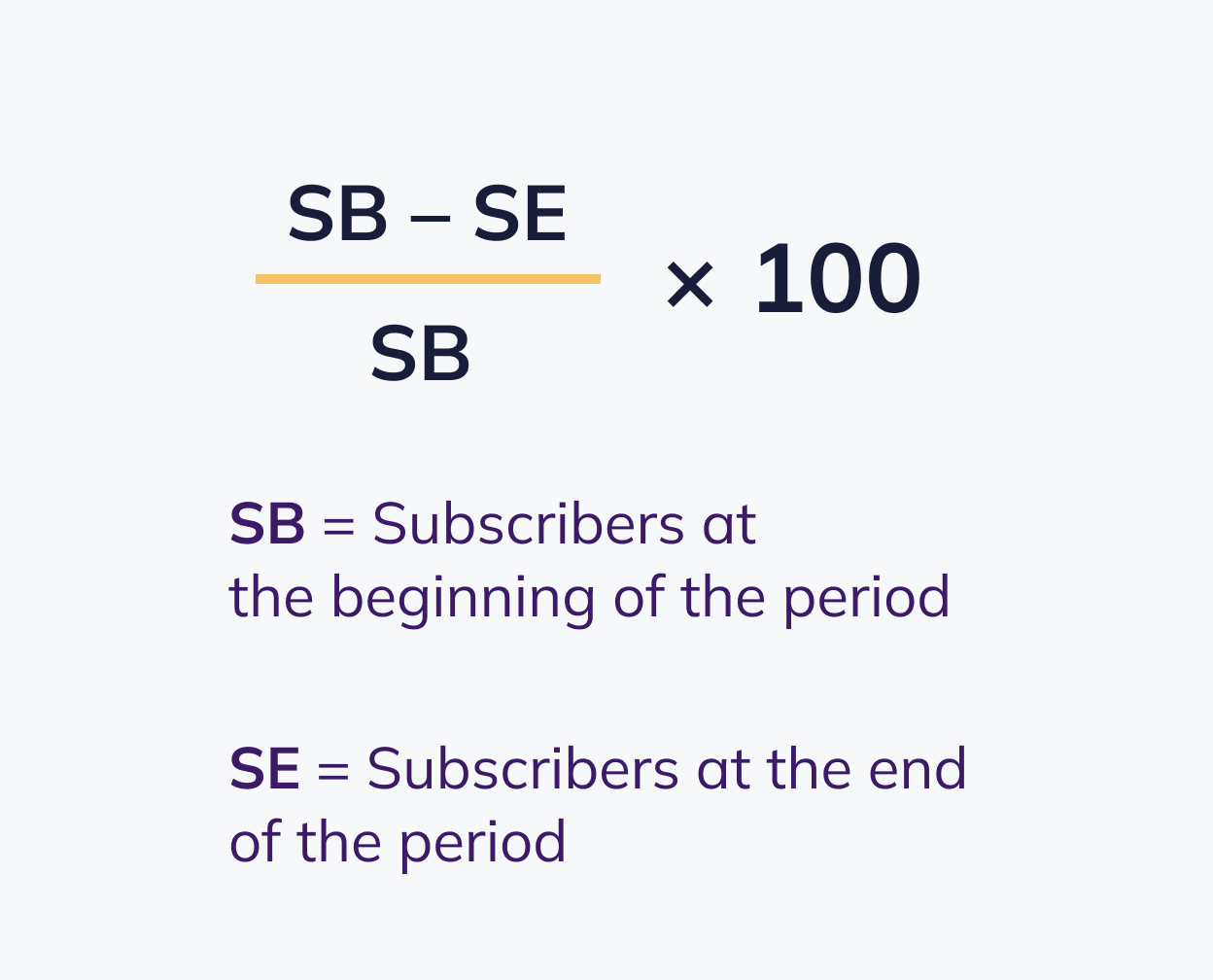
The clearest formula uses contacts actually lost during the period:
Email churn rate = contacts lost during the period ÷ marketable contacts at the start of the period × 100
If your system does not provide a direct loss count, reconcile the audience:
Contacts lost = starting marketable contacts + contacts added − ending marketable contacts
Suppose you begin a month with 1,000 marketable contacts, add 80, and finish with 1,010. Contacts lost equal 1,000 + 80 − 1,010 = 70. The churn rate is 70 ÷ 1,000 × 100 = 7%. Looking only at the change from 1,000 to 1,010 would hide those 70 losses.
Count each contact once in the most useful category for the period. For example, do not count the same address as both an unsubscribe and a later hard bounce. If contacts can re-enter the marketable audience, define how reactivation is handled. For rapidly growing or shrinking lists, report the loss count and net list growth beside the rate.
Choose a reporting cadence that matches your sending program. Monthly reporting is common, but a low-frequency newsletter may need quarterly analysis. Avoid annualizing a short-term spike unless the same pattern is stable.
Email churn rate vs. other email metrics
Several metrics describe audience change, but they answer different questions. Use them together rather than substituting one for another.
| Metric | What it measures | Basic calculation | Best use |
| Email list churn rate | Marketable contacts lost over a period | Contacts lost ÷ starting marketable contacts | Audience retention and replacement needs |
| Campaign unsubscribe rate | Explicit opt-outs after one campaign | Unique unsubscribes ÷ delivered emails | Campaign relevance and frequency signals |
| Net list growth | Overall audience change after gains and losses | (Contacts added − contacts lost) ÷ starting contacts | Whether acquisition outpaces loss |
| Active-audience rate | Share showing defined recent activity | Active contacts ÷ marketable contacts | Engagement and sunset-policy planning |
Customer churn is another separate concept: it measures customers or revenue lost, not subscribers lost from a marketing list. A subscriber can stop receiving marketing email and remain a customer, while a customer can leave without unsubscribing. Connect the datasets for analysis, but do not label the metrics as identical.
For campaign-specific opt-outs, see Selzy’s guide to email unsubscribe rate. Keeping the two calculations separate makes diagnosis much clearer.
What is a good email churn rate?
There is no universal healthy email churn rate. Results depend on which losses are included, the reporting period, acquisition sources, list age, industry, cadence, suppression policy, and the denominator. Two senders can report different rates from the same audience simply because their definitions differ.
Use your own consistent baseline first. Compare similar months or quarters, then examine acquisition cohorts, lifecycle stages, and sources. External benchmarks can provide context only when their formula, sample, period, and loss categories match yours.
Do not optimize for the lowest possible number. Hiding the unsubscribe link, keeping invalid contacts, or refusing to suppress permanently disengaged recipients can make churn look lower while increasing complaints, wasting sends, and weakening list quality. A manageable amount of loss is a normal part of maintaining a permission-based audience.
Look for meaningful changes rather than a rigid cutoff. A stable overall rate can hide a weak new source, while a one-time increase may follow a deliberate cleanup or clearer preference experience. Counts, trend, and surrounding signals matter more than a standalone percentage.
Why email churn rate matters
- Audience forecasting. Churn helps estimate how many new qualified contacts are needed to maintain or grow reach.
- Acquisition efficiency. Fast loss from one source may show that the signup promise, incentive, or consent context attracts the wrong audience.
- List quality. Hard-bounce and invalid-address loss can reveal aging data or weak collection controls.
- Subscriber experience. Unsubscribes and complaints can signal mismatched content, cadence, or expectations.
- Resource planning. Replacement costs and shrinking reach affect campaign forecasts, creative effort, and revenue opportunities.
Churn is not proof of sender reputation or customer retention on its own. Review it with complaints, bounces, delivery, clicks, conversions, active-audience size, acquisition cost, and net list growth. The combined view shows whether the program is retaining the right people and reaching them effectively.
The business effect also varies by contact value and lifecycle. Losing a low-intent incentive signup is different from losing an active customer who regularly purchases. Segment the analysis before assigning a financial impact.
Main causes of high email churn
- Acquisition mismatch. The source attracts low-intent contacts or does not clearly describe the subscription.
- Expectation mismatch. The signup promise, welcome email, and regular campaigns differ in topic or cadence.
- Irrelevant content. Broad sends ignore needs, lifecycle stage, location, or prior behavior.
- Excessive or unpredictable frequency. Campaigns cluster or cadence changes without warning.
- Weak onboarding. New contacts do not quickly understand the value or recognize the sender.
- Technical list decay. Addresses become invalid, forms accept errors, or old data is imported.
- Deliverability problems. Messages repeatedly land in spam or fail to reach the primary inbox.
- Poor experience. Broken links, inaccessible design, and weak mobile rendering make emails difficult to use.
- Natural lifecycle change. A recipient may no longer need the topic or product even when the program is well run.
Avoid assuming that content is always the cause. A sudden rise in hard bounces points to a different problem than a rise in unsubscribes among new subscribers. Break the total into components before deciding what to change.

How to diagnose email churn
- Confirm the formula. Check the starting marketable audience, contacts added, ending audience, loss categories, period, and time zone.
- Separate loss types. Review unsubscribes, complaints, hard bounces, invalid contacts, policy suppressions, and inactive-but-deliverable contacts.
- Compare cohorts. Segment by signup source, subscription age, lifecycle stage, geography, and customer status.
- Review campaign exposure. Compare campaign type, number of emails received, recent frequency, and automation paths.
- Check adjacent signals. Look at complaints, bounce trend, clicks, conversions, replies, active-audience size, and net list growth.
- Read qualitative feedback. Use unsubscribe reasons, surveys, support conversations, and replies.
- Form one hypothesis. Choose a narrow cause and an expected result before changing the whole program.
A useful dashboard shows both the rate and the number of contacts lost. Add notes for list imports, form changes, promotions, cadence changes, major launches, and cleanup projects. Context prevents normal operational changes from being misread as content failure.
Pay special attention to early churn. If contacts leave soon after signup, compare the acquisition promise with the welcome sequence and first campaigns. If older cohorts deteriorate gradually, content fatigue, changing needs, or frequency may be more likely.
How to reduce email subscriber churn
Set accurate expectations at signup
State the topic, value, sender, and approximate cadence on the form. Keep the confirmation, welcome sequence, and regular campaigns aligned with that promise. Avoid collecting addresses for one incentive and then sending unrelated content.
Improve acquisition quality
Measure sources by retention, complaints, conversion, and value rather than signups alone. Validate addresses at collection, protect forms from bots, and pause sources that produce rapid loss. A smaller qualified audience is more useful than a large fragile one.
Build a strong welcome sequence
Introduce the sender identity, deliver the promised resource, explain what comes next, and invite a meaningful action. Early behavior and preference data can help route subscribers into more relevant content.
Segment and personalize meaningfully
Use lifecycle stage, interests, purchases, engagement, and stated preferences to avoid sending everything to everyone. Selzy’s list segmentation tools can help. Personalization should change the relevance of the message, not merely add a first name.
Deliver consistent value
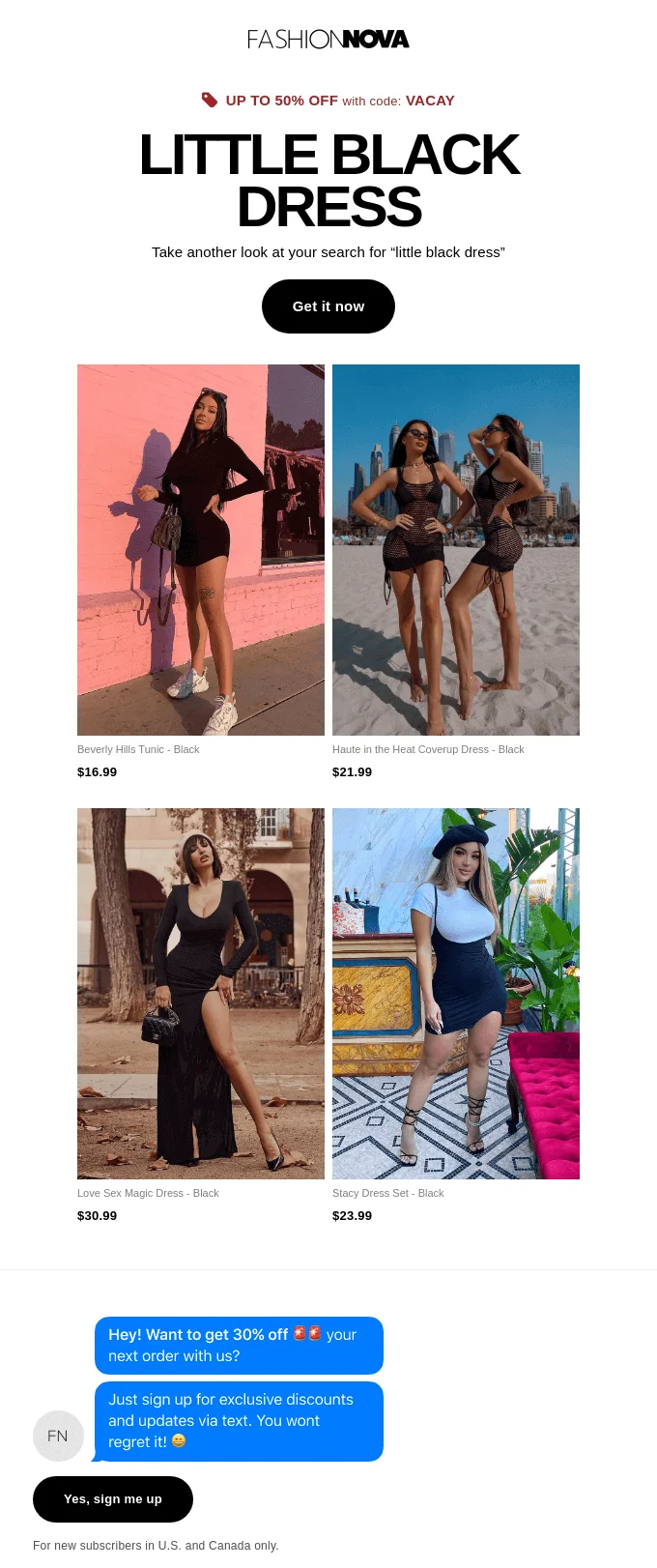
Balance promotions with the education, updates, service, entertainment, or access people expected when they subscribed. Evaluate downstream actions by content type so useful messages are not judged only by immediate sales.
Use a predictable cadence and preferences
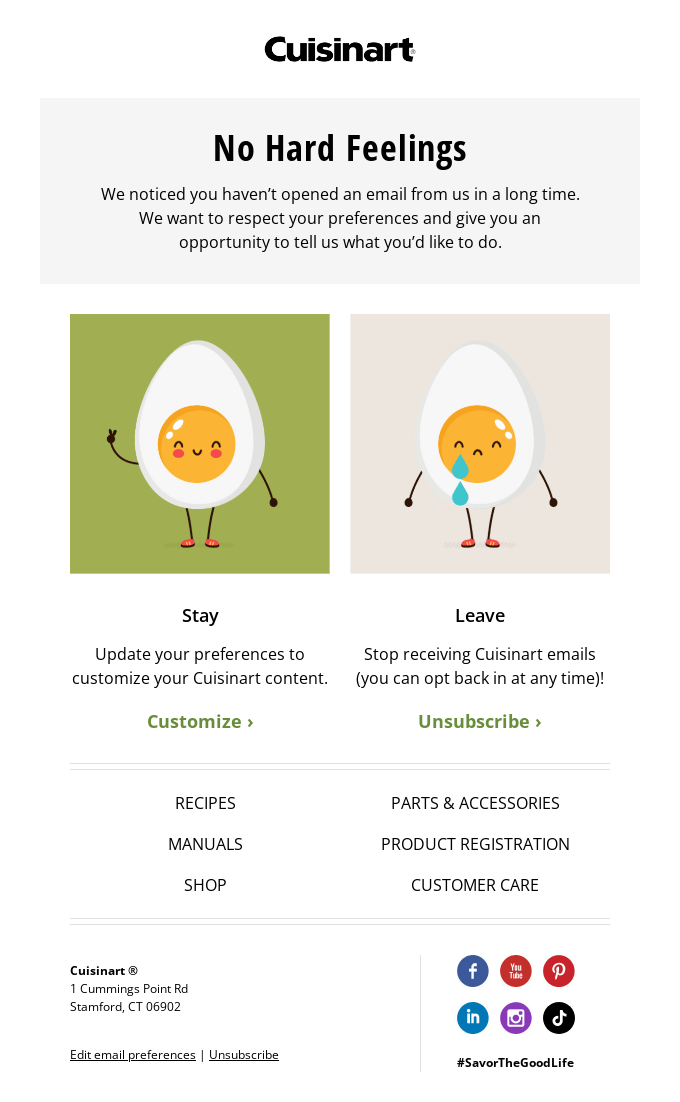
Plan sends so campaigns and automations do not cluster unexpectedly. Let subscribers choose topics, frequency, a digest, or a temporary pause, while keeping a clear full-unsubscribe option. Preference controls should reduce friction, not create it.
Gather feedback
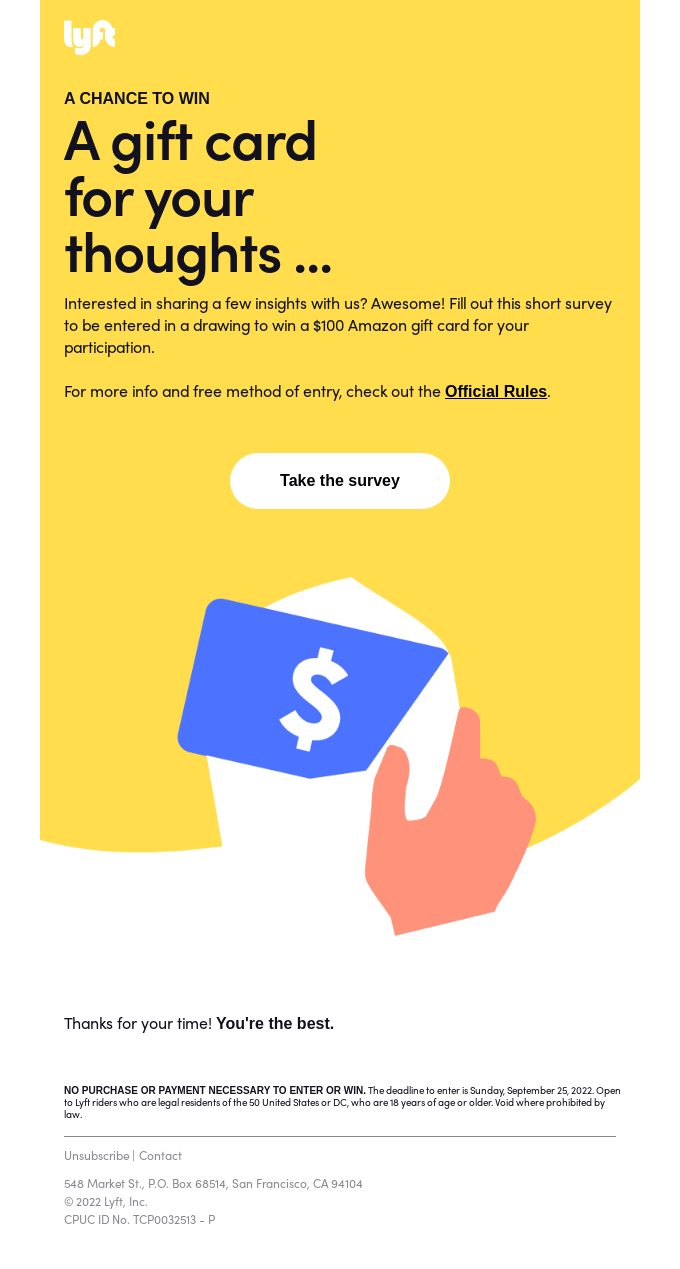
Ask an optional unsubscribe question, run short surveys, and review replies and support conversations. Keep the opt-out immediate even when feedback is offered. See Selzy’s guide to embedding a survey in an email.
Maintain list hygiene
Correct collection problems, suppress hard bounces and complaints, and keep opt-outs on a suppression list so imports cannot re-add them. Follow a documented process rather than deleting records in a way that loses consent history. This guide explains how to clean an email list.
Use re-engagement and a sunset policy
Define inactivity according to cadence and the customer cycle. Reduce frequency or send a focused re-engagement campaign, then suppress contacts who remain inactive according to the policy. Account for privacy-related open tracking limits and long purchase cycles before deciding.
Test decisions, not vanity metrics
Change one meaningful variable when possible and define the decision in advance. Churn may be a guardrail rather than the primary success metric: a campaign can increase conversions yet create unacceptable complaints or opt-outs in one cohort.

Final thoughts
Email churn rate is most useful when the audience, loss categories, formula, and time period remain consistent. Account for contacts added during the period, then separate voluntary loss, technical loss, and engagement decay before acting.
Reduce avoidable churn through better acquisition, accurate expectations, useful onboarding, relevant content, predictable cadence, preference controls, list hygiene, and a documented sunset policy. The goal is not to prevent every departure. It is to maintain a permission-based audience that still wants and can receive your email.
FAQ
What is email churn rate?
Email churn rate is the percentage of a marketable email audience lost during a chosen period. Loss can include unsubscribes, spam complaints, hard bounces, invalid addresses, or other documented suppression rules. It is a list-level metric, so it measures change over time rather than the result of a single campaign.
How do you calculate email churn rate?
Use this formula: email churn rate = contacts lost during the period ÷ marketable contacts at the start of the period × 100. If you do not have a direct loss count, reconcile the audience with: starting marketable contacts + contacts added − ending marketable contacts. Keep the same audience definition and suppression rules each time so results are comparable.
What is the difference between email churn rate and unsubscribe rate?
Unsubscribe rate measures only recipients who actively opt out, while email churn rate includes all forms of marketable audience loss. That can include unsubscribes, complaints, hard bounces, invalid addresses, and other suppression-based removals. Churn is broader, so it gives a fuller view of list loss.
What is a good email churn rate?
The article does not give a universal threshold for a good email churn rate. What counts as acceptable depends on your audience definition, acquisition sources, cohort, and campaign history. Compare trends consistently over time and diagnose the type of loss instead of relying on one percentage as a verdict.
How can I reduce email list churn?
Reduce churn by matching the fix to the loss type. Better preference controls can lower voluntary loss, verification and source controls can reduce technical loss, and more relevant lifecycle content can help with disengagement. Also track inactivity as a diagnostic signal rather than automatically treating every quiet subscriber as churn.
 New and noteworthy on our blog