


Key takeaways
- Group your recipients into "To," "CC," and "BCC" for specific purposes.
- Use appropriate greetings based on the group size: first names for small groups, general greetings for larger groups.
- Keep emails relevant to recipients and avoid unnecessary "reply to all" to reduce clutter.
- Addressing multiple people in emails shows respect and improves communication effectiveness.
- Email headers should have clear and specific subject lines matching the message tone.
Addressing a group in an email can be trickier than it seems! Knowing how to address multiple people in an email can greatly improve your professional communication — especially with external recipients.
In this comprehensive guide, we’ll cover the reasons why you may want to send an email to several people at the same time, the nuances of sending such a message, and the worst mistakes you should avoid.
How to address multiple people in an email
Here is a quick guide on how to address multiple people in one email:
- How to group your recipients (between To, CC, and BCC)? Recipients in the “To” group are usually expected to respond. Those in the CC (Carbon Copy) group are included for reference — for example, you include colleagues who can help with the problem, depending on who is available at the moment. The BCC (Blind Carbon Copy) group is there mainly to protect your recipients’ privacy. So you can put people who don’t know each other to keep their addresses private.
- What is the best greeting for multiple people in an email? For smaller groups, like 2 or 3 people, it’s best to use first names (for example, “Hi Jane, Ben, and Alex!”). When you are addressing a large group of recipients, use general greetings: “Hi all!”, “Hello team”, “Dear all”. Yes, “Dear all” is an appropriate greeting in an email to multiple recipients.
- How to avoid email clutter when addressing multiple people? Simple rule: keep your emails relevant to your recipients — and avoid the “reply to all” feature unless absolutely necessary. This way, you can always stay on top of the conversation and follow the message chain.
When you’re sending an email to several people, how you address them matters. It shows respect for the recipients by recognizing their individual roles or positions. Whether you’re emailing a team, clients, or a group, addressing everyone correctly makes your communication more effective, clear, and professional, and helps your message be received the way it’s intended.
Now let’s dive deeper into the email etiquette and learn how to address several people in an email without stress:
1. Write a header
Email headers help you set the context for your email, whether a marketing one or not, and give your recipient(s) an idea of what the message is about.
Here’s what to include in your email header for group messages:
- Subject line. The subject line should indicate the purpose of the email. You should be clear and specific — for example, instead of a vague subject like “Update,” use something like “Marketing Team: Project Update for December.” Also, make sure the tone of your subject line matches that of your message.
This is an example of a bad subject line when addressing a group (or anyone, really):
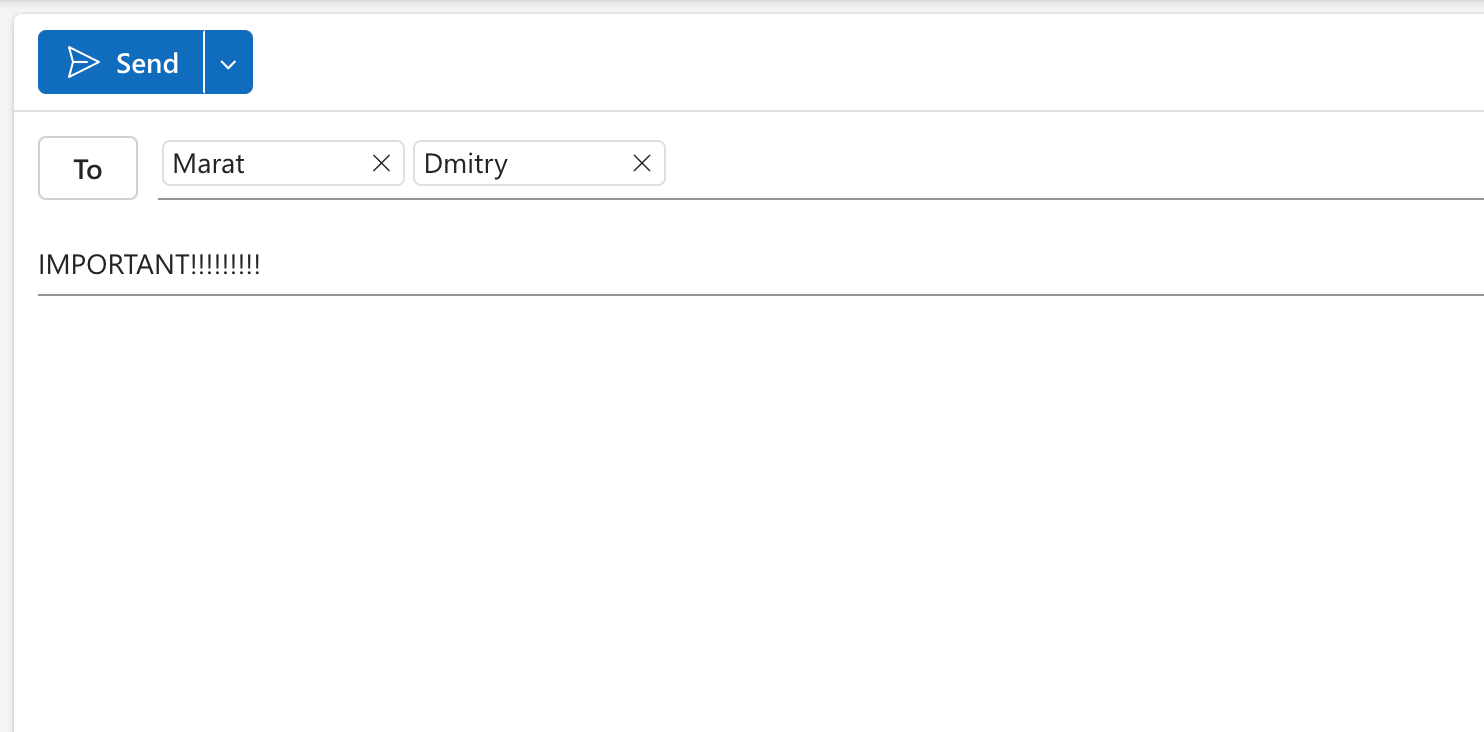
- Recipients. Choose the right recipients in the “To” field and, if necessary, use CC (carbon copy) or BCC (blind carbon copy) for others who may need to be informed but don’t need to take action.
2. Write a greeting that is good for everyone
Make every recipient of your email feel acknowledged and set a positive tone with a good greeting. Try to pick a greeting that’s inclusive and works for everyone.
Consider the dynamics of the audience you’re reaching out to. If you’re addressing a small, close-knit group, you might go with something more casual like “Hi, everyone.” On the other hand, if it’s a more formal setting, something like “Dear all” or “Hello team” is more appropriate. These options also make it so nobody feels left out — you don’t want to alienate any of your recipients by using greetings like “Gentlemen” or “Ladies.”
If you’re only addressing a couple of people from your marketing department (or any type of small group), using their names like “Dear Rachel and Monica” would also be appropriate.
Here’s a list of some of the most universal greetings for a group email:
- Dear all
- Hello everyone
- Hi team
- Good morning/afternoon everyone
- Dear colleagues
3. Check for nuances
There are a couple of other details to take into account, like the interpersonal dynamics of your recipients, the context, and any potential social differences. For example, you need to stay aware of the company’s hierarchy — you might want to be more formal if senior management is involved. Another thing to be mindful of is cultural differences — in some cultures, more formal greetings may be expected even in an email to a familiar group.
When to address an email to multiple recipients?
Here’s when it makes sense to email multiple recipients:
- Sharing updates. If there’s an important announcement for your entire team (or management), sending a well-addressed group email is essential.
- Teamwork. If you’re collaborating on a project with several people, a team message helps everyone stay on the same page and have access to the same information.
- Delegating tasks. If you’re managing several people, you sometimes need to assign tasks or responsibilities to them. Addressing everyone in the same email is an efficient way to keep everyone in the loop.
- Client communication. When dealing with multiple clients or stakeholders, sending one email to all parties keeps everyone informed about updates, changes, or important decisions.
- Poll or survey. If you need to gather data quickly, polls or surveys for your team, clients, or stakeholders are the way to go — it keeps all the information or replies in one thread.

Sending one email to multiple people makes communication consistent and time-efficient, as everyone receives the same message at the same time. It also simplifies collaboration and keeps the whole conversation in a single thread. Plus, addressing multiple people in one email reduces the risk of miscommunication or missed information — especially across marketing or project campaigns.

Email templates for addressing multiple people
Now that you know when to address multiple people in an email, let’s look at some examples — you can use them as templates.
Team update email
This example shows how to address your team in an email with an update. This update is semi-formal, with a simple greeting and just one topic on the agenda.
Subject: Marketing Campaign Progress – April Recap
Hi team,
Here’s a quick update on our Q2 campaign performance and next steps. We’ve seen strong engagement across social channels, and the new landing page is already converting 18% better.
Let’s align on content ideas for May during Friday’s sync.
Thanks,
Anastasia
Task-delegating email
This is an example of an email addressed to a small team — you’ll notice it by the individual names in the greeting. It’s simple, efficient, and keeps team members on the same page.
Subject: Action Items – Website Redesign Phase 2
Hi Rachel, Ben, and Alex,
Thanks again for your input on last week’s call. Here’s what’s next:
- Rachel – Could you finalize the image assets by Thursday?
- Ben – Please review the copy deck once the content is updated.
- Alex – Once Rachel and Ben are done, upload the new version to the staging site.
Let me know if you need anything from my side.
Cheers,
Anastasia
Formal email to clients or management
This template will help you to formally address clients, management, or stakeholders.
Subject: Project Kickoff Meeting – Schedule & Agenda
Dear all,
I hope this message finds you well. I’m writing to propose a kickoff meeting for our upcoming project. Please find a draft agenda attached. Let me know your availability for a meeting next week.
Looking forward to working with each of you!
Best regards,
Anastasia Johns
When NOT to address a group in an email
Now you know how to send a group email mindfully, and why you should do it. It’s time to look at some situations when it’s best to avoid it.
- Irrelevant information. If your email is relevant only to one person, don’t send it to your whole team. Sending it to a wider audience might confuse or annoy people who don’t need to know the details.
- Sensitive content. Don’t share a message publicly if it contains private info. You should only send it to the individual involved.
- Email overload. Having a cluttered inbox is really annoying, isn’t it? If you don’t need to include everyone in a conversation or update, try to avoid sending emails that aren’t relevant to all recipients.
- When another communication method is better. There are times when emailing isn’t the right way to get in touch with a group. Sometimes, a face-to-face meeting or a phone call would be more appropriate, for example, if you’re expecting a back-and-forth discussion or would like to handle a sensitive issue. Similarly, for brainstorming, an app like Slack with its whiteboard features may be more appropriate.
Worst mistakes
Let’s check out a few group email horror stories and common email mistakes we found for you on the internet. First up — mass termination email, the poorest choice any management can make, and the worst way to address multiple recipients.
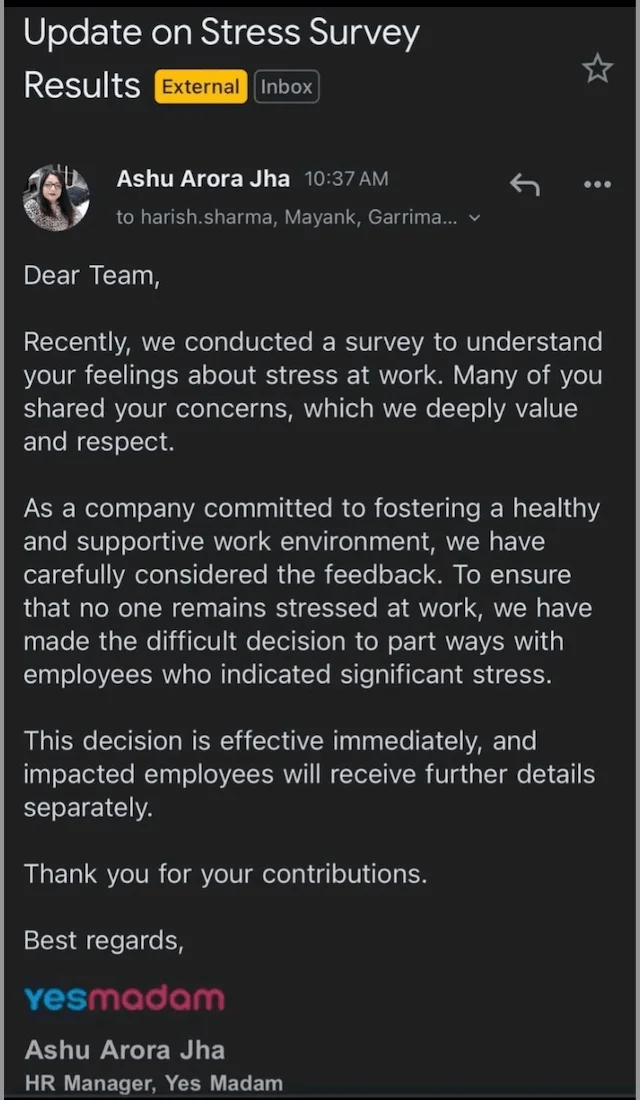
Job termination is a sensitive issue and should be addressed individually — not through a group email like a corporate newsletter. Making addresses public also violates privacy and can cause serious HR fallout.
Next up is the classic “reply all” mistake.
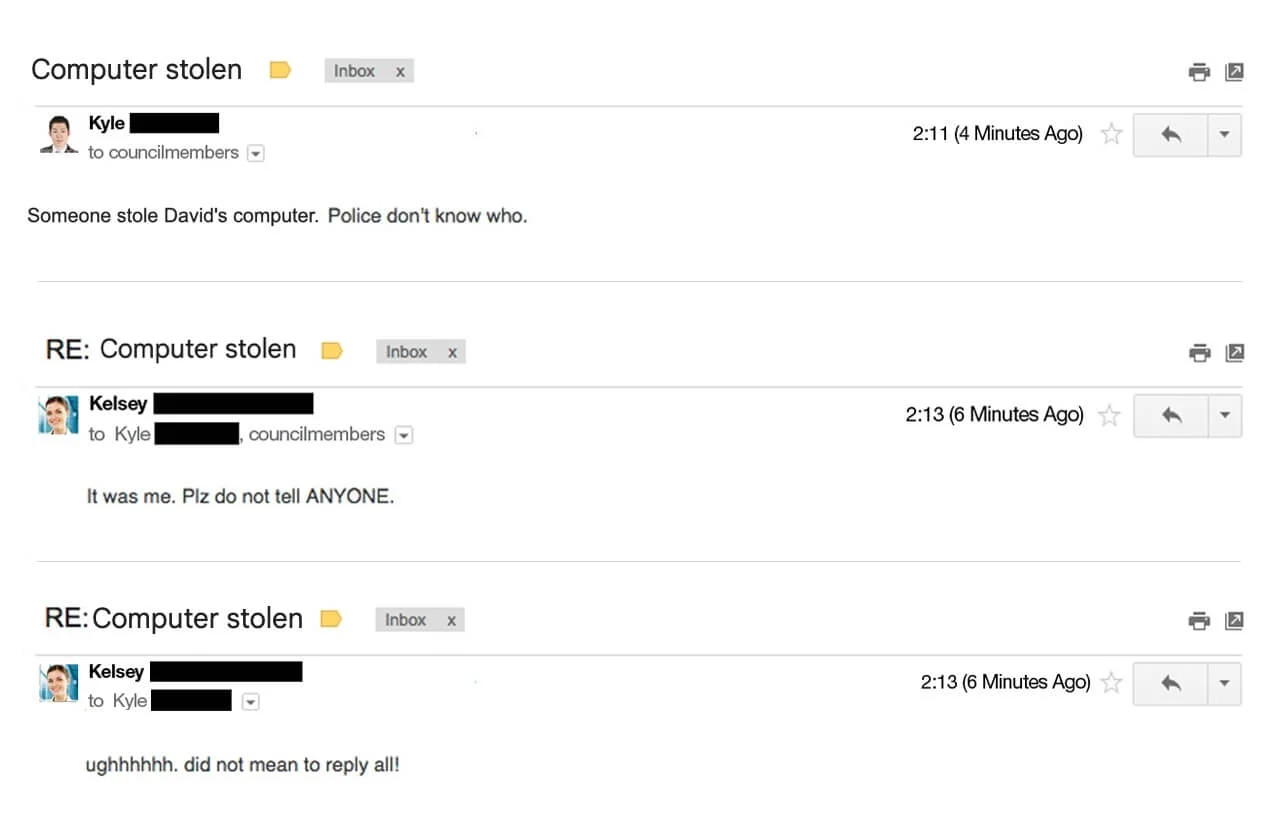
We like to think that the email above is a joke — but either way, when sending a group email, make sure to double-check the recipients! Especially when you’re talking behind someone’s back or discussing a private issue.
The last one will probably make you smile — but it shows just how easy it is to go viral with emails addressed to multiple people (or a whole class of students, for that matter).

Make sure your subject line reflects your message. ‘Class Update’ is too vague.
Tips for addressing an email to multiple people
We’ve got even more tips and tricks for you:
- Use BCC for privacy. We’ve already mentioned the concept of carbon copy and blind carbon copy. If you’re sending an email to a large group and don’t want recipients to see each other’s email addresses, use BCC. Want to learn more? We have a helpful guide on how to email multiple recipients without them knowing.
- Avoid “Reply All.” When you’re on the receiving side of a group email, be mindful when hitting that Reply All button. Only use it when necessary — if your response doesn’t need to go out to everyone, only reply to the sender to avoid cluttering others’ inboxes.
- Limit the group size. Be selective about who really needs to be included in the email.
When it comes to email, and especially in marketing or B2B contexts, a personalized approach is a more effective way to connect. Check out our guide on personalized email marketing to learn key features of personalized emails and the best techniques to use.
Wrapping up
So, let’s review the most common questions that might come up while addressing multiple people in an email:
- What’s the best greeting for a group email? “Good morning, team” and “Dear all” are good choices.
- Should I use CC or BCC for team emails? That depends on the recipients of your email. If you are addressing a small marketing team and expecting everyone to reply, use the “To” bar. Use BCC for those recipients who don’t know each other and for privacy. For all the other cases, CC will be fine.
- Is it okay to use “Hi guys” in a business email? No, it’s not okay in a formal setting. You can use it for a Slack channel with two of your closest colleagues, but for an email to several people, use something neutral — “Hi everyone” or “Hello team.”
And that’s all there is to addressing several people in one email! We hope we helped you brush up on your email etiquette and the topic of addressing email messages to several people at the same time. Happy emailing!

 New and noteworthy on our blog