


Key takeaways
- An email marketing checklist is a set of steps for planning, building, testing, sending, and reviewing campaigns.
- The checklist simplifies launches, ensures quality, and facilitates team coordination.
- Campaign strategy should focus on objectives, audience, exclusions, and alignment of offer, email, and landing page.
- Setting SMART goals is crucial for effective email marketing.
- Segmentation by sign-up, demography, location, engagement level, subscription date, purchase history, and psychographics enhances campaign efficiency.
An email marketing checklist is a repeatable set of checks for planning, building, testing, sending, and reviewing a campaign. Use it to verify the audience, message, links, accessibility, deliverability setup, schedule, and tracking before you press Send — and to capture lessons after the campaign goes out.
What is an email marketing checklist and why use it
A checklist turns a complex launch into smaller, verifiable steps. It reduces last-minute guesswork, makes handoffs easier, and gives your team a consistent quality standard.
This guide follows the campaign workflow from strategy and content to pre-send QA and post-send monitoring. Adapt the checks to your audience, legal requirements, sending volume, and email platform.
1. Building a campaign strategy
Start by confirming the purpose of the campaign, who should receive it, and who must be excluded. Before writing copy, work through this setup checklist:
- Choose one primary objective and the action that will show success.
- Match the KPI to the objective — for example, completed registrations rather than opens for an event campaign.
- Define the audience and exclusions, including unsubscribed, suppressed, or otherwise ineligible contacts.
- Verify the source and permission status of contacts according to the rules that apply to your recipients.
- Align the offer, email, and landing page so expectations remain consistent after the click.
Defining the goal
You might think of email marketing goals as something like “improve customer loyalty” or “increase sales”. But how will you understand that customer loyalty has improved and it’s the direct result of your campaign?
The examples above are not really goals — they don’t have clear success criteria and are not time-bound. The key to great email marketing goals is using the SMART method, which is:
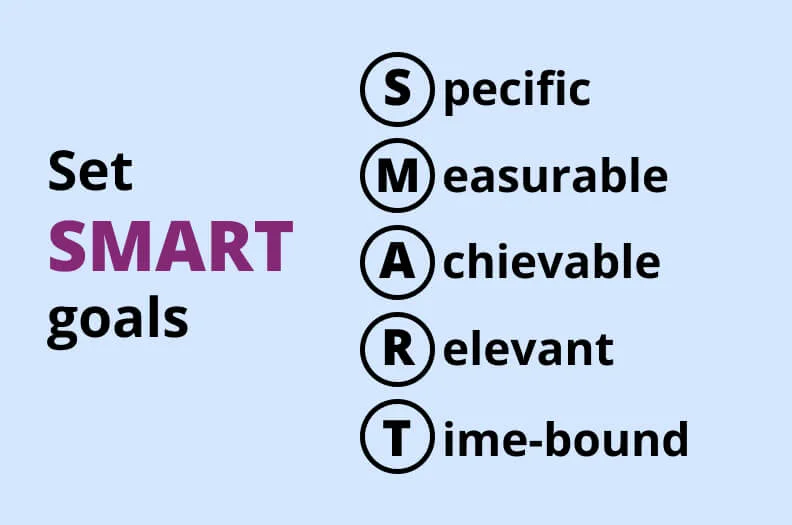
The SMART framework allows you to:
- Improve teamwork in the marketing department.
- Track your progress over time.
- Prioritize smaller tasks.
- Use collected data more effectively.
- Define clear success criteria and ease analytics.
To get a better understanding of this approach, take a look at this spreadsheet.
| SMART aspect | Example | Room for improvement | A better example |
| 🎯 Specific | Increase sales | Too abstract, no defined success criteria | Achieve a 10% increase in sales online |
| 📊 Measurable | Improve customer satisfaction | How will you measure customer satisfaction? | Achieve an average customer satisfaction level of 4.3 out of 5 according to our survey |
| 🥇 Achievable | Generate 10,000 orders in one day | It may not be realistic for the audience and budget | Increase campaign-attributed orders by 10% compared with the previous comparable campaign |
| 🗺️ Relevant | Using memes and slang to attract new Gen Z subscribers and decrease the average age of your audience | It’s not a part of a bigger picture — you need to work with the customer loyalty of your current clients instead of gaining new audience | Increase CTR in already gained subscribers by 20% within a month |
| 🕒 Time-bound | Achieve a 10% increase in sales online | No deadline | Achieve a 10% increase in sales online by the end of the next month |
Segmenting your audience
Segmentation structures the list and helps you send content that matches a subscriber’s context, behavior, or lifecycle stage. Before sending, confirm that each segment receives the intended creative and that global exclusions and suppression rules still apply.
There’s no foolproof recipe for segmentation — it depends on your campaign goals. We collected some ideas you can use to increase the efficiency of your email marketing campaign.
Sign-up. You can tailor your content to customers who signed up on a website, at your brick-and-mortar store or during an online event like a conference.
Demography. Targeting by age, gender, family status, and other demographic characteristics is a basic strategy but it still improves the relevance of email content and deal suggestions.
Location. If you segment your list by countries, cities, and postal codes, you open a bunch of geo-targeting opportunities. It’s especially important for promoting special events. For example, if you want to draw more attention to a conference, send emails about an offline event to people near your business and emails about an online stream to people from other cities.
Engagement level. Segmenting by engagement level is especially important if you’re launching a re-engagement email campaign. And there are many ways to interpret what engagement means to you and how you can measure it. You can use onsite or in-app behavior or email metrics — for example, send tailored email to non-openers.
Subscription or registration date. You can base your segmentation on the “age” of your customers. For example, newbies might need a little onboarding and older clients will be happy to see new feature announcements.
Purchase history. You can make relevant suggestions based on clients’ purchase history — for example, matching, similar, or the same products.
Psychographics. It’s not easy to pull off — you need to collect tons of data through surveys. But the general gist is segmentation by lifestyle, hobbies, values, and other preferences. It’s a powerful tool with opportunities for more subtle email content adjustments.
2. Content creation
Once the strategy and audience are clear, build the message and verify every element a recipient will see or interact with. Start with the sender identity: use an accurate From name and address, and make sure replies go to a monitored inbox.
Crafting a perfect subject line
A subject line is the first thing your customers will notice in their inboxes. And your campaign open rate depends on their first impressions. That’s why coming up with a good subject line is important for successful email marketing campaigns. We brought you some tips on how to make a good subject line for your email campaign.
Preview it in context. Subject lines are truncated differently across devices and inboxes, so there is no universal ideal length. Put the most important information early and check the real mobile and desktop preview.
Don’t forget the preheader. It’s another element people see in your inbox before opening the email:

Keep your email preheaders between 30 and 55 characters, add a CTA, and make sure it works well with your subject line and doesn’t repeat it.
Avoid spam words. Stay away from clickbait words and word combinations like “Limited time offer” and “100% satisfied”, don’t use excessive punctuation or odd formattings like ALL CAPS, g a p s and ᴡᴇɪʀᴅ ғᴏɴᴛs. This looks suspicious both for automated spam filters and customers.
These are the basics — you need to meet these requirements, otherwise, you won’t get through spam filters. Or customers will report your email as spam. But how can you stand out using an email subject line? Use one of these strategies:
- Urgency or scarcity — “Only 5 tickets left” or “Today only: 30% off all cocktails”
- Valuable offers — “Give a gift your mom will love”
- Asking open questions — “How to sleep better?”
- Using a clear command — “Save up to 40% on gifts now” or “Join us to celebrate in NYC”
- Being funny — “Not another marketing email”
- Adding intrigue — “10 reasons why your love life sucks”
- Being personal — “Thanks for being with us, Kate”
You can’t use all of them for one email — choose one that fits your campaign the best.
Choosing the email content template
A content template is a readymade email layout you can use instead of making each new email from scratch. Email marketing platforms have free templates, we at Selzy have over a hundred. But you can make your own using drag-and-drop email builders or even custom HTML and CSS code.
Your template choice depends on which content you want to include in the email and what type of campaign you’re launching. For example, this is what a basic newsletter looks like:

And this is a basic sales email:
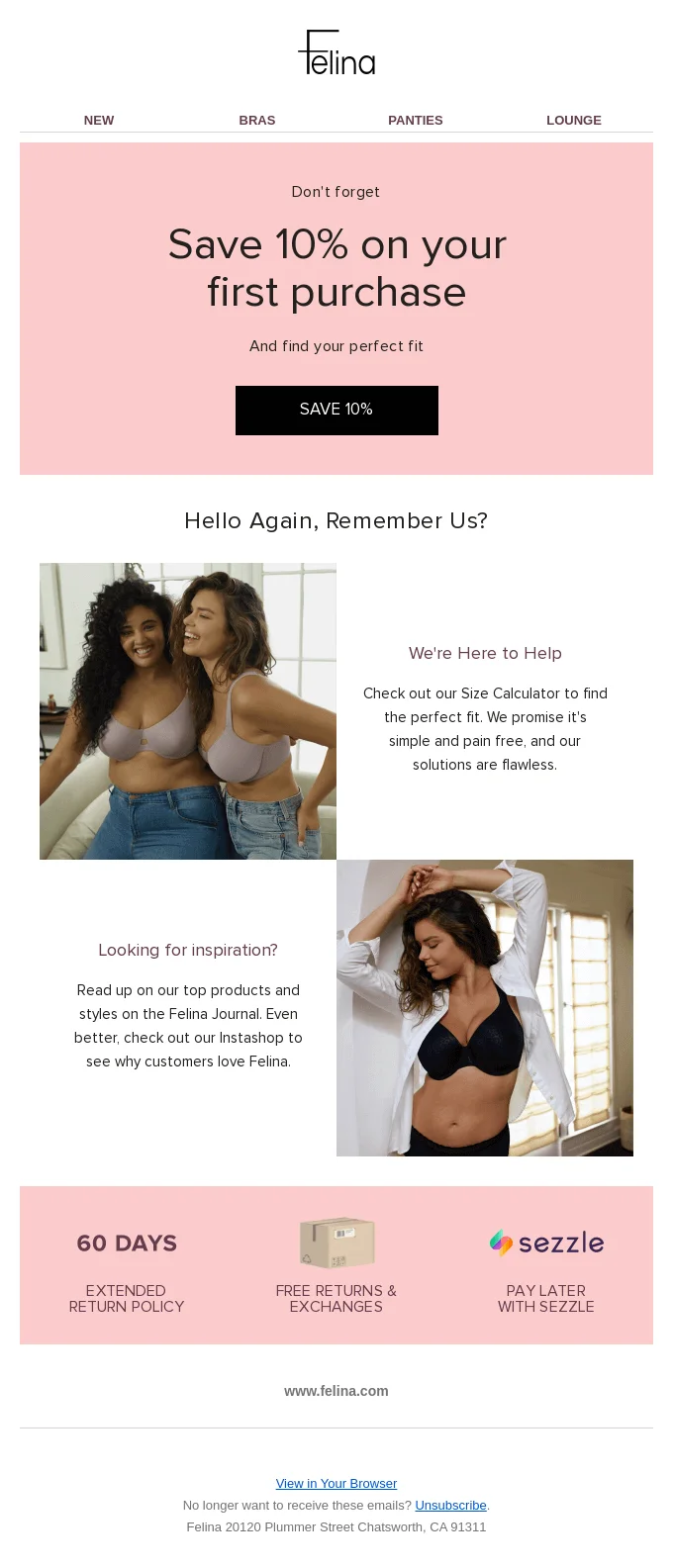
Notice the content difference between the two. The sales email above is more focused on visuals. It has less text and more CTAs and pictures. And the newsletter is more text-centric, it has less flashy design, and it doesn’t have any buttons.
Writing the content copy
Basic copywriting rules apply to email marketing as well — the key is being useful and writing a text people would want to read. We’d like to both remind you of key copywriting principles and point out email-specific nuances.
Look at this content copy by Eat Sunny. It’s brief but informative — it has fun facts and useful advice for the reader.
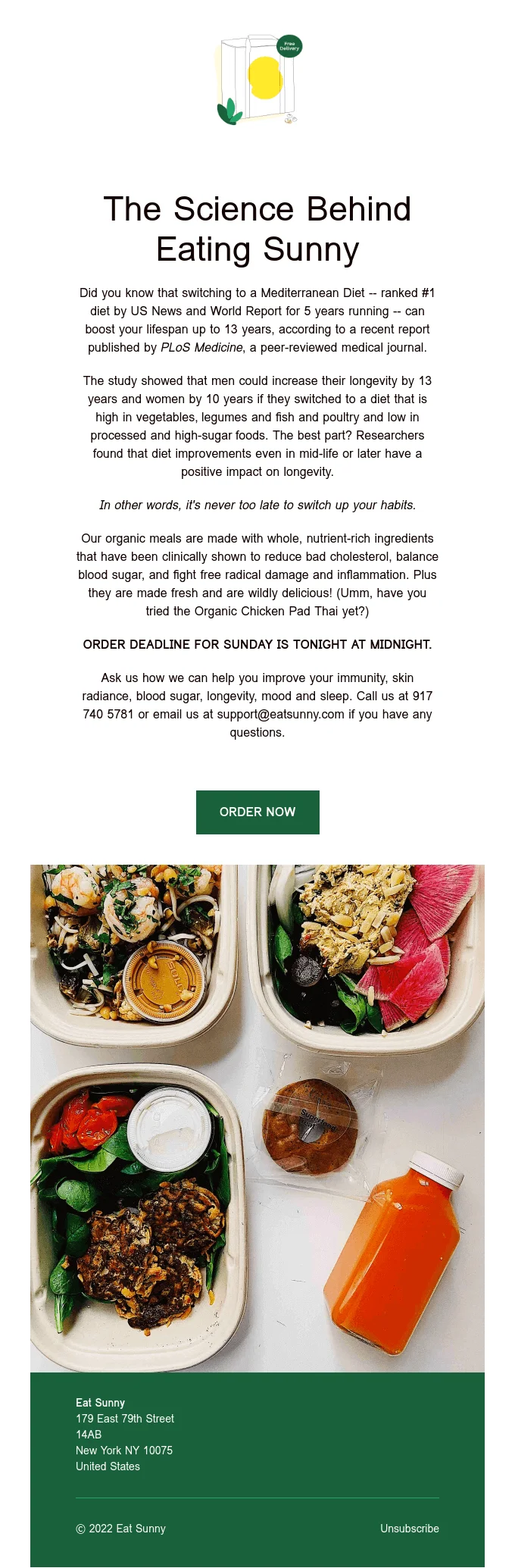
And the entire text leads the reader to perform the target action, which is ordering food. Check out our tips to write as good as Eat Sunny.
Think of your reader. You’re not writing an email for yourself — so take care of your target audience, which values they have, and how they think of the world. This should affect both what your copy is about and which words you choose. For example, you promote a marketing conference. Junior and senior marketers have different competences and problems. And younger specialists might not know some industry terms yet. That’s why these reader groups need different emails and different word choices.
Be clear. Your content copy should be readable — avoid overusing passive voice, long run-on sentences, and complex vocabulary. To make sure your copy is not too complicated, automate content editing with online solutions like Hemingway. This website scans your text for expressions that worsen its readability — like verbose sentences or too many adverbs.
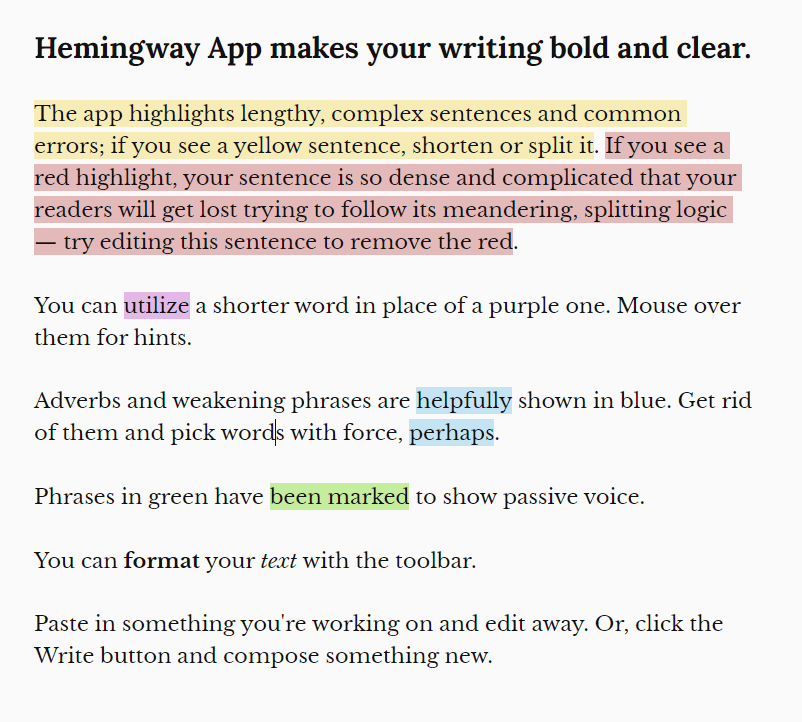
Be useful. A good content copy resolves readers’ pain points — think of what you can offer. It doesn’t have to be a financial deal — information is useful too. For example, subscribers can learn something that will solve their problem or even just laugh at your meme selection. It depends on your campaign and its goals — but you should always have an answer to this question:

Stay true to the Tone of Voice. Emails are a part of your brand personality — use the same style guides that apply to all branded content like social media and blog posts. For example, you’re promoting a solid B2B app for business purposes — and in your emails, you’re suddenly throwing fire emojis, memes, and teen slang like LOL and YOLO. It’s an exaggerated example but you should avoid even minor contradictions like that.
Use only the length the message needs. A product alert may require a few lines, while a newsletter may need more context. Make the main point and CTA easy to find, then remove repetition.
Be respectful. New means of communication bring new communication norms. Follow the email etiquette — for example, don’t abuse emojis, be clear in your subject line, and don’t waste your readers’ time by dancing around the topic.
Add a straightforward call to action. If you add several CTAs, chances are, people will follow none of them. The rules are: one clear and short CTA per email.
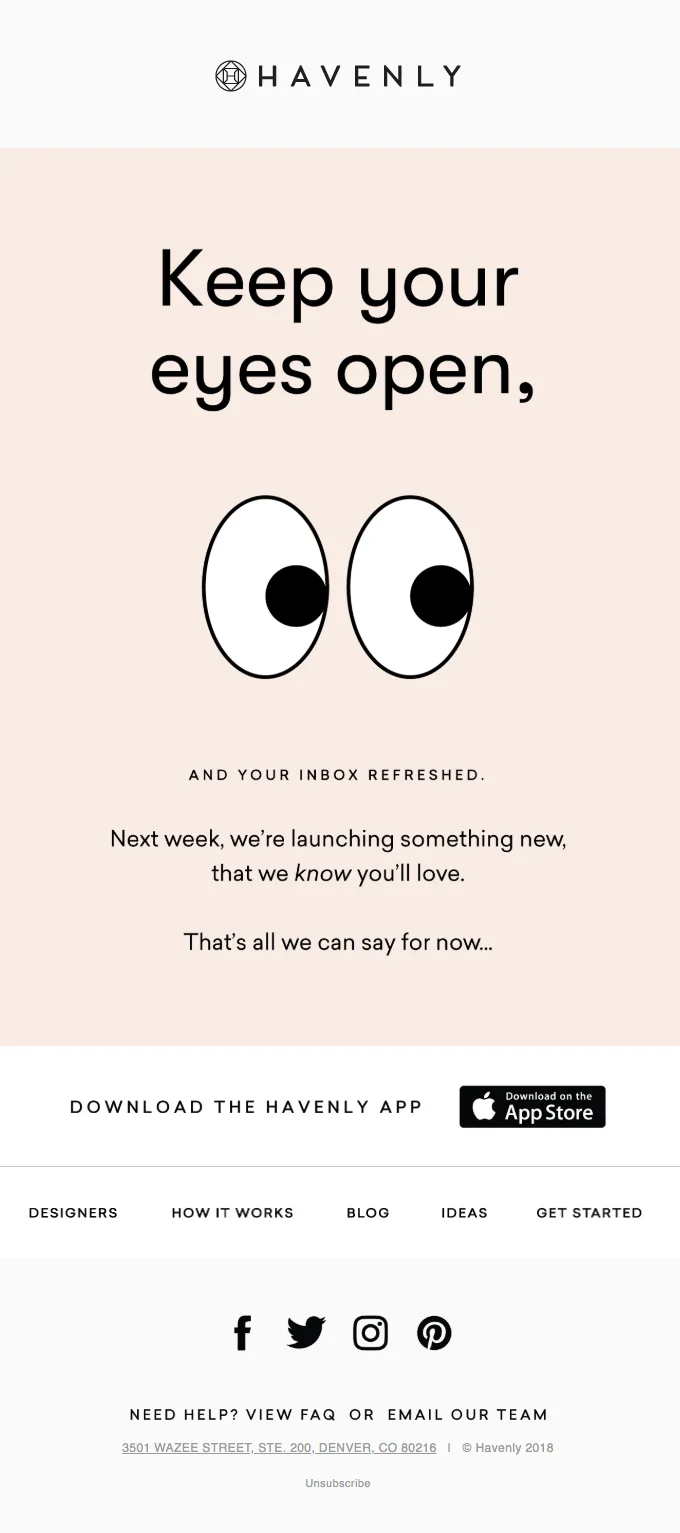
Take a look at this example from Havenly. It’s short and straightforward — its CTA is basically “keep an eye on updates”. The download button is a part of this CTA — you can download the app and you won’t miss fresh updates.
Deciding on your call to action
A CTA is a button at the end of your email — and a climax of your previously written content copy. But if you look closer, a CTA is actually your entire email. Both the copy and its design are aimed at one goal: to get your client to click that button below.
Your whole email persuades readers to perform the target action — but it doesn’t mean you have any slack when it comes to CTA buttons. Here are some best practices you can take into account:
- Use action verbs — like “Start now” or “Find a store nearby”.
- Get more personal — like “Find my love” or “Get your discount now”.
- Don’t forget the design — your CTA button should be big and noticeable but not too flashy and annoying.
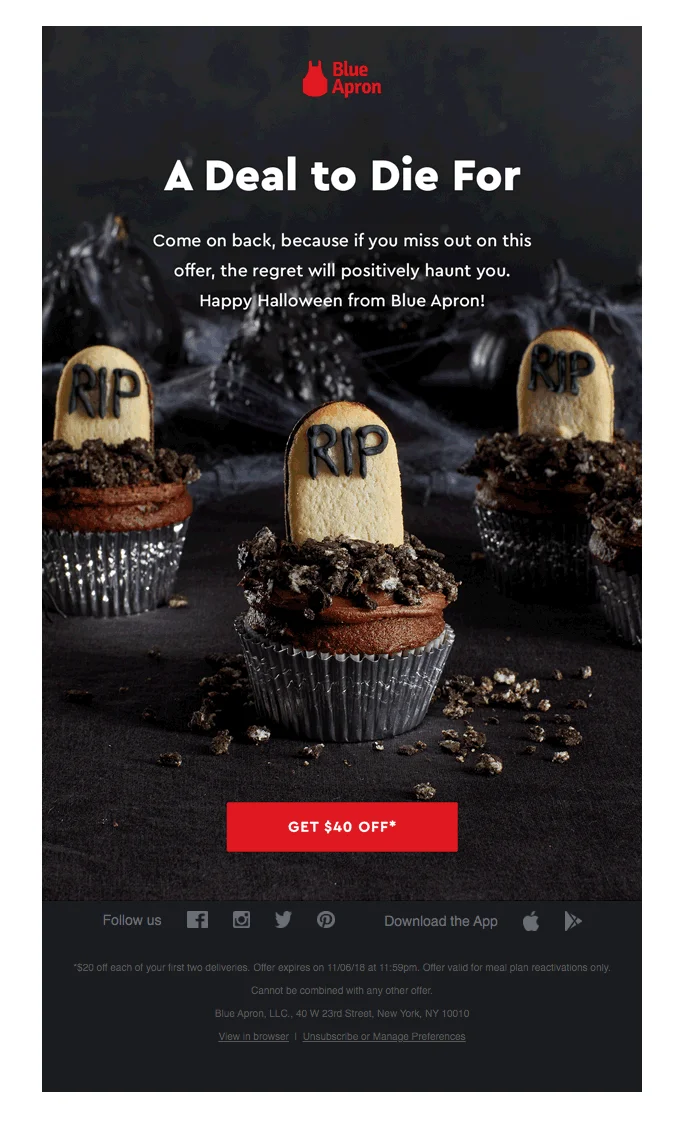
Take a look at this email from Blue Apron. Instead of the basic “Shop now” button, they used “Get $40 off”. It’s a good tactic — subscribers will look at this button and understand what they will get in return right away.
Adding an unsubscribe link
Commercial email rules vary by recipient location, so confirm which requirements apply to your campaign. In the United States, the FTC’s CAN-SPAM guidance requires accurate sender information, non-deceptive subject lines, a valid postal address, and a clear way to opt out. Other jurisdictions may require consent and provide additional rights.
Treat opt-out handling as both a compliance and list-quality check. Do not send marketing messages to people who have unsubscribed, and make sure suppression rules are applied across every segment.
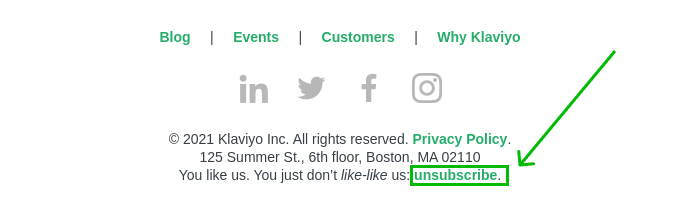
Add a clear, easy-to-find unsubscribe link to the footer and test that it works. For subscribed or marketing traffic, also check whether your sending setup must support one-click unsubscribe. In our example from Klavivo, the link is in bold and it’s highlighted with color. You can also play around with the context of the unsubscribe link — we like this example for the witty footer caption as well.
Proofread and check the grammar
Imagine that you’ve come up with an awesome email campaign. You wrote a great copy, found a sleek layout, and tested the perfect subject line — “Duck and cover, the ATOMIC sale is coming!”. And then you sent an email with a typo to thousands of subscribers — with an F-bomb in the subject line.
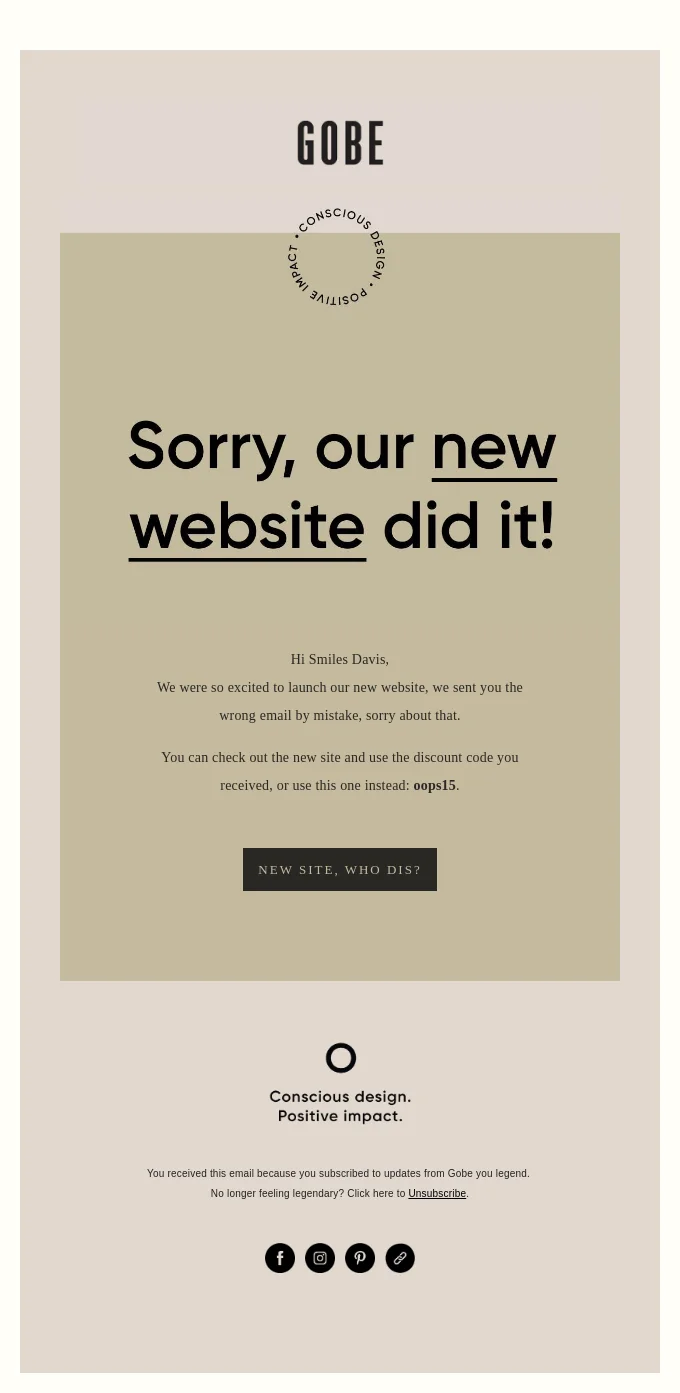
Email mistakes like this one can cost you money and brand reputation. Of course, you can write an apology email later — like Lakeland did after misinforming their readers:
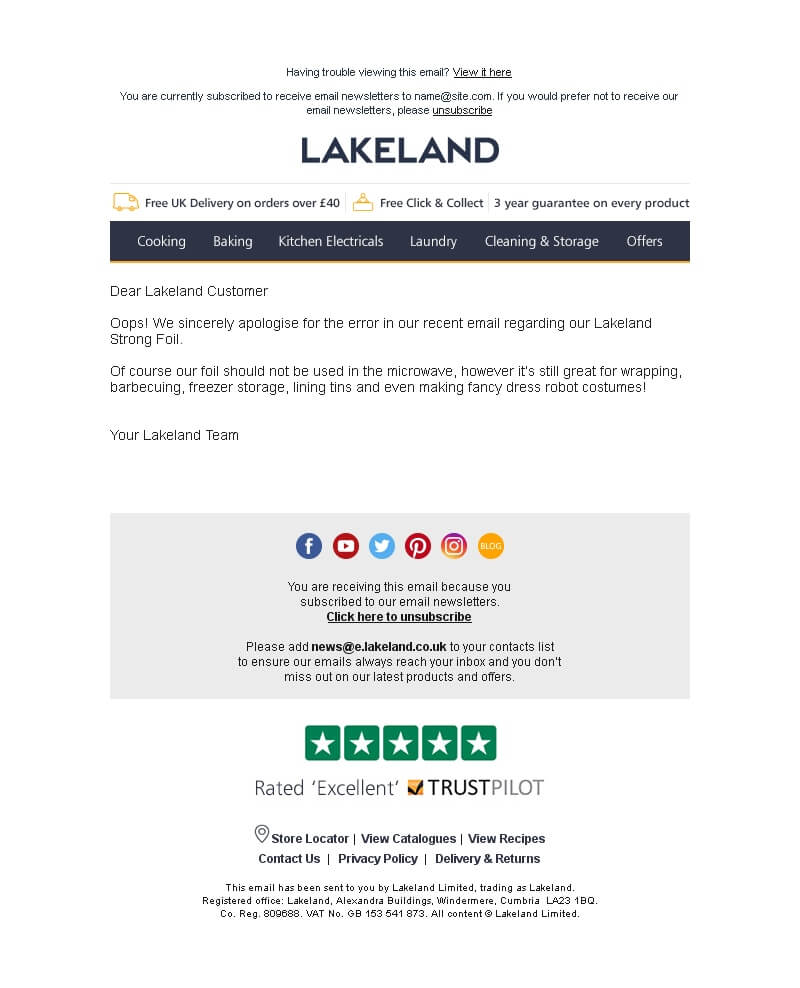
But prevention is a better strategy. That’s why, we couldn’t emphasize this more, proofread your campaigns before sending. Proofreading includes checking for typos, grammar and stylistic mistakes, and fact-checking. You can partially automate this process — for example, use Grammarly if you write in English.
3. Launching the campaign
Previewing and testing the campaign
This is the final quality-assurance pass. Use a test audience before the live send and verify the campaign from a recipient’s point of view:
- Authentication: confirm the sending domain is configured with the authentication required for your traffic, including SPF, DKIM, and DMARC where applicable.
- Sender identity: check the From name, From address, Reply-to inbox, and footer details.
- Audience: verify the segment, exclusions, suppression list, consent status, and estimated recipient count.
- Content: proofread names, dates, prices, promo codes, deadlines, personalization, and dynamic-content fallbacks.
- Links: click every link and button; check redirects, landing pages, forms, tracking parameters, and mobile behavior.
- Rendering: test important inbox providers and devices, including mobile, images disabled, and dark mode.
- Accessibility: review hierarchy, readable type, color contrast, descriptive links, meaningful alt text, and a logical reading order.
- Schedule: confirm the date, time zone, and any time-sensitive offer details one final time.

Applying contact filters
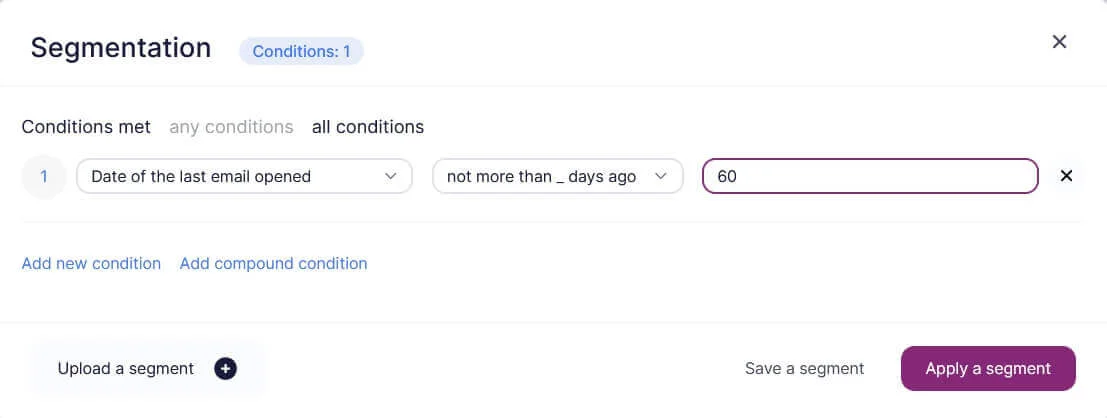
Put your segmentation plan into practice and verify both inclusion and exclusion logic. Check that unsubscribed, suppressed, bounced, or otherwise ineligible contacts cannot re-enter the send through another condition. Compare the expected recipient count with a recent baseline and investigate unexpected changes before launch.
In Selzy, you can segment your contact list from Contacts or while creating an email. In both cases the mechanics are the same: you choose the “Segmentation” feature and then add one or more conditions to create a group of contacts. Take a look at this example for a re-engagement email marketing campaign.
Send out or schedule your emails
Once the campaign passes QA, send it immediately or schedule it. There is no universal best weekday or hour for every audience. Use your own engagement and conversion data, consider recipient time zones and the message context, and test timing over comparable campaigns. Before confirming the schedule, recheck the time zone, segment, exclusions, and offer deadline.
Monitor your email bounces
A bounce is an email delivery failure. There are two types of email bounces — hard and soft. A soft bounce is a temporary delivery failure, and a hard bounce is permanent. Reasons for email bounces include:
- Invalid recipient addresses
- Full recipient inbox
- Spam reports from recipients
- Automated spam filters
- Issues with your DNS settings
Monitor hard and soft bounces separately and investigate sudden changes rather than relying on one universal threshold. Repeated hard bounces should be suppressed, while a rise in soft bounces may point to temporary mailbox, reputation, or infrastructure issues.
Monitor campaign results
The checklist continues after the send. Review delivery signals, spam complaints, clicks, conversions, unsubscribes, broken-link reports, and unexpected segment behavior. Compare results with the campaign objective, record what needs to change, and carry those lessons into the next launch.
Wrapping up
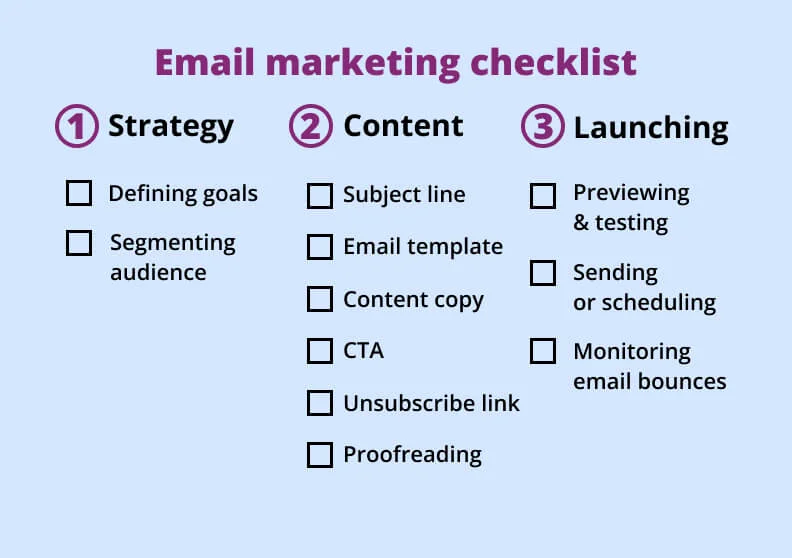
A reliable email campaign is built through repeatable checks, not a last-minute glance. Use this checklist for planning, content, pre-send QA, launch, and monitoring, then adapt it as your audience, legal obligations, and sending program evolve.
Email marketing checklist FAQ
What should an email marketing checklist include?
It should cover strategy, audience and exclusions, sender identity, content, links, accessibility, authentication, testing, schedule, tracking, and a post-send review. The goal is to verify each step before sending and capture lessons after the campaign goes out.
What should I check before sending a marketing email?
Confirm the intended audience, suppression lists, and consent or permission status, then review the From and Reply-to details. Also check personalization fallbacks, links, the landing page, dates, prices, and the send schedule so the message and offer stay consistent.
How do I test an email campaign before launch?
Send test emails across inbox providers and devices, and review the experience on mobile and in dark mode. Check how the email looks with images off, confirm alt text appears, and test every link, button, and dynamic content element.
Which deliverability settings should I verify before sending?
Verify SPF, DKIM, and DMARC, and make sure the sender identity is accurate. Also confirm unsubscribe requirements that apply to the traffic you are sending.
What should I monitor after an email campaign is sent?
Watch delivery, hard and soft bounces, complaints, clicks, conversions, and unsubscribes. Also look for unexpected segment behavior so you can catch list or targeting issues early.
 New and noteworthy on our blog
