



Key takeaways
- Responsive email templates adapt to different screen sizes and email clients, adjusting column structure, image width, font readability, and button spacing.
- Benefits of using responsive templates include better mobile readability, faster campaign production, consistent branding, fewer rendering risks, and easier mobile action.
- Choose between a no-code builder template for quick campaigns or an HTML template for deeper control.
An essential step of launching an email marketing campaign is to ensure the email layout displays correctly on every device. To do so, you can use free responsive email templates. In this article, you will learn more about the templates, their benefits, types, and some of the best free responsive email template services.
Quick answer
Responsive email templates are prebuilt email layouts that adjust to desktop and mobile screens. You can use them in two main ways: choose a no-code template in an email builder or download and edit an HTML template from a resource library. Either way, preview the layout, test it in key email clients, and check that text, images, and CTA buttons stay readable on mobile before sending.
What is a responsive email template?
A responsive email template is an email layout built to adapt to different screen sizes and email clients. Instead of forcing the same desktop layout onto every device, a responsive template adjusts column structure, image width, font readability, and button spacing so the message stays easy to read and act on.
Responsive templates can come from a no-code email builder, a template gallery, or an HTML framework. Builder templates are usually faster for marketers because you can customize text, images, and branding without touching code. HTML templates give designers and developers more control, but they need extra testing before a campaign goes live.
Crafting a good responsive email template is not enough to run an effective campaign — email copy is just as important. Can’t get over writer’s block? Use text templates as a starting point — for example, sales prospecting email templates!
What are the benefits of using it?
Responsive email templates help teams launch campaigns faster while keeping messages readable on desktop and mobile. They give you a tested layout foundation, so you can spend less time fixing structure and more time improving copy, visuals, segmentation, and the offer itself.
- Better mobile readability. A responsive layout keeps text size, image width, and spacing comfortable on smaller screens, which helps subscribers understand the message without zooming or scrolling sideways.
- Faster campaign production. Instead of designing every email from scratch, you can start with a proven layout and adapt it for newsletters, promotions, transactional updates, or seasonal campaigns.
- More consistent branding. Templates make it easier to reuse brand colors, typography, content blocks, and CTA styles across campaigns.
- Fewer rendering risks. A good responsive template has already been built with common email-client constraints in mind. You still need to test it, but you start from a stronger baseline.
- Easier action on mobile. Responsive templates can keep CTA buttons large enough to tap, product blocks easy to scan, and important links visible without extra effort from the reader.
No-code builder or HTML template?
Choose a no-code builder template if you need to launch campaigns quickly, keep branding consistent, and let marketers edit emails without developer support. Choose a free HTML template or framework if you have coding resources, need deeper layout control, or want to build a custom email system. In both cases, test the final email before sending: responsive code and responsive design are only useful when they render well in real inboxes.
11 best free responsive email templates
Here, we’ve gathered some of the best free responsive email template design ideas — all of them are templates from Selzy email builder. We’ll show you desktop and mobile versions of all these templates — just scroll the carousels to see more. Keep reading to get some inspo for your next email marketing campaign!
How to choose the right responsive template
Start with the campaign goal, then choose the layout that supports the action you want readers to take. This keeps the template useful instead of simply attractive.
| Campaign goal | Best template type | Why it fits |
| Welcome new subscribers | Welcome | Introduces the brand and points readers to the next step. |
| Confirm purchases or account actions | Transactional | Keeps important status details clear on any device. |
| Promote a sale or launch | Promotional | Puts the offer, visuals, and CTA front and center. |
| Share product or company updates | Announcements | Works for concise news, feature releases, or service updates. |
| Send recurring content | Newsletters | Organizes several content blocks without overwhelming mobile readers. |
| Collect feedback | Surveys | Keeps the request short and the CTA easy to tap. |
| Send proposals or B2B offers | Commercial offers | Gives structure to benefits, details, and next steps. |
| Recover lost sales | Abandoned cart | Shows products and a clear return-to-cart action. |
| Promote webinars or live events | Events | Highlights date, value, and registration details. |
| Run seasonal campaigns | Holidays | Makes themed messaging easier to adapt across devices. |
Welcome


Welcome emails are the ones you send after a customer subscribes to your newsletter. The purpose of this type of email is to express your gratitude and briefly introduce your brand. This responsive template gets straight to the point: it greets the subscribers, lists the available services, and has a call to action. You can customize and design it to match your brand’s aesthetics.
Transactional
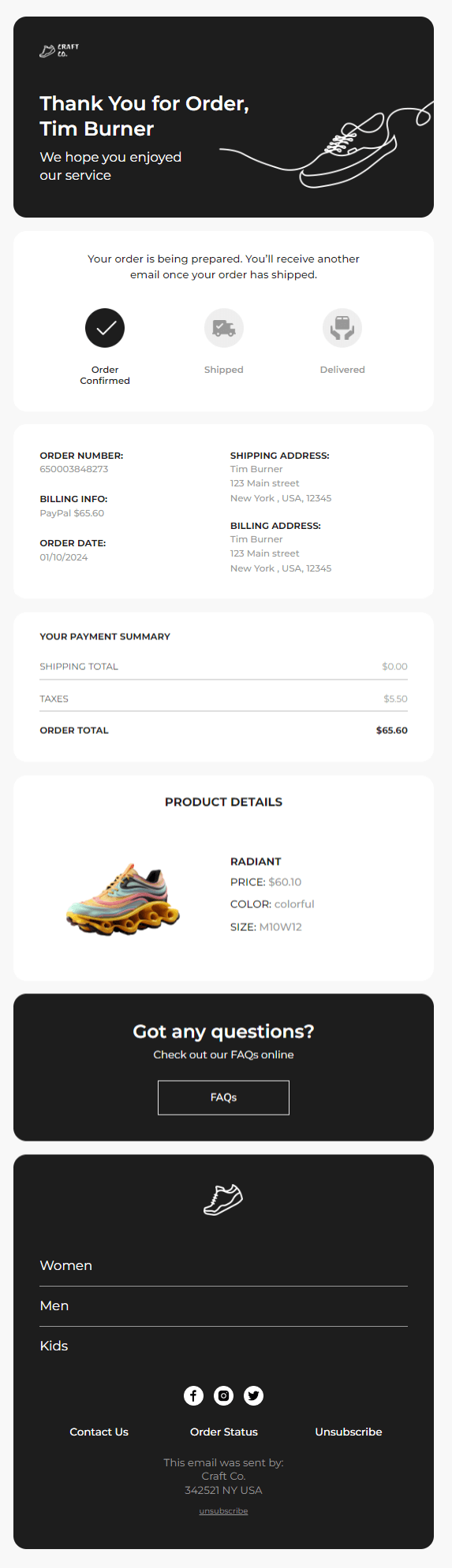

Businesses send transactional emails to confirm the order, share the order status updates, or similar operations. This template is short and simple. Although it doesn’t have too much going on, it is quite informative.
By the way, we made these screenshots in the Selzy builder itself! It allows users to see (and even edit separately) the mobile version of the email they’re working on with a push of one button.
Promotional
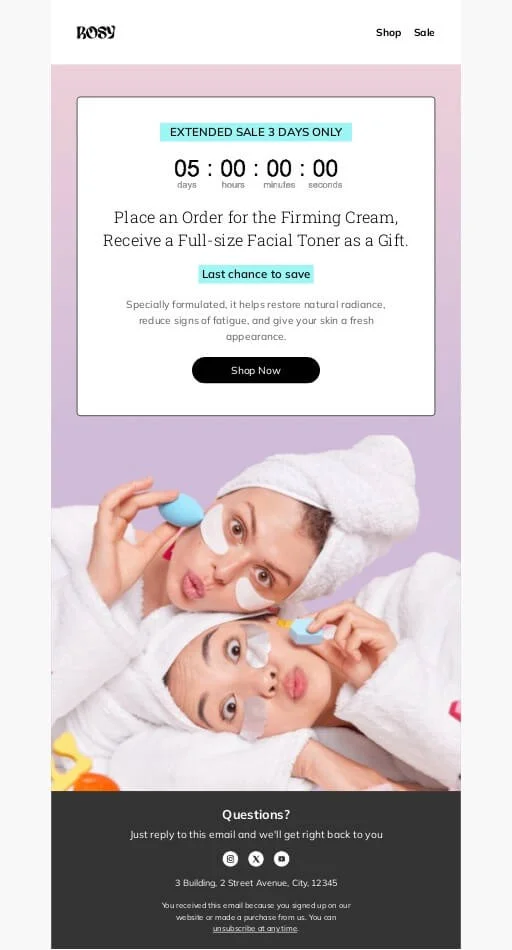
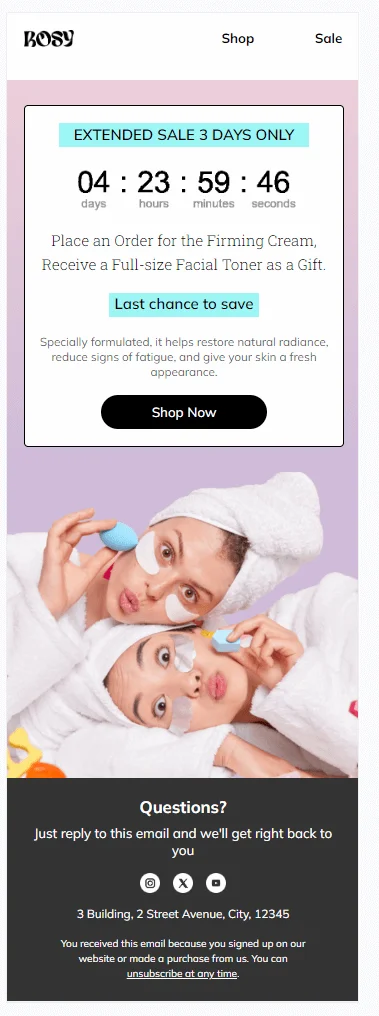
Promotional emails serve as advertisements for deals, new products, and other things your business can offer. This responsive template includes a countdown timer GIF that creates a sense of urgency and motivates your customers to claim the offer. You can also edit this template in Selzy and add more cool elements to boost the efficiency of your email marketing campaign.
Announcements
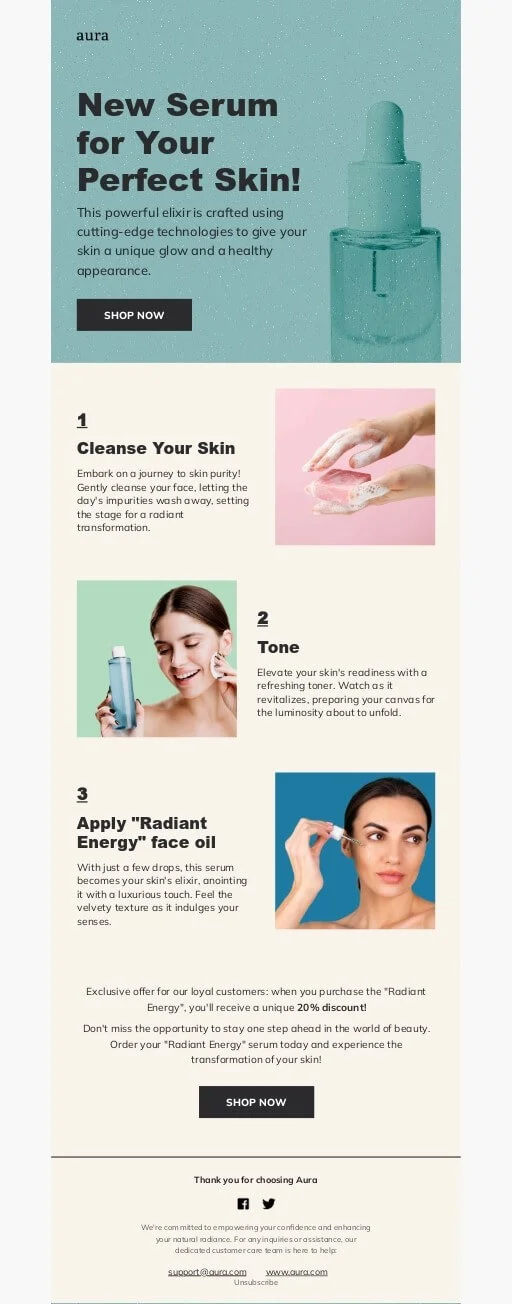
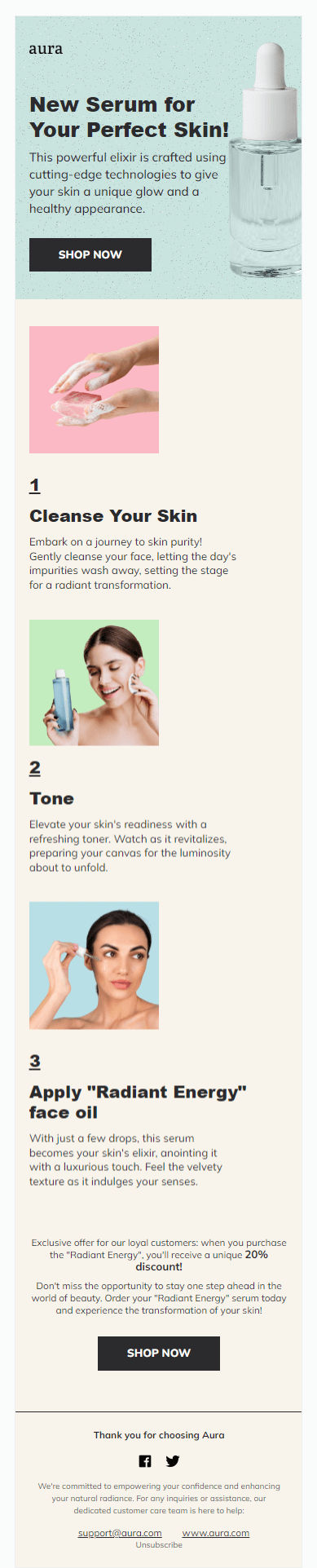
Announcement emails are used to let the subscribers know about a new product or a recent update. In this responsive template, you can also add a preview of your product or a call-to-action button.
Newsletters


Businesses may start sending newsletters when they want to share some news about the company, let the subscribers know about new services, or notify them about updates. You can design this responsive template the way you want — the empty spaces let you be as creative as possible. For example, you can change the graphics or background colors.
By the way, the Selzy team used a similar template for our email marketing newsletter.
Surveys
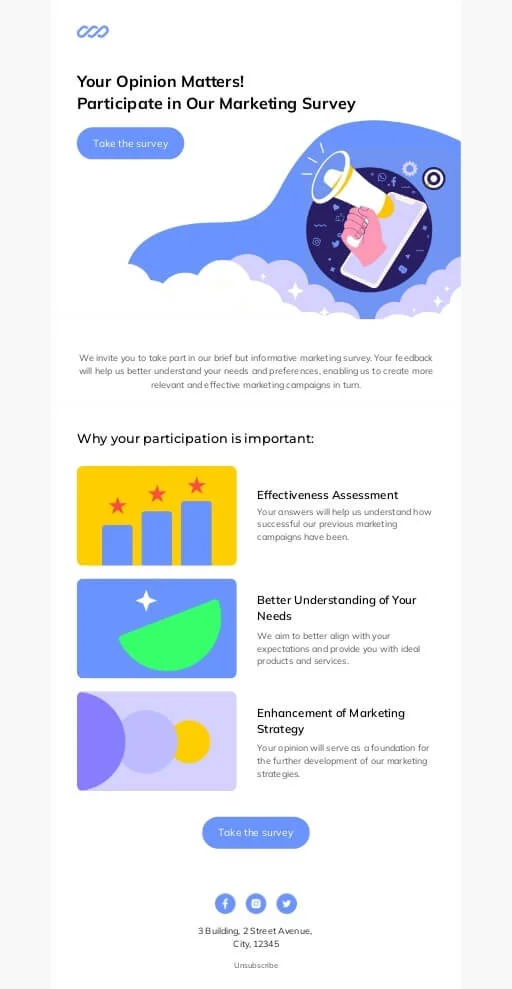
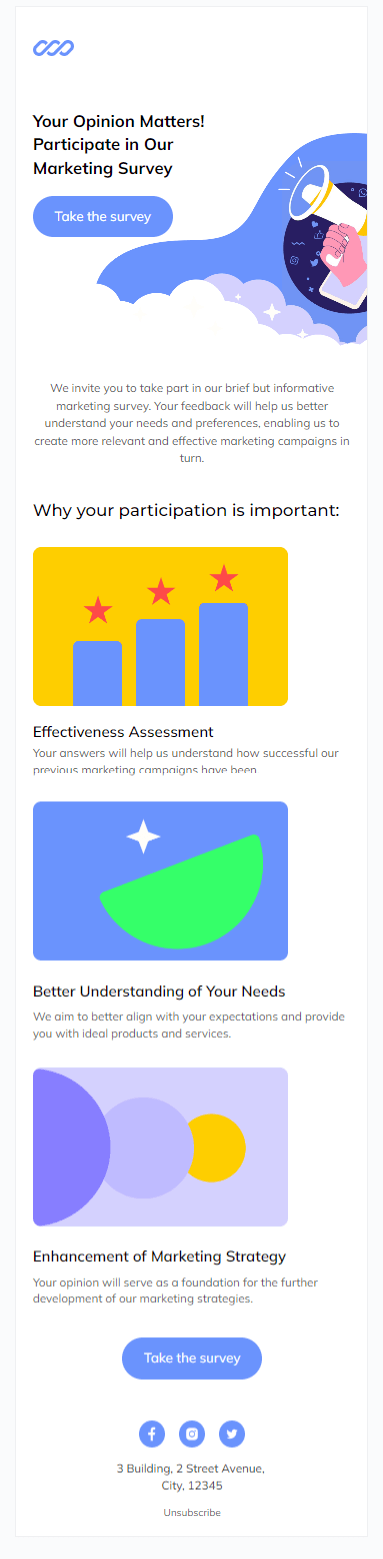
Surveys are a great way to gather feedback from your customers. Survey emails are usually short and simple. In this template, the most important element is a CTA button encouraging the audience to participate.
Commercial offers
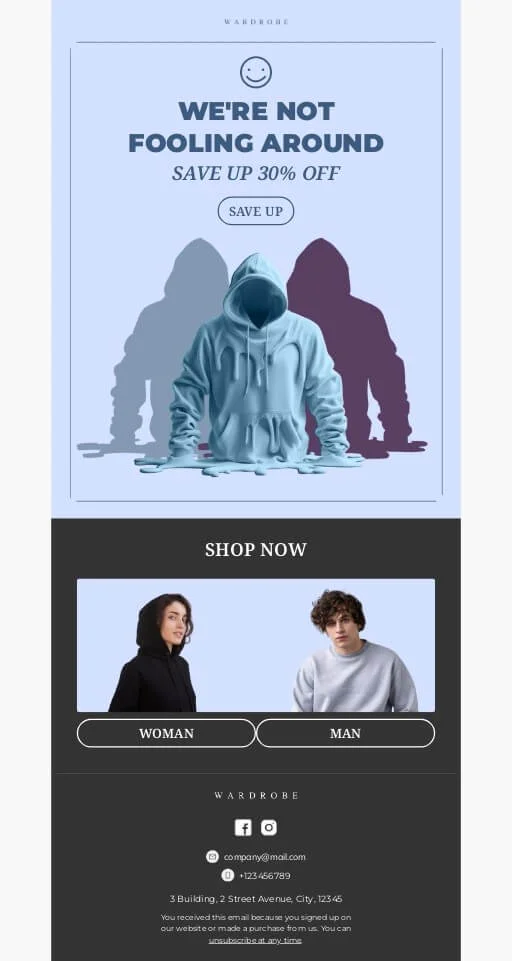
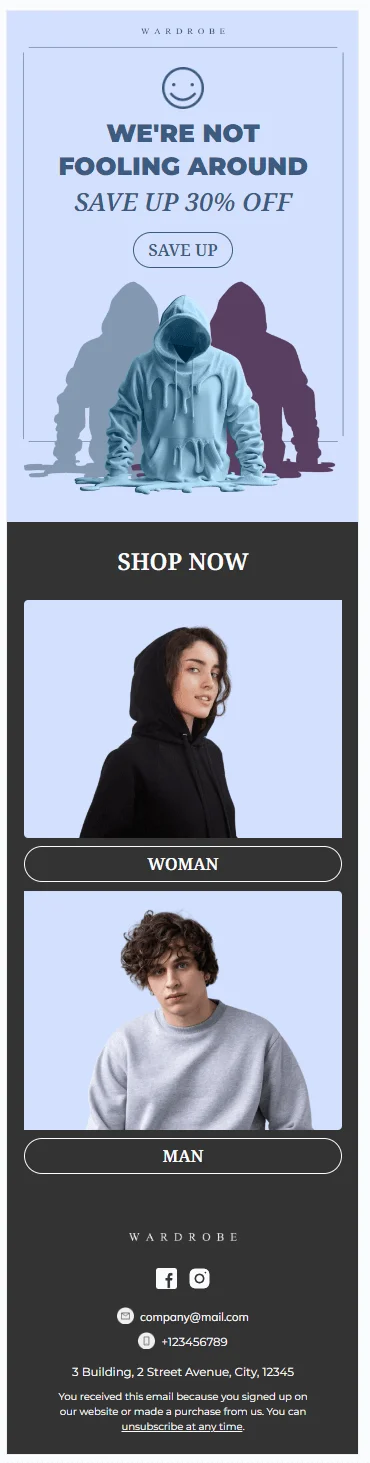
Emails with commercial offers are meant to attract customers by sharing a discount code or letting the audience know about other offers. In this template, you can add a picture of your products or introduce your service.
Abandoned cart
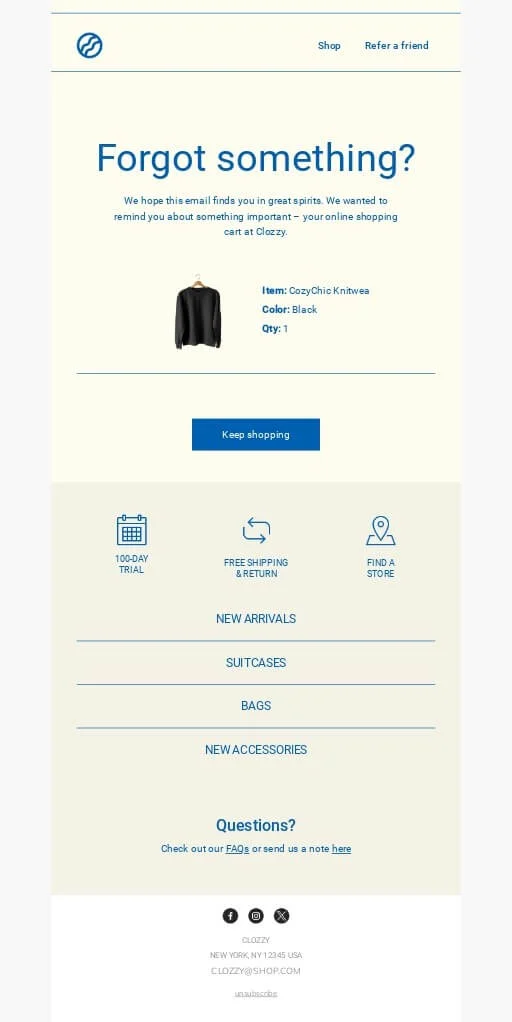
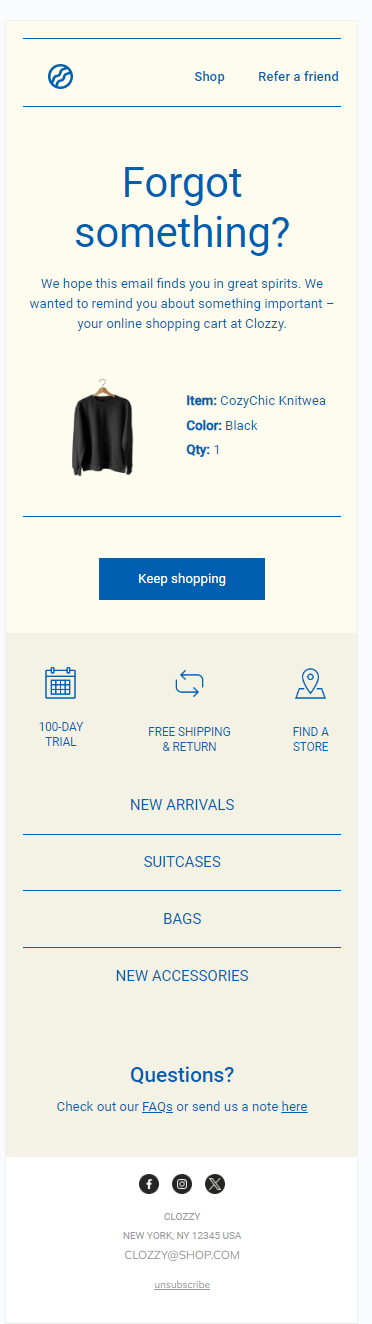
Abandoned cart emails serve as a reminder to the customers who haven’t finished checking out on your website. Using this template, you can also add an image of your product to remind the customers about their purchase.
Events
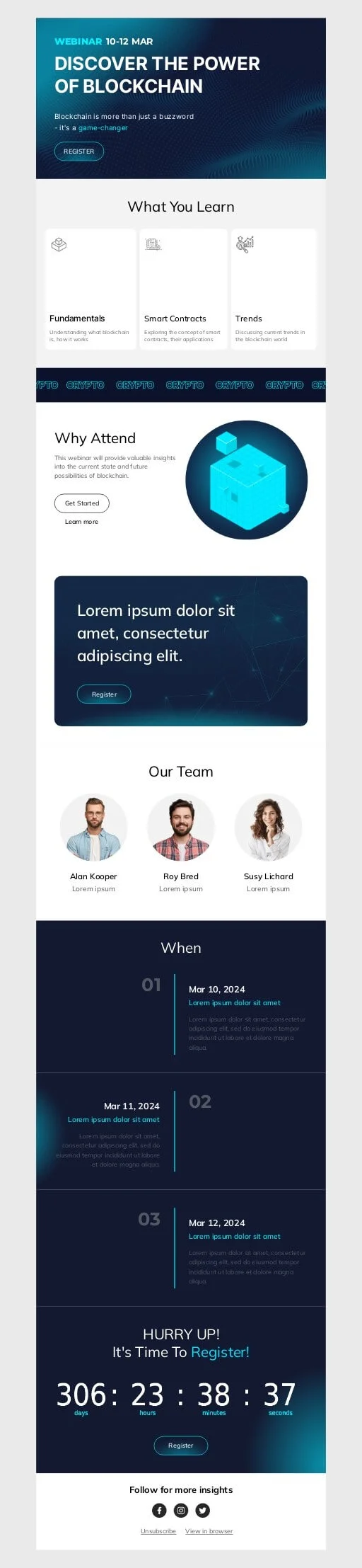

If you want to let your audience know about your event, you can use a simple template. Make sure to include the date and other important details. This email includes separate blocks for all the necessary intel like webinar hosts, time, and a sign-up button.
Holidays
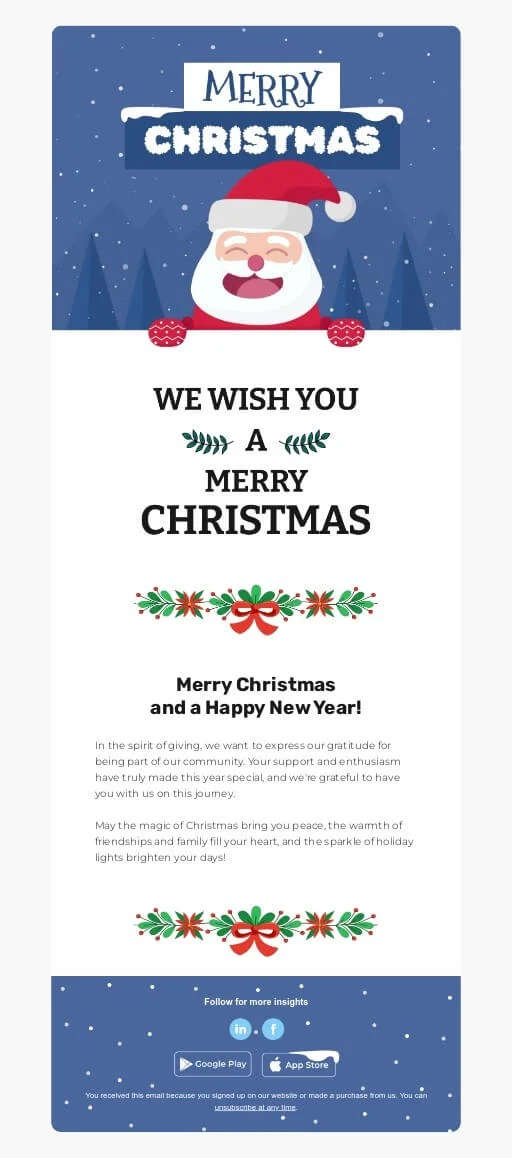
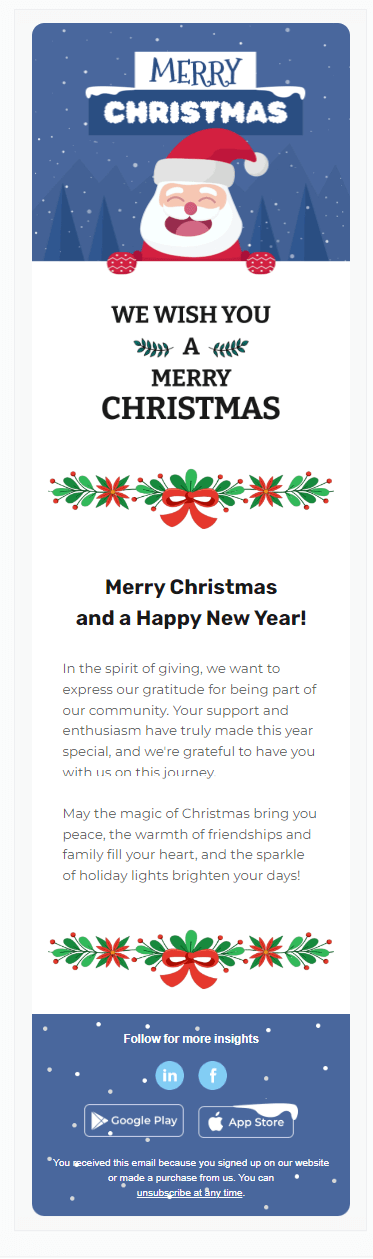
Holiday emails are a great way to remind your subscribers about yourself and express your gratitude. This type of email is usually short and simple. Although this is a Christmas email template, you can customize the visuals and use it for other holidays.

9 websites with free responsive email templates
The best place to find a responsive email template depends on how you plan to use it. If you want to edit and send campaigns without code, start with an email builder or template gallery. If you have development resources, HTML repositories and frameworks give you more control. Here are practical options from both paths.
| Resource | Best for | Template type | Coding needed | Free access | Notes |
| Selzy | No-code campaign creation | Builder templates | No | Free plan available | Best when you want to customize and send from the same platform. |
| Campaign Monitor | Browsing polished marketing layouts | Template gallery | No for browsing; platform needed to send | Free template browsing | Useful for inspiration and responsive layout patterns. |
| Stripo | Email design and export workflows | Template gallery and editor | No-code with optional HTML | Free access options vary | Good when you need templates that can be edited and exported. |
| Foundation for Emails | Developer-built responsive emails | HTML framework and templates | Yes | Free open-source resources | Best for teams comfortable with code. |
| Litmus | Email testing and proven templates | Templates and testing resources | Some | Free resources plus paid platform | Useful for QA-focused teams. |
| MJML | Responsive email coding | Markup framework and templates | Yes | Free open-source framework | Helps developers build responsive HTML emails faster. |
| Email on Acid | Mobile email coding guidance | How-to/testing resource | Yes | Free article resources plus paid platform | Strong fit for implementation and testing advice. |
| Lee Munroe/GitHub | Simple downloadable HTML starter | HTML template repository | Yes | Free open-source template | A long-running basic responsive HTML email template. |
| CodedMails | Browsing HTML email templates | HTML template collection | Usually yes | Free templates available | Useful when you want ready HTML examples. |
Selzy
Selzy’s email builder includes responsive templates for common campaign types, including newsletters, promos, welcome emails, events, and ecommerce messages. It is the easiest option in this list if you want to customize a template, preview desktop and mobile versions, and send the campaign from the same platform.
Best for: Marketers who want no-code editing and campaign sending in one place.
Template type: Builder templates.
Coding needed: No.
Free access: Free plan available.
Campaign Monitor
Campaign Monitor offers a gallery of free responsive email templates for newsletters, announcements, promotions, and other marketing campaigns. It is useful for layout inspiration and for teams that want polished templates connected to an email marketing platform.
Best for: Browsing polished marketing email layouts.
Template type: Template gallery.
Coding needed: No for browsing; platform workflow for editing and sending.
Free access: Free template browsing.
Stripo
Stripo is an email template builder and template library. It is a good fit if you want a large gallery of responsive email designs and need export or integration options for different email platforms. It also supports more advanced editing when a team wants to combine no-code work with HTML control.
Best for: Designing responsive emails and exporting them to an ESP.
Template type: Template gallery and editor.
Coding needed: No-code editing with optional HTML work.
Free access: Free access options vary by account and export needs.
Foundation for Emails
Foundation for Emails provides responsive HTML email templates and a framework for developers. It is not the fastest route for a non-technical marketer, but it is valuable when your team wants a code-first foundation for custom email layouts.
Best for: Developers building custom responsive emails.
Template type: HTML framework and starter templates.
Coding needed: Yes.
Free access: Free open-source resources.
Litmus
Litmus is best known for email testing, but it also publishes responsive email template and email design resources. Choose it when you care about rendering quality and want to combine templates with stronger QA practices.
Best for: Teams that treat responsive templates and inbox testing as one workflow.
Template type: Template and testing resources.
Coding needed: Some, depending on the resource.
Free access: Free resources plus paid testing platform.
MJML
MJML is an open-source markup framework for building responsive email HTML. Instead of editing raw table-heavy HTML from scratch, developers can write MJML markup and compile it into responsive email code. It is a strong choice for teams that repeatedly build custom templates.
Best for: Developers who build responsive email systems.
Template type: Markup framework and templates.
Coding needed: Yes.
Free access: Free open-source framework.
Email on Acid
Email on Acid is a practical resource for teams that need to understand how responsive HTML emails work on mobile devices. It is less of a template gallery and more of a coding and testing guide, which makes it useful when you are customizing or debugging an HTML template.
Best for: Learning and testing mobile-friendly email code.
Template type: How-to and testing resource.
Coding needed: Yes.
Free access: Free article resources plus paid platform.
Lee Munroe/GitHub
Lee Munroe’s responsive HTML email template is a simple open-source starter template on GitHub. It is useful when you want a downloadable HTML foundation rather than a full email builder. You will need coding and testing resources to adapt it safely.
Best for: A simple downloadable responsive HTML starter.
Template type: HTML template repository.
Coding needed: Yes.
Free access: Free open-source template.
CodedMails
CodedMails offers responsive HTML email templates that can be useful for browsing ready-made code examples. It is a better fit for technical users than for marketers who need a no-code send flow, because HTML templates still need editing, brand adaptation, and inbox testing.
Best for: Browsing HTML email template examples.
Template type: HTML template collection.
Coding needed: Usually yes.
Free access: Free templates available.
Tips for choosing mobile-friendly responsive email templates
A template can look good in a gallery and still cause problems in an inbox. Before you use one for a real campaign, check how it fits your workflow, audience, and testing process.
- Decide whether you need no-code editing or HTML control. If marketers will own the campaign, a builder template is usually faster. If developers will customize the layout, an HTML template or framework may be a better fit.
- Preview desktop and mobile versions. Check whether text, images, columns, product blocks, and CTA buttons resize cleanly on smaller screens.
- Test in key email clients. Gmail, Apple Mail, Outlook, and mobile clients can render the same email differently. Send tests before launch, especially after editing HTML.
- Keep the mobile layout easy to scan. Simple one-column sections, short paragraphs, clear headings, and large CTA buttons usually work better than dense multi-column designs.
- Check images and fallback content. Make sure important information is not trapped inside images, add alt text where possible, and keep the email understandable if images are blocked.
- Match the template to the campaign goal. A newsletter, abandoned cart email, event invite, and transactional update need different structures. Choose the layout that supports the action you want readers to take.
FAQ
What makes an email template responsive?
A responsive email template is built to adapt to different screen sizes and email clients. It changes elements like column structure, image width, font readability, and button spacing so the email stays easy to read and use on desktop and mobile.
Why use free responsive email templates?
Free responsive email templates help teams launch campaigns faster while keeping emails readable across devices. They provide a tested layout foundation, so you can spend more time on copy, visuals, segmentation, and the offer instead of building the structure from scratch.
Should I choose a no-code builder template or a free HTML template?
Choose a no-code builder template if you want to launch quickly and let marketers edit emails without developer support. Choose a free HTML template if you have coding resources and need deeper layout control or a custom email system. In both cases, the final email still needs testing before sending.
How do I test a responsive email before sending it?
Preview the layout and test it in key email clients before you send it. Check that text remains readable, images scale properly, and CTA buttons stay easy to tap on mobile. Responsive design only works well if it renders correctly in real inboxes.
How can responsive templates help ecommerce emails?
Responsive templates make product blocks easier to scan and keep CTA buttons large enough to tap on mobile. That helps subscribers move from reading to acting without extra effort, which is important for ecommerce campaigns.
How can responsive templates improve newsletter campaigns?
They give newsletters a consistent, reusable structure that is easier to adapt for different campaigns. Responsive layouts also help keep the content readable on smaller screens, which is useful because many subscribers will view newsletters on mobile devices.
Conclusion
Responsive email templates are useful because they give you a mobile-friendly starting point instead of forcing you to build every campaign from scratch. The best option depends on your workflow: use a no-code builder if you want to customize and send quickly, or start with an HTML template or framework if your team needs deeper control.
Before launching, preview the email, test it in the clients your audience uses, and make sure the message stays readable on mobile. Want to build responsive emails without coding? Get a free Selzy account and start with ready-made templates in the email builder.
 New and noteworthy on our blog