


Key takeaways
- Marketing tools are essential for small businesses to reach more customers, increase conversions, and scale marketing efforts.
- Understanding the target market and audience is crucial when selecting the best marketing tools for a small business.
- Key factors to consider when choosing tools include price-to-feature ratio, user-friendliness, integration with existing tools, and customization.
A small business looking to grow and prosper needs to be smart about its marketing strategy, budget, and goals. Marketing tools are essential because they give you cost-effective ways to reach more customers, increase conversions, and scale your marketing without hiring a big team.
Whether you need help promoting your product, improving your website, or launching an email campaign, this guide will walk you through the essential tools to grow your small business. We’ll bring our top recommendations for marketing tools, explain their importance, and give you tips about how to choose the best ones for your business.
How marketing tools help your business
Marketing tools help you maximize efficiency and, at the same time, have a good return on investment rate.
Let’s face it: a small startup, for instance, is not going to have the same firepower and budget as an established company, and the tools we are about to mention will help you get started.
For example, most small businesses don’t start with a big marketing budget from the get-go, but efficient use of an email marketing platform will help you reach way more customers than you would without using that kind of tool.
The best part? It is not expensive in comparison to the financial return you can expect.
How to pick the best tools for your small business
For starters, understanding your target market and audience is a good first step.
A competitor analysis will help you identify your most urgent goals.
With all that in mind, answer this question: What kind of marketing is more appropriate to your audience, and what tools will elevate it?
Once you can answer that, here are some things business owners should pay attention to when choosing their tools:
- Price-to-feature ratio
- How user-friendly the tool is
- Integration with other tools you already use
- Customization and how well it fits your workflows
We also have a very comprehensive guide on the best marketing tools for startups to help you decide what’s best.
25 best marketing tools for small businesses
We selected these tools based on features, small-business suitability, and publicly available reviews. Pricing (billed monthly) is accurate at the time of writing but may change.
Email marketing tools
- Selzy – best all-in-one email marketing tool for small businesses
- Mailchimp – best for extensive integrations and add-ons
- Brevo – best budget-friendly multichannel platform with a strong free plan
- MailerLite – best for simple newsletters and landing pages
- Stripo — best for designing and producing professional HTML emails
Social media marketing tools
- Hootsuite – best advanced social media suite for multi-channel brands
- Buffer – best lightweight scheduler for small teams on a budget
- Later – best for visually driven brands on Instagram and TikTok
Content & design tools
- Canva – best DIY design tool for non-designers
- BuzzSumo – best for finding proven content and topic ideas
- Grammarly – best writing assistant for polishing marketing copy
SEO & website optimization tools
- Ahrefs – best for deep backlink and keyword analysis
- Semrush – best all-in-one SEO toolkit for data-driven growth
- Sitechecker – best user-friendly SEO tool for non-experts
Marketing automation & CRM
- HubSpot Marketing Hub – best beginner-friendly marketing automation for scaling small businesses
- ActiveCampaign – best advanced automation for behavior-based email flows
- Zoho CRM – best affordable all-in-one CRM for small and mid-sized businesses
Analytics & tracking
- Google Analytics – best free website analytics suite
- Hotjar – best for heatmaps and on-page behavior insights
E-commerce & SMS
- Klaviyo – best email and SMS platform for e-commerce stores
- WooCommerce – best way to turn a WordPress site into an online store
- SlickText – best SMS tool for promotions and bulk campaigns
- Podium – best for small companies that depend on Google reviews and word-of-mouth
Project management & collaboration
Email marketing tools
1. Selzy
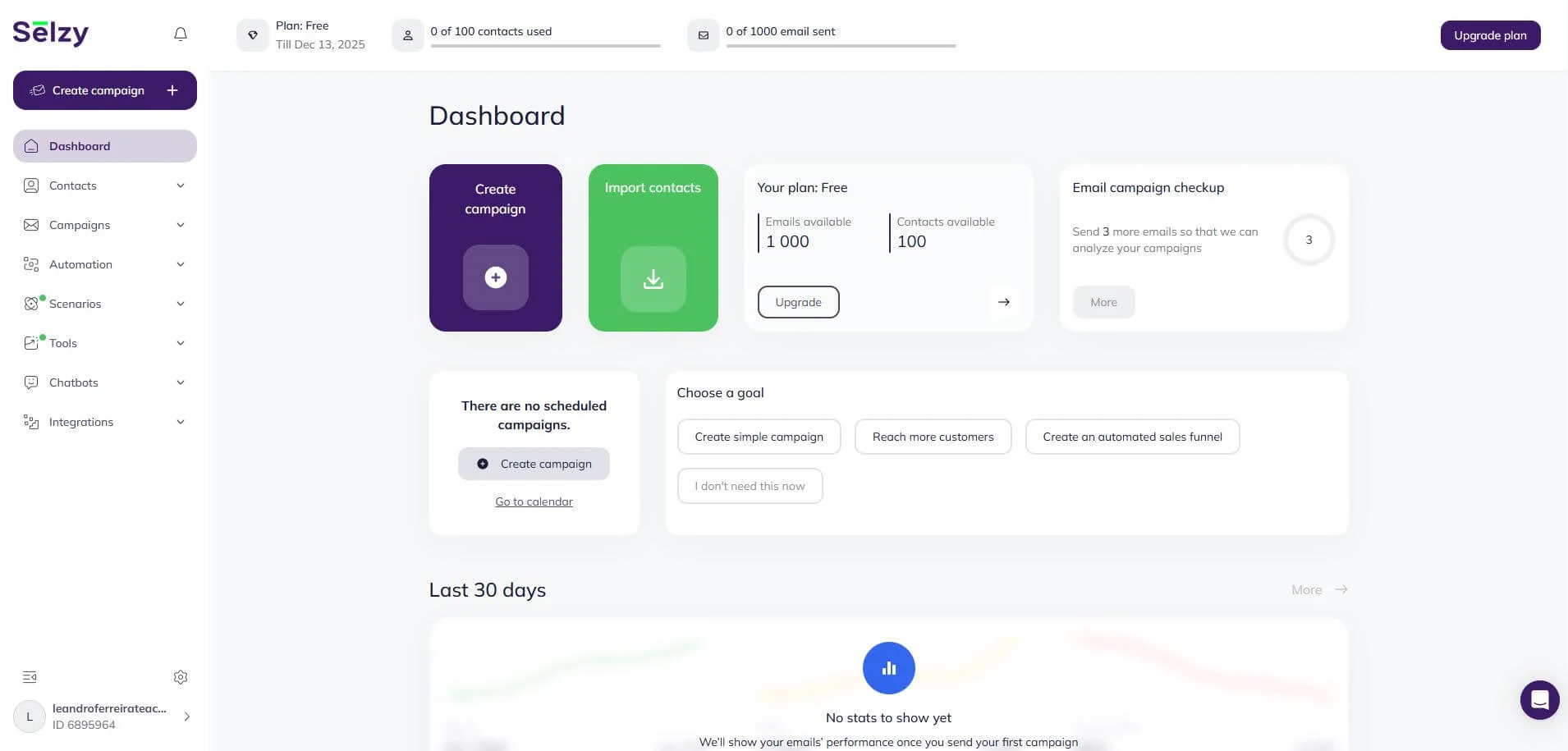
Selzy is one of the most well-rounded email marketing tools on the market. It has an extensive list of features, including AI-powered email creation, a drag-and-drop email and campaign builder, powerful analytics, omnichannel automation with chatbots, A/B testing, and more.
For small teams, this means you can run newsletters, marketing automations, and basic analytics from a single tool without hiring a dedicated email specialist.
Pros
- Beginner-friendly
- Great pricing options and feature-to-cost ratio
- API integrations
- 24/7 customer support via phone, email and live chat on any plan
- Omnichannel automation
- Chatbot builder
Cons
- Integration capabilities with other platforms are more limited in comparison to some other services (it does include integration with staple CRM and CMS systems)
Pricing
The free plan allows for 1,000 emails per month for 100 subscribers, plus 24/7 support and other core features.
Paid plans start at $7.50 monthly. Check our full list of features.

2. Mailchimp
Mailchimp is a strong alternative if you are more concerned about integrations. The platform offers more than 250 of those, after all. Email marketing staples such as automation builders, template editors, and powerful analytics tools are also there, as well as landing page builders.
So, it’s a solid fit for small businesses that need lots of integrations and are ready to pay more as their email list and feature needs grow.
Pros
- Over 250 integration options
- Intuitive email template editor
- Pre-built automation sequences
- Powerful analytics
Cons
- Users often complain about customer support, as per reviews on TrustPilot.
- Extra unexpected costs (it charges for emails sent to duplicated, inactive, or unsubscribed contacts from your list)
- Price scales really fast due to the smaller limit of monthly sent emails
Pricing
There is a free plan that includes 1,000 emails, 30 days of email support, limited template options, a limited Creative Assistant feature, and 300 integrations.
Paid plans start at $13, billed monthly, and increase the limit of sent emails, while adding more features.
3. Brevo
Brevo is a solid option for businesses seeking multichannel support, and it offers a comprehensive array of transactional emails. SMS, push and WhatsApp marketing features are built into the platform, too.
The best overall feature, however, is its free forever plan which makes it especially attractive for small businesses experimenting with multichannel campaigns on a tight budget.
Pros
- Forever free plan with a good amount of features
- Built-in support for SMS, push and WhatsApp marketing
- Good tools and support for transactional emails
- Pricing is affordable
Cons
- Multiple user logins are only available on higher-tier plans and cost an extra $12 per user, which adds up quickly
- No human live chat support (only AI), phone support is only available with the Professional plan for big enterprises
- Important functionalities are restricted to the Standard plan
Pricing
The free forever plan includes 300 emails a day, over 40 customizable email templates, a drag-and-drop editor, and basic personalization and analytics.
Paid plans start at $9 billed monthly, and you also have the option to pay as you go, adding credits to send emails without the Brevo branding ($32 for 5k emails, no daily sending limit).
4. MailerLite
MailerLite has most of the common features you would expect from an email marketing service, plus a good landing page builder. While it doesn’t provide some of the advanced features, such as detailed automation reports, built-in CRM functionalities, or migration support, it makes up for it with its clean, modern, user-friendly design and its affordability.
It’s a good match for small businesses that mainly need simple newsletters and landing pages rather than complex automation setups.
Pros
- Time-zone-based schedule
- Simple to use
- Good pricing options
- User-friendly landing page builder
Cons
- The free version has no template builder
- Rigorous email approval process
- Limited automation options
- Lack of advanced features for more experienced users
Pricing
The free plan includes 12,000 emails a month for up to 500 contacts, 1 user, 24/7 customer support for 14 days, a limited email automation builder, a drag-and-drop editor, up to 10 landing pages, and one website.
Paid plans start at $10 per month and include unlimited emails, as well as many other features.
5. Stripo
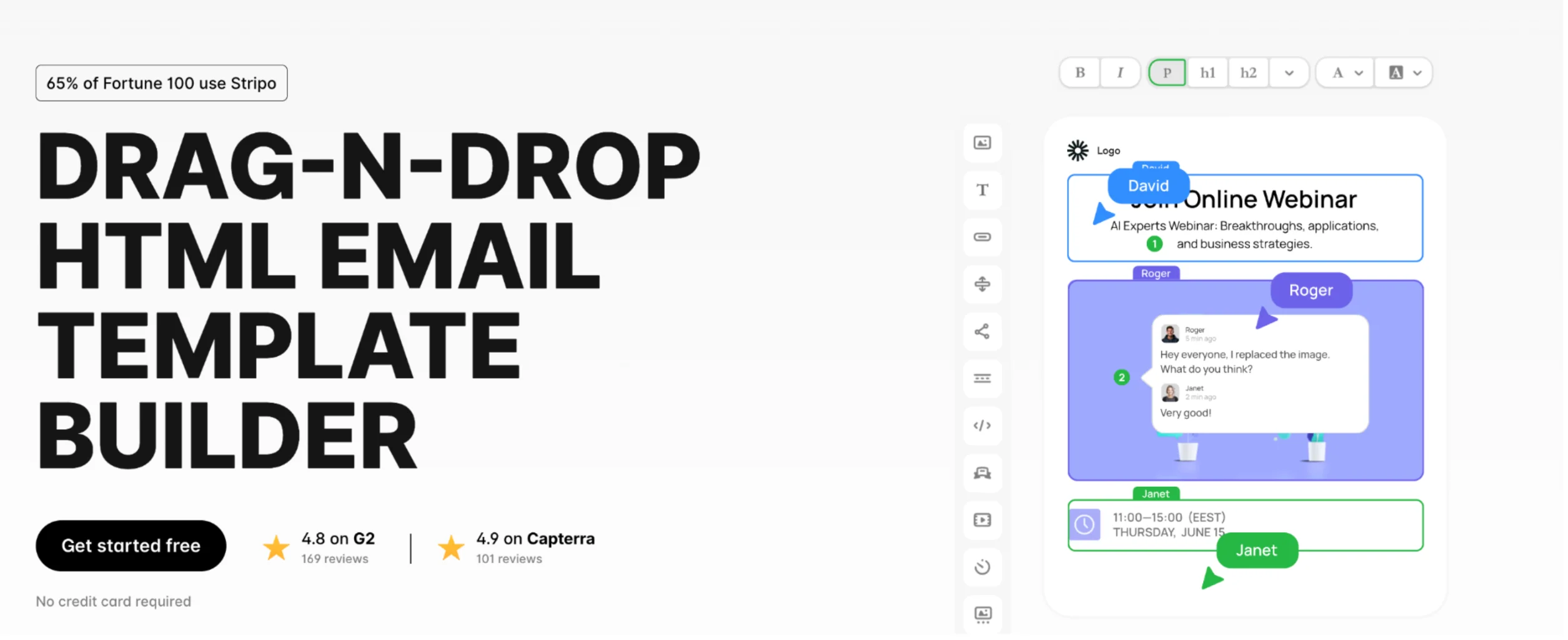
Stripo is an email design builder for creating and testing HTML emails. It offers both drag-and-drop and HTML/CSS editing, along with ready-made templates, reusable content modules, collaboration tools, and email testing. It also supports AMP and other interactive email elements, and integrates with 90+ email service providers and CRMs.
Stripo is a good option for small businesses and teams that regularly create emails or work with multiple ESPs. It focuses on the email production process rather than sending campaigns, so you’ll still need an email service provider for contact management, automation, sending, and campaign analytics. A free plan is available, with paid plans adding more templates, exports, testing, and collaboration features.
Pros
- Easy to create emails without coding
- Large template and module library
- Useful collaboration and testing features
- AI tools for creating campaigns and improving email content
- 90+ ESP and CRM integrations
Cons
- Some advanced features require paid plans
- May be more than small businesses need for occasional emails
Pricing
Stripo has a free plan, while paid plans start at $20 per month for Basic, $45 for Medium, and $125 for Pro. An enterprise-oriented Prime plan is also available. Paid plans add more exports, email tests, storage, collaboration features, and access to advanced tools.
Social media marketing tools
6. Hootsuite
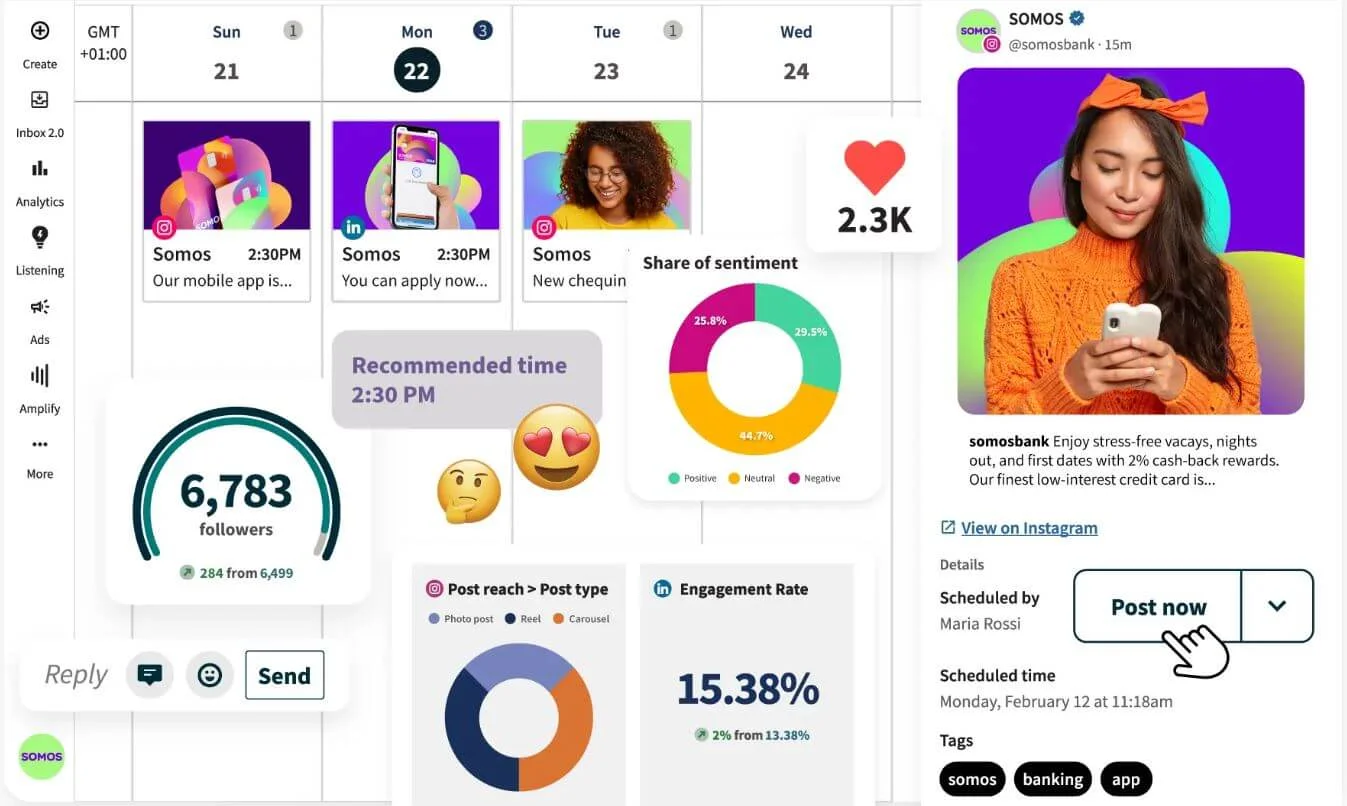
Hootsuite is a social media management tool that streamlines your experience across multiple platforms into one dashboard. Basically, you can manage your TikTok, Instagram, Facebook, YouTube, or any other compatible social media account all from one place. Small marketing teams can manage all their social profiles in one place instead of juggling multiple apps and logins.
Its biggest selling point is the ability to easily manage and schedule posts for multiple platforms, while also letting you check your metrics on one screen.
Pros
- Easy integration with other apps such as Canva and Google Drive
- Streamlined management experience for multiple social media platforms
- Social listening feature that allows you to monitor your brand reputation through key metrics such as sentiment levels, engagement, and number of mentions
Cons
- In reviews on TrustPilot, users complain about poor customer service and unexpected charges
- Challenging interface to navigate for beginners
- Steeper learning curve
Pricing (per user)
There are only paid plans: the Standard costs $99 per month for up to 10 social media accounts, and the Advanced costs $249 per month for unlimited social media accounts and more in-depth features.
7. Buffer
Buffer is similar to Hootsuite in the sense that it allows you to manage everything from one place, but with a cleaner, more intuitive design. On the other hand, it doesn’t have as many advanced features – it is more limited in its tracking and metrics, and it offers no content curation or graphic design features.
All in all, it is a good option for small businesses that want a consistent posting schedule without a full-time social media manager.
Pros
- Simple and user-friendly
- Scheduling is easier than its competitors
- Well-designed interface
Cons
- Lacks advanced features, especially reporting
- Users often complain about failed posts
- Additional services are quite costly
Pricing
The free forever plan allows you to connect up to 3 channels with a limit of 10 scheduled posts per social media channel, basic analytics, an AI-assistant, stores up to 100 content ideas, and customer support via email.
There is the Essentials plan, billed $6 monthly, which adds more features and unlimited posts per channel.
8. Later
Later shines on Instagram more than anywhere else due to features such as Link in Bio, drag-and-drop content calendars, and specific analytics for the platform.
This makes it a great option for small brands that rely on Instagram or TikTok for visual storytelling and product discovery.
Pros
- Tailored for visually-driven social media platforms
- Post builder with integration to scheduling features
- It suggests the best times to post for maximum engagement
- Intuitive interface and easy-to-use
Cons
- CRM and auto-response features are missing
- Great for Instagram and TikTok, not as good for the other platforms
- Analytics for other platforms are not as comprehensive
Pricing
Paid plans start at $25 per month for eight social media profiles. The Growth plan costs $50 per month for 16 profiles, AI-powered tools, and other advanced features.
Content marketing tools
9. Canva
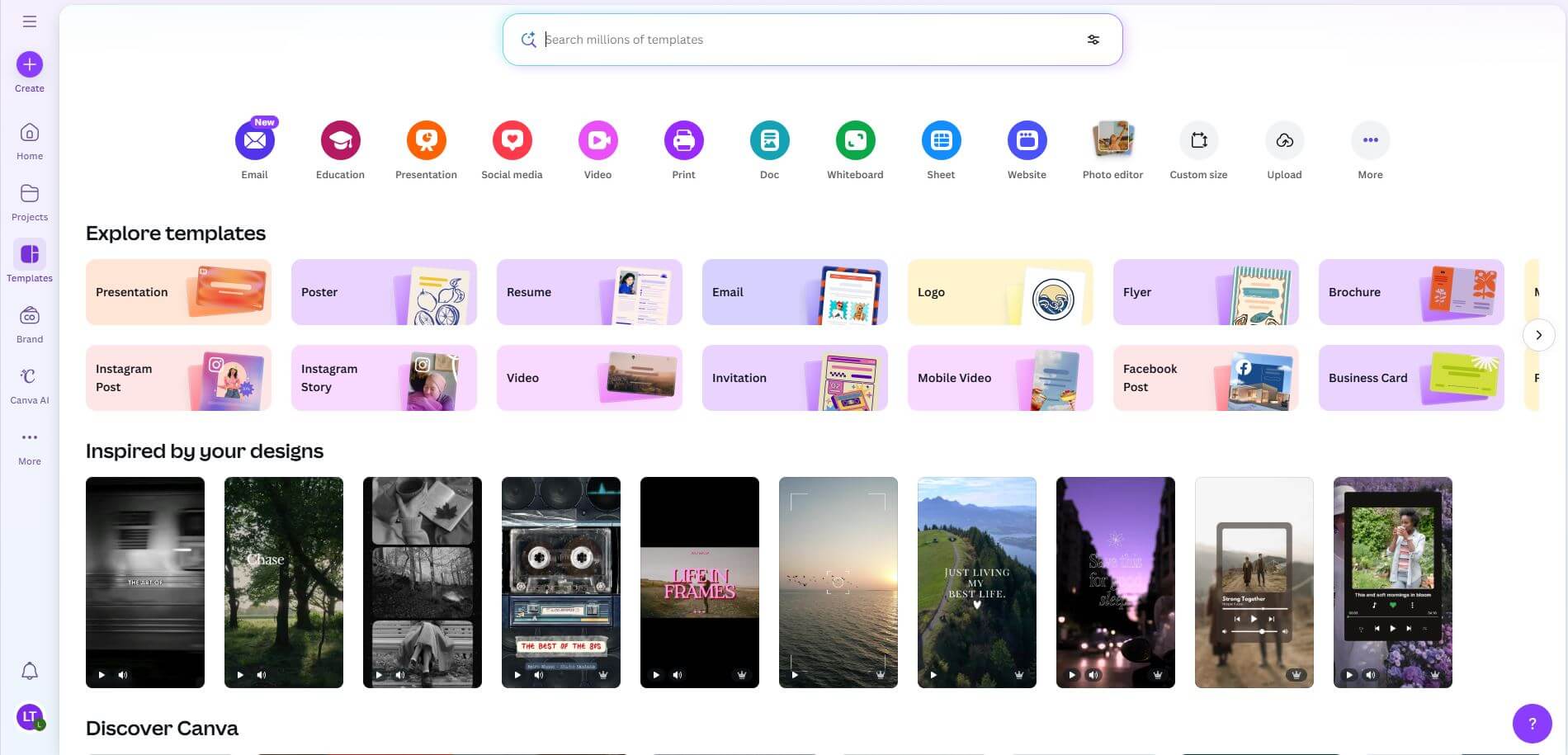
Canva is a very user-friendly graphic design platform, famous for its drag-and-drop builders. It lets you create videos, posts, presentations, and much more, while also offering powerful editing tools without too much complication.
That’s why it’s perfect for small teams that can’t afford a full-time designer but still need on-brand visuals for social, email, and ads. If you use the free plan, however, it is not so easy to make your content stand out – Canva is so ubiquitous these days that it is pretty easy to spot one of its templates.
Pros
- Easy content creation through its drag-and-drop builder
- A multitude of free templates, text fonts and elements to use
- You don’t have to be a designer to use it
- Offers good AI tools even on the free plan
Cons
- Inexperienced users might create generic designs
- It is constantly pushing you towards paid plans
- There are more advanced tools elsewhere for professional designers
Pricing
Free: over 1.6 million templates and 4.7 million photos, videos, graphics and audio, 5GB of cloud storage, limited AI tools, over 1,000 designs for the drag-and-drop editor.
Paid plans start at $15 per month and increase access to templates, storage, AI and brand kits.
10. BuzzSumo
BuzzSumo is a content marketing tool that allows you to discover trending topics, research competitors, find out key influencers for any given topic, and search for content based on key metrics such as comments, shares, and likes. Smaller teams can use these insights to choose topics with a higher chance of success instead of guessing what to write about.
Basically, it helps you monitor KPIs, so it is great for market research, given that you understand what you are looking at – if content marketing is not your area of expertise, you might struggle at first.
Pros
- Great for market research
- Powerful content curation tools
- Comprehensive analytics about your brand and how it is perceived by the public
Cons
- While intuitive enough, it is not exactly tailored for beginners
- Most powerful analysis tools aren’t available on cheaper plans
- Recent pricing changes made the tool noticeably more expensive, especially for small teams
Pricing
Paid plans start at $ 199 a month for one user. The PR & Comms plan, $299 billed monthly, allows for five users and unlimited searches. The Suite, at $499 per month, expands support for 10 users and adds YouTube and Facebook analyzers, among other things.
All options include customer support via a self-serve help center and have a 7-day trial without a credit card requirement.
11. Grammarly
Grammarly is an AI-assistant tailored to help you write better, more engaging texts for all types of content. While a lot of people use it to improve their grammar, it’s much more than a spelling or grammar corrector: it can create drafts, offer real-time suggestions to improve the tone of your text and help ensure that your content is consistent.
It’s especially useful for small businesses without in-house editors who still need polished, professional customer-facing copy. The most powerful tools, however, are locked behind paid plans.
Pros
- It is very good as a grammar/spelling corrector
- It analyzes the tone and vocabulary of your text, and then offers relevant suggestions
- Unlimited grammar and spelling corrections
Cons
- Most powerful AI features are locked behind paid plans
- It is very rigid in its tone and syntax analysis
- Some of its lexical choices can be mind-boggling
Pricing
The free plan allows for unlimited grammar and spelling corrections, check writing tone, and text generation with up to 100 AI prompts.
The more powerful AI features are unlocked with the Pro plan, for $12 a month.
SEO & website optimization tools
12. Ahrefs
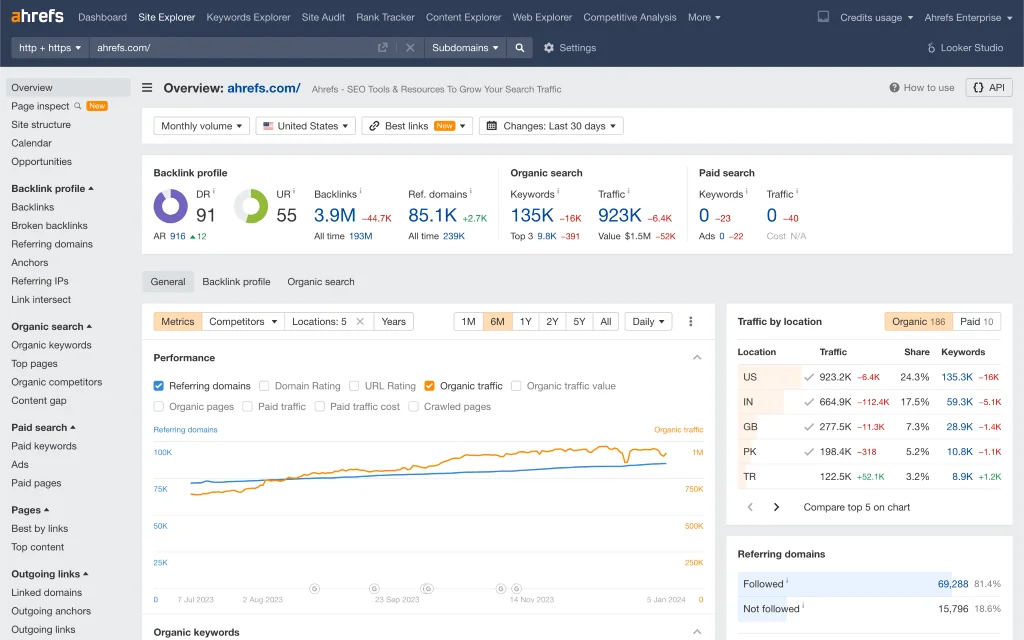
Ahrefs is famous for its great backlink analysis tools. The platform is great for keyword tracking as well, and the starter plan is a cheaper way to test some of its features without committing too much of your budget.
It’s a strong option for small agencies or ambitious small businesses that rely heavily on organic search for leads and sales.
Pros
- SEO experts say its backlink analyzer is best-in-class
- Powerful keyword research
- Great content, research, and monitoring tools
Cons
- The starter plan has a credit system, so it feels like a paid trial
- Tracking data is not accurate in comparison to competitors
- More users cost more money and the fee scales with the more expensive plans
Pricing
Paid plans start at $129 monthly and give access to staple SEO optimization features, plus competitive analyses, page inspection and SERP, among other features.
There is a cheaper plan – the Starter plan costs $29 per 100 credits, which are spent when using features from the platform, so it feels more like a paid trial.
13. Semrush
Semrush is a digital marketing platform focused on SEO optimization. Overall, there are over 50 SEO tools in its kit, making it one of the most comprehensive and powerful on the market. You will find a lot here, including an AI visibility toolkit that lets you track your brand performance in AI search results, and its famous SEO toolkit.
It’s best suited to growing small businesses that treat SEO and paid media as key growth channels and are ready to invest in deeper analytics.
Pros
- One of the most feature-heavy SEO tools out there
- Huge database and powerful analytics
- Great link-building features
Cons
- It is very Google-focused
- Users often complain about problems cancelling the free trial
- UI is a bit cluttered
Pricing
Paid plans start at $199 monthly and include an AI visibility toolkit, keyword research, Google visibility tracking, AI brand insights, competitor insights (Google and AI) and an AI-ready site audit, among other features.
14. Sitechecker
Sitechecker stands out for its user-friendly interface. It offers similar SEO and site audit features to other platforms, but presents the data in a much easier-to-digest way.
It doesn’t have the same depth as some of its competitors, but users love it for how it simplifies the process of website optimization. Its simpler interface is helpful for small business owners who want to improve their site’s SEO without becoming full-time specialists.
Pros
- Very user-friendly
- Website optimization is simple
- Users praise its customer support
Cons
- Not as advanced as some of its peers
- It is a bit pricey
Pricing
Paid plans start at $89 monthly, and core features include: site monitoring (weekly), AI overviews tracking, GSC insights, and 16 months of GSC data, site audit, among others.
Marketing automation and CRM tools
15. HubSpot Marketing Hub
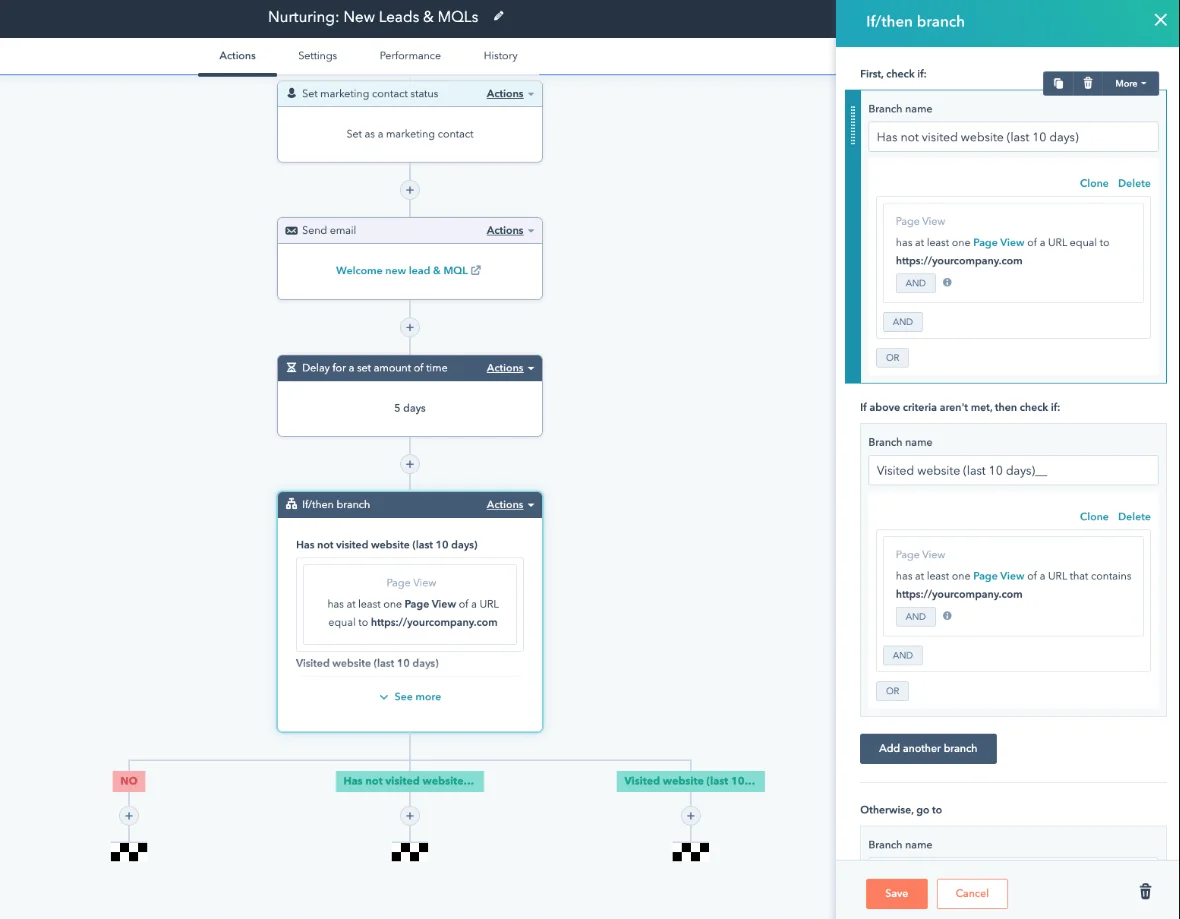
HubSpot is a good all-in-one option, offering email marketing automation and CRM. Its automation features are user-friendly and allow you to create workflows based on customer behavior, but are only available with paid plans.
Small businesses can start with the free tools and then upgrade gradually as their email, automation, and lead-nurturing needs grow.
Pros
- Good freemium plan for starting businesses
- User-friendly email automation
- Easy for beginners
- Well-rounded
Cons
- Once your business grows, the cheaper plans will not be enough, and things might get quite expensive
- Limited reporting features on the starting plans
- There are cheaper alternatives depending on what you need
Pricing
The free plan offers free basic marketing, sales, service, content, and data tools.
Paid plans start at $15 monthly per user and add more features, while also improving upon what is offered with the free plan.
16. ActiveCampaign
ActiveCampaign is a more advanced option in the marketing automation field: with over 820 automation recipes, one can get quite overwhelmed at the sheer amount of options provided.
It works best for small businesses that have someone who can own marketing automation and build more advanced customer journeys. If you know what you are doing, it is one of the most powerful tools for email automation.
Pros
- A vast number of automation templates
- Highly customizable automation chains through user behavior, if/then logic
- Multi-step marketing automation is available with the starter plan
Cons
- Learning the ropes can take time
- It is pricier than other options, especially if you want to use all automation functionalities
Pricing
ActiveCampaign’s paid plans start at $15 monthly for 1,000 subscribers. The starter plan offers five steps per automation and multi-step marketing automation.
There is also the $49 monthly Plus plan, which includes generative AI features, unlimited automation triggers, and more.
17. Zoho CRM
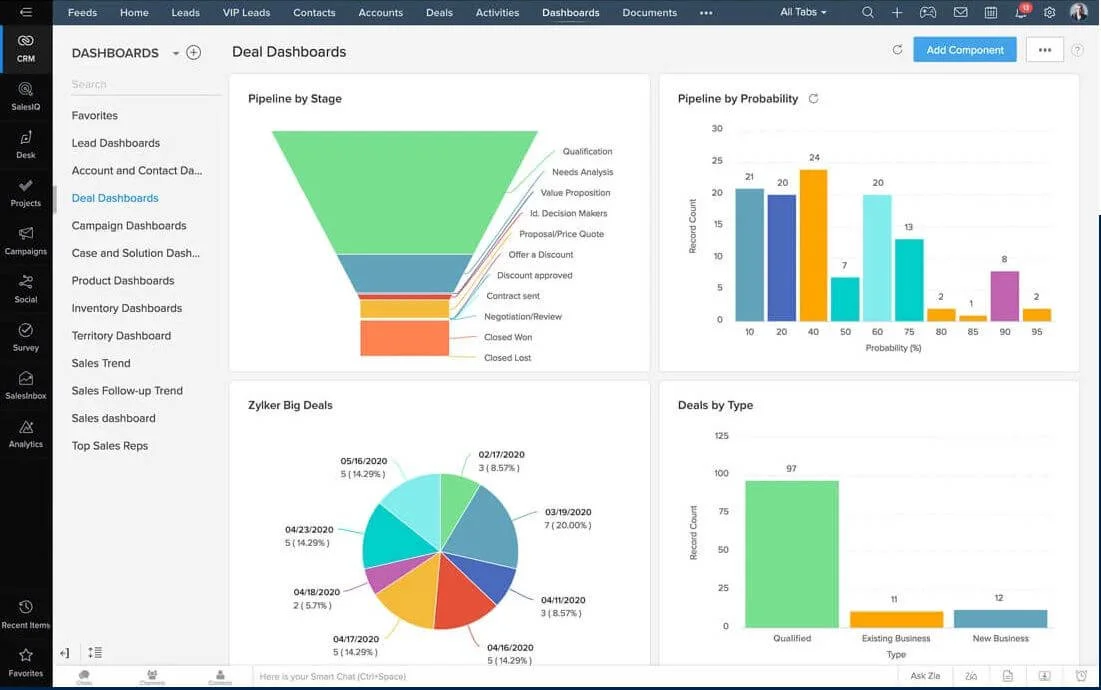
ZohoCRM is a cloud-based CRM tool tailored for small and mid-sized businesses. It comprises a multitude of features, including workflow automation, marketing campaigns, customer support & service, sales funnels, and much more.
It’s a strong fit for small and mid-sized businesses that want sales, marketing, and support tools bundled into one affordable platform.
Pros
- Multilingual support (over 20 languages)
- Good all-in-one marketing option
- Comprehensive analytics
Cons
- Not very user-friendly
- No built-in live chat support (you’ll need Zoho Desk)
- Users report integration issues with other platforms (bugs, essential notifications missing)
Pricing
Paid plans start at $20 monthly for the Standard plan, which offers essentials such as mass email, sales forecasting, Zoho marketplace, workflows, and more.
Analytics & tracking tools
18. Google Analytics
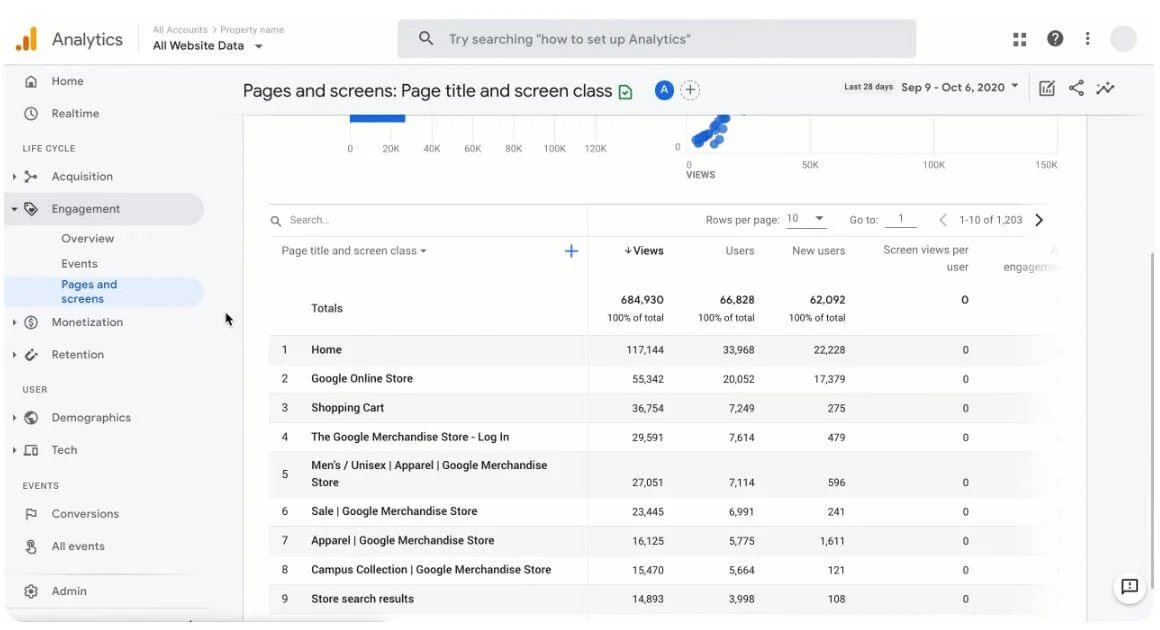
Google Analytics is a web analytics service that collects data related to website traffic and user behavior, among others. The tool provides you with key metrics that will help you understand your performance and improve upon it.
The biggest advantage is that, well, it is integrated into Google, and even better, it’s free. Even very small businesses can use it to see which channels bring in the most traffic, leads, and sales.
Pros
- Integration with other Google products
- Powerful analytics for free
- Regular updates and support
- Offers many free resources, such as the Google Analytics Academy
Cons
- It can be overwhelming for new users
- It offers sampled data at times, which makes it difficult for you to see the full picture
Pricing
Google Analytics is free. It offers many features, including built-in automation, extensive data reporting, seamless integration with other Google products, plus data collection and management functionalities.
19. Hotjar
Hotjar is a website analytics tool focused on user behavior. It helps you understand how people interact with your website through heatmaps, session recordings, and other features. Small teams can quickly spot UX issues and friction points on key pages without hiring a dedicated research team.
The tool is easy to use and offers great visual insight, even though it doesn’t go as deep into data as its competitors.
Pros
- Visual heatmaps are a great visual aid
- Intuitive and easy-to-use
- Free forever plan
Cons
- Once you install it, your website becomes slower
- Users often complain about the customer service
- Not as in-depth as other tools
Pricing
Hotjar has a free forever plan, which allows for session replays and unlimited heatmaps, plus other basic features such as dashboards.
Paid plans start at $40 monthly and add AI-powered features, more integrations, and advanced filters.
E-commerce marketing tools
20. Klaviyo

Klaviyo is a popular e-commerce marketing platform, being well-known among retailers for its deep integration with most e-commerce platforms and its good segmentation and automation functionalities.
It’s especially powerful for small online stores that want to send personalized product recommendations and winback emails without advanced data skills.
Pros
- Works well with almost any e-commerce platform
- Seamless integration with Shopify
- Powerful AI tools that analyze and predict customer behavior
Cons
- User reviews cite issues with customer support
- Steep learning curve
- User reviews often complain about pricing
Pricing
There is a free plan for up to 250 contacts and 500 monthly email sends.
Paid plans start at $20 a month for a maximum of 500 contacts, and the prices increase with the number of contacts. If you want marketing analytics, it will cost $100 a month for 500 active profiles. The AI-powered tools also come separately.
21. WooCommerce
WooCommerce is a free plugin that turns your WordPress page into an online store. It does exactly what it says, and more: you can have access to analytics, set prices, and fully customize your store, for free.
It’s a natural choice for small businesses already on WordPress that want to add an online store without switching platforms.
Pros
- The plugin is free
- Intuitive onboarding process and store creation
- You can set up your shop within a day
Cons
- Default features might be limited for some users
- Extensions and add-ons can be quite expensive
- Sometimes there are issues with third-party add-on integrations
Pricing
The WooCommerce plugin is totally free.
Add-ons are optional, but might facilitate your life. For instance, the Product Bundles extension costs $79 a year and allows for personalized product bundles, bulk discounts, and assembled products.
SMS & direct marketing tools
22. SlickText

SlickText is an all-in-one SMS marketing software designed to boost customer engagement and conversion rates. The platform has a lot of tools, allowing for easy segmentation and text-message campaigns. It is also simple to use.
It’s a great option for local small businesses that rely on offers, reminders, and flash sales to drive foot traffic or bookings.
Pros
- Very user-friendly
- Intuitive text-message campaign builder
- Good segmentation options
- Inbox live chat feature that allows you to follow up with customers after a campaign message
Cons
- Tiers have a limitation on the number of messages you can send
- Users often complain about the character limit on messages
Pricing
SlickText offers a 14-day free trial without a credit card requirement.
Paid plans start at $29 monthly for 500 credits. Each SMS eats up one credit, and each MMS costs three.
23. Podium
Podium goes in a different direction: it is centered on reputation management and customer reviews. The platform boasts deep connectivity with Google and other review platforms, allowing you to quickly ask users to join your SMS lists. It is also used for marketing campaigns, but that’s not where it shines.
It’s particularly useful for small service businesses that depend on Google reviews and word-of-mouth to bring in new customers.
Pros
- Easy integration with Google and many other review platforms
- Unlimited one-to-one messages in any plan
- Provides many tools to encourage users to subscribe to your lists
Cons
- Pricing isn’t transparent – it is not listed on their website
- Uses an AI for its functionalities, which can lead to some mistakes in interactions
Pricing
Pricing is not listed – you have to get a quote instead. Listed plans are Core, Pro and Signature, with the latter having the most features. The more powerful AI tools are offered in the Pro plan.
Project management & collaboration tools
24. Trello
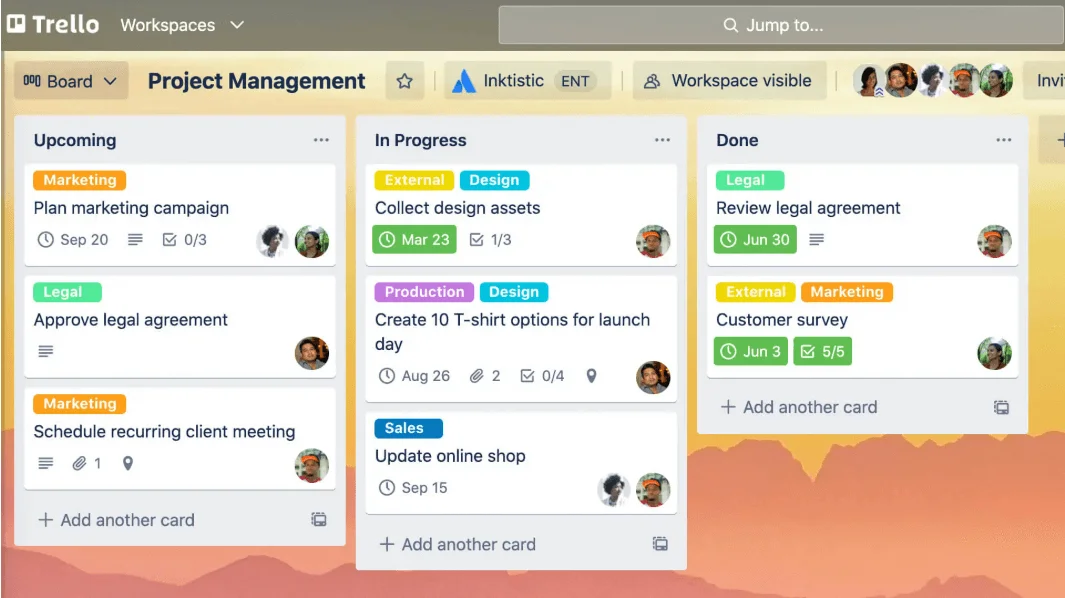
Trello is good for managing your team, your projects, deadlines, and keeping track of what needs to be done. The visual project and task management tool uses boards, cards, and lists to help users organize their work.
For small teams, it’s often enough to keep track of tasks, deadlines, and simple marketing projects at a glance.
Pros
- Intuitive and user-friendly
- It makes tasks and deadlines very easy to visualize
- Affordable
- Very good free plan
Cons
- Better used for simpler projects, and with smaller teams
- Lots of paid add-ons
- Doesn’t offer reporting tools out of the box (only through so-called “Power-ups”)
Pricing
Trello has a free plan with many features, but limitations on workboards and storage.
It is free for up to 10 collaborators per Workspace. Paid plans start at $5 monthly (per user), and add features such as different views, advanced checklists, AI tools, and more.
25. Asana
Asana is great in case you are looking for something more complex and better-suited for bigger projects. The project management tool offers multiple project views, instant notifications, Agile and Scrum reports, plus much more.
It’s better suited to small businesses running multiple concurrent projects that need more structure than a basic task board.
Pros
- Free plan offers a lot of features
- Good for bigger teams and projects
- Collaboration tools help teams communicate in real-time
Cons
- It might be much more than your small business needs
- The notification system might be too distracting
Pricing
It has a free plan, called Personal, which offers quite a lot: up to two users, unlimited projects and tasks, status updates, and over 100 integrations with other apps.
Paid plans start at $13.49 per user.
26. Slack
Slack prioritizes team communication over everything else. It helps small teams replace messy email threads with organized channels, faster decisions, and fewer status meetings. You also have access to a searchable log, where you can take a look at recorded messages to find sensitive information.
Pros
- Search functionality is really helpful
- Users praise its team communication functionalities
- Easy to use
Cons
- Notifications can get overwhelming
- Limited features on the free plan
- It is quite pricey
Pricing
There is a free forever plan, which allows for individual meetings, external messages, and supports up to 10 apps. Paid plans increase the search history limit, offer unlimited app integrations, group chat and group meetings, and usually start at $8.75, but are currently 50% off and cost $4.38 monthly (per user).
 New and noteworthy on our blog
