


Key takeaways
- SaaS tools are crucial for managing various aspects of a startup or small business efficiently.
- Consider key factors like features, cost, user experience, integration capabilities, and security when choosing SaaS tools.
- Essential SaaS tools for small businesses include email marketing (Selzy), website building (WordPress), SEO (SE Ranking), social media (Hootsuite), document management (Google Workspace), CRM (Hubspot), customer service (Zendesk), project management (Trello), team communication (Slack), and employee monitoring (Time Doctor).
Running a startup or small business means juggling customers, marketing, sales, finance, support, and team communication with limited time and budget. The right SaaS tools can automate routine work and keep your team organized, but the wrong stack can add cost and complexity.
To help you choose, we rounded up 10 SaaS tools for core small-business workflows: email marketing, website building, SEO, social media, documents, CRM, customer support, project management, communication, and time tracking.
What are SaaS Tools?
A SaaS tool (Software as a Service) is an app that is only available to you via the internet. One notable example of this distribution model is Google Docs: you can’t download or own the app but you can use it if you have internet access.
This distribution model has become popular on the B2B software market — there are many SaaS apps for different business objectives:
- Customer relationship management
- Marketing automation
- Project and team management
- …and so on
SaaS tools serve as your virtual toolbox housed in the cloud. All you need is to subscribe to a tool and tap into its functionality from any device, effectively managing your business on the go. Calculating how much to start a small business should include expenses on essential digital tools. However, since many tools offer flexible pricing plans and even free versions, they are ideal for small business owners and teams who have to operate on a strict budget.
What to consider when choosing SaaS tools for a small business?
Before choosing from the list of top SaaS tools, here are some key considerations to make the best choice and enhance your unique business operations.
- Features. Some SaaS tools are only meant to do one thing — for example, send bulk emails. Other SaaS tools offer everything a business needs but for a much higher price, and the learning curve of such platforms can be a little steep. If you’re thinking of buying one more tool for your business, consider the functionality of the tools you’re already using and why you need software in the first place.
- Cost. Most SaaS tools have several pricing plans, depending on the functionality and the “usage volume” — for example, list size and monthly email limits in case of email automation software. If you’re a small business, you don’t need to pay for thousands of contacts — you can always scale up later. Also check seat-based pricing, contact or usage limits, required annual commitments, and whether the free trial turns into a paid plan automatically.
- User experience. A SaaS tool should be easy enough for your team to adopt without heavy training. Always opt for user-friendly ones that have an easy learning curve, minimal training requirements, and effective customer support.
- Integration capabilities. The tools you choose must be compatible with other SaaS tools used in your business ecosystem. Select the SaaS tools that provide smooth integration natively or via Zapier, Pabbly, or other “integrators”.
- Security and compliance. SaaS applications manage large amounts of sensitive data. So, you need to choose SaaS tools for small businesses that are serious about security and relevant compliance requirements.
SaaS tools for a small business to choose in 2026
Now that you know what SaaS tools are and what to consider while choosing them for your small business, let’s dive in deeper!
We made a list of 10 SaaS tools that will cover all the needs of a small business — maybe you’ll find a perfect match here!
If you are building a lean startup stack, start with the essentials: email marketing, a website builder, CRM, customer support, project management, team communication, document collaboration, social media management, and time tracking if you run a remote team. Pick one tool per workflow first, then add specialized platforms only when the team has a clear need.
Email marketing: Selzy
Selzy simplifies email marketing with basic features and affordable pricing plans, allowing small businesses to run expert campaigns and generate leads without a dedicated marketing team.
With Selzy, you can:
- Build email subscription forms and website pop-ups to grow your list
- Create professional-looking emails in a no-code builder with no coding or design skills
- Set up automated emails for webinars, welcome series, and more
- Send personalized and segmented emails to increase engagement and sales
- Perform A/B testing to make the most of your campaigns
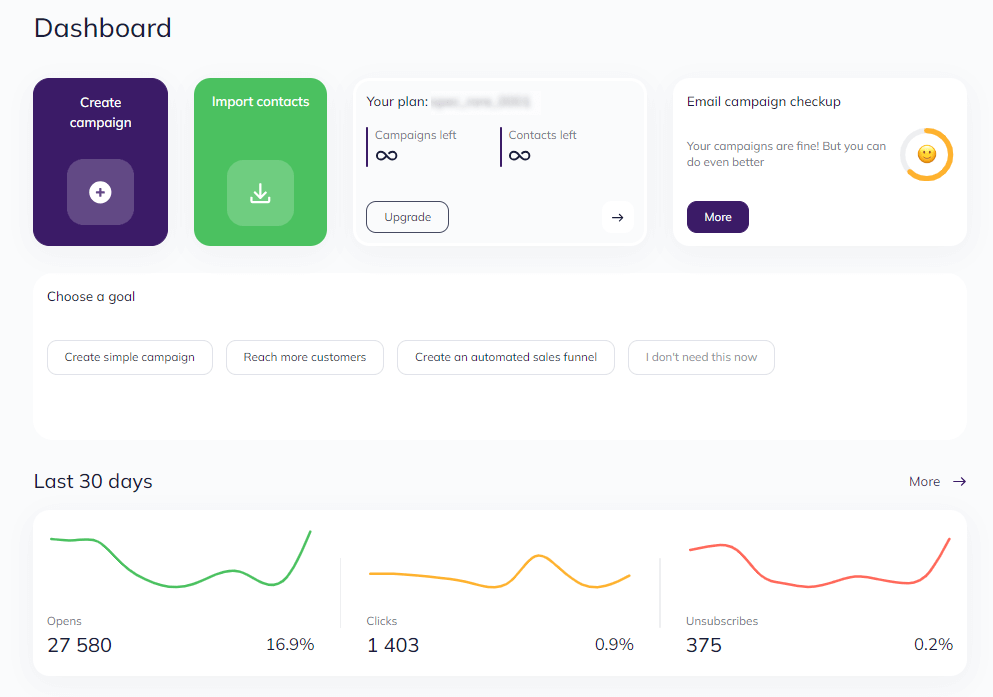
Top feature: Email marketing automation that makes lead nurturing hassle-free
Free plan: Send 1,000 emails to 100 contacts per month
Pricing: Starts from $7/month billed annually

Website builder: WordPress
WordPress is the most popular CMS (Content Management System) in the world, and you can install it with just one click on all major hosting providers.
With WordPress, you can:
- Create a website of any complexity with an easy-to-use interface
- Select from a wide range of website templates that are already designed to fit into any industry
- Extend website functionality with a great library of free and premium plugins for things like contact forms, SEO optimization, and online stores
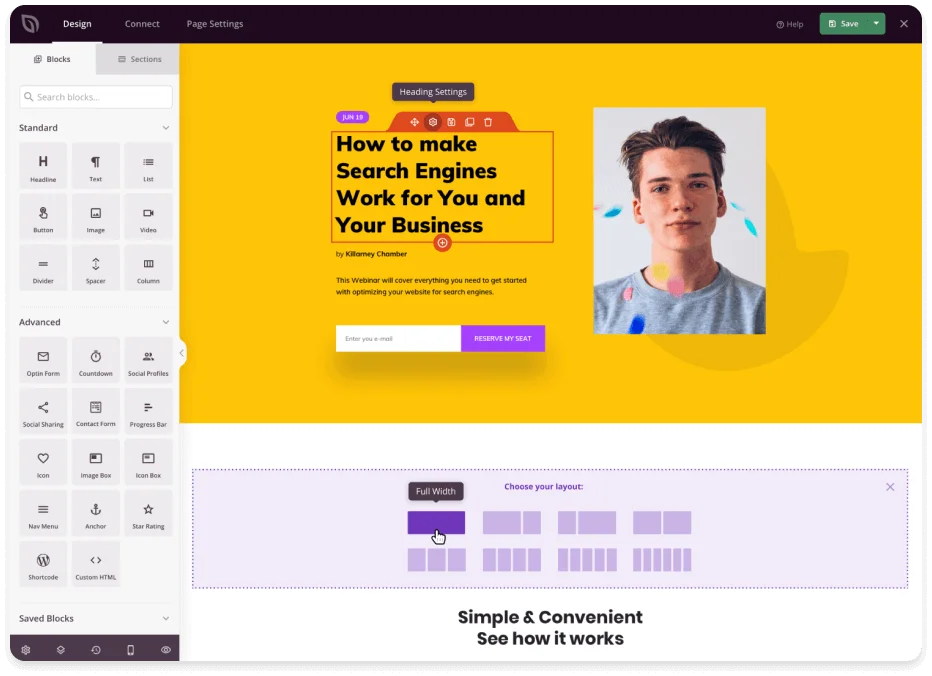
Top feature: High-level customization with themes, plugins, and code editing
Free plan: Yes
Pricing: Starts from $4/month, billed annually, for the Personal plan; a free plan is available
SEO platform: SE Ranking
We selected SE Ranking thanks to its cost-effective SEO package that can improve the website performance and search ranking of a small business. The package allows you to:
- Find targeted keywords and information about their search volumes and competition to focus on the right audience
- Keep track of the rankings of your website to the most important keywords and in different search engines and locations
- Observe the keyword ranking progress of your competitors and seek opportunities to outperform them
- Run an on-page and technical SEO audit for diagnosing and troubleshooting problems
- Develop high-performing content for your website from the ground up using data-driven recommendations
- Observe your website’s backlink profile and monitor competitor links
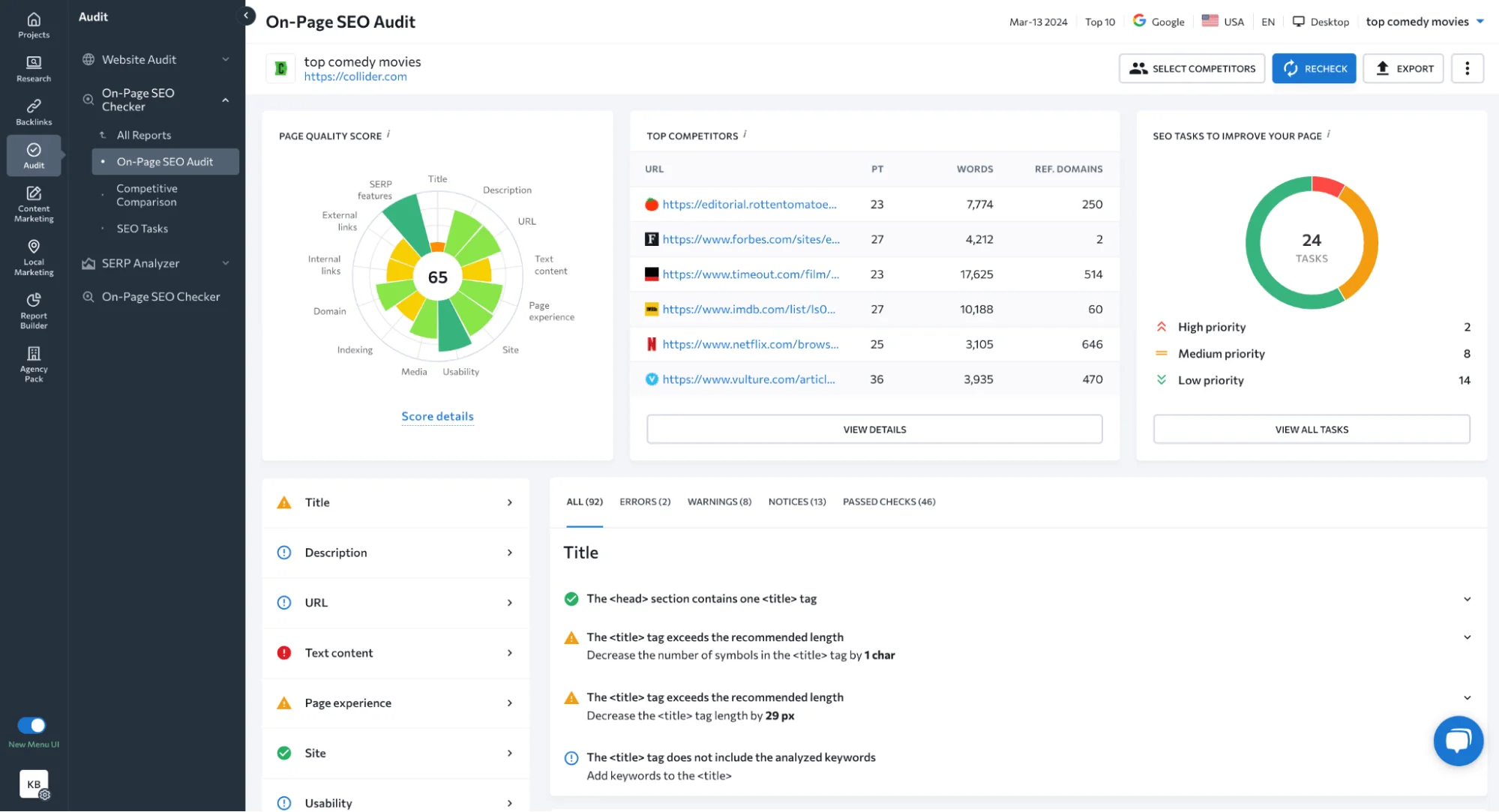
Top feature: Great user experience thanks to an intuitive dashboard, digestible reports, and actionable recommendations for small businesses
Free plan: No, but there’s a 14-day free trial for all paid plans
Pricing: Starts from $44/month billed annually
Social media marketing: Hootsuite
Hootsuite helps you manage social media channels. This SaaS tool for small business companies lets you schedule posts, work consistently with your audience, and track campaign results.
Here’s what you can do with Hootsuite:
- Arrange and post content across several channels using one dashboard
- Keep track of brand mentions, market developments, and competitor actions to stay ahead and seize opportunities
- Manage responses and messages from various platforms all in one place
- Refine your social media strategy using performance data
- Organize social media teamwork by setting roles and assigning tasks
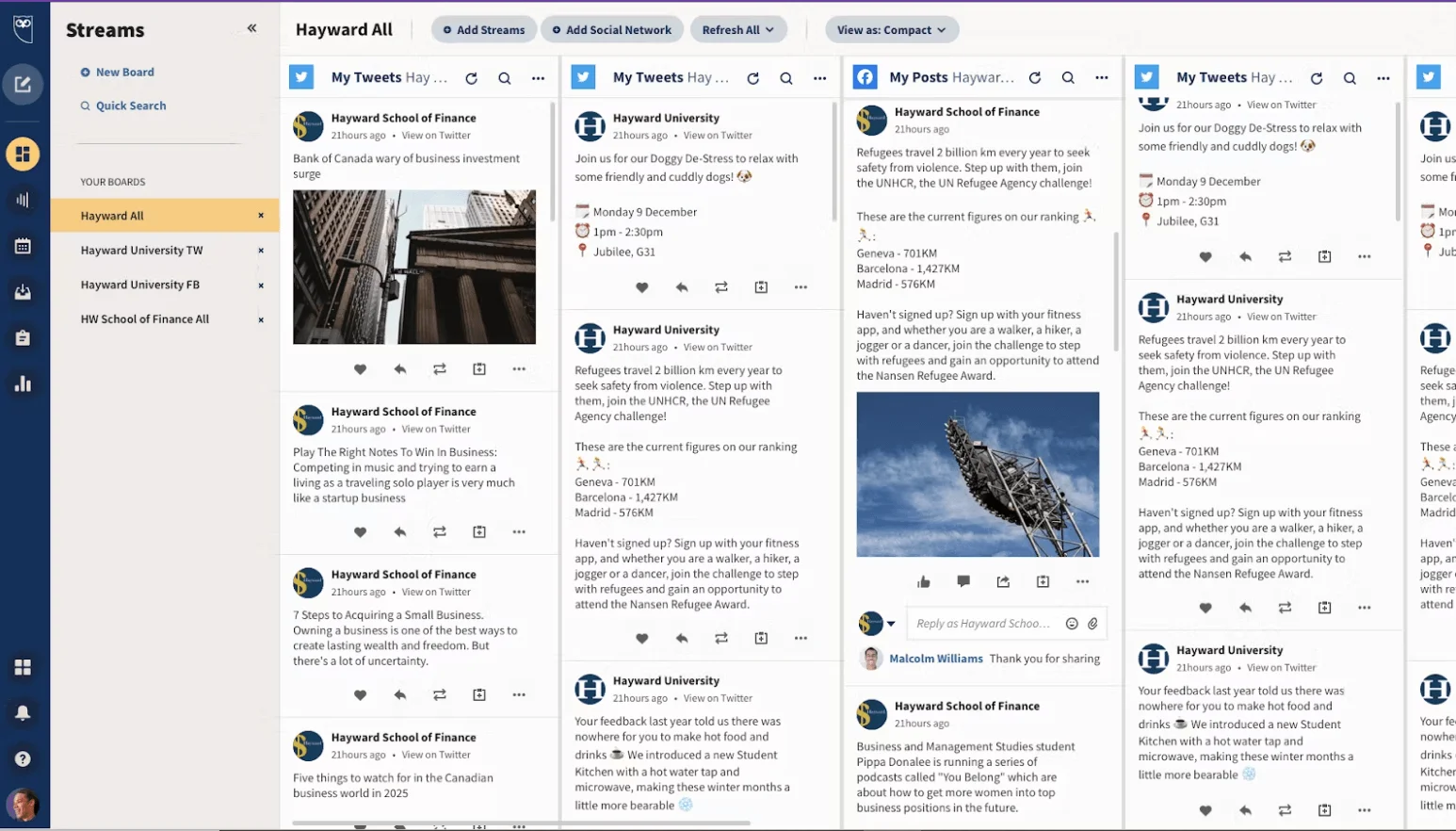
Top feature: Consolidation — manage all your channels in one place
Free plan: No standard free plan is listed on the current pricing page; Standard and Advanced offer a 30-day free trial
Pricing: Standard and Advanced pricing is shown on Hootsuite’s pricing page; Enterprise pricing is custom
Document management: Google Workspace
Google Workspace is a cloud-based SaaS for anyone, including small business ventures and beyond. It helps small businesses safely store and edit documents collaboratively in real time. It’s handy for firms looking to simplify their document processes and enhance team efficiency.
Here’s where Google Workspace can help:
- Safely storing files and accessing them from everywhere
- Collaborative document editing and version control
- Ensuring security by limiting access to certain files and folders
- Running and scheduling remote meetings
- …and so much more
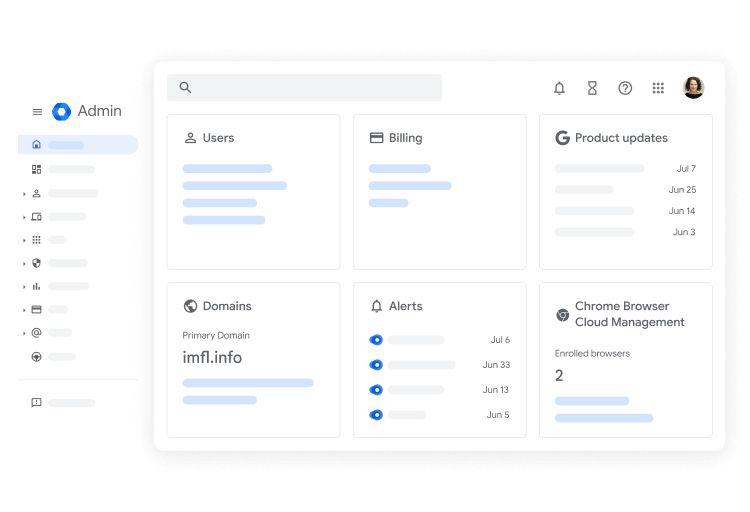
Top feature: Integrations — every element of GWS from Gmail to Meet and Calendar is synced with each other
Free plan: No standard free business plan; paid Business editions are available
Pricing: Business Starter starts at $7/user/month on the annual/fixed-term plan, or $8.40/user/month on the flexible plan
Sales/CRM: Hubspot
For many small businesses, a free CRM is a practical place to start. Hubspot can handle leads, monitor sales, and close deals without incurring high costs.
With Hubspot, you can:
- Store and organize all customer interactions and data in one place
- Manage pipelines — track the progress of leads through different sales stages
- Keep track of sales performance and make data-driven decisions
- Send targeted email campaigns
- Assign tasks to team members
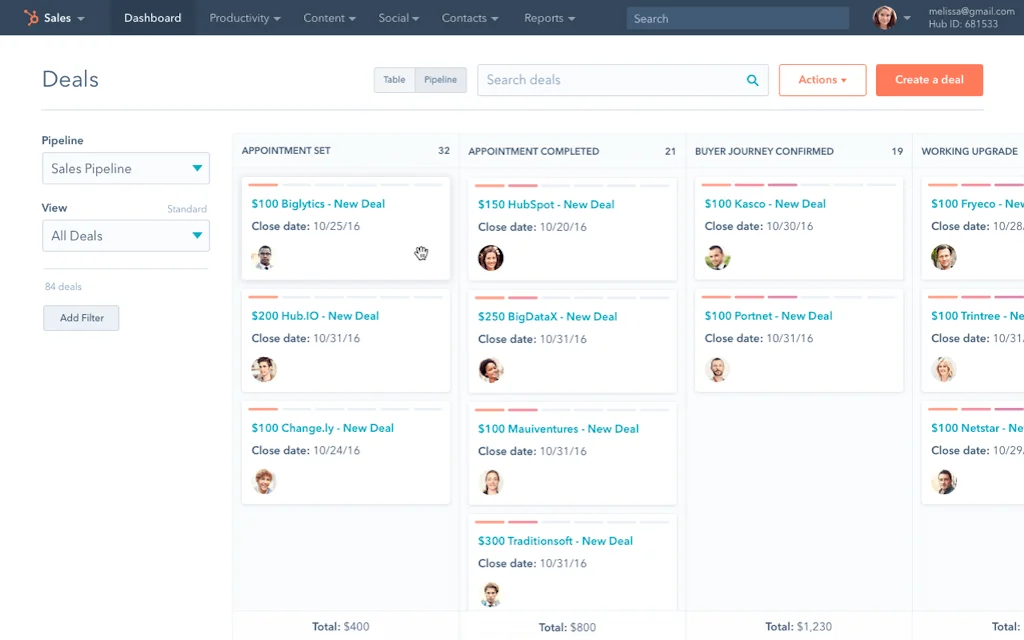
Top feature: Scalability — Hubspot is loaded with features but offers a flexible pricing system that allows you to slowly scale up when needed
Free plan: Includes basic features and several usage limitations
Pricing: Sales Hub (the one with the CRM functionality) starts from $15 per user/month
Customer service: Zendesk
Zendesk is an agile customer service software. It enables small businesses to consolidate support channels, increase support agents’ productivity, and achieve higher customer satisfaction levels than any other SaaS helpdesk tool.
With Zendesk, you can:
- Answer to customer problems from various sources in one place
- Allow customers to search for answers to frequently asked questions using a database
- Monitor critical customer service data to identify where improvement is needed and evaluate agent effectiveness
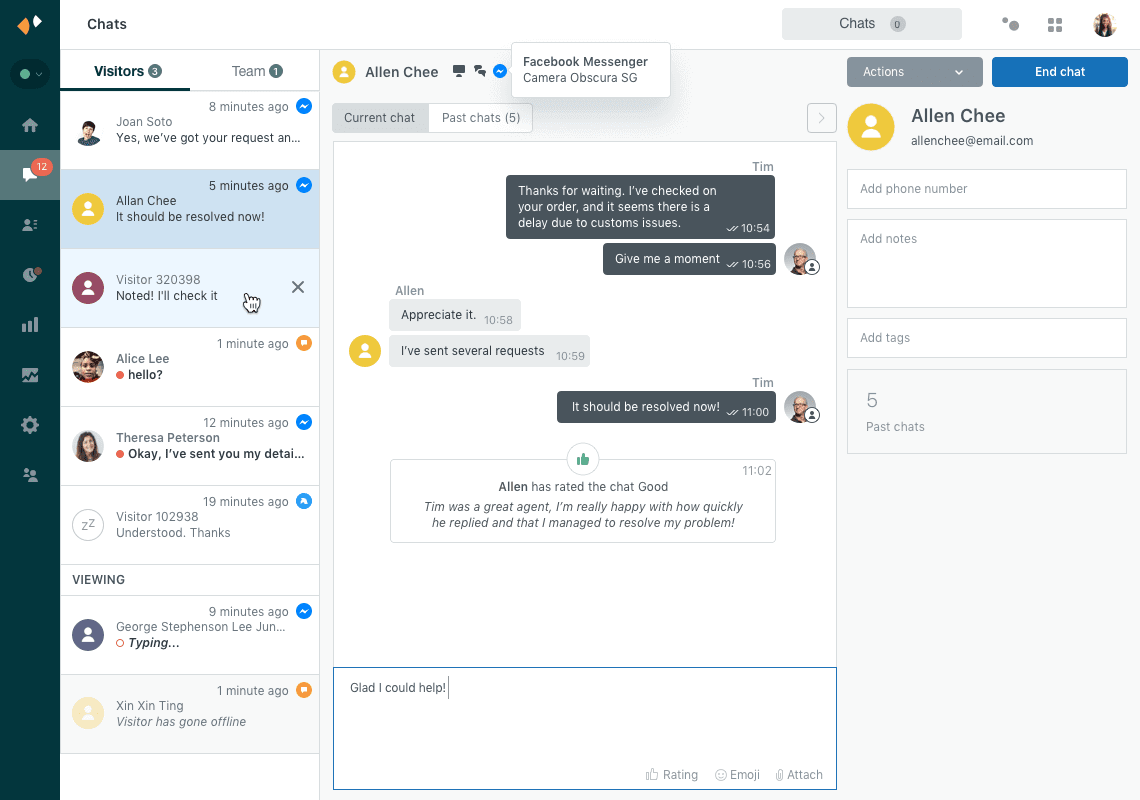
Top feature: Zendesk AI — the first responder to all requests and a huge time-saver for customer support agents
Free plan: No standard free plan; a free trial is available, and qualifying startups may get a startup offer
Pricing: Starts from $19/month per agent
Project management: Trello
Trello is an excellent example of great graphical project management. The Trello community offers custom templates for small companies to save time and start right away.
In Trello, you can:
- Create task cards and move tasks between stages — it’s a digital Kanban board
- Assign tasks to different team members
- Upload files and comment
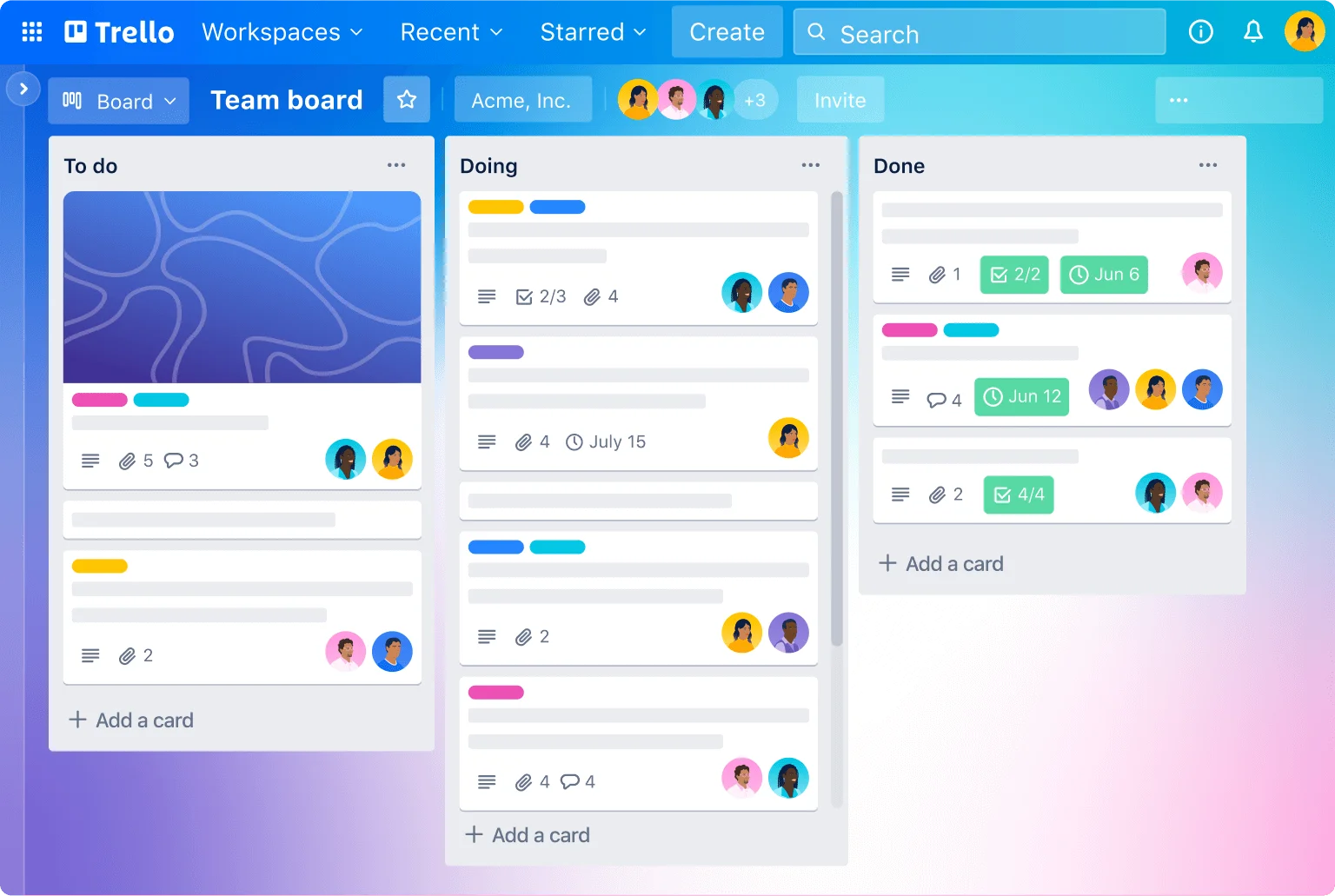
Top feature: User-friendly UI — great for novices in project management!
Free plan: Free for up to 10 collaborators per Workspace, with up to 10 boards per Workspace
Pricing: Standard starts from $5/user/month if billed annually
Team communication: Slack
With channels and direct messaging, Slack unifies team communications into one place and offers stress-free work sharing for development, management, and creative teams.
Slack allows you to:
- Create channels for communicating on one particular project, group, or topic to maintain a focused and organized discussion
- Use instant messaging and calls to conduct single or small group talks for quick queries
- Share files, images, videos, and other content over channels or DMs
- Link your communication workspace with Google Drive, Dropbox, Zoom, Jira, and other tools
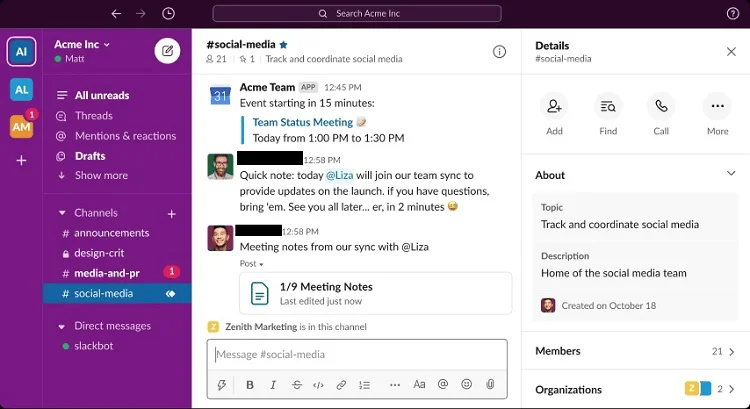
Top feature: Communication structuring — Slack is more than a chat service, it’s a hub of all team communications
Free plan: Basic features and a limited message history
Pricing: Pro is listed from $8.75/user/month when paying monthly, before temporary discounts
Employee monitoring: Time Doctor
Time Doctor helps small businesses record employees’ work times, monitor their activities, and find areas for productivity improvement. It’s especially useful for fully remote teams.
Here’s what this SaaS tool can do for you:
- Get reports on employee activity, including work hours
- Track time spent on various websites and applications to know how employees spend their workday
- Take snapshots and record screen footage at intervals
- Allow the workers to measure time spent on particular tasks and projects
- Understand team productivity for future process optimization
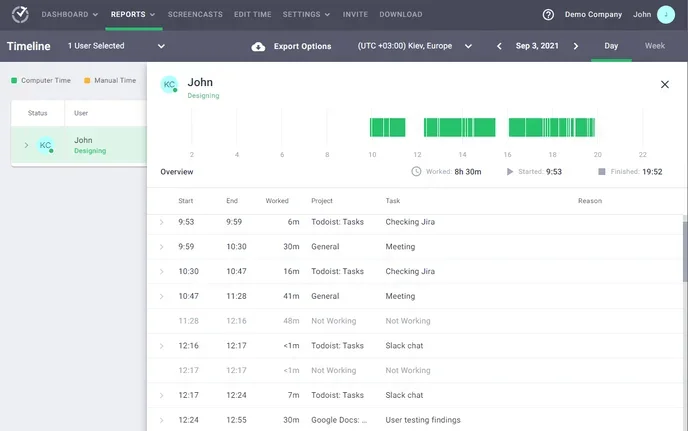
Top feature: Activity snapshots for pinpointing areas where your team is not making good use of their time
Free plan: No standard free plan; a trial is available before billing starts
Pricing: Basic starts at $8/user/month, or $80/user/year
FAQ
What SaaS tools does a startup need first?
Start with the essentials: email marketing, a website builder, CRM, customer support, and project management.
How many SaaS tools should a small business use?
Use only the tools you need to cover core workflows without adding unnecessary cost or complexity.
How should startups choose between free and paid SaaS plans?
Compare features, usage limits, seat pricing, and whether a free trial or plan fits your current needs and budget.
What is the difference between SaaS tools and traditional software?
SaaS tools are accessed online through a subscription, while traditional software is typically installed locally.
Wrapping up
SaaS tools boost efficiency and offer handy, flexible solutions that are key to any startup or small enterprise. The choice of these tools should reflect your business needs, budget, and expected ROI. We recommend paying attention to the following tools as today they provide maximum use for small businesses and startups:
- WordPress for building websites like a pro
- SE Ranking for grabbing top positions in Google
- Hootsuite for streamlining your social media marketing
- Google Workspace for storing documents and beyond
- Hubspot for grabbing new leads
- Trello for keeping your projects structured
- Zendesk for supporting customers across channels
- Slack for keeping team communication organized
- Time Doctor for productivity fixes
It’s important to stay in the loop and adapt — so start looking for SaaS tools that will support and grow your business!
 New and noteworthy on our blog