
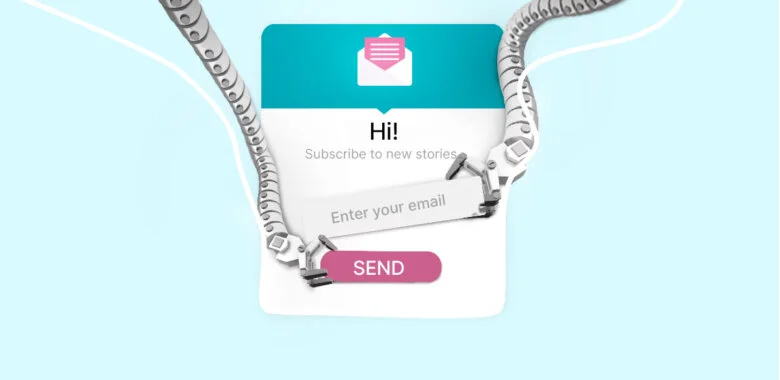


Pop-up is a proven option to start a conversation with your customers. Using these forms you can generate leads, recover abandonments, boost sales, and draw attention to your promotional campaigns.
Today we’ll share some ideas on making a high-converting form and go over the pop-up examples that work.
What are pop-up forms?
First, let’s give a definition of a pop-up. In simple terms, it’s a box with the promotional offer that appears on the screen when somebody visits a web page, makes an action (clicks on the link/attempts to exit/scrolls an article), or just spends a specified period of time on the website.
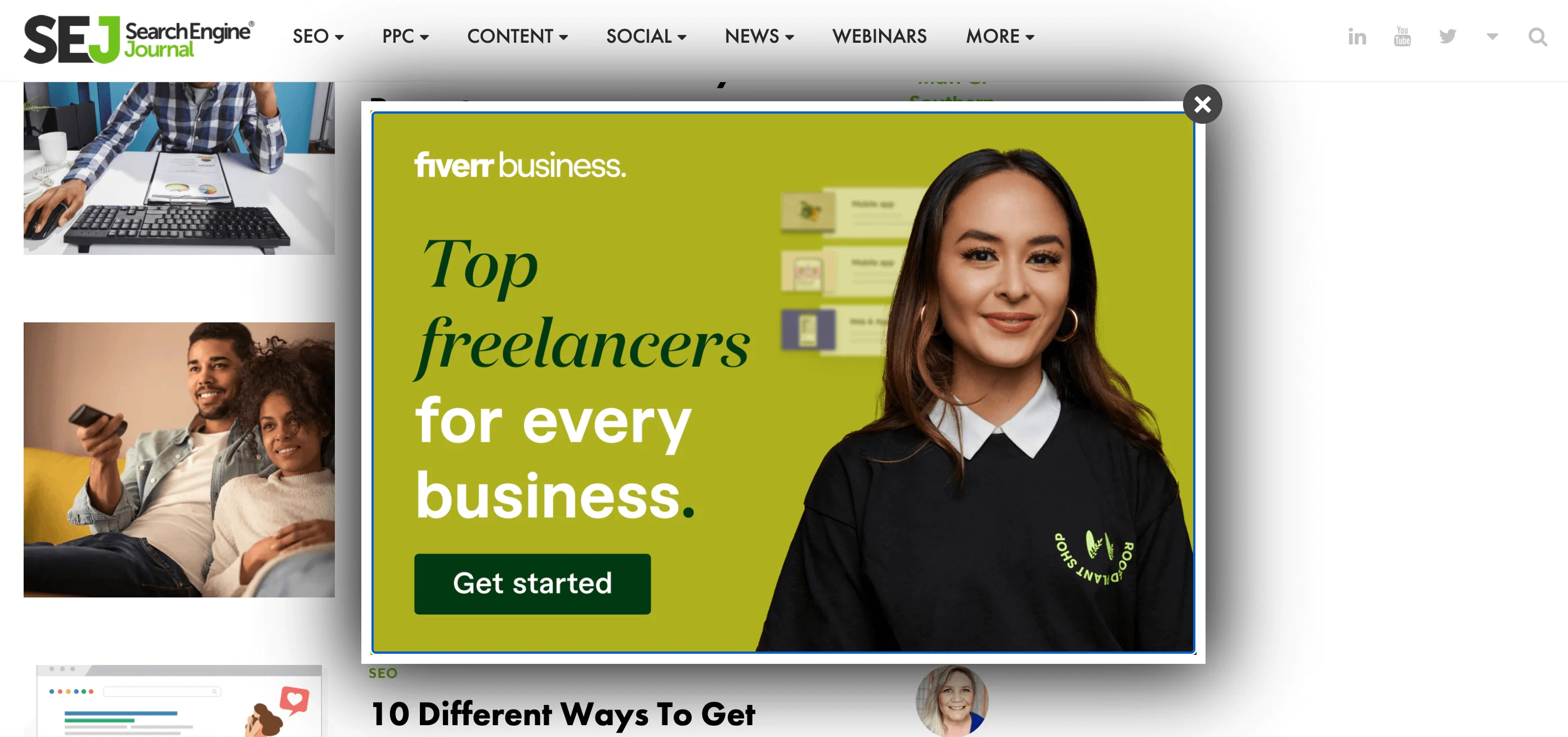
Using pop-ups, you can focus the reader’s attention on a particular offer so that your message won’t be lost on a crowded page.
Why use pop-ups?
On average, pop-up forms convert at about 3%, adding many subscribers to your email list that you wouldn’t have otherwise. But some statistics say that this rate can reach up to a whopping 11%. It makes a big difference when and where the pop-up is shown, so if your rate is lower, you shouldn’t feel disappointed. In the following parts of the article, we’ll figure out the most effective timing.
Pop-ups can serve many different purposes, and in this abstract, we’ll observe the most popular ones.
To announce news
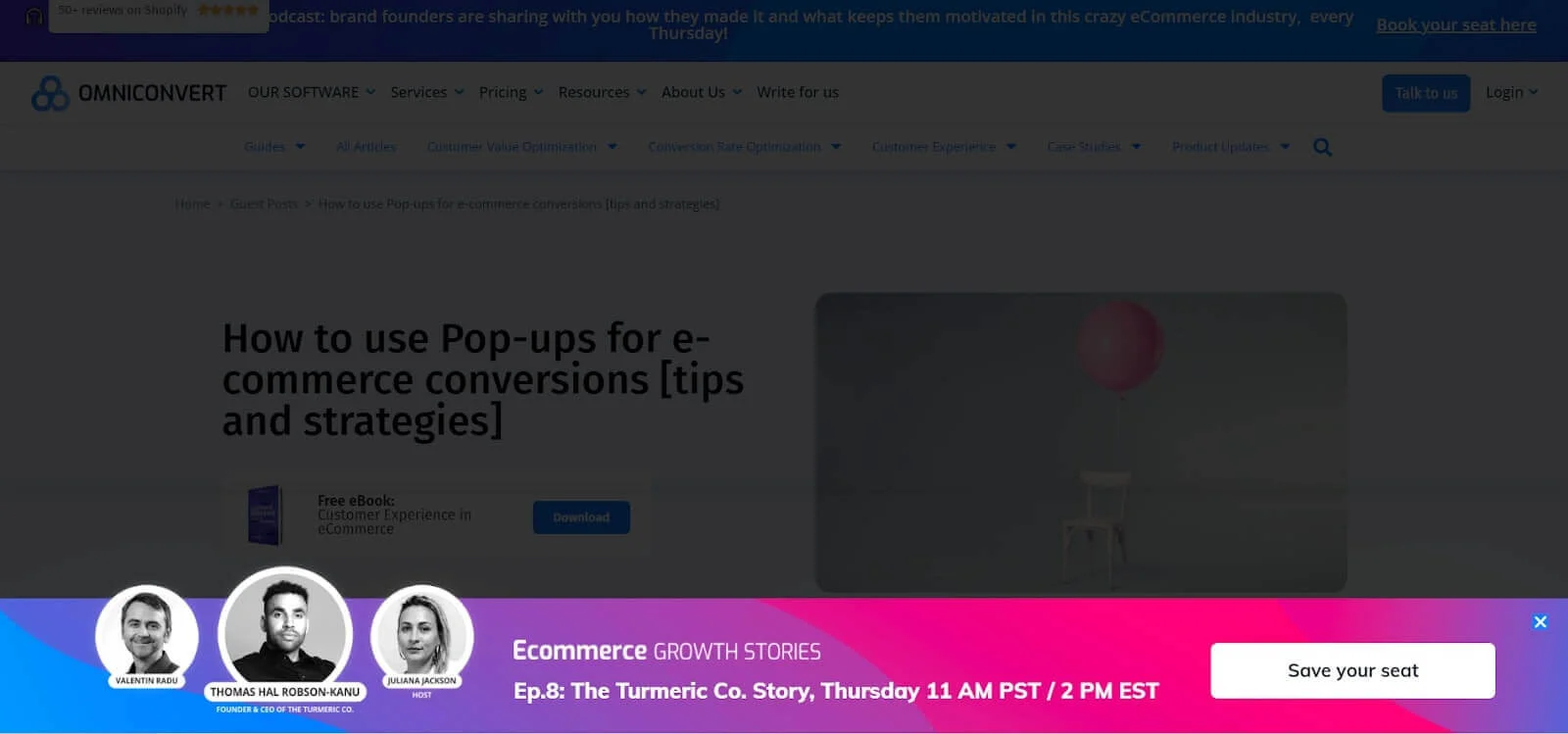
Using pop-ups to highlight the most important upcoming events in your company can be really effective. Look how Omniconvert announced their conference: it is not a typical pop-up form –– they’ve placed it at the bottom of the page. The key reason to attend the conference is its speakers, and the company highlighted it, adding the photos of top-3 participants.
To grow email list
To grow your email list and get more potential subscribers to your newsletter, create a pop-up that gives your prospects an exclusive offer they can access if leaving their emails. It can be:
- A special offer like free access to your products/services
- A discount code for the first purchase
- Exclusive content: videos, articles, guides, checklists
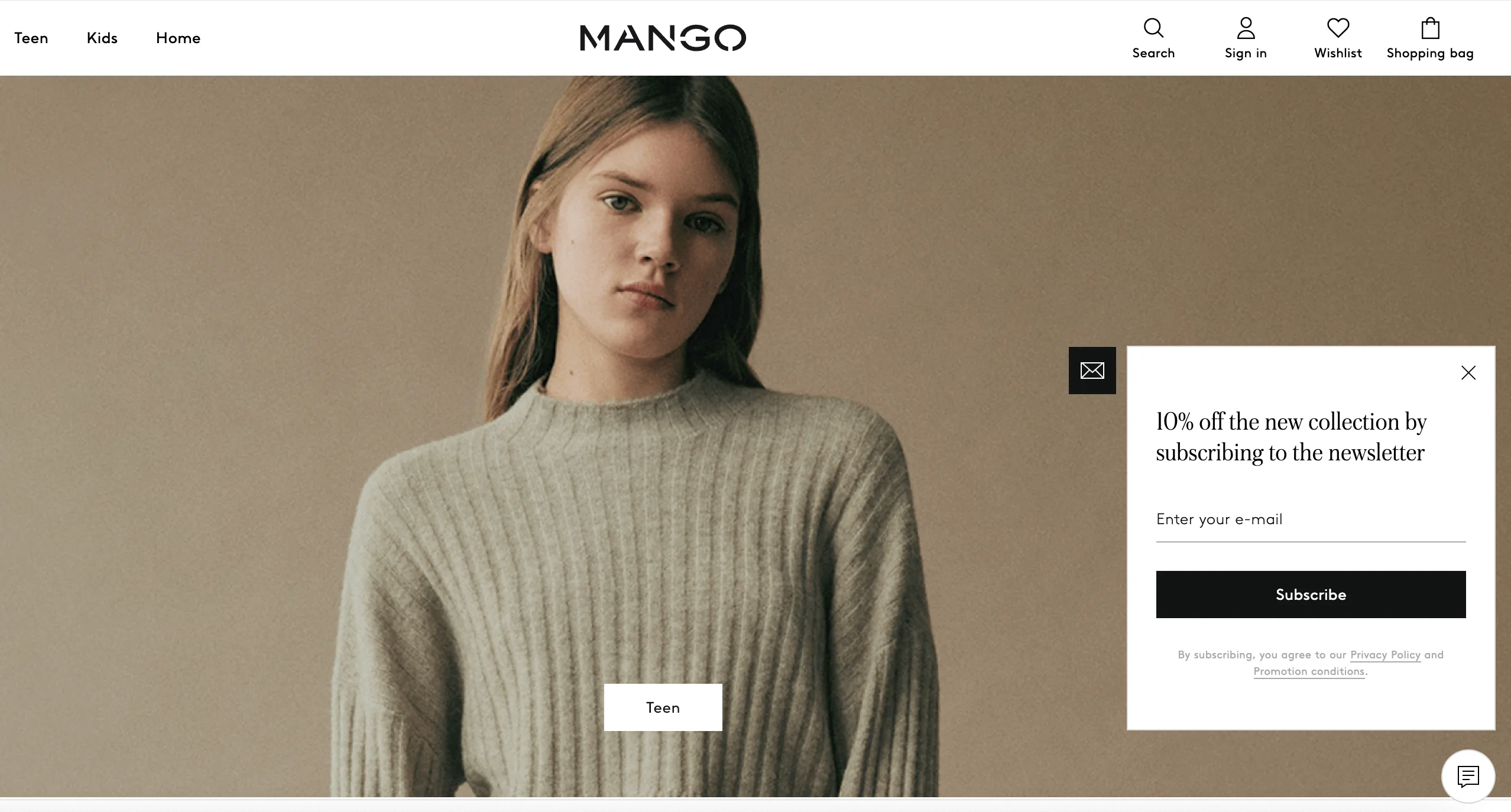
For example, Mango offers the readers a 10% discount on their first order –– that’s a common practice among e-commerce shops.
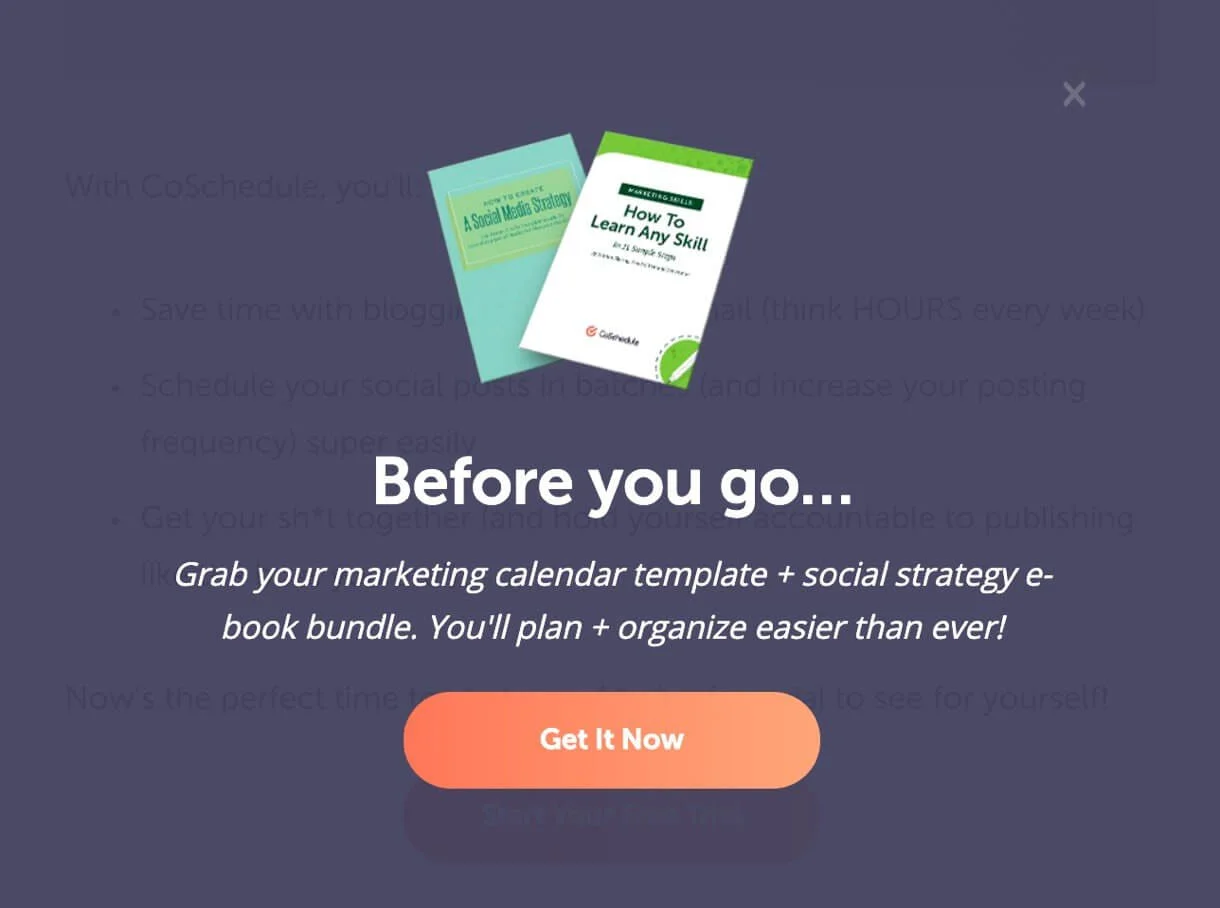
CoSchedule has some valuable content for potential subscribers: a marketing calendar and an e-book. And all that is just for your email address –– a tempting offer, isn’t it?
To share promotions and new offers
Help your visitors to get the most out of your website by sharing the best content and interesting promotional campaigns. Pop-ups are a great help in this task. Create them to promote webinars, new products and offers, communicate with your customers, subscribe them to your newsletter, capture leads, and redirect your visitors to wherever you want them to go (recent blog posts, landing pages, etc.).
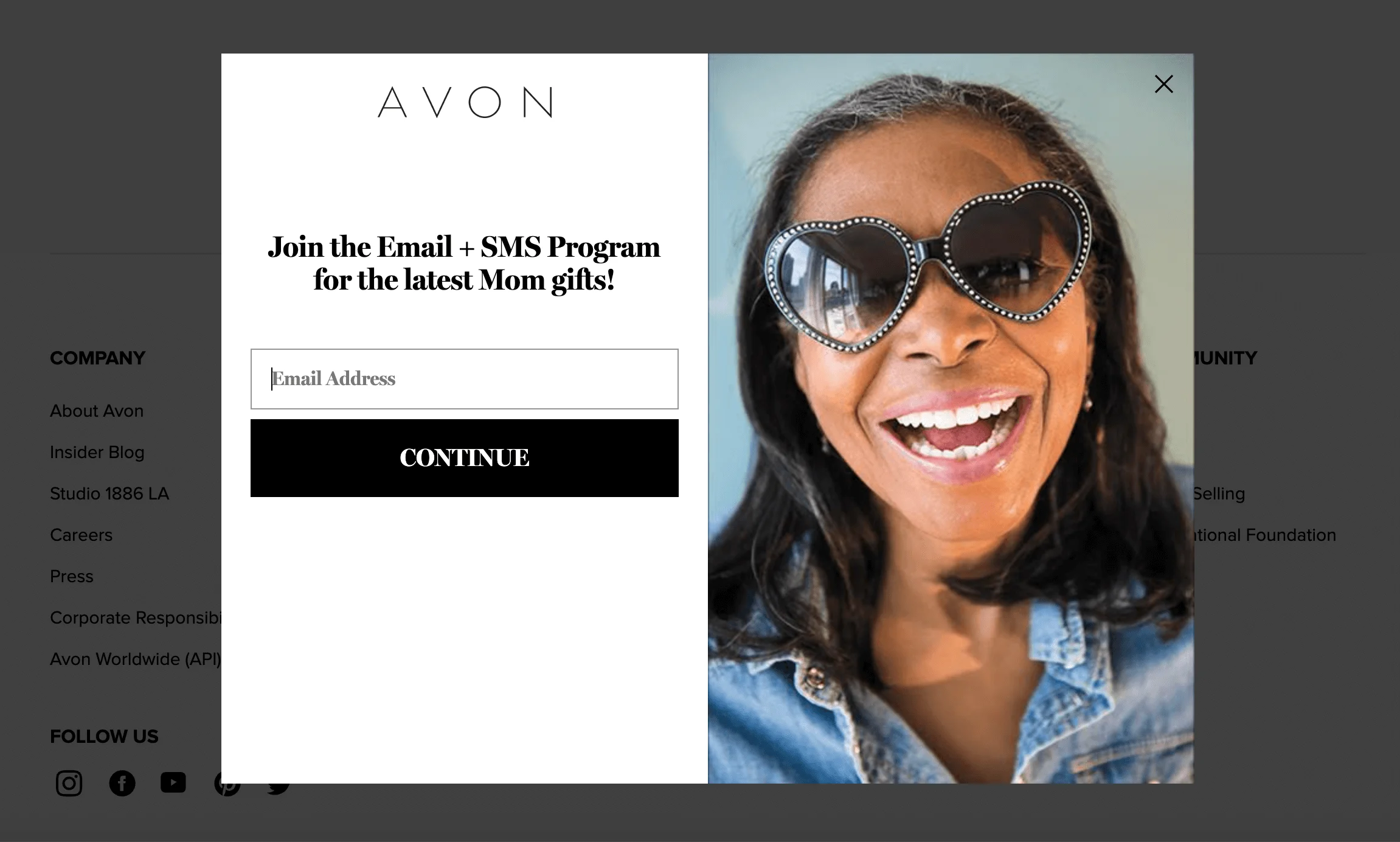
In a pop-up below, Avon announces its Email + SMS loyalty program. It is a full-screen popup that blends seamlessly into the background, fully removing distracting content. The pop-up doesn’t require much personal information –– only your email address is needed to start shopping.
Pop-up form examples of different types
There are five distinct types of website pop-ups. Each of them serves different purposes and has its own advantages and disadvantages. Let’s dive a bit deeper and understand how each of these types can help speed up your lead generation. Also, we have some examples for your marketing inspiration.
Click pop-ups
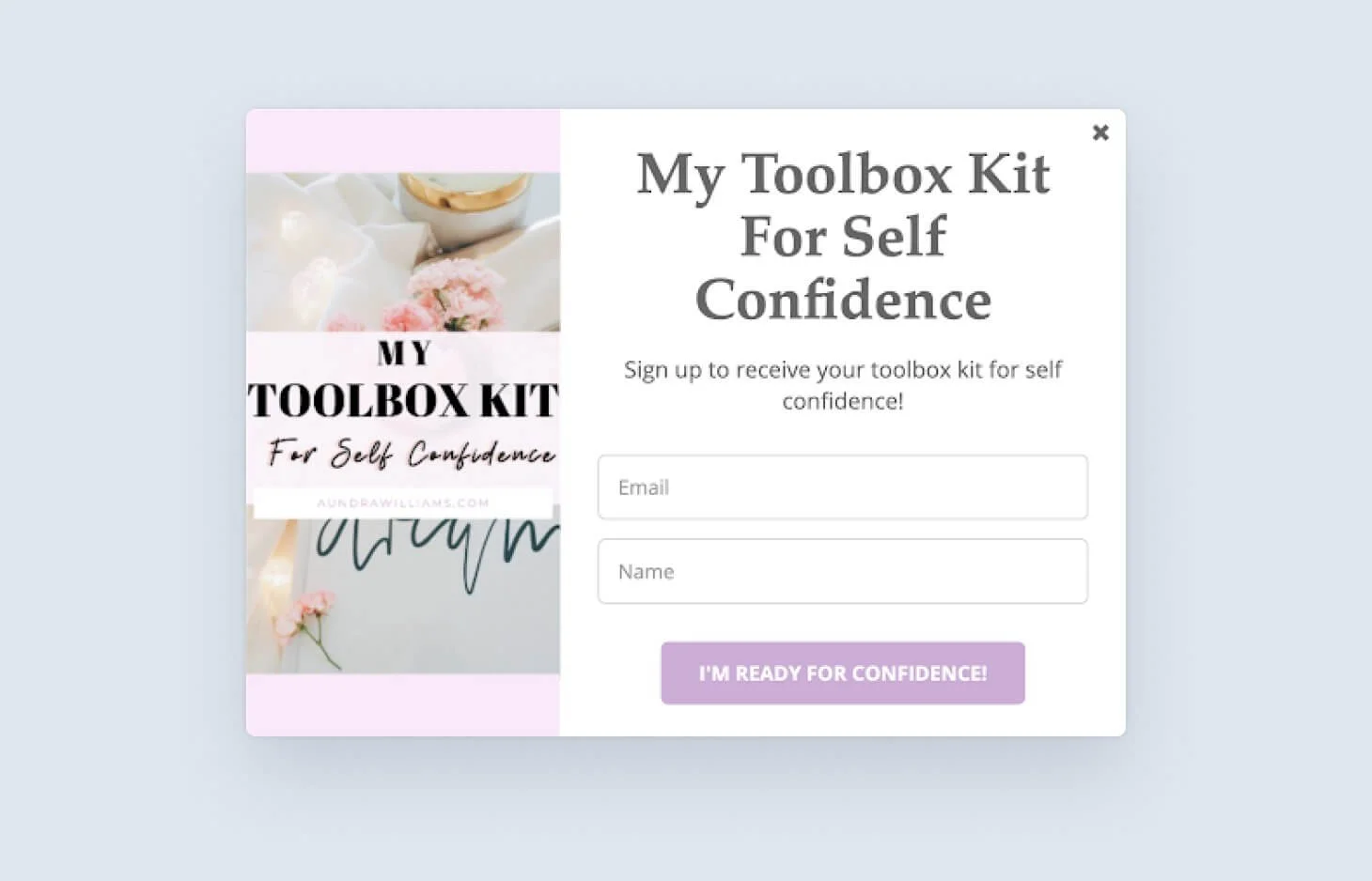
One of the most common pop-up types, click pop-ups are activated by clicking on a link or a button on the webpage. Instead of being redirected to a new page with the offer, the visitor sees the offer/subscription form in an overlay. So, a pop-up doesn’t show up to those who don’t want to see it, thus ensuring minimal disruption of your visitors’ experience. That’s an excellent way to capture warm leads.
Scroll-triggered pop-ups
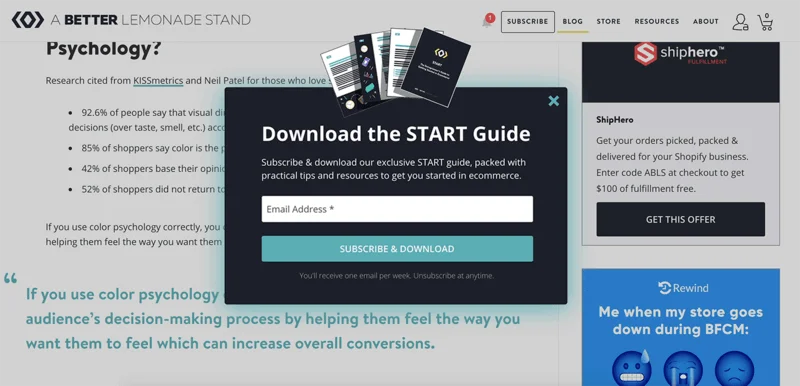
These pop-ups are displayed when a reader reaches a certain depth on your webpage. For example, you have an article about cold emailing, and when your visitors scroll through 30% of it, they see a pop-up with a free online book with cold email templates.
The concept is the following: if the visitors have already interacted with your content, they are more likely to interact with it further.
Time-based pop-ups
The difference between this type of pop-ups and a previous one is that time-based pop-ups display after a particular period of time. Time-based pop-ups are probably the most widespread ones and can be used on a single landing page or across the entire website.
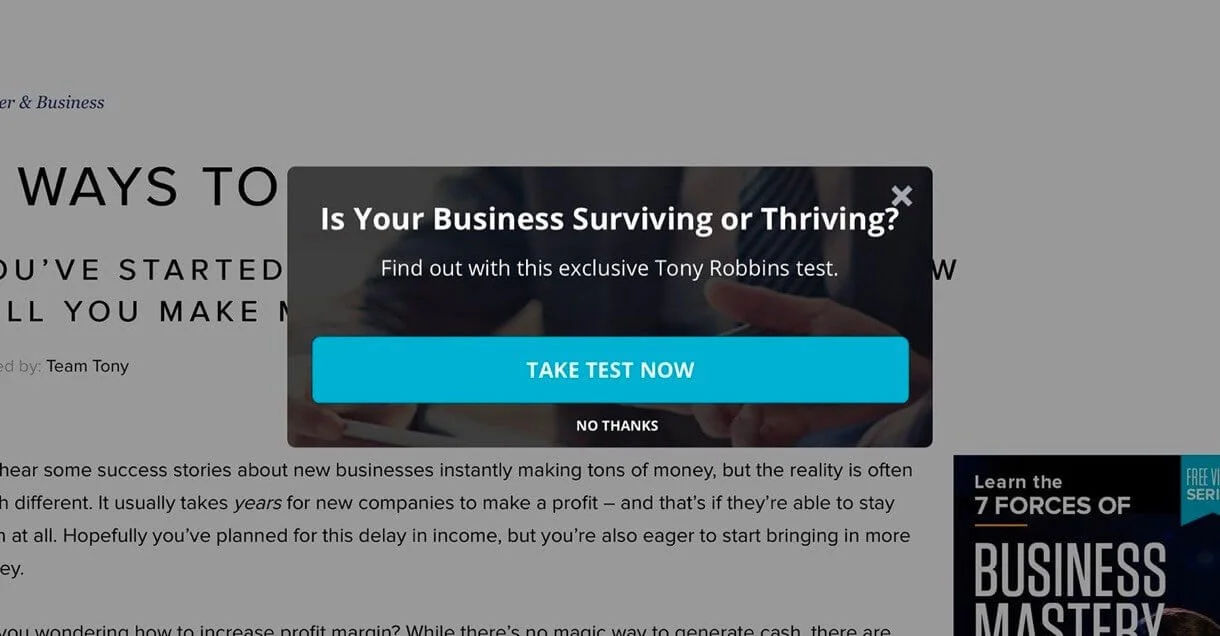
Exit pop-up
When the visitors have an intent to exit your website, they may see this type of pop-up. It detects when the cursor of the mouse goes back to the top of the page, which means the user is about to leave. The pop-up reminds readers about your key offer and helps in customer retention.
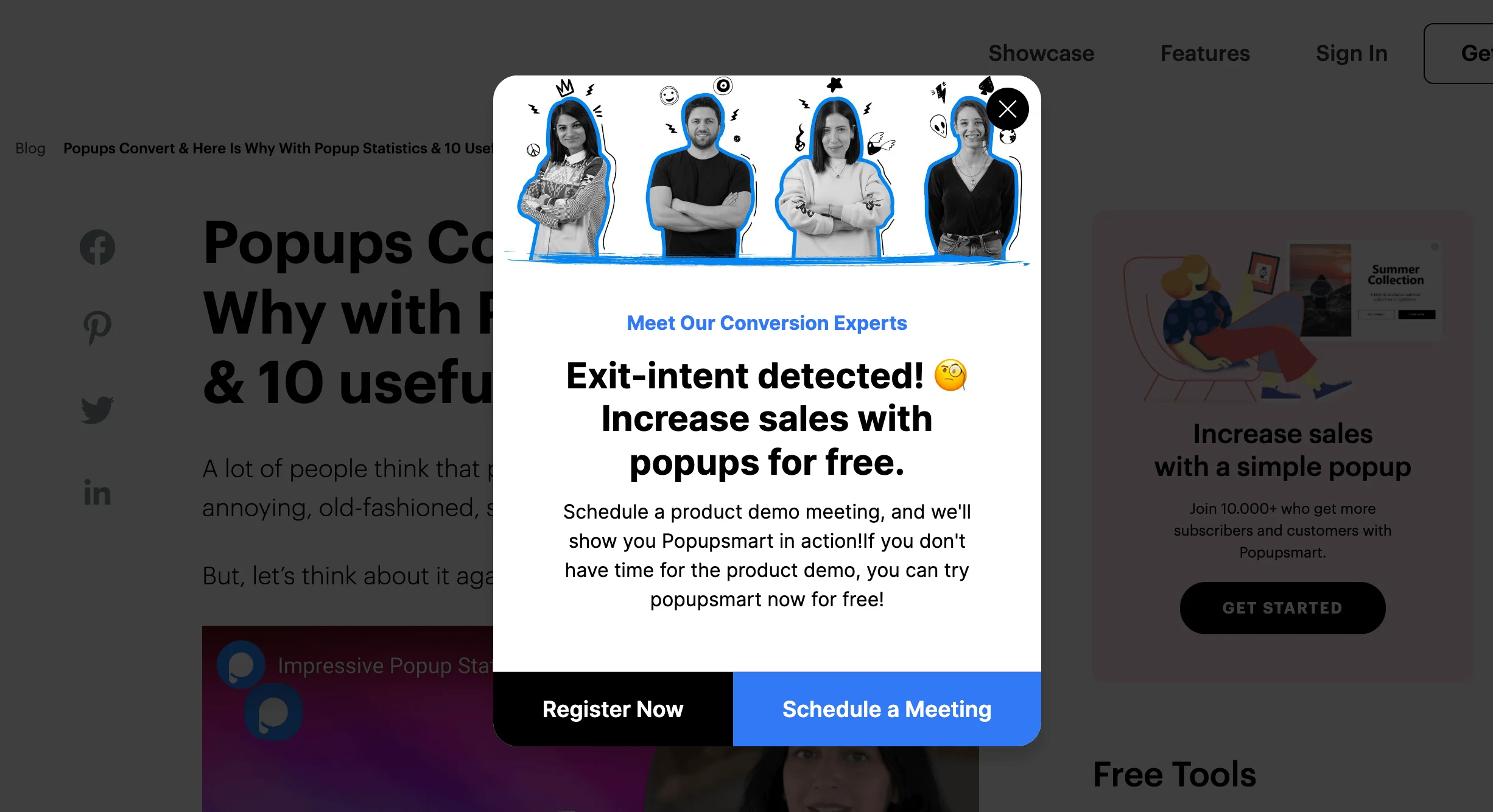
Welcome mat pop-ups
Welcome mat pop-ups appear on the full screen and are the best to capture users’ attention. But in some situations, it may look interruptive and worsen the user experience. That’s why, before finally introducing this type of pop-up, test it to see how your audience reacts.
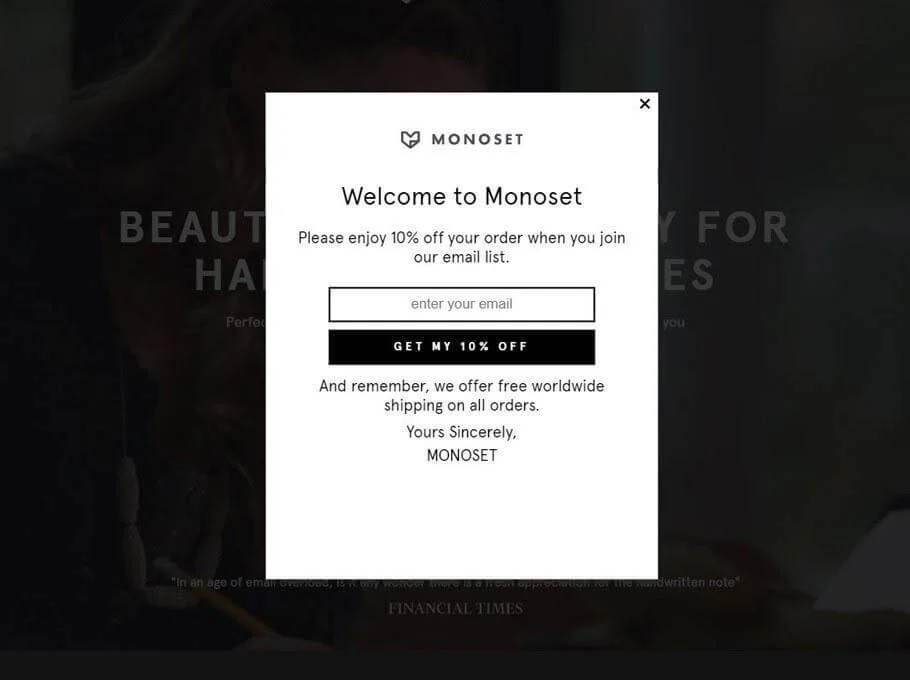
Tips on using pop-up forms (with examples from real cases)
It’s easy to boost your conversion rate with pop-ups by following the eight simple steps below. These smart strategies will help you achieve the best results.
Use pop-ups to highlight benefits
When you create a pop-up, take time to answer several questions: what’s its incentive? Why is your offer attractive? Successful pop-ups have an intent to provide visitors with something they really need and clearly explain how the offer can improve their lives.
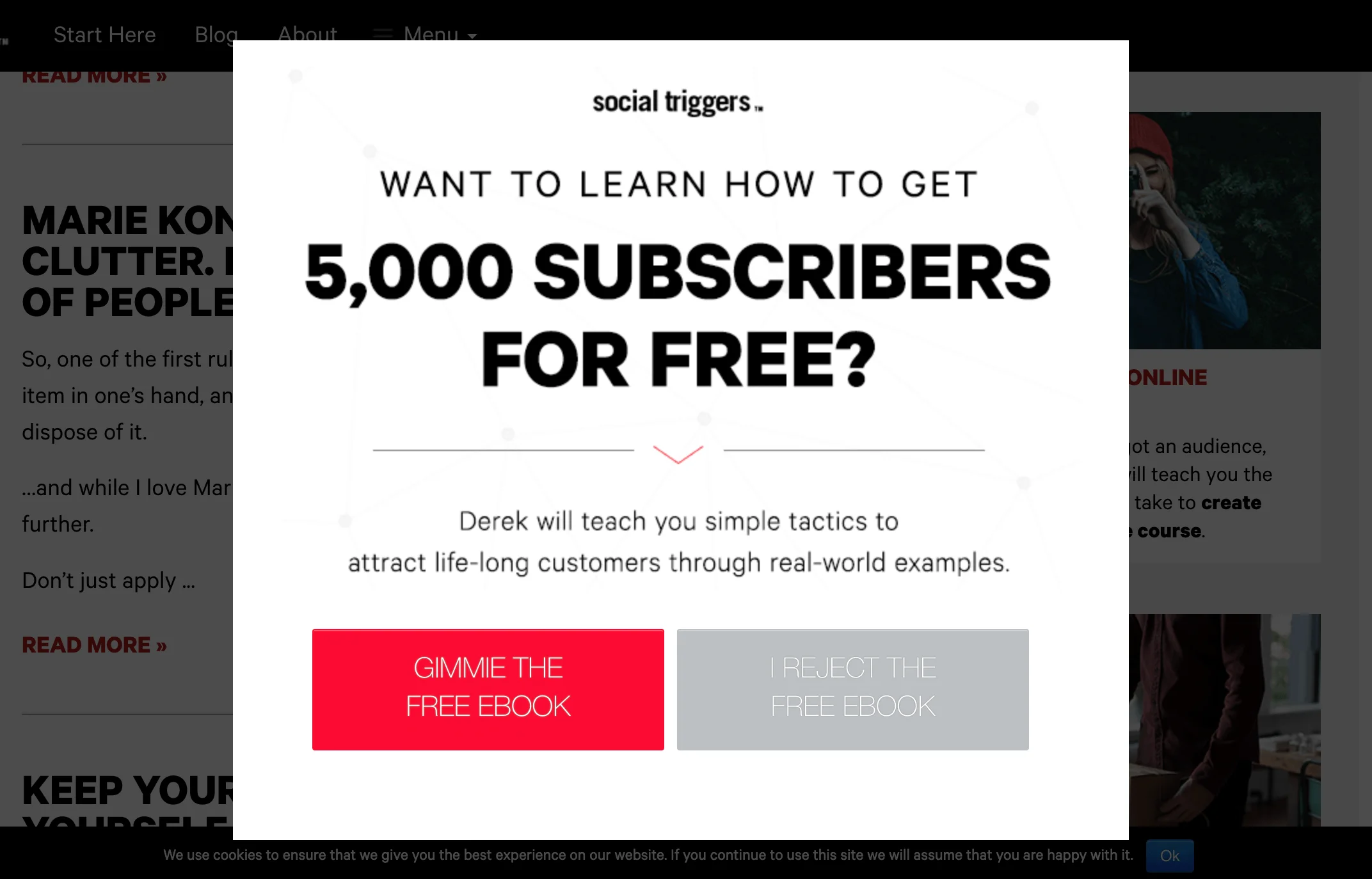
Timing is everything
Finding the best time to display your pop-up is one of the keys to its success. Keep in mind that the majority of your visitors see your website for the first time. If you block their experience with a giant pop-up, you can spoil the impression forever. So, give them some time to get familiar with your content and start trusting you.
To find perfect timing, see Google Analytics and find out the average time on the page. It is appropriate to show a pop-up after 30-40% of that time has passed, or if the visitor scrolls a certain percentage of a page. For example, we at Selzy show the new visitors a pop-up inviting them to get the guide to email list building, when they have scrolled 50% of a blog article.
Make sure the pop-ups are relevant
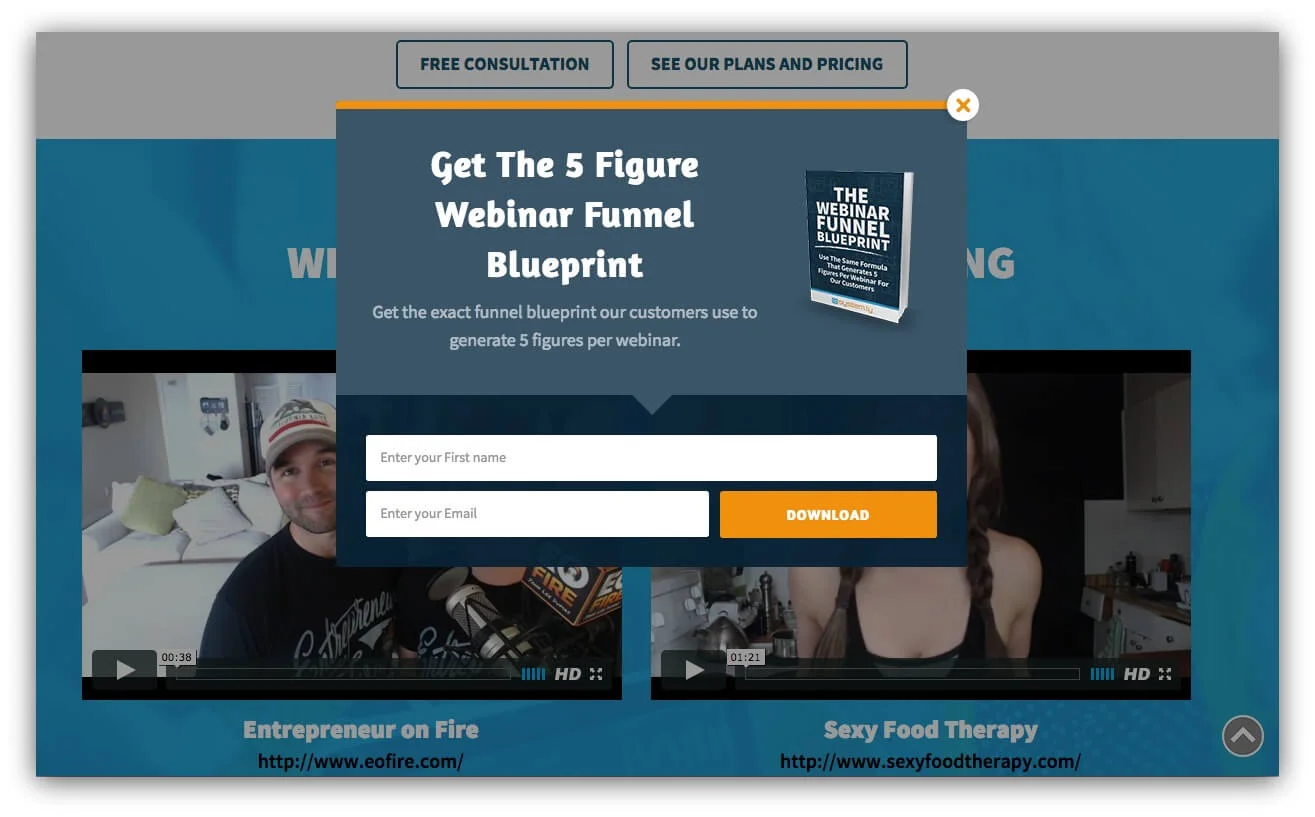
Think about what else you can offer and how you can help the visitors to achieve their goals. They came to your website having a certain intent –– what else do you have for them? See the example below: a pop-up with an email course on marketing automation appears on the page with the marketing automation article. It perfectly complements the text and gives a deeper understanding of the topic.
Put some effort into your CTAs
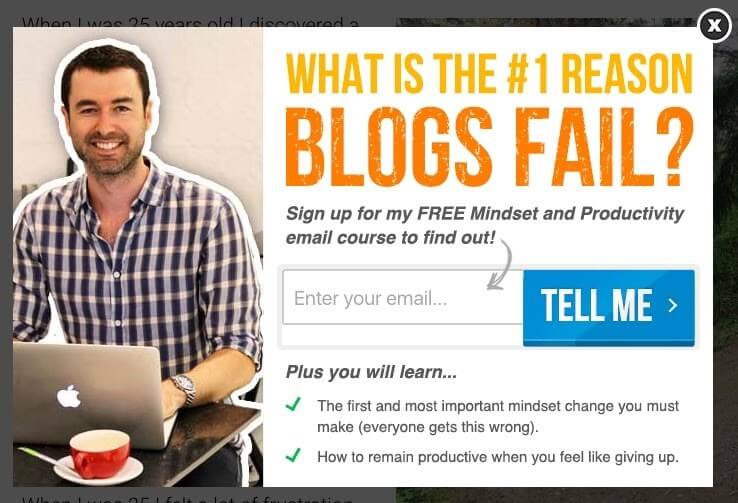
“Buy now”, “Download”, “Go to website” –– these are CTAs you frequently see in the majority of pop-ups. And what if next time you’ll try to be a bit more creative and invite visitors to your website in a different way?
See how Yaro invites the readers to see his free email course, using a clear and prominent CTA button.
Make them easy to dismiss
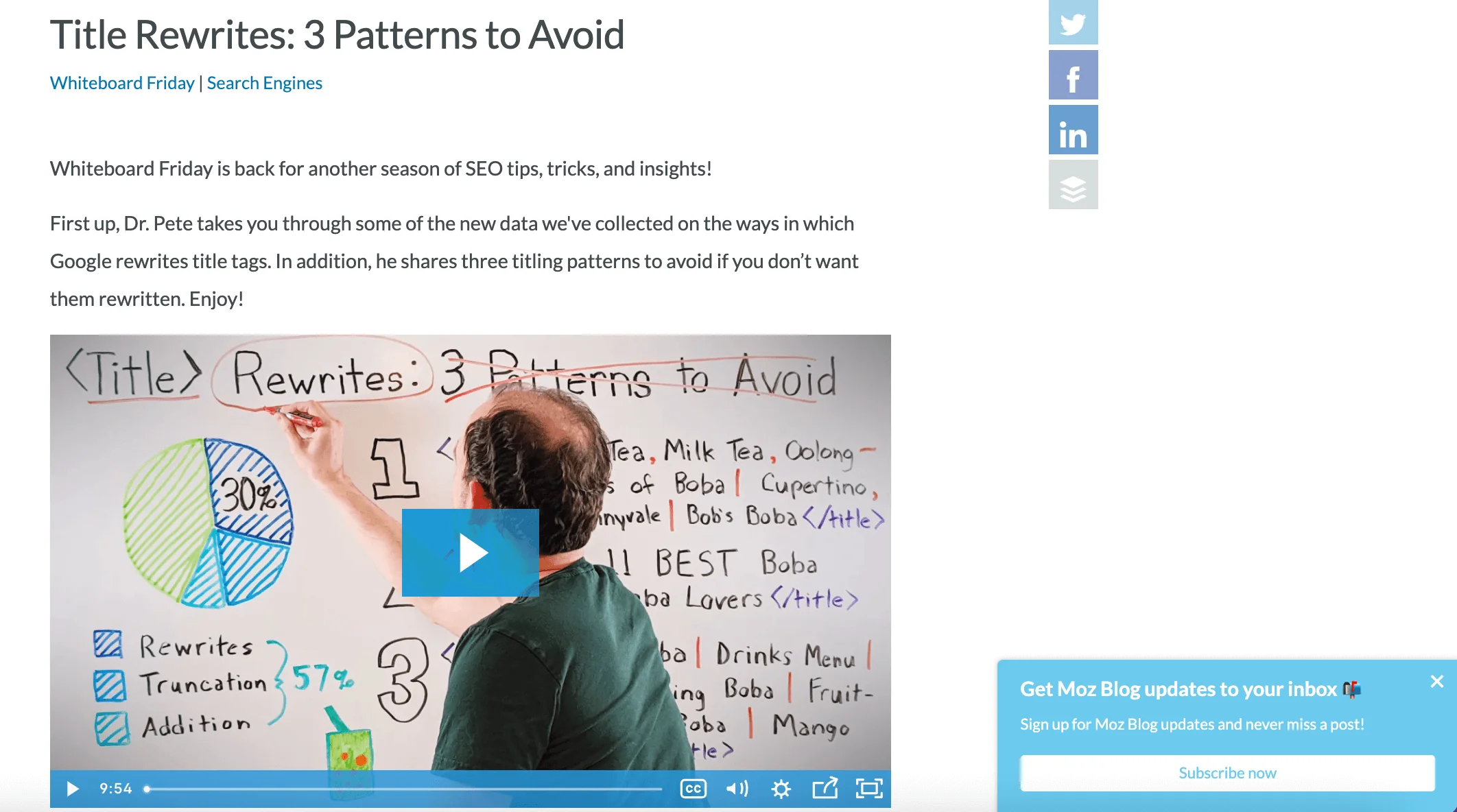
A good pop-up is one the user can easily dismiss. Don’t make the exit button as prominent as the CTA, but the user should be able to find it. Or, make an unobtrusive pop-up that subtly appears in the corner of the screen –– as Moz did on their website.
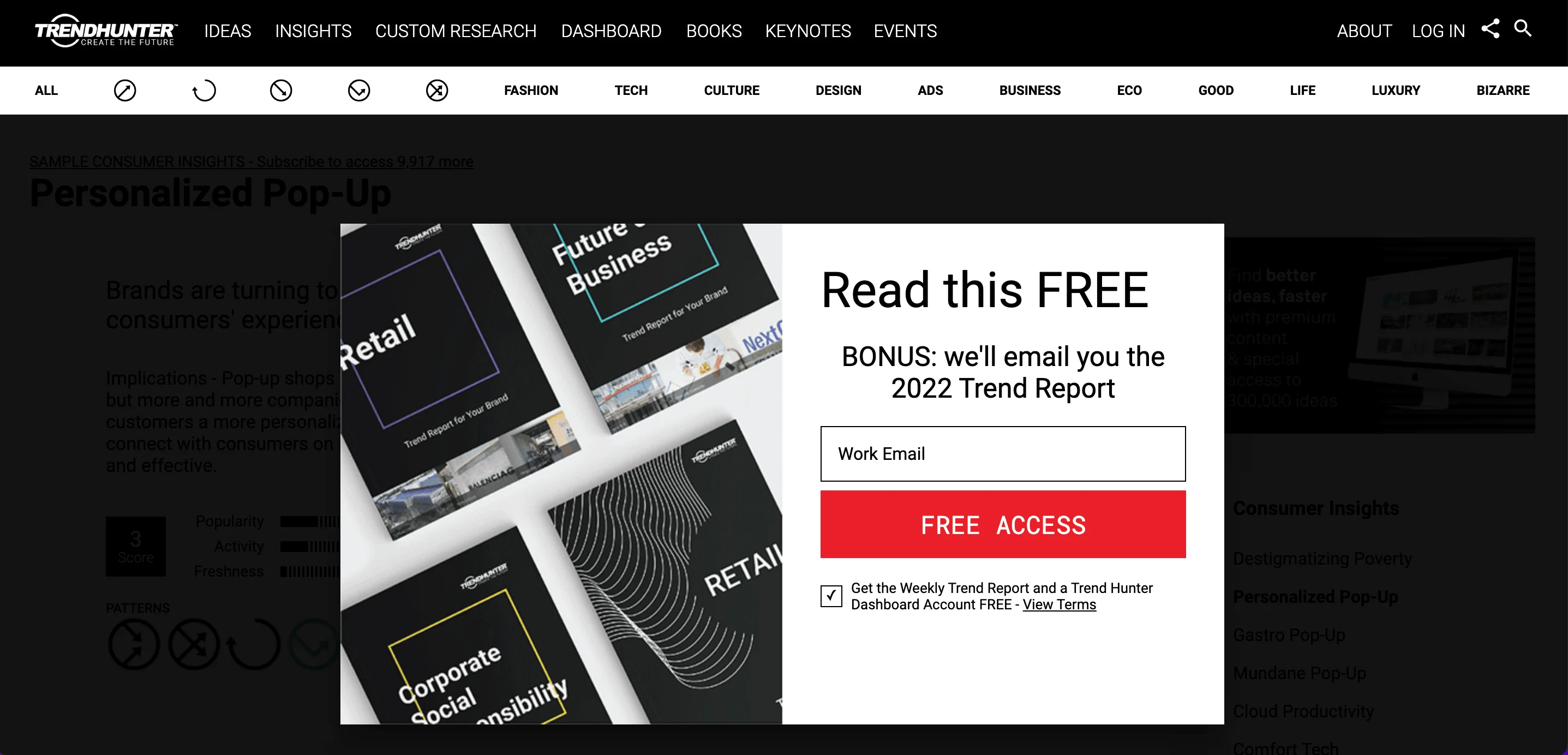
And here’s a challenging task: how should you close the window and continue reading? A cookie for the lucky one who finds an exit 🍪
Experiment with different formats
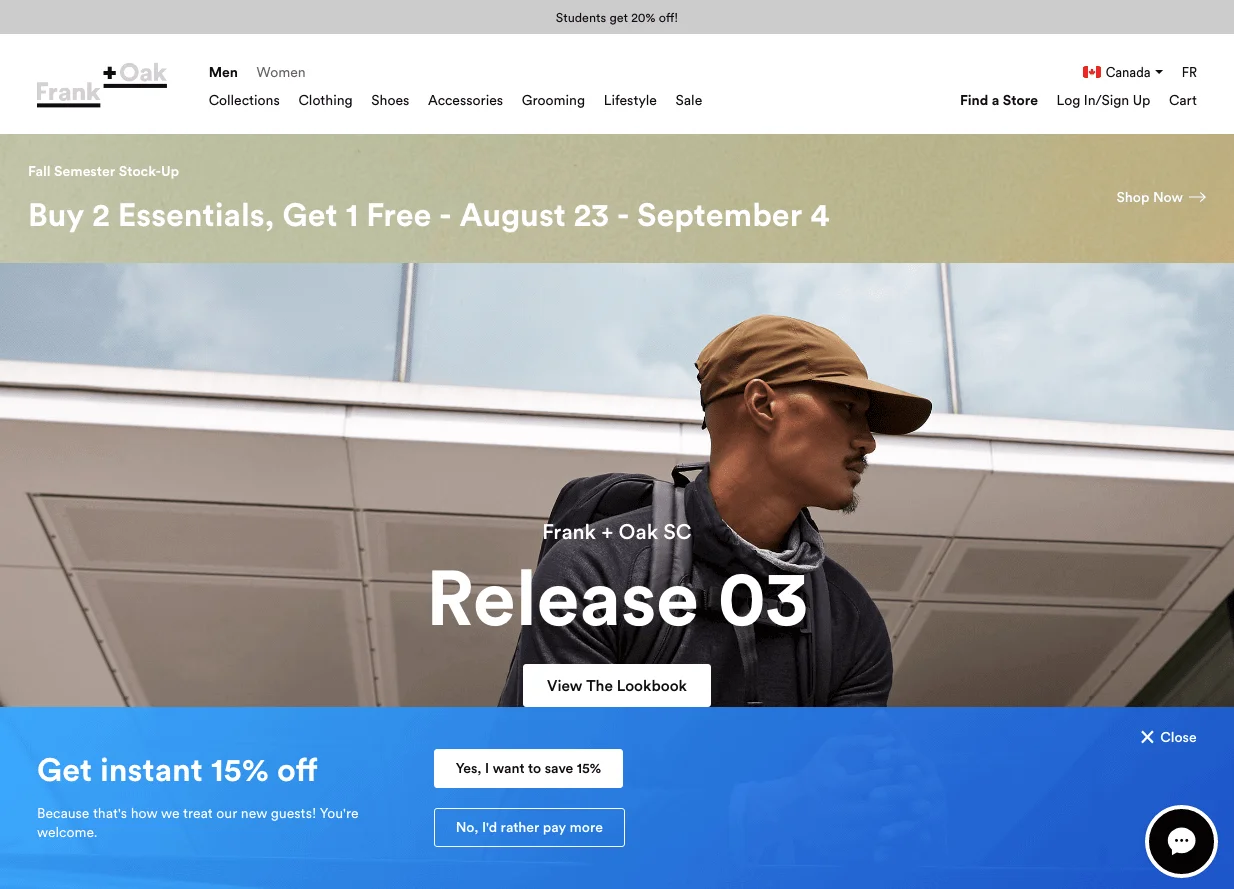
Pop-ups can appear not only in the form of small windows –– there are other options, too. The simplest, most unobtrusive form of a pop-up is the bar. It is recommended to place it at the very top, or at the bottom of the screen. Many marketers prefer bars because they don’t interrupt users’ experience and, at the same time, are visible and easy to click on.
Don’t forget the mobile users
The importance of creating mobile-friendly pop-ups is a well-known fact: more than half of all web traffic is mobile. It is vital to create responsive pop-ups that work across all types of devices.
If your pop-up is not optimized for mobile, it can hurt your performance: you’ve probably seen those enormous banners covering the whole screen without an opportunity to exit. Always test your pop-ups on as many screen sizes as possible.
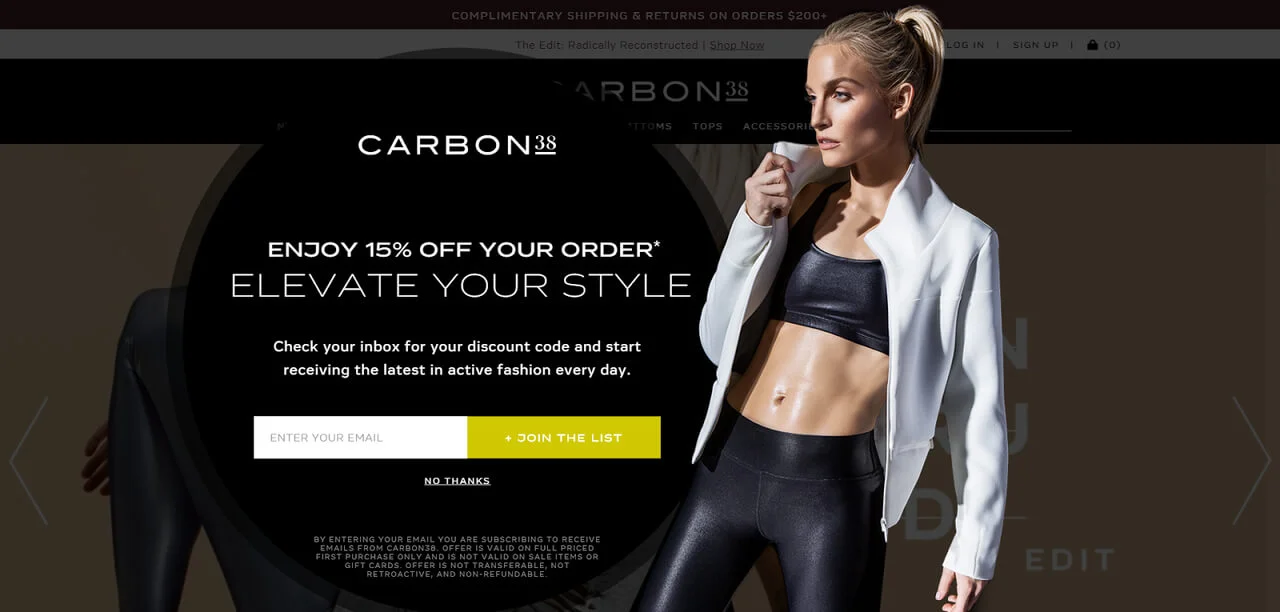
Look at this great example of a responsive pop-up by Carbon 38. Here’s its desktop version:
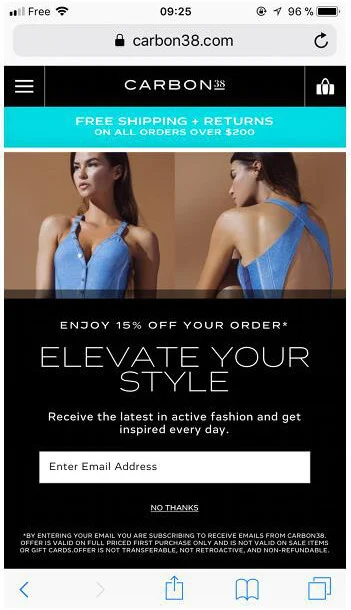
And that’s the way the mobile pop-up looks. Neat, tidy, and unobtrusive:
Personalize when possible
There are lots of ways to personalize your pop-ups to reach the required segments of your target audience. One of the easiest options is to include the visitor’s city in your pop-up:
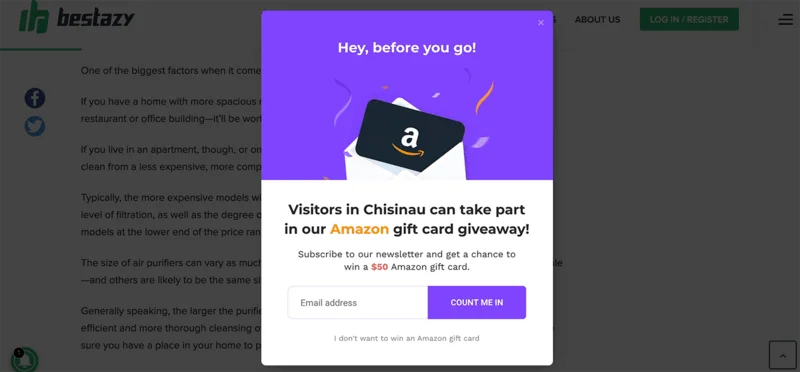
Personalized pop-ups have better chances of getting the readers’ attention, and putting a gift card on the line makes this offer even more tempting.
Wrapping up
Pop-ups are a good marketing tool that considerably increases conversion rates if used properly. You can use them for different purposes:
- Announcing news –– highlight the most important upcoming events in your company.
- Growing email list –– create a pop-up with an exclusive offer for readers available only if they leave their emails to get more subscribers to your newsletter.
- Sharing promotional campaigns and new offers –– capture readers with valuable content and interesting promotional offers.
There are five distinct types of website popups. These are click, scroll-triggered, time-based, exit, and welcome mat pop-ups. You can choose one of them or a combination of several types.
Follow the simple rules to make your pop-ups effective:
- Use pop-ups to highlight benefits.
- Find the right time to display your pop-up.
- Make sure the pop-ups are relevant.
- Put some effort into your CTA.
- Make the pop-ups unobtrusive and easy to dismiss.
- Create mobile-friendly, responsive pop-ups.
- Experiment with different formats, and personalize pop-ups if possible.
Hope these recommendations help you take your marketing to the next level!
 New and noteworthy on our blog
