



Bulk WhatsApp Sender for Automated Customer Journeys

One scenario builder for every bulk send and automated follow-up.
Start sending View pricing

Free to start. No credit card required.

Who it's for

Built for businesses that live and die by how they message customers. Bulk sends and triggered scenarios solve different problems, and most businesses need both running at the same time.

eCommerce & Retail

Cart abandonment, order updates, restock alerts. A purchase or a browse can trigger a message before the customer even thinks to check their email.

Triggered order flows + segmented promo blasts

Service & Booking Businesses

Salons, clinics, studios, repair shops. A missed booking or a no-show costs real money, and a reminder sent the day before cuts that down fast.

Appointment reminders + rebooking nudges

Real Estate & Property

New listings, viewing confirmations, follow-ups after a lead goes cold. WhatsApp gets read faster than an email buried in a promo folder.

Listing alerts + lead nurture sequences

Education & Online Courses

Enrollment confirmations, class reminders, drop-off recovery for students who stopped logging in. A structured sequence keeps people showing up.

Welcome series + attendance reminders

Travel & Hospitality

Booking confirmations, check-in details, last-minute offers for a destination someone already searched. Timing matters more here than almost anywhere else.

Pre-trip updates + seasonal promotions

SaaS & Subscription Businesses

Trial-to-paid nudges, renewal reminders, win-back campaigns for churned accounts. A condition can check plan status and route each contact differently.

Lifecycle messaging + churn recovery flows

What's included

Everything you need to run WhatsApp like a real channel, not a side project

Visual Scenario Builder

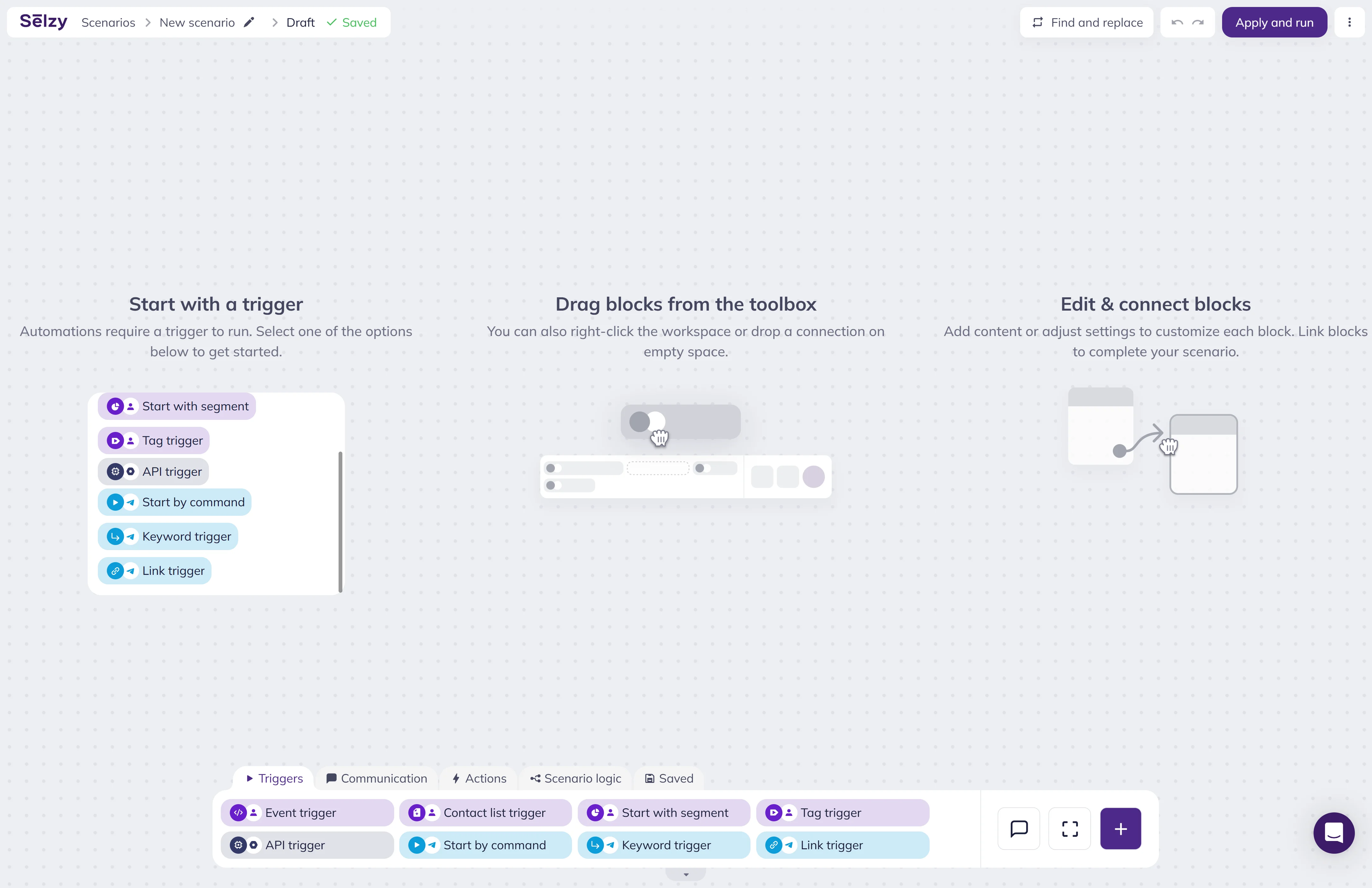
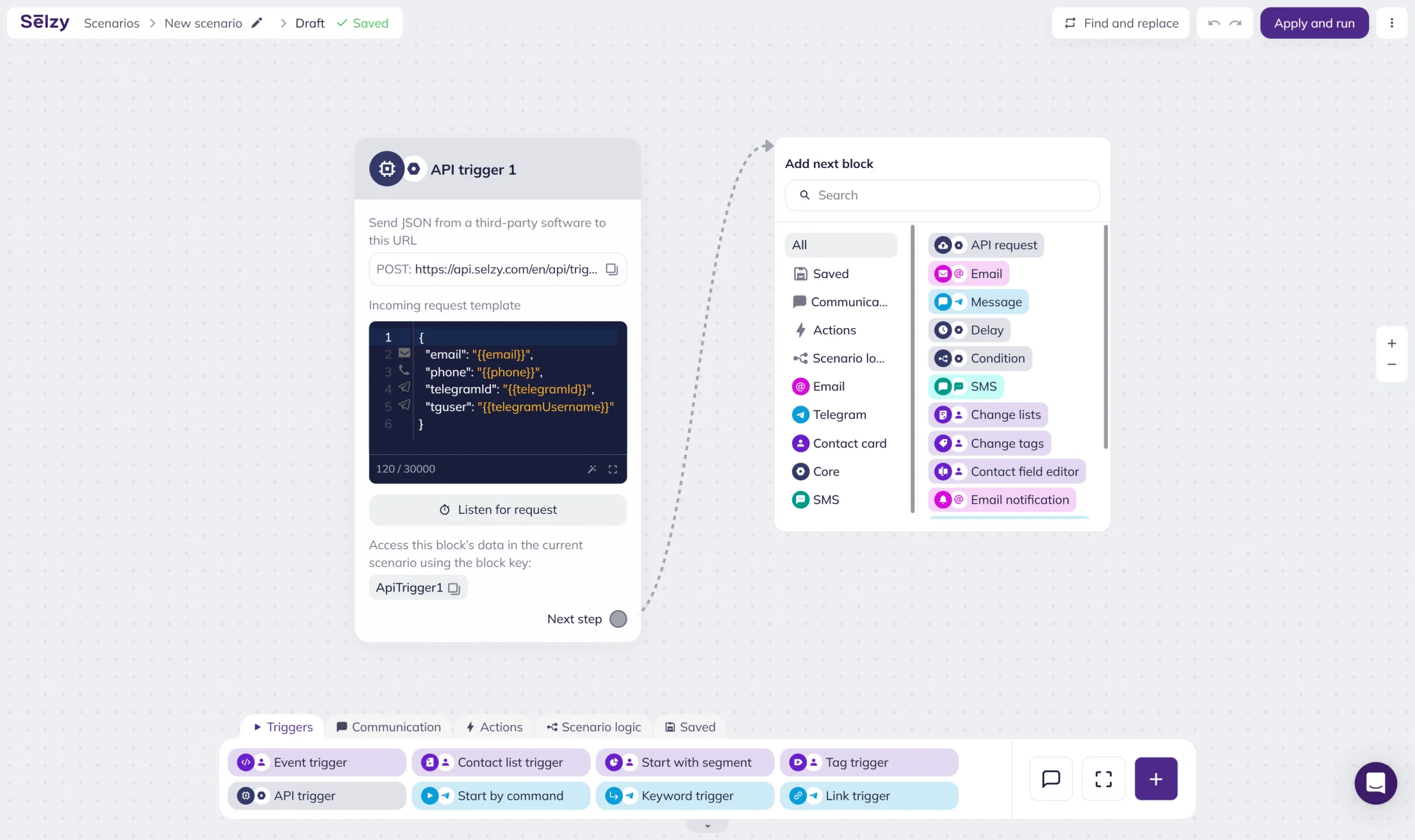
Drag in a trigger, connect it to your WhatsApp send, add a condition, done. See the whole customer path before anything goes live.

Bulk Sending

Send to a full list or a narrow segment, on your schedule, in a couple of clicks.

Triggered Scenarios

Launch messages automatically from a subscription, a purchase, a payment, or any other event.

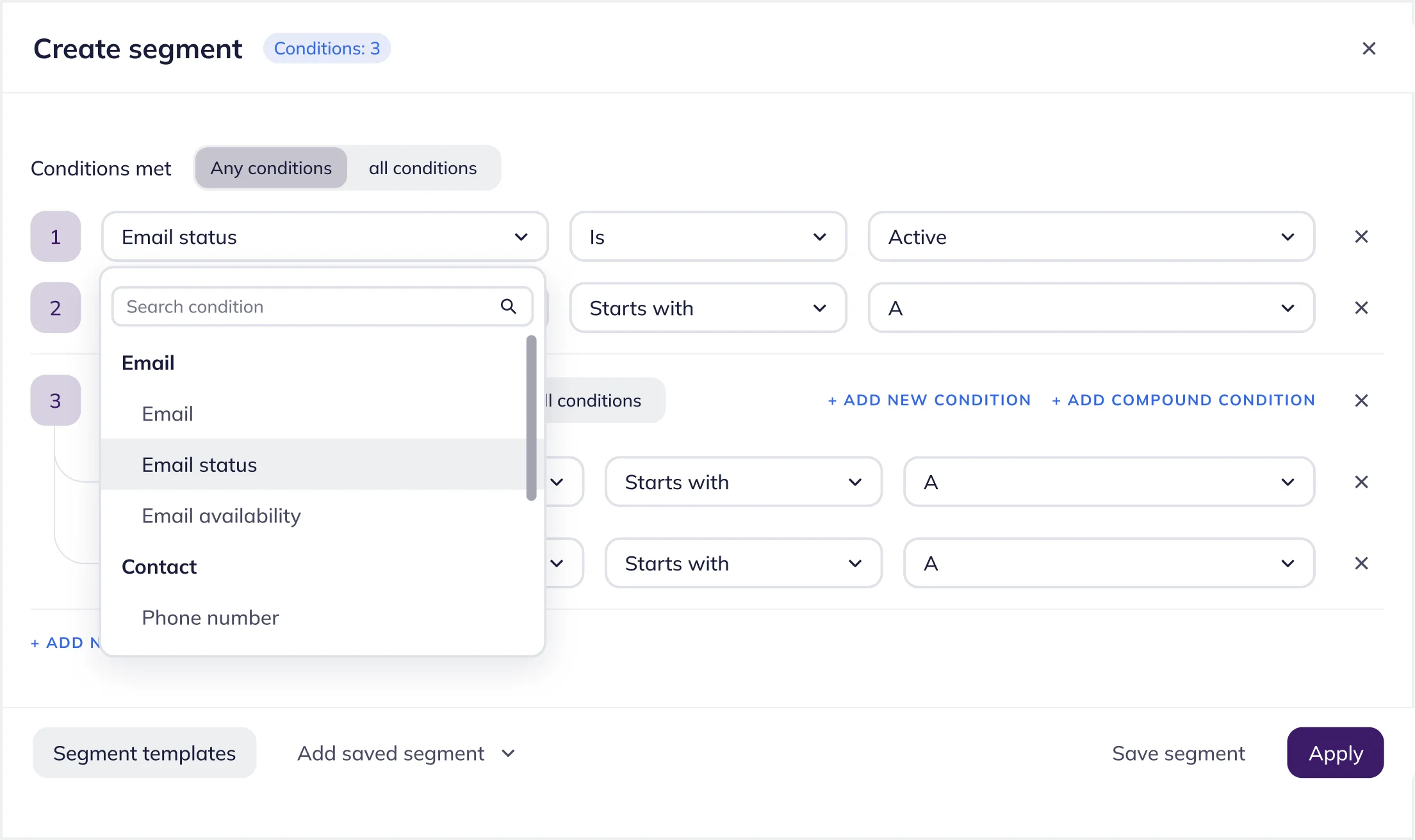
Personalization & Segmentation

Pull in contact fields and event data so a mass send still reads like it was written for one person.

Contact list segmentation in Selzy

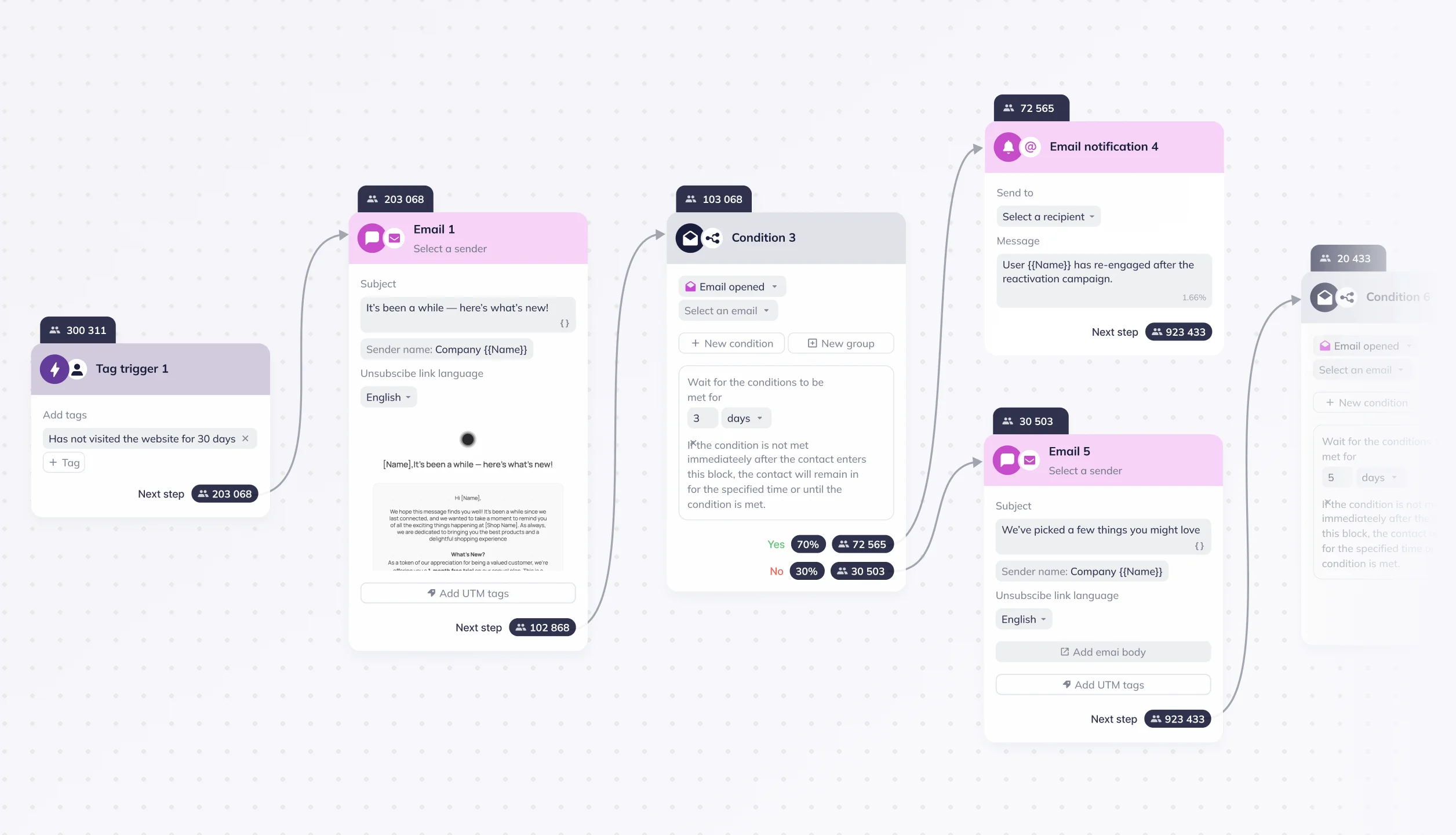
Conditions & Delays

Route contacts down different branches and hold messages until the timing actually fits.

Delivery & Performance Analytics

See what happened at every block, not just a single number for the whole campaign.

How it works

From idea to live scenario in three steps

1

1. Set up your scenario

Start from a trigger, a bulk send or a customer event, and connect it to send a WhatsApp message.

2

2. Set the audience and the logic

Pick a list or segment, then add any conditions or delays that should shape the path each contact takes.

3

3. Launch and watch it perform

Turn the scenario on. Delivery and engagement data start showing up block by block, right away.

Build your custom chatbot

Try all features free for 14 days. No credit card required.

Choose a plan based on your audience size

50,000+ customers can't be wrong...

Selzy is the easiest way to start selling with email — but don’t just take our word for it.

Read our customers’ success stories and see what they have to say 👉

4.8/5
Based on 488 reviews
Product Hunt
G2 Momentum Leader award Fall 2024
G2 High Performer Small Business award Fall 2024
Capterra Best value award 2024
Capterra Shortlist award 2025
GetApp Category Leaders award 2025
Software Advice Front Runners award 2025

Get round-the-clock support via chat, email, and phone

5 mins average response time
95% of cases solved in 5 minutes
97% 👍️️️️️️ satisfaction rate

FAQ

How do I send bulk WhatsApp messages with Selzy?

Build a scenario, connect it to send a WhatsApp message, pick a contact list or segment, set a send time, and Selzy handles delivery from there.

What is the difference between bulk and triggered WhatsApp scenarios?

A bulk scenario goes out at a scheduled time to whoever you choose. A triggered one launches on its own, the moment a customer event, like a purchase or subscription, happens.

Can I personalize WhatsApp messages using contact data?

Yes, pulling in contact fields and event data so each message reflects who the person actually is.

Can conditions and delays control when messages are sent?

Yes. Conditions send contacts down different paths, and delays hold the message until the timing actually makes sense.

How can I track WhatsApp scenario performance?

Each scenario breaks delivery and performance down by block, step by step, rather than giving you one flat number.

Start your first WhatsApp scenario today

Same editor you're already using for email and SMS. No new tool to learn.

Start for free
Free to start. No credit card required.