Constant Contact vs Mailtrap
Trying to choose between Constant Contact vs Mailtrap as your email marketing software? Here's when to choose each tool – and the pros and cons to know about.

Constant Contact
- 2.2/5 on TrustPilot
- 4.3/5 on Capterra
- 4/5 on G2
Online marketing platform offering a range of features from email marketing and automation to SMS marketing and CRM.
Pricing
Starts at $12/month for up to 500 contacts and 5,000 email sends
Key features
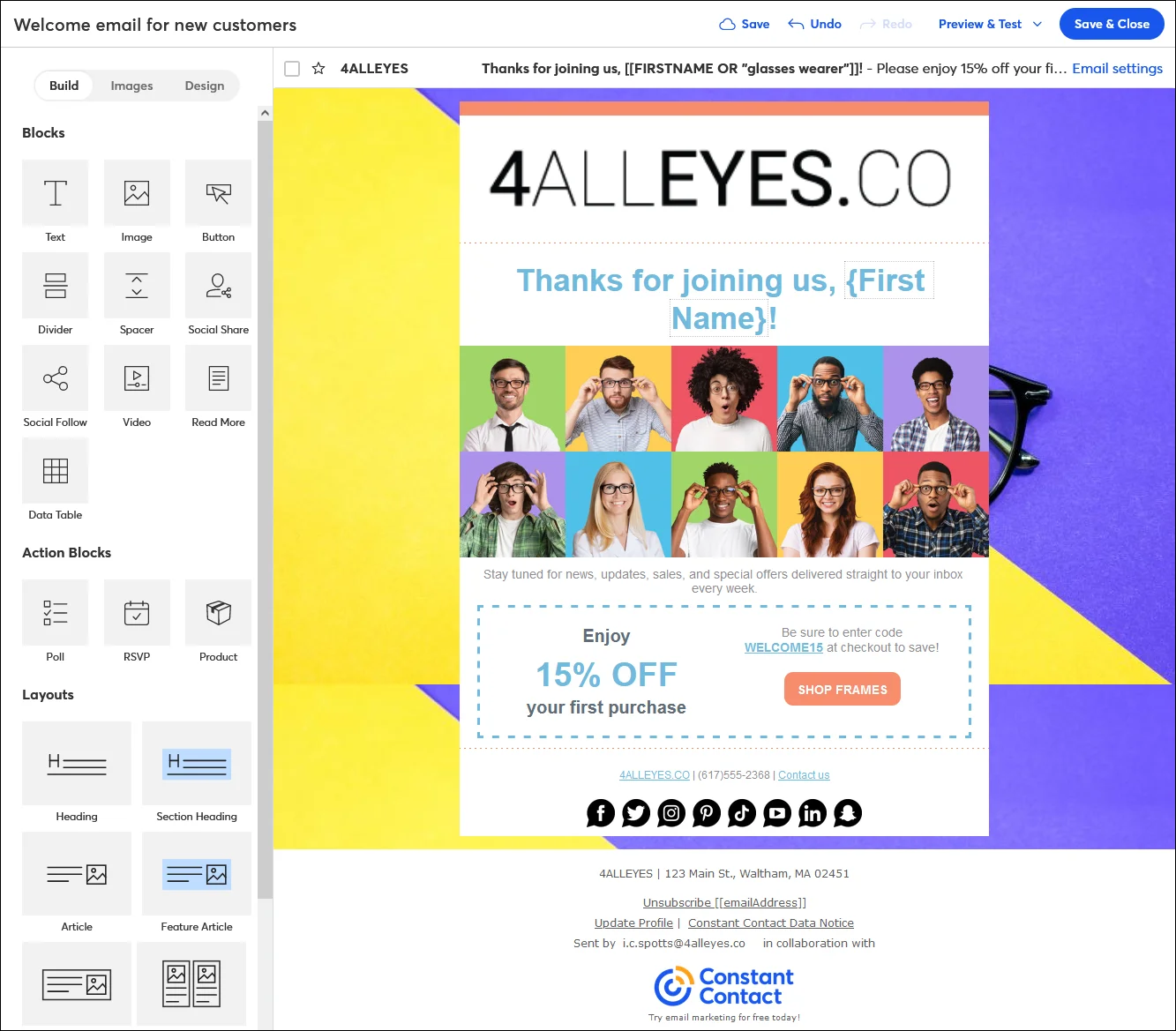
- Drag-and-drop email templates
- AI Content Generator
- Event management
- CRM
- Automation
- Reporting
- Web sign-up forms
- SMS and social media marketing
- Polls & surveys
- Landing page builder
- 5,000+ integrations
Support
Live chat and phone for all the plans during the office hours. Self-service and community support.

Mailtrap
- 4.8/5 on Capterra
- 4.8/5 on G2
- 3.8/5 on Trustpilot
A high-deliverability email platform for digital products to send emails at scale. It offers transactional and bulk emails, SMTP, APIs, and official SDKs.
Pricing
Starts at $15 a month for 10,000 emails and up to 50,000 contacts
Key features
- High inboxing rates
- Fast email delivery
- Industry best analytics
- Safe and fast scaling
- 24/7 expert support
- Major SDKs
- Email Templates API
- Flexible API
- 18 integrations with various services
Support
Email support available on all plans for 20 hours on weekdays. 24/7 live chat and priority support available on higher plans.
The company was founded in 1995 by Randy Parker and was later sold to Endurance International in 2015. In 2021, it was acquired by ClearLake Investments. Headquarters in Waltham, Massachusetts.
Founded in 2011 by Railsware Product Studio, Mailtrap is a bootstrapped product owned by Railsware with company headquarters in Kyiv, Krakow, and Los Angeles.
Beginner-friendly. Basic tutorials are built into the interface.
The service is geared for developer and product teams. Although not easy for the general public, its interface makes it easy for professionals to adopt the tool.
Small businesses, nonprofits, and event organizers. Some features are aimed at sales and marketing directors.
SMEs and enterprises who require detailed, well-laid-out analytics, high deliverability, as well as transactional and marketing emails within a highly scalable and stable solution.
No free plan. Depending on the location, users can get a 14 or 60 day free trial with access to the core features and send up to 100 emails. No credit card required.
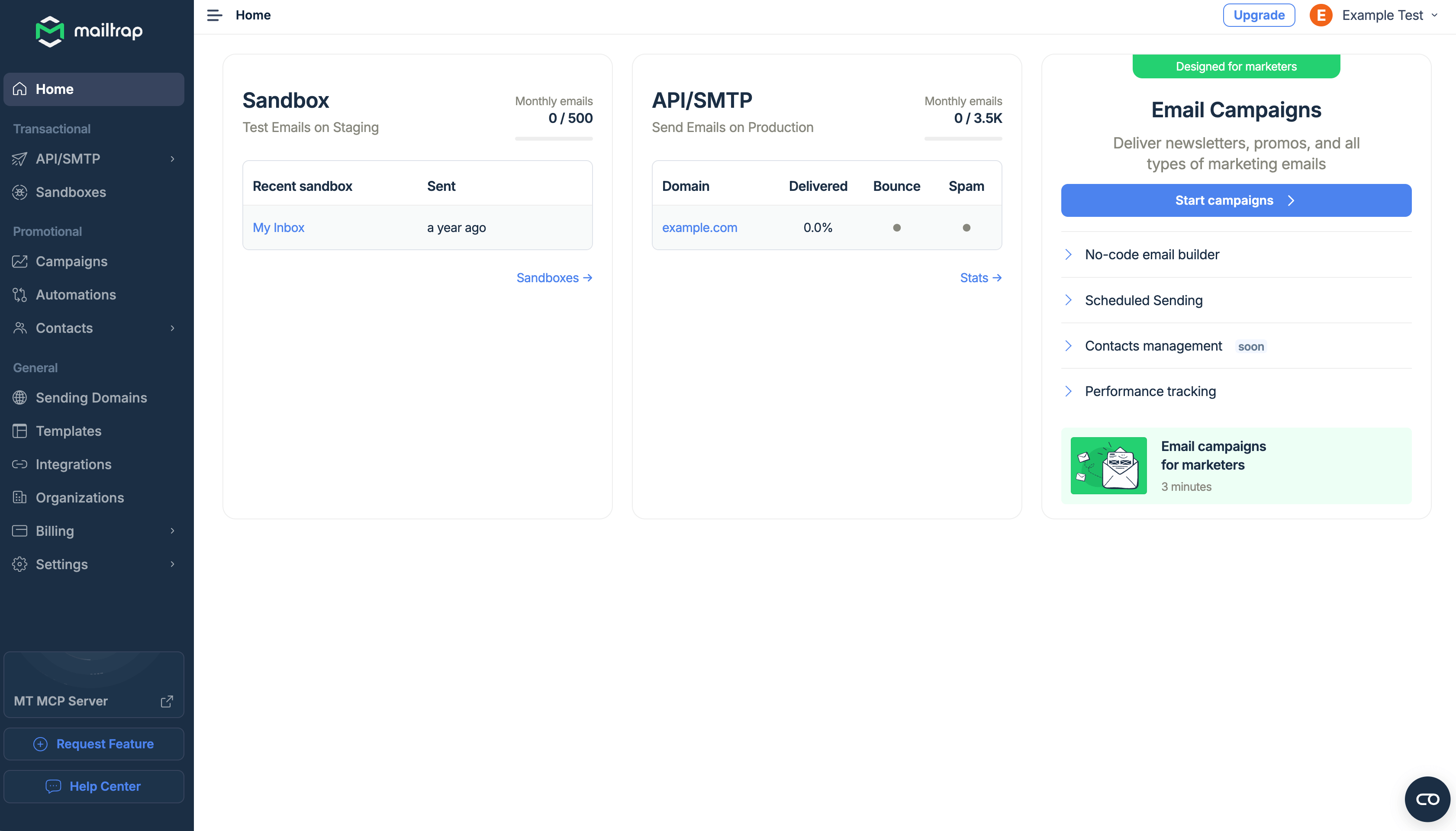
Yes, 3,500 emails per month with 150 emails/day throughput, one domain and one user seat.
Based on number of contacts and email sends. Overage fees of $0.002 per email apply.
For up to 500 contacts, billed monthly:
Lite $12
- 1 user
- 1 GB storage
- Monthly email sends: 10x your number of contacts.
Standard $35
- 3 users
- 10 GB storage
- Monthly email sends: 12x your number of contacts.
Premium $80
- Unlimited users
- 25 GB storage
- Monthly email sends: 24x your number of contacts
Other pricing features:
- Everyone: 15% off for 12-month prepay
- Nonprofits: 20% off for 6-month prepay and 30% off for 12-month prepay
- Full refund for closing account within 30 days of signing up. Conditions apply.
- Free trial
- Customized solutions for agencies, organizations in need of 5+ accounts, franchises, and member-based associations.
- Lead Gen & CRM starting at $449/month
- SMS Marketing, starting at $10/mo USD for 0-500 messages with any paid plan. Available only for US customers.
Mailtrap offers four pricing plans, billed monthly, and based on the number of emails and contacts, features, data retention and additional services.
Basic starts from $15 per month for 10,000 emails and up to 50,000 contacts.
- No daily email throughput limit
- 5 domains
- 5 days of email log and body retention
- Click rate tracking
- 3 user seats
- 2FA
Business starts at $85 per month for 100,000 emails and up to 750,000 contacts.
- Everything you get in Basic +
- 3,000 domains
- 15-day email log retention
- 7-day email body retention
- Max email size up to 30MB
- Dedicated IP
- Auto warm-up
- HTTPS link branding
- 1,000 user seats
- 2FA & SSO
- 24/7 customer support (email & live chat)
- Priority support
- Deliverability expert assistance
- Migration assistance
Enterprise starts at $750 per month from 1,5M emails and up to 2.5M contacts.
- Everything you get in Business +
- 30-day email log retention
- 15-day email body retention
- Activity logs
Mailtrap for big senders
- Custom pricing
- Deliverability manager
- Onboarding assistance
- Unlimited user seats
- Live chat and phone for all the plans during the office hours.
- Live chat: Mon-Fri 3 am-8pm ET
- Phone: Mon-Fri 8am-8pm ET, Sat 10 am-6pm ET
- Knowledge Base
- Product Help Center
- Community Forums
Email support available to all plans, Knowledge Base, well-documented APIs and SDKs, YouTube tutorials, documentation available on all plans.
Live chat and priority support available on higher plans (Business, Enterprise, and Mailtrap for big senders). This also includes migration and deliverability expert assistance and live chat and priority support – available 24/7.
On lower-tier plans, email support is available 20-hours per day, Monday to Friday.
- Drag-and-drop email templates
- Dynamic content in email
- Reporting (engagement, campaign comparison, open rate by device, heatmap*, revenue*)
- Automations (pre-built and custom templates)
- AI Content Generator
- Marketing CRM
- Web sign-up forms
- Polls & surveys
- Landing page builder
- Social media posting
- Event management, including selling services and merch with the tickets and accepting payments
- Scheduled email sends
- Contact segmentation
- Social media ads manager
- Facebook retargeting ads*
- Google Ads Manager*
- SEO recommendations*
- 5,000+ integrations
- SMS marketing (US only)**
- Subject line A/B testing
_____________________
*Available only with Premium
**Charged separately
- Separate sending streams for bulk and transactional emails
- SMTP & API (+SDKs for major programming languages)
- Email campaigns with scheduling, segmentation and automation
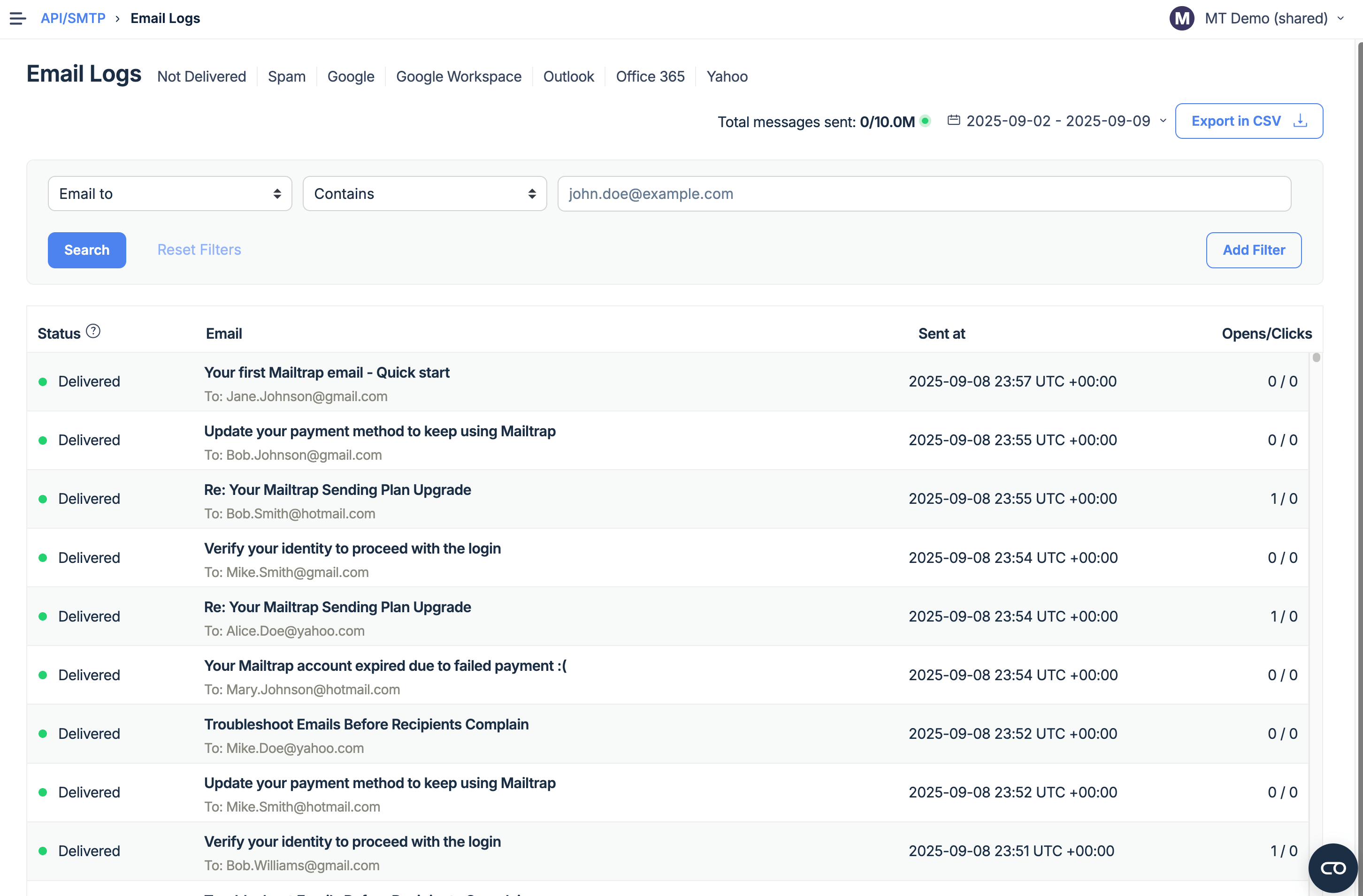
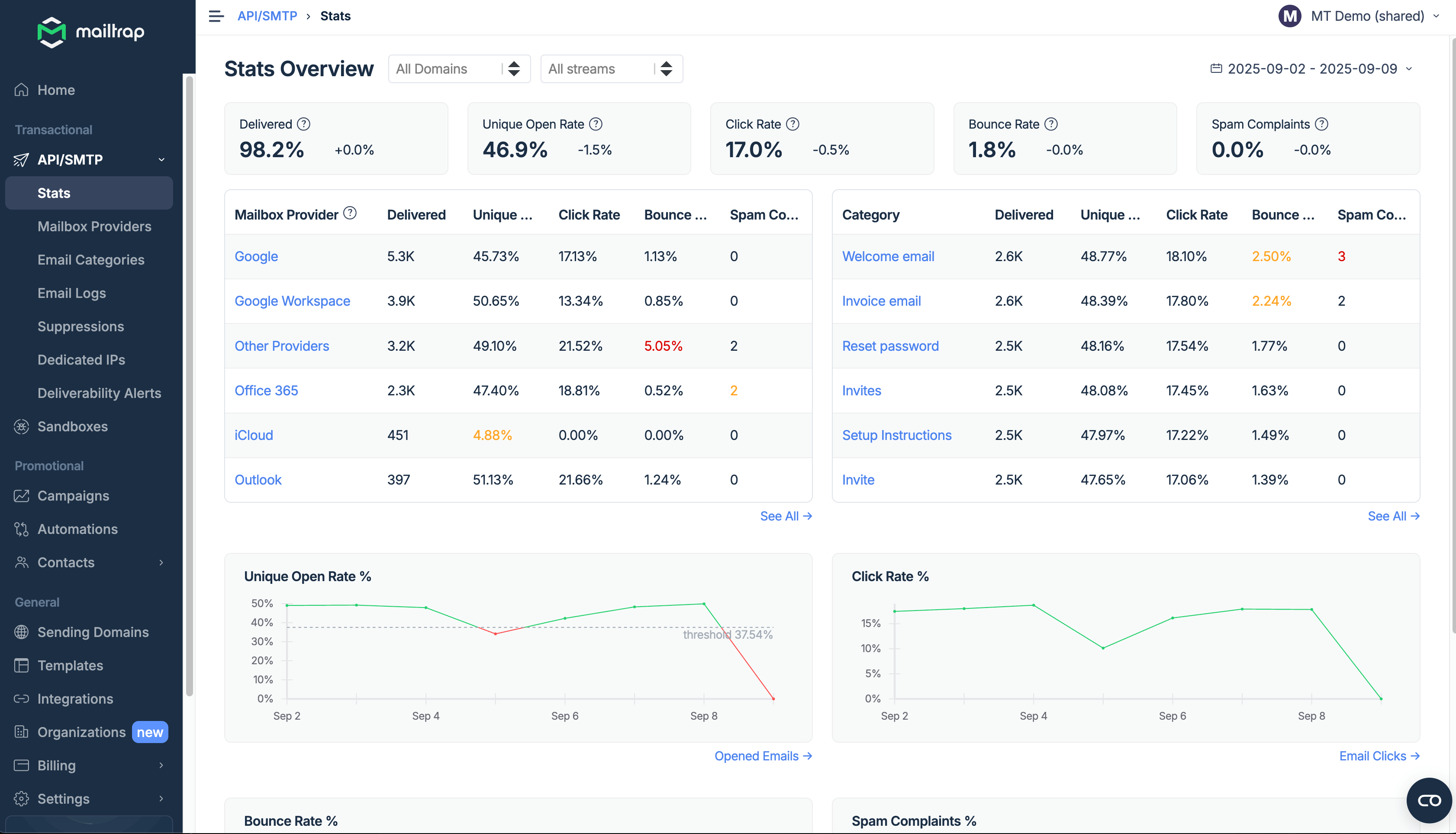
- Industry best analytics
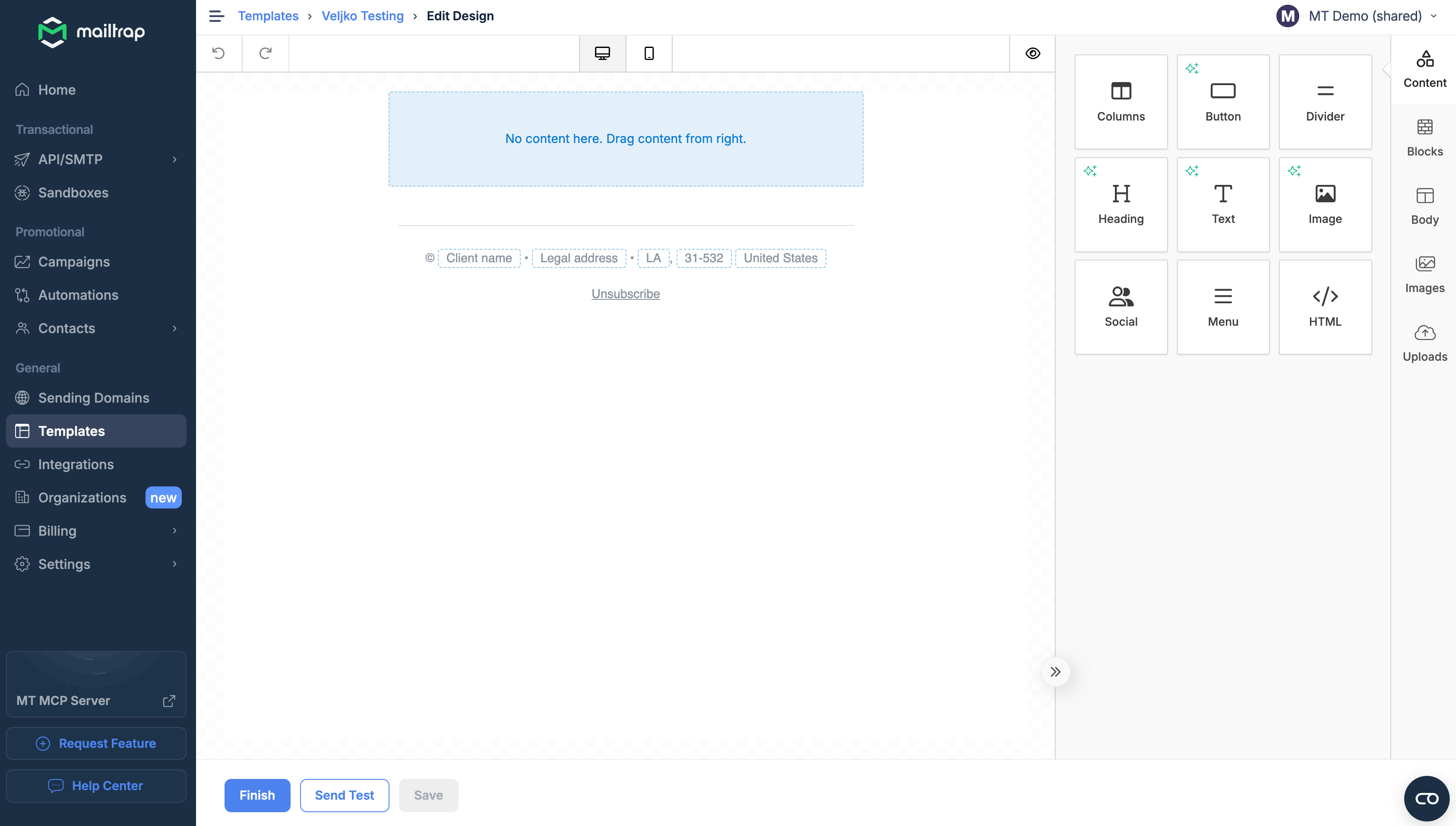
- Drag-and-drop email builder with AI assistance and fee image library
- Email template code editor
- Email templates and the template API
- Fast delivery and high inboxing rates.
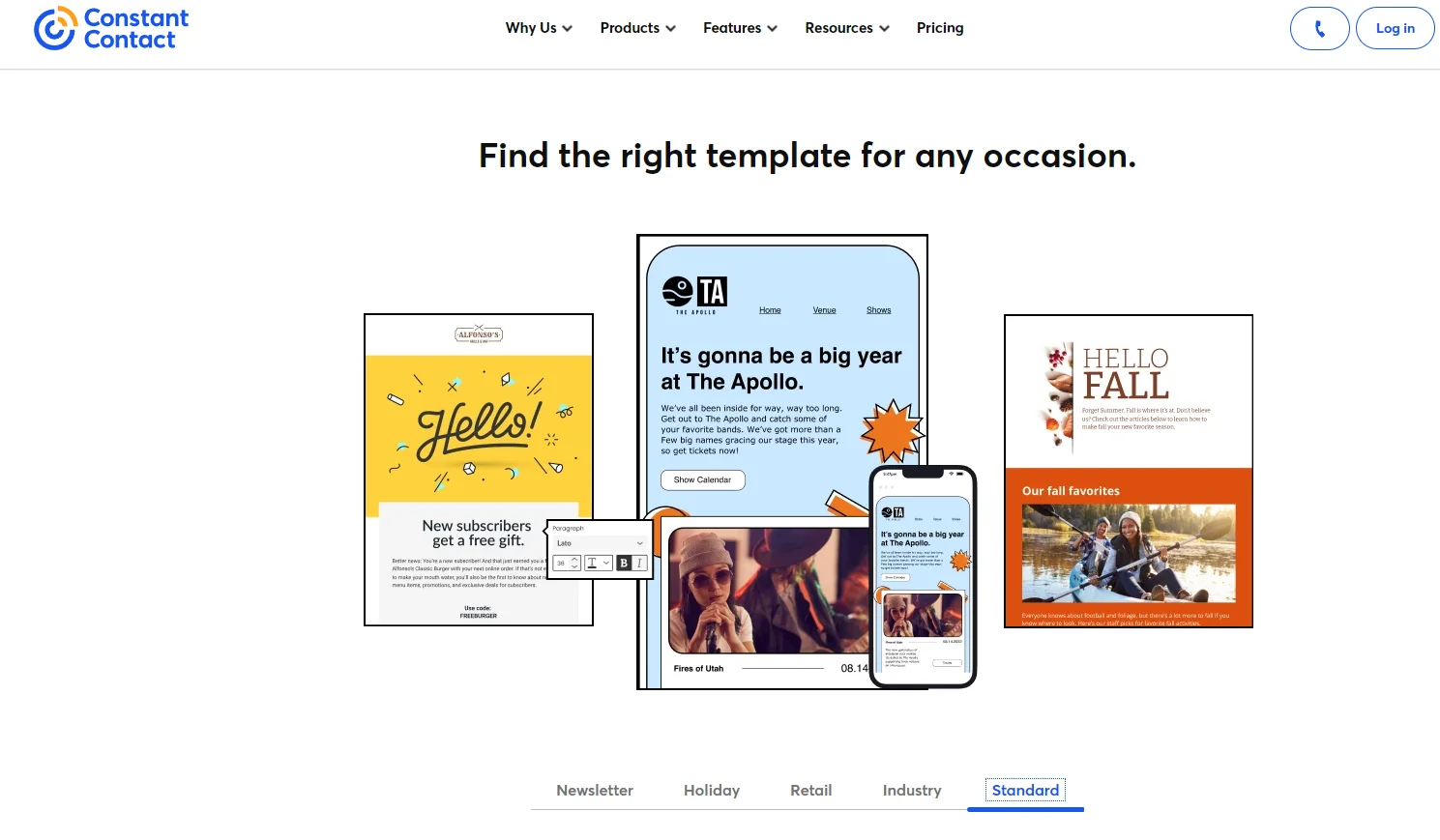
- Over 200 mobile-responsive templates
- Drag-and-drop editing
Popular templates:
- Newsletter
- Holiday-themed
- Retail
- Industry-specific
- Customizable Standard template to any occasion
- Two simple out-of-the-box templates with the option to import your own.
- Templates API that allows you to programmatically send emails from your app or service.
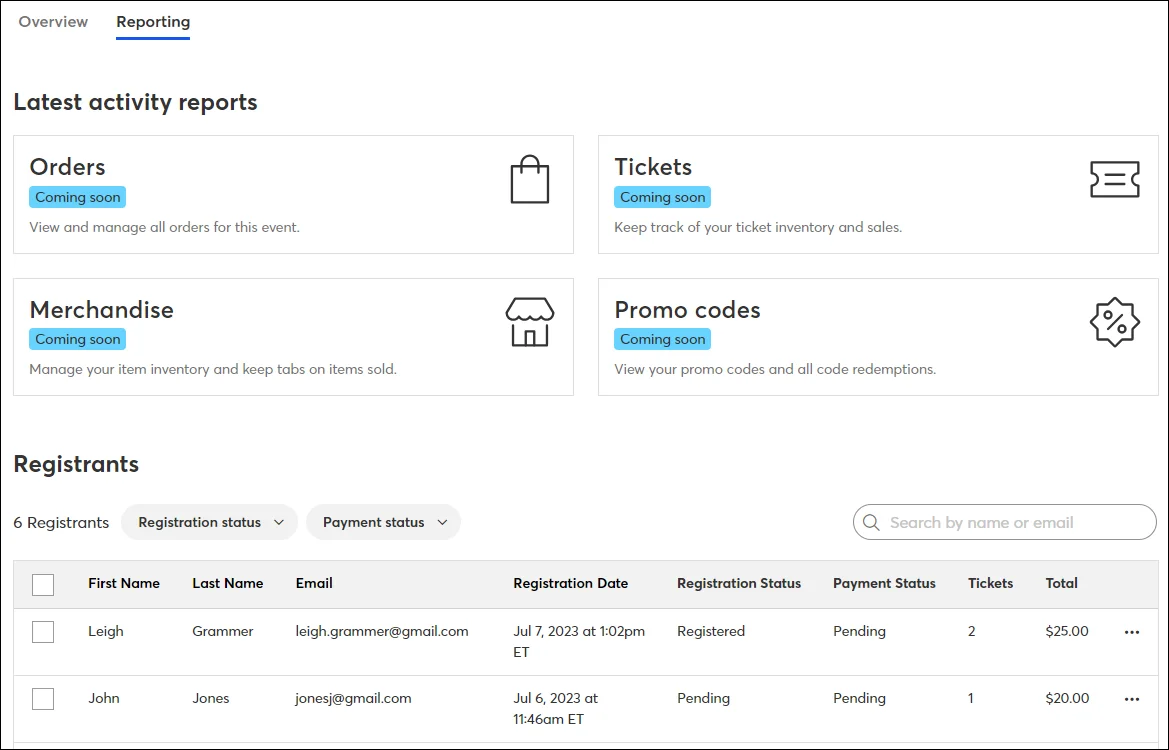
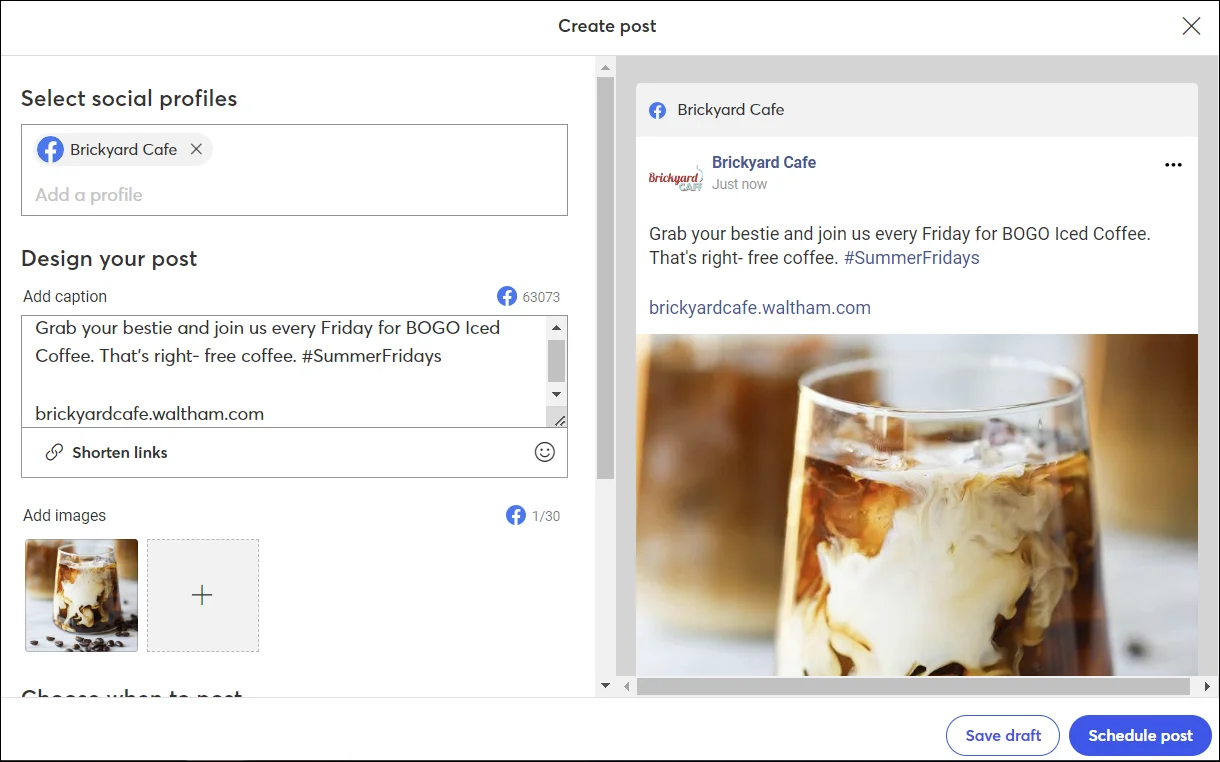
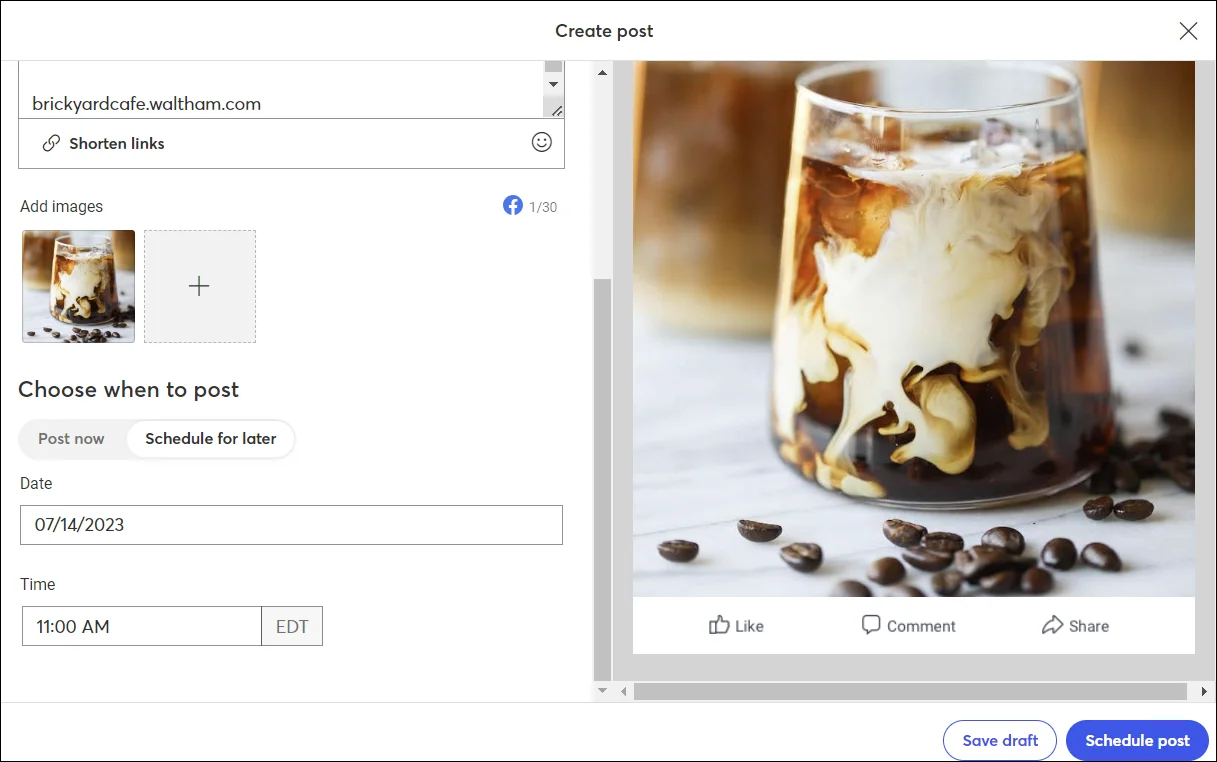
Over 5,000 integrations, including Google and Facebook Ads, WordPress, Canva, Vimeo, SalesForce, Eventbrite, Shopify, Stripe, WooCommerce, social media
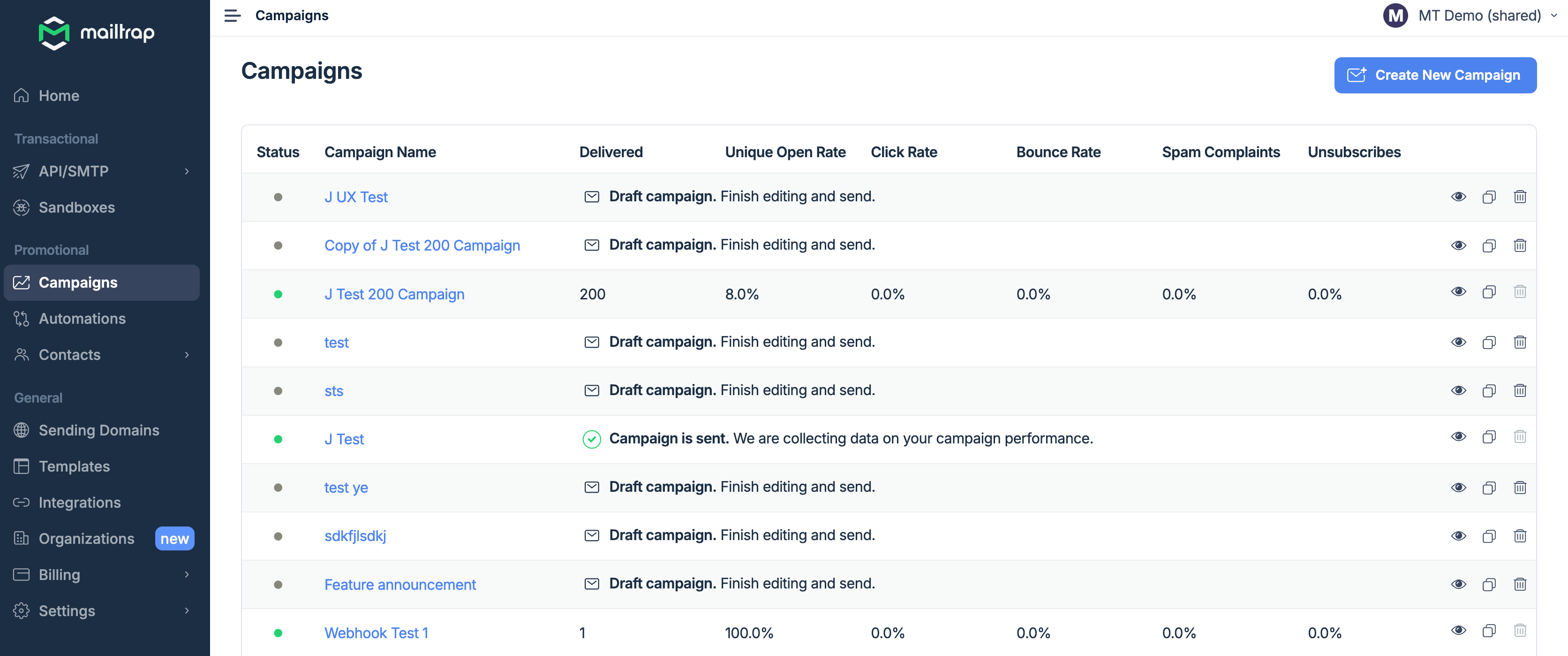
18+ integrations including VS Code, Cursor, Replit, Gemini, Heroku, Zapier, Make, and more.
- iOS
- Android
- Web
✅Available only on the web.
❌No installable solution.
 Danish
 Dutch
Dutch
 English
 French
 German
 Italian
 Portuguese
 Castilian Spanish
Latin American Spanish
Castilian Spanish
Latin American Spanish
 Swedish
English
Portuguese
Spanish
French
Italian
German
 Polish
 Ukrainian
 Japanese
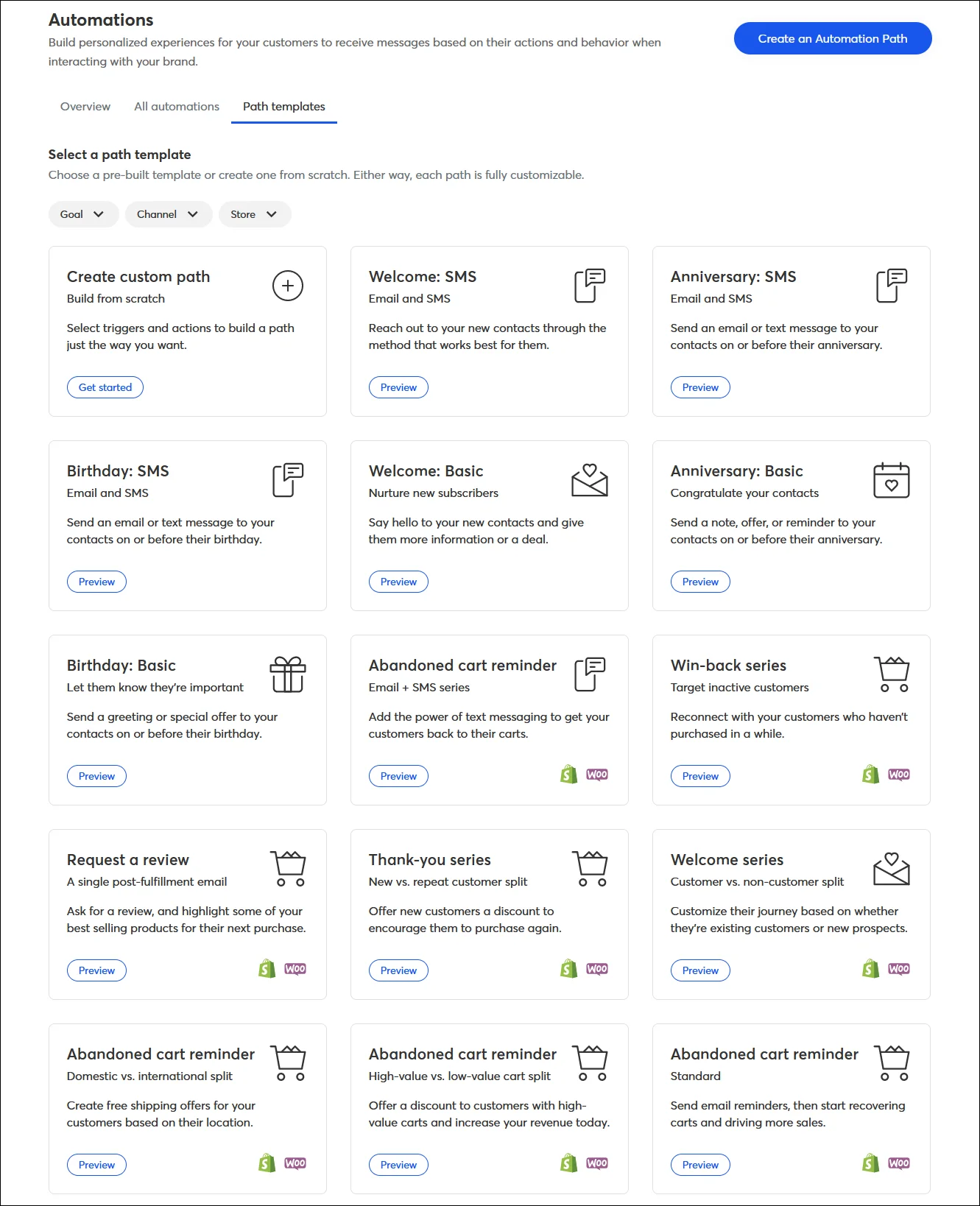
- Automated email and SMS messages.
- Automation Path Builder with a library of plug-and-play path templates and ability to create a custom path.
Some path templates are compatible with Shopify and WooCommerce, including:
- Welcome email series
- Abandoned cart messages
- Win-back series
- Thank you series
- Request a review
Setting triggers, actions, and rules available in Alpha at the time of writing.
- Ease of use
- Diverse template library — more than 200 mobile-ready email templates categorized by tag
- Over 5,000 Integrations with filters by category
- Sharing newsletter content on social media in one-click
- Niche features for event organizers
- Automated contact list segmentation based on engagement
✅ High inboxing rates
✅ Fast email delivery
✅ Industry best analytics
✅ Safe and fast scaling
✅ 24/7 expert support
- Steep price tag for the users who have more than a couple hundred subscribers and going beyond basic functionality. Some features are not included in the plans and cost extra, like SMS
- Automation can’t include multiple channels, actions and conditions. Selection of triggers is also limited
- A/B testing is limited to subject lines
- No customization options for sign up forms
- Only five templates for landing pages
- No geographical breakdown of the regions that are engaging more, or the time that subscribers open emails
- No RTL language support
- Account can be canceled only by phone
❌Automations in Alpha stage
❌Requires intermediate coding skills
Cons: As a social tool, I'm disappointed. Right now you can't post to Twitter (X) at all. You can't upload videos to share as Reels, and if you want to edit copy for each social media platform you have to make separate posts.
Cons: Since I started using Constant Contact in 2019, the platform is virtually the same. <...> Unfortunately, we have used Constant Contact to its capacity. Our emails cannot improve or change with the features that are currently available. It would be nice to see more customization in emails and better analytics reporting!
Easy to use and get started quickly. Mailtrap has saved us time and made handling emails smoother. It's been a good addition to our tools.
What do you dislike about Mailtrap?
The search function in the email logs could be better. Sometimes, finding specific wordscan be a bit tricky.
The service presents all key metrics in an easily comprehensible manner, thus providing a snapshot of our infrastructure status at any given moment. It has played a significant role in enriching our understanding of our infrastructure operations.
What do you dislike about Mailtrap?
A slight disappointment was that higher-tier plans, including the business plan, did not offer a free trial period.
*This information is current as of 10/14/2025. While we regularly update our articles, it`s possible that this article may not contain some of the latest information.