
Meeting Scheduler for your email campaigns
Book calls, automate follow-ups, and keep every conversation in sync.
Who a meeting scheduler is for
Anyone who asks people to pick a time from an email. Marketers inviting readers to a demo or webinar, sales reps booking calls, consultants and coaches scheduling sessions, agencies onboarding clients, support teams setting up callbacks, or solo professionals managing their own calendar. A meeting scheduler removes friction from that step. Instead of asking people to reply with a preferred time, you add one booking link to your email, landing page, or automated message. Contacts choose an available slot, the meeting is created automatically, and everyone gets the details they need.
A meeting scheduler helps you:
- Book meetings directly from emails and campaigns
- Automate confirmations, reminders, and follow-up messages
- Sync availability with your calendar in real time
- Create booking links for different goals
- Reduce missed calls and double-booking
- Give contacts a faster, easier way to choose a time
Easily automate bookings with Meeting Scheduler

User-friendly interface
Don’t make subscribers or clients hunt for a way to book. Add a simple scheduling link or block to your email, landing page, or campaign and guide people to the next step.

No coding required
Create and share meeting links without technical setup. Use them in newsletters, automated emails, CTA buttons, landing pages, or team workflows.

Calendar sync
Keep your schedule up to date automatically. Meeting Scheduler syncs available slots with your calendar, helps prevent double-booking, and makes calls easier to manage.

Automated messages
Send confirmations, reminders, and follow-ups after someone books. Keep every contact informed while your team focuses on the work that matters.
How to use a meeting scheduler
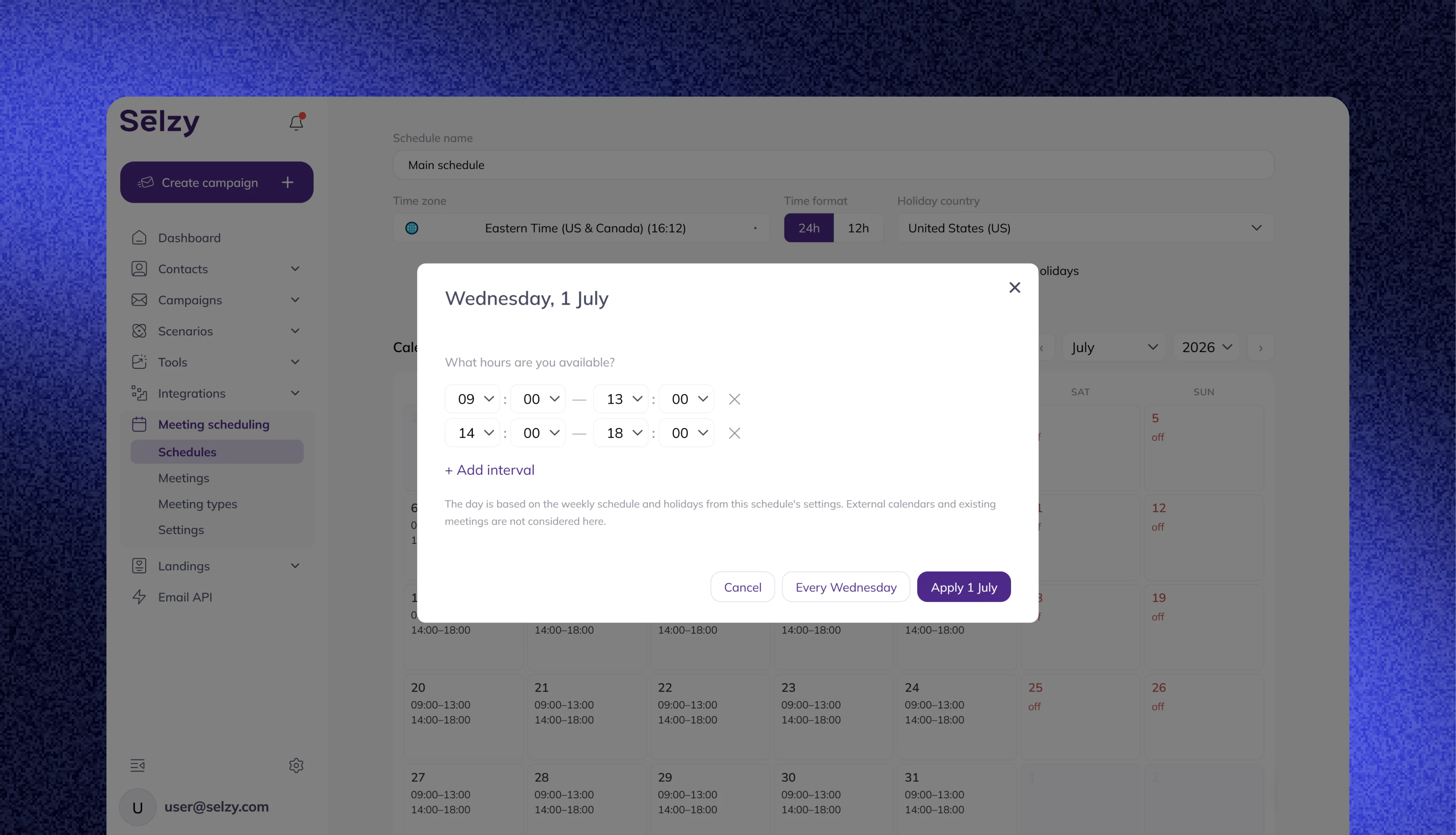
Set your availability in the calendar
Choose meeting types: set duration and price
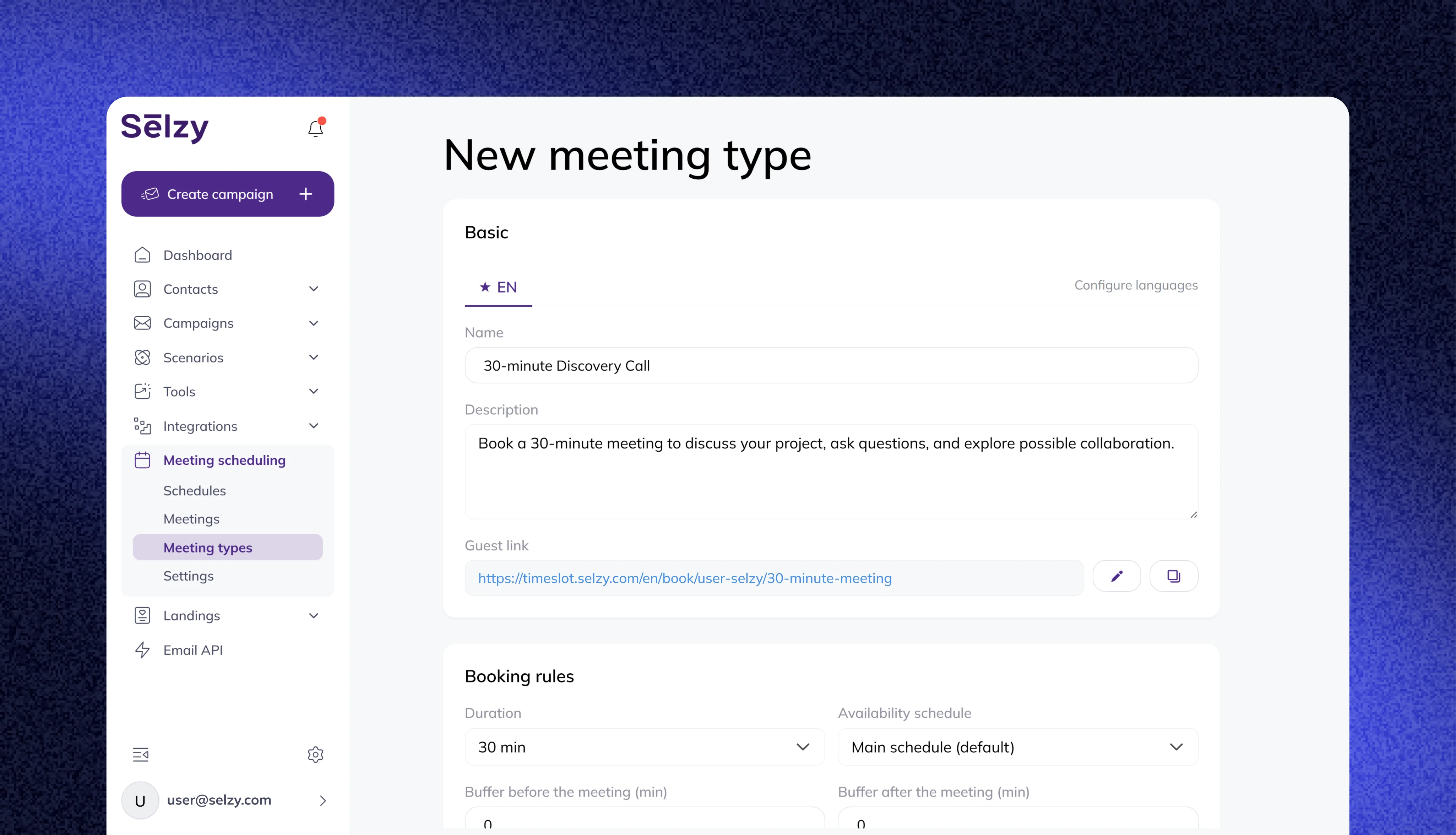
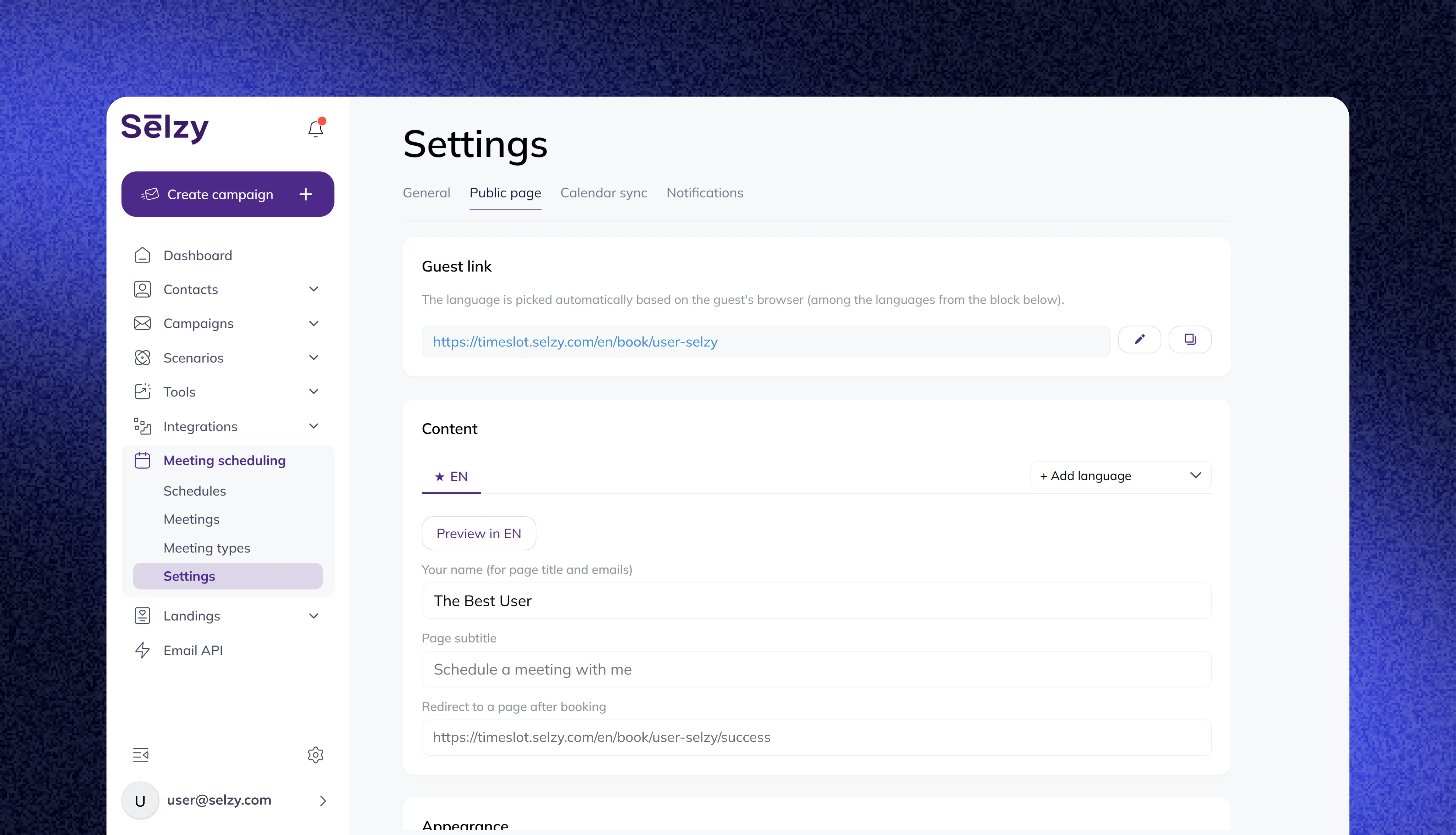
Configure settings: where to save guest contacts, guest links, and how you get notified
Sync with Gmail, Outlook, Apple, or another calendar
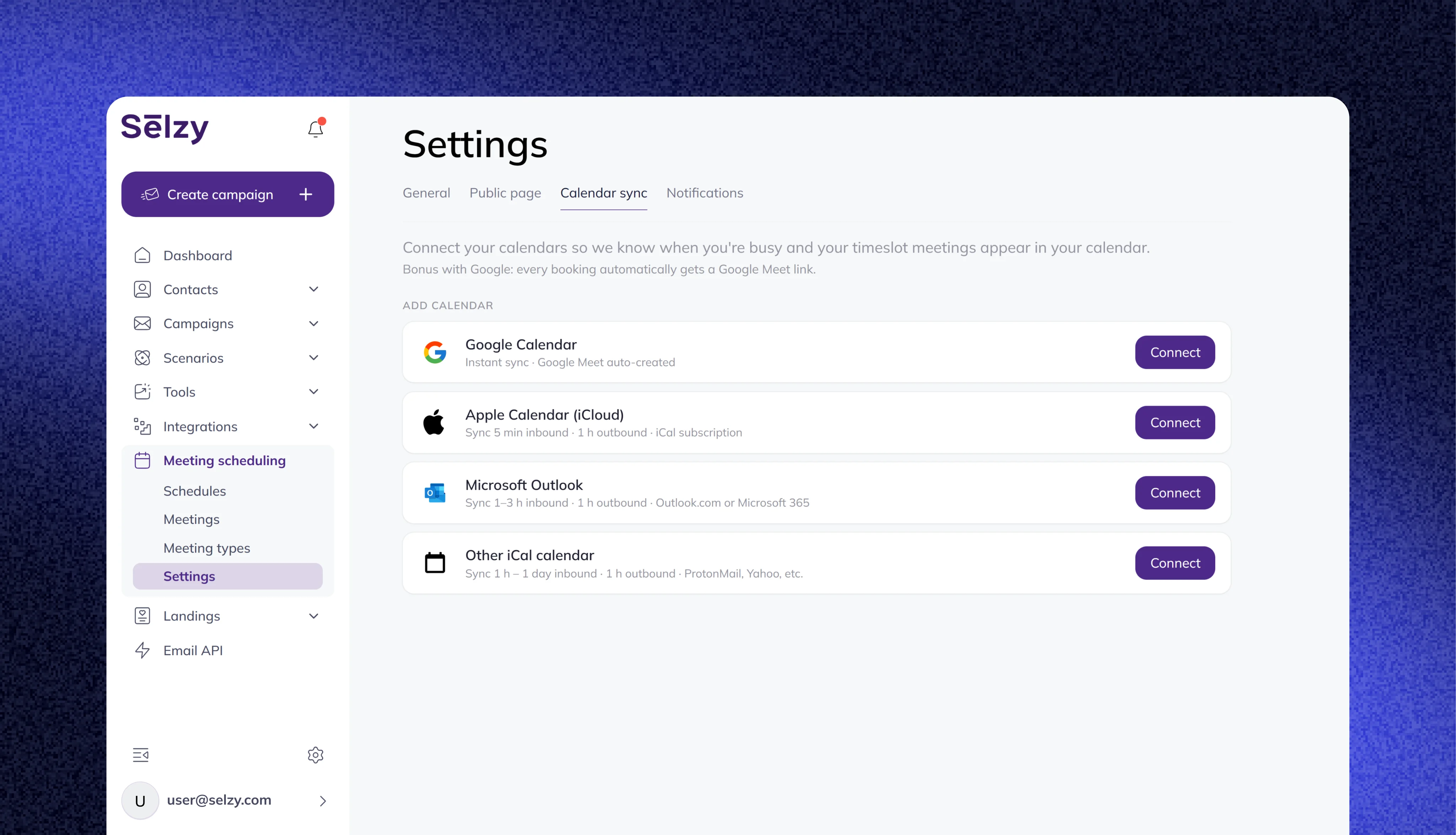
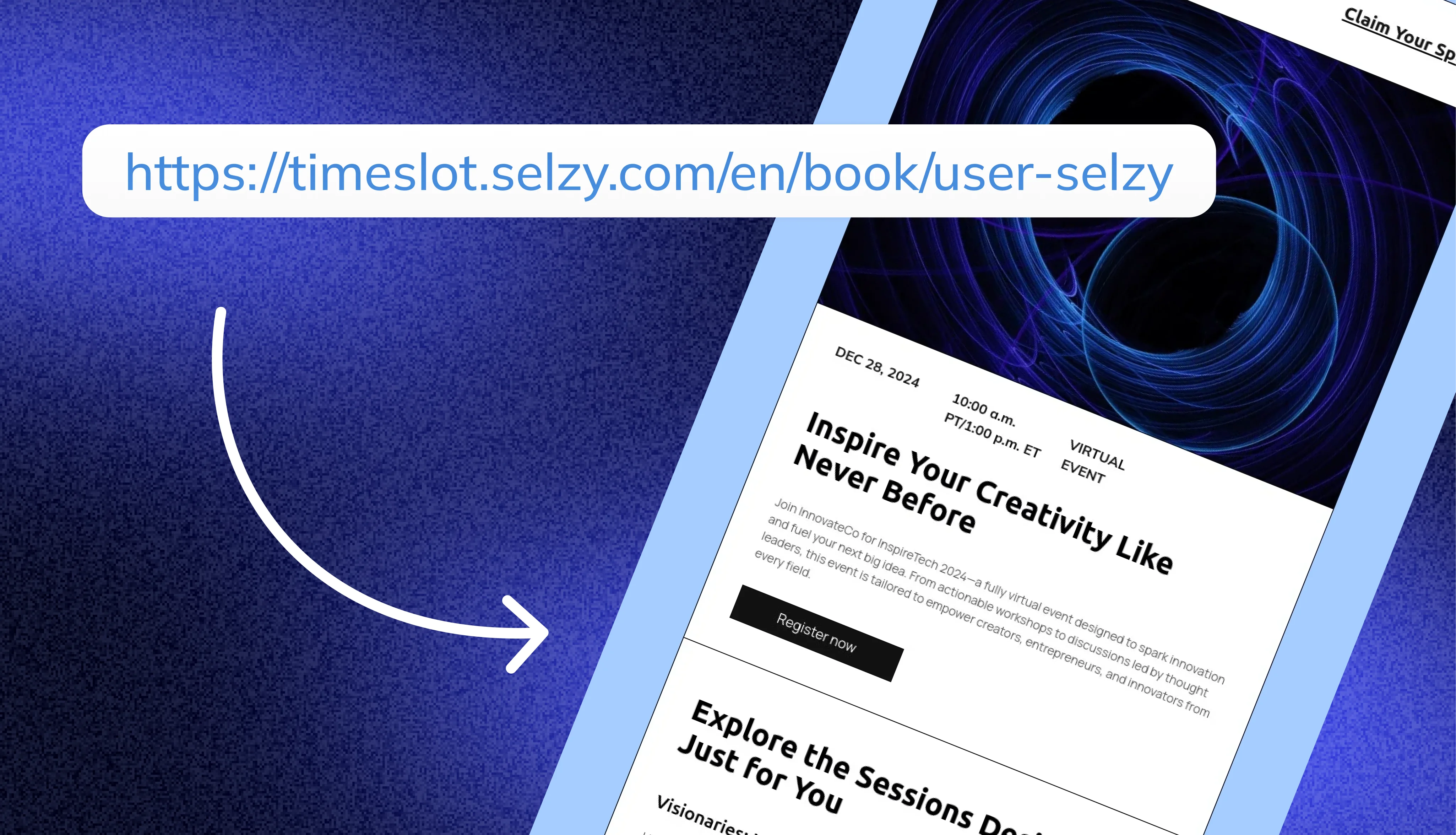
Add your link to an email - and get notified once someone schedules
Start booking more meetings from your emails
Give every email a simple next step. Create booking links, automate meeting messages, sync availability, and help your audience choose the right time in seconds.
Automate your meeting workflow50,000+ customers can't be wrong...
Selzy is the easiest way to start selling with email — but don’t just take our word for it.
Read our customers’ success stories and see what they have to say 👉


“A true gem we discovered in a huge pile of email marketing software. Way more affordable than those big known brands, and it outperforms them! All we need for full blown email marketing campaigns.”

“The overview dashboard is something I really love, because of how easy it is to understand and the summary statistics of my overall opens, clicks and unsubscribe. The support desk is really great and quick to respond.”


“I sent the first (test) campaign in less than 5 minutes. How did Selzy get me? Pleasant dashboard, clear statistics, including the deliverability of emails from the campaign, send an email to contacts who haven't opened the message (with one click), simple import of contacts”

“Great buy! The builder covers everything, I was looking at the large array of design templates. The UX/UI is just smooth. Selzy makes Mailchimp look pale in comparison.”


“The best thing about Selzy is its ability to manage marketing emails with fantastic templates, simplifying the process.”

“Not kidding. Selzy is really good. their support is beyond excellent. Response time is less than 5 minutes. They staff is skilled. The ux/ui is amazing. I highly recommend everyone to use it. This company really knows what they are doing! In fact, this is one of the best LTD's I've bought in a while.”

“Selzy is cost effective to the max and it makes it clear how my list health is going. Also top of the line support. We are talking minutes no matter what time I pinged the chat.”


“I have been extremely satisfied with Selzy and would highly recommend it to anyone looking for a reliable and user-friendly email campaign management tool. The analytics and reporting tools are top-notch, providing detailed insights into the performance of my campaigns.”

“Great UI, super easy to use and navigate around. I really love the ease of use and the amazing and attractive templates it has that makes it so simple.”

“Create email campaigns super fast, and having my email list on different categories is awesome. Been using Selzy a lot, no complaints at all.”

“Instead of opting for larger platforms like Mailchimp or Constant Contact, which offer an abundance of unnecessary features and complex interfaces, I desired a more straightforward solution focused on email sending. After comparing various email marketing platforms like Sender, Sendpulse, and Mailerlite, I ultimately chose Selzy.”

“I can run a campaign easily. It’s an alternative solution to the CRM+Email marketing tool I use on a daily basis.”






Get round-the-clock support via chat, email, and phone
FAQ
What is a meeting scheduler?
A meeting scheduler is a tool that lets people book available time on your calendar through a shared link or an embedded block. It saves teams from manual back-and-forth and makes scheduling faster.
Who can use a meeting scheduler?
Marketers, sales reps, consultants, coaches, agencies, support teams, and solo professionals – anyone who books demos, calls, consultations, sessions, or follow-ups from email.
Can I embed a booking block in the email instead of just a link?
Yes. You can add a ready-made booking block – a calendar-style button – directly to your message, similar to embedding a Typeform. It takes contacts to your live availability in one click. In email clients that support AMP, they can pick a slot without leaving the inbox.
Can I automate meeting reminders?
Yes. You can automate confirmation messages, reminders before the meeting, and follow-up emails after the call.
Why is calendar sync important?
Calendar sync keeps your availability accurate. It prevents double-booking and makes sure contacts only see times when you’re free.
Can I create different booking links for different campaigns?
Yes. You can create separate links or blocks for demos, webinars, customer interviews, onboarding, and other goals.